When you purchase through links on our site, we may earn an affiliate commission. Here’s how it works.
What to Look for in a College Laptop Under $500
A college laptop needs to handle note-taking, research, essay writing, video calls, and light multitasking every day for at least four years. You do not need to spend a thousand dollars to get a machine that does all of that well. Budget laptops in the $300 to $500 range have gotten significantly better in recent years thanks to improved processors and SSDs replacing slow hard drives.
When shopping at this price point, focus on four things: processor speed, RAM, storage type, and battery life. Screen quality and build materials take a back seat when you need to stay under budget, but some models manage to include decent displays without raising the price.
How Much RAM and Storage Do College Students Need?
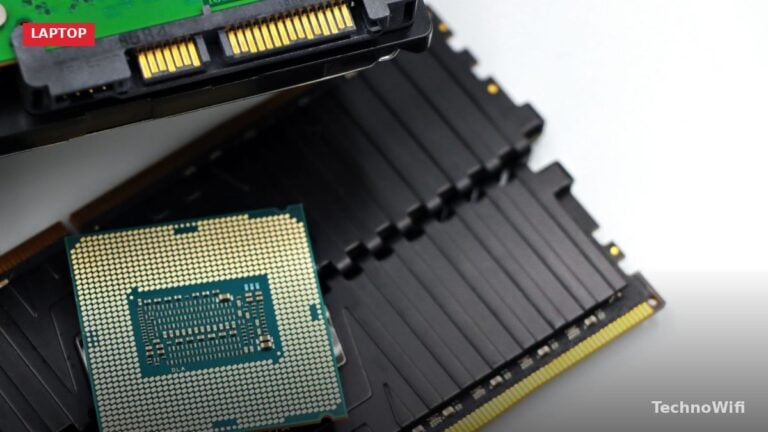
Aim for at least 8 GB of RAM. This is enough to run a web browser with 15+ tabs open, a word processor, Spotify, and Zoom at the same time without stuttering. Laptops with 4 GB of RAM exist under $500, but they struggle with modern multitasking and will feel slow within a year or two.
For storage, look for an SSD (solid-state drive) with at least 128 GB of space. SSDs boot Windows in under 15 seconds and open applications almost instantly. Avoid laptops that still use traditional hard drives (HDD) at this price range – they make everything feel sluggish. If you choose a 128 GB model, plan to use cloud storage (Google Drive, OneDrive) for larger files.
Which Processor Is Best for a Budget College Laptop?
Intel Core i3 (12th generation or newer) and AMD Ryzen 3 5000-series processors handle college workloads comfortably. They are fast enough for document editing, web browsing, video streaming, and basic photo editing. Intel Core i5 and Ryzen 5 chips appear in some laptops at the top end of this budget and provide noticeably faster performance.
Avoid Intel Celeron and Pentium processors unless you plan to use the laptop only for web browsing and Google Docs. These chips work fine on Chromebooks where Chrome OS is optimized for low-power hardware, but they make Windows feel sluggish during multitasking.
Top Specs to Prioritize Under $500
| Spec | Minimum for College | Ideal Under $500 |
|---|---|---|
| Processor | Intel Core i3 / Ryzen 3 | Intel Core i5 / Ryzen 5 |
| RAM | 8 GB | 8 GB to 16 GB |
| Storage | 128 GB SSD | 256 GB SSD |
| Screen size | 13 inches | 14 to 15.6 inches |
| Display resolution | 1366 x 768 (HD) | 1920 x 1080 (Full HD) |
| Battery life | 6 hours | 8+ hours |
| Weight | Under 5 lbs | Under 4 lbs |
Best Budget Laptop Brands for Students
Several manufacturers consistently produce reliable laptops under $500. Acer, Lenovo, HP, and ASUS dominate this price range with models designed specifically for students and everyday users.
Acer Aspire Series
Acer’s Aspire 1 and Aspire 3 lines regularly fall under $500. The Aspire 3 typically offers a 15.6-inch Full HD display, Intel Core i3 or Ryzen 3 processor, 8 GB of RAM, and a 256 GB SSD. Build quality is plastic but sturdy enough for daily backpack use. Battery life averages 7 to 9 hours depending on workload.
Lenovo IdeaPad Series
The Lenovo IdeaPad 1 and IdeaPad 3 are popular among college students for their comfortable keyboards and good screens. Lenovo packs a 14-inch or 15.6-inch IPS display into most configurations, which provides better viewing angles than the TN panels found on some competitors. Weight starts at around 3.5 pounds for the 14-inch model.
HP Laptop Series
HP’s budget line (HP Laptop 14, HP Laptop 15) delivers solid performance with Intel Core i3 or i5 processors. HP often includes a fingerprint reader even at this price point, which is convenient for Windows Hello login between classes. The HP 15 series offers a full-size keyboard with a number pad, useful for students in accounting or data-heavy courses.
ASUS VivoBook Series
ASUS VivoBook models fit into the $400 to $500 range and offer thin, lightweight designs that rival more expensive ultrabooks. The VivoBook 15 weighs about 3.9 pounds with a narrow-bezel display that makes the laptop feel compact despite the 15.6-inch screen. ErgoLift hinge design tilts the keyboard for a more comfortable typing angle.
Should College Students Buy a Chromebook Instead?
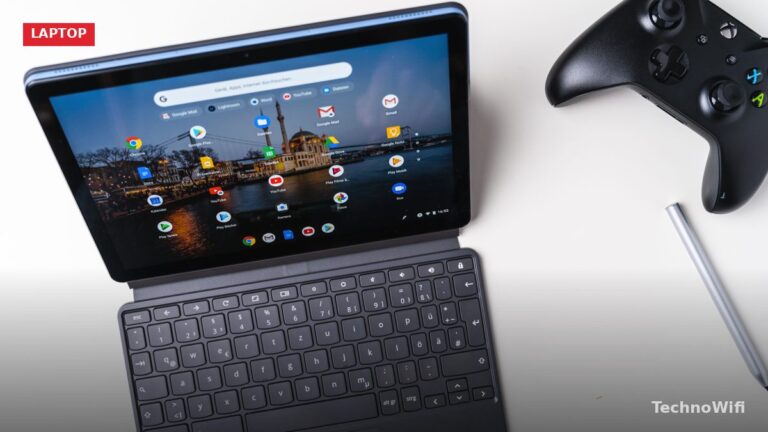
Chromebooks start as low as $150 and handle basic college tasks like Google Docs, email, web research, and Zoom calls. If your coursework lives entirely in a web browser, a Chromebook is the most cost-effective option. You spend less money and get longer battery life with virtually no maintenance.
However, some college courses require Windows-only software. Engineering students need MATLAB or AutoCAD. Business students may need Microsoft Access or advanced Excel macros that Google Sheets cannot handle. Art and design students need Adobe Creative Cloud. If any of your classes require specific desktop software, a Windows laptop is the safer choice even if it costs more than a Chromebook.
How to Find the Best Deals on Student Laptops
Prices on budget laptops drop significantly during back-to-school sales in July and August, Black Friday in November, and Prime Day in July. Many retailers offer student discounts year-round. Apple, Lenovo, Dell, and HP all have education stores with reduced pricing for students who verify their enrollment with a .edu email address.
Refurbished laptops from Amazon Renewed, Best Buy Open Box, or manufacturer outlet stores often cut 20% to 40% off the original price. A refurbished $600 laptop frequently outperforms a new $500 one. Look for listings with at least a 90-day warranty and inspect the condition rating carefully before buying.
Is a $500 laptop good enough for college?
Yes, for most students. A $500 laptop with an Intel Core i3, 8 GB of RAM, and a 256 GB SSD handles everything that 80% of college students do: writing papers, browsing the web, watching lectures, joining Zoom calls, and using Google Workspace or Microsoft 365. Students in specialized programs like engineering, architecture, or video production may need to spend more for a dedicated GPU and extra RAM.
How long will a $500 laptop last?
Expect 3 to 5 years of solid performance from a well-maintained budget laptop. Windows updates and new software gradually demand more resources over time. Keeping the SSD at least 20% empty, running regular Windows updates, and avoiding unnecessary startup programs helps maintain speed. The battery typically degrades to about 80% of its original capacity after 2 to 3 years of daily use.
Do college students need a dedicated graphics card?
Most college students do not need a dedicated GPU. Integrated graphics from Intel (Iris Xe or UHD) and AMD (Radeon Vega or Radeon 600M) handle document work, video streaming, and even light photo editing. A dedicated GPU from NVIDIA or AMD is only necessary for gaming, 3D modeling, video editing, or machine learning coursework. Budget laptops with dedicated GPUs exist but rarely fall under $500.
See also: Best Laptops for Video Editing, Best 17-Inch Laptops, Best Laptops for Elementary Students, Laptop vs Chromebook
Sources
Intel – Intel Core Processors | AMD – AMD Ryzen Processors | Google – Chromebooks
Disclaimer
TechnoWifi is reader-supported. When you buy through links on our site, we may earn an affiliate commission. Product availability, prices, and specifications are subject to change. We recommend verifying details with the manufacturer before purchasing. TechnoWifi is not responsible for any discrepancies between the information provided here and the manufacturer’s website.