
Why Use a Modem Router Combo?
Most cable internet providers charge $10 to $15 per month to rent their modem and router. That’s $120 to $180 per year for equipment you could own outright for a one-time cost of $100 to $250. A modem router combo puts both devices into a single box, which means one power cable, one device to manage, and no rental fees eating into your internet budget.
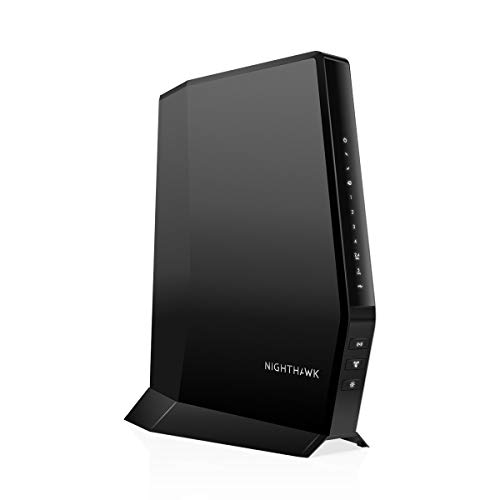
The other benefit is less clutter. Separate modems and routers mean two power bricks, an Ethernet cable connecting them, and twice the blinking lights on your desk. A combo unit consolidates everything. The tradeoff is flexibility – if one component fails or becomes outdated, you replace the whole unit instead of just the modem or just the router. For most households, the savings and simplicity outweigh that downside.
What to Check Before Buying
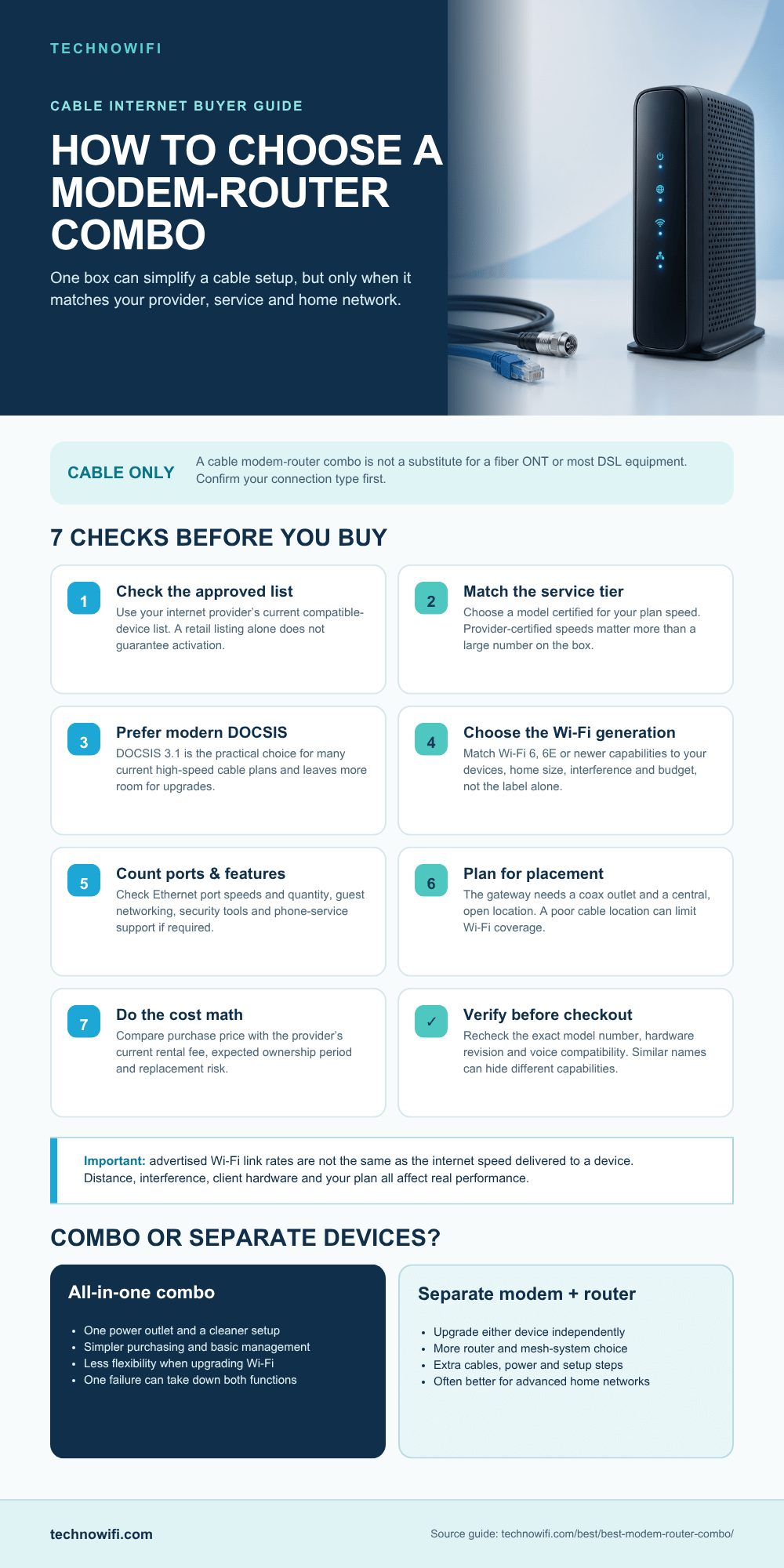
Not every modem router combo works with every ISP. Before you buy, you need to verify two things: your internet provider’s compatibility list and your plan speed.
Router issues? See our WiFi router restart guide.
ISP Compatibility
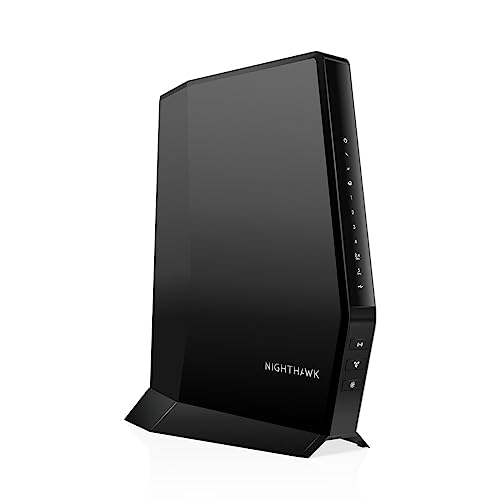
Cable internet providers like Xfinity, Spectrum, Cox, Mediacom, and Optimum use DOCSIS technology. Most modern modem router combos support DOCSIS 3.0 or 3.1. Your ISP maintains a list of approved modems on their website – search for “[your ISP] approved modems” and confirm the model you’re considering is on the list. Using an unapproved modem can cause activation headaches or spotty performance.
Fiber providers (Verizon Fios, AT&T Fiber, Google Fiber) use ONT boxes instead of modems, so a modem router combo doesn’t apply. DSL connections use a different technology entirely. This guide focuses on cable internet, which is where modem router combos make the most sense.
Speed Tier
Match the modem’s DOCSIS channels to your plan speed. A DOCSIS 3.0 modem with 16 downstream channels handles plans up to about 600 Mbps. DOCSIS 3.0 with 32 channels pushes to around 1 Gbps in theory, though real-world performance is lower. If you’re on a gigabit plan or higher, DOCSIS 3.1 is the way to go – it supports multi-gigabit speeds and is more efficient during peak network congestion.
You might also want to read our modem router combo for gaming guide for the full picture.
Top Modem Router Combos Compared
| Model | DOCSIS | Max Speed | WiFi Standard | ISP Compatibility | Price Range |
|---|---|---|---|---|---|
| Motorola MG8725 | 3.1 | 6 Gbps | WiFi 6E | Xfinity, Spectrum, Cox | $300 to $400 |
| ARRIS SURFboard SBG8300 | 3.1 | 4 Gbps | WiFi 6 (Dual-band) | Xfinity, Spectrum, Cox | $200 to $280 |
| Netgear C7000 | 3.0 | 600 Mbps | WiFi 5 (Dual-band) | Xfinity, Spectrum, Cox | $100 to $150 |
| Motorola MT8733 | 3.1 | 6 Gbps | WiFi 6E (Tri-band) | Xfinity, Spectrum, Cox | $350 to $450 |
| ARRIS SURFboard SBG7600AC2 | 3.0 | 1.2 Gbps | WiFi 5 (Dual-band) | Xfinity, Spectrum, Cox | $130 to $180 |
Best Overall: ARRIS SURFboard SBG8300
The SBG8300 hits the sweet spot between price and performance for most cable internet users. It supports DOCSIS 3.1 for gigabit plans, has four Gigabit Ethernet ports for wired devices, and the dual-band WiFi 6 router handles a busy household without issues. The web-based admin panel gives you solid control over network settings without being overly complicated.
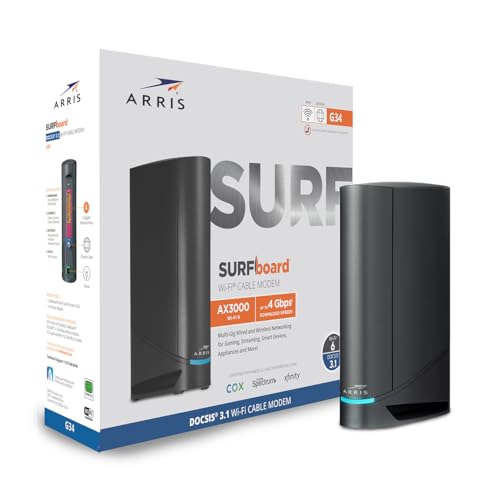
Coverage reaches about 2,000 to 2,500 square feet in a typical home. If your house is larger or has thick walls creating dead zones, pair the modem with a separate mesh system instead of relying on the built-in router. The SBG8300 can run in bridge mode, which disables its router functions and lets you use your own router or mesh system while keeping the modem component active.
Best for Gigabit Plans: Motorola MG8725
Motorola’s MG8725 is one of the few combo units with WiFi 6E, which adds the less-congested 6 GHz band on top of the standard 2.4 GHz and 5 GHz bands. If you have newer devices that support WiFi 6E (iPhone 15 Pro, Samsung Galaxy S23+, recent laptops), they can connect on the 6 GHz band for faster, interference-free performance.
The DOCSIS 3.1 modem side supports speeds up to 6 Gbps downstream, which future-proofs you for multi-gigabit plans as ISPs roll them out. At $300 to $400, it’s expensive for a combo unit, but you’ll recoup the cost in rental fee savings within two to three years. Motorola’s build quality and reliability track record make this a safe long-term investment.
Best Budget: Netgear C7000
If your internet plan is 300 Mbps or under, spending $300 on a modem router combo doesn’t make sense. The Netgear C7000 handles plans up to 600 Mbps for about $100 to $150, which means it pays for itself in less than a year of skipped rental fees. The WiFi 5 router is adequate for a small household with moderate internet usage.
The C7000 is showing its age in 2025 – WiFi 5 doesn’t handle many simultaneous devices as efficiently as WiFi 6, and DOCSIS 3.0 won’t keep up if you upgrade to a gigabit plan later. But for budget-conscious users on mid-tier plans, it delivers exactly what’s needed without wasting money on features you won’t use.
Interested in this area? We go deeper in our WiFi router for large home guide.
How to Set Up a Modem Router Combo
- Connect the coaxial cable from your wall outlet to the modem’s coax input.
- Plug in the power adapter and wait for the modem to fully boot (usually 2 to 5 minutes – all lights should stabilize).
- Call your ISP to activate the new modem. You’ll need the modem’s MAC address and serial number, both printed on a label on the device.
- Once activated, connect a device to the WiFi network using the default network name and password (printed on the same label).
- Open a browser and go to the admin panel (usually 192.168.0.1 or 192.168.1.1) to change the default WiFi name, password, and admin login.
- Return your ISP’s rental equipment to avoid continued charges.
The activation call usually takes 10 to 15 minutes. Some ISPs (Xfinity in particular) let you self-activate online, which is faster. Don’t forget to return the old rental equipment – ISPs will keep charging you until they receive it back, and some charge unreturned equipment fees of $100+.
Modem Router Combo vs Separate Modem and Router
Separate devices give you more flexibility. You can pair a high-end modem with a mesh WiFi system for whole-home coverage, or upgrade just the router when faster WiFi standards come out without replacing the modem. Power users, large households, and anyone who wants the best possible WiFi performance should go the separate route.
Combo units win on simplicity and cost. One device, one power cable, one thing to troubleshoot when something goes wrong. For apartments, small homes, and anyone who doesn’t want to think about networking, a combo unit makes life easier. The WiFi performance in modern combo units is good enough for streaming, gaming, and video calls across a typical household.
How long do modem router combos last?
Expect 4 to 6 years before you need to replace one. The modem side becomes outdated as ISPs adopt newer DOCSIS standards and offer faster plans. The router side ages as WiFi standards advance. A DOCSIS 3.1 / WiFi 6 combo purchased in 2025 should remain relevant through at least 2029 for most users.
Do modem router combos work with Xfinity?
Yes. Xfinity (Comcast) supports a wide range of third-party modem router combos. Check the Xfinity approved device list at mydeviceinfo.xfinity.com before buying. Keep in mind that Xfinity’s xFi features (parental controls, usage monitoring through their app) only work with Xfinity’s own rental equipment. You’ll manage network settings through the modem’s own admin panel instead.
Should I use bridge mode on my combo unit?
Bridge mode disables the combo unit’s built-in router and WiFi, turning it into a modem-only device. Use bridge mode if you want to connect your own standalone router or mesh system for better WiFi performance. Without bridge mode, you’d have two routers creating two networks (double NAT), which causes problems with gaming, VPN connections, and port forwarding.
Sources
For network monitoring, check our WiFi router history guide.
Looking for a combo unit matched to your ISP? See our ISP-specific picks: Modem Router Combo for Xfinity, Modem Router Combo for Optimum, Routers for Verizon FiOS, Modem Router Combo for Spectrum, Modem Router Combo for Mediacom, and Modem Router Combo for Cox.
We also cover Modem Router Combo for Comcast.
Before buying a new router, it helps to know what speeds your ISP actually delivers. Check which providers and plans are available in your area.
Motorola – Cable Modem Routers | ARRIS – SURFboard Modems | Xfinity – Approved Device List