When you purchase through links on our site, we may earn an affiliate commission. Here’s how it works.
Lenovo Chromebook Duet – What You Need to Know
If you’re shopping for a solid laptop that won’t empty your wallet, the Lenovo Chromebook Duet deserves a spot on your shortlist. It’s one of the better budget Chromebooks out there, and it hits a sweet spot between price and usability.
You’re probably wondering if it’s the right fit for your daily needs. Fair question. Let’s break it down.
This is an affordable Chrome OS laptop that doubles as a tablet. It’s small enough to slip into pretty much any bag, which makes it a great travel companion. Battery life? Around 11 hours on a full charge. That’s enough to get you through a full workday and then some.
Pricing sits around the $300 mark. You get 64GB of storage, 4GB of RAM, and a comfortable keyboard that detaches when you want tablet mode. There’s a kickstand too.
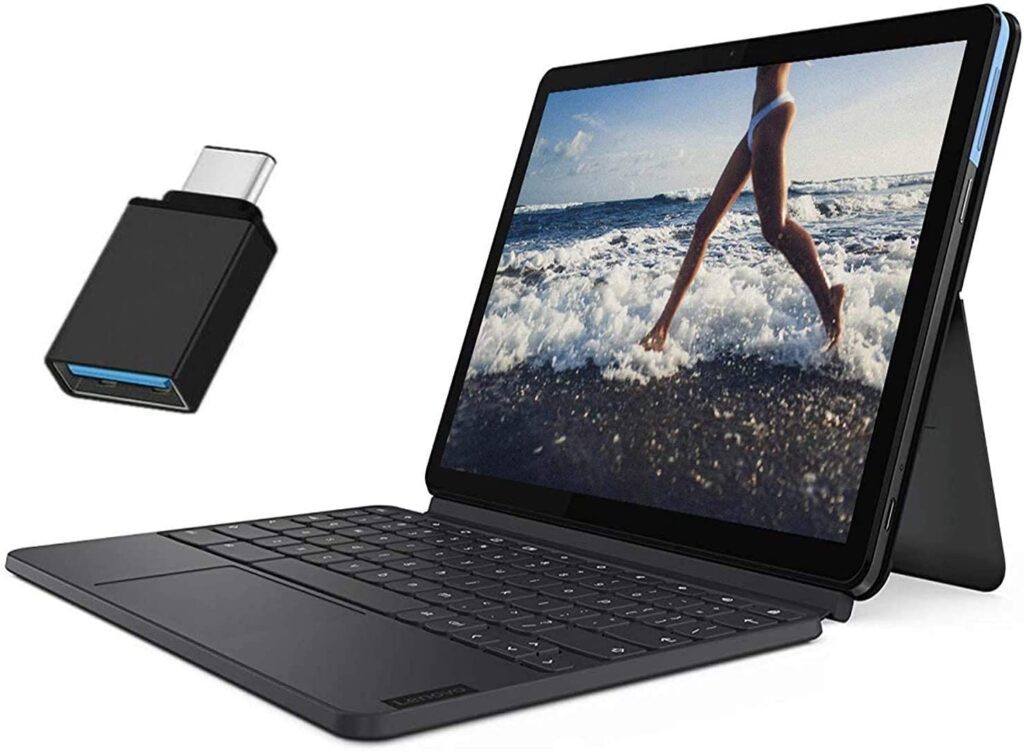
Lenovo Chromebook Duet – Lenovo Chromebook Duet Review
One thing to keep in mind: the screen is on the smaller side. If you like having multiple windows or tabs side by side, things can feel a bit cramped. For everyday browsing, email, and light work though, it handles everything just fine.
The build quality is solid. The tablet portion uses aluminum alloy, so it feels sturdy in your hands. Performance-wise, you can comfortably run 10 to 12 tabs at once without noticeable slowdowns.
Readers who found this helpful also liked our guide on Lenovo laptops for gaming.
Push it past 14 tabs and you might start seeing lag or the occasional crash. So this isn’t a multitasking powerhouse. But for its price point, the feature set is genuinely impressive. Here’s a closer look at what it brings to the table.
6 Features of Lenovo Chromebook Duet
Each feature on the Lenovo Chromebook Duet pulls its weight. From the detachable design to the all-day battery, this laptop covers the essentials for everyday use without any unnecessary extras.
Let’s go through them one by one.
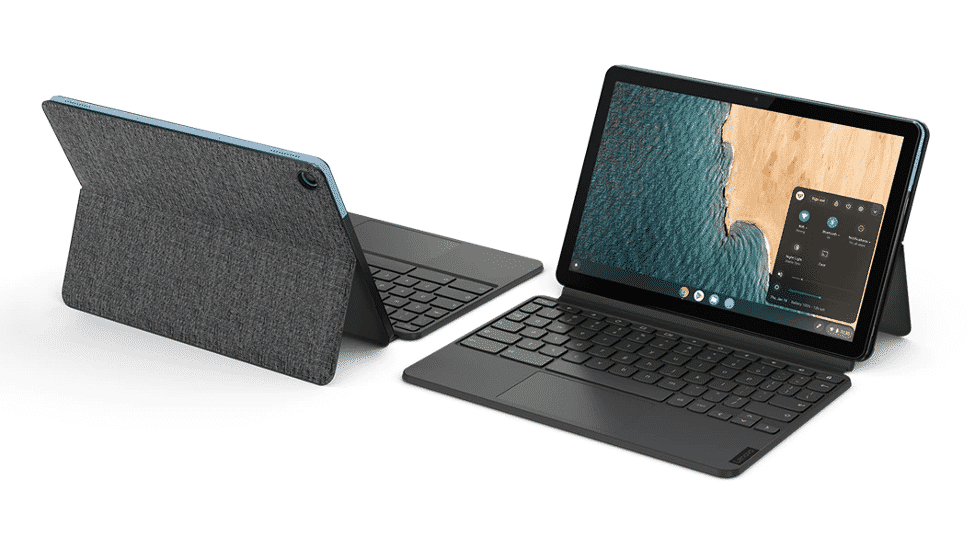
Lenovo Chromebook Duet – Features of Lenovo Chromebook Duet
1. Design
The tablet has a clean, polished look with a detachable keyboard and kickstand cover. The bezels are thick and a bit dated, but that’s a minor gripe at this price.
It comes in a two-tone color scheme of light blue and iron-gray. A black Chrome logo on the back rounds out the design nicely.
Up in the top left corner, you’ll spot “Lenovo” printed in black on a small silver plate.
The back cover has a fabric finish that makes it comfortable to hold, and you can pop off the keyboard for a proper tablet experience.
Build quality is decent. The main body is aluminum and plastic, so it can take some bumps. The detachable keyboard, on the other hand, feels a little flimsy.
2. Size
This laptop is seriously portable. It fits in pretty much any bag you own. Even with the back cover and keyboard attached, it stays compact. Here are the exact measurements:
- Weight: 0.47kg
- Volume: 266.007cm3
- Width: 23.9cm
- Depth: 15.9cm
- Thickness: 0.7cm
Think of it like a small book that folds shut. It’s lightweight enough to carry everywhere without a second thought.
3. Display
The Chromebook Duet sports a 10.1-inch display with a 1920 x 1200 resolution. It’s a good-looking screen for the price.
Color accuracy is a standout here. It covers 106% of the sRGB color gamut, which is better than most competitors in this range. The Delta-E rating sits at 0.2, nearly perfect.
For more on this, take a look at our Chromebook laptops for elementary school guide.
Brightness hits 372 nits, and the touchscreen gestures from the Chrome 81 update work well. Refresh rate is 60Hz without VRR support.
Reflection handling is reasonable, and the screen supports the Universal Stylus Initiative. It’s also touch-sensitive, of course. Here are the key display specs:
- Screen-To-Body Ratio: 70%
- Panel Type: IPS
- Resolution: 1920 x 1200
- Aspect Ratio: 16:10
- Pixel Density: 229 PPI
4. Interface
The detachable keyboard on the Lenovo Chromebook Duet holds up well enough during regular typing sessions. It’s stable and gets the job done.
That said, if you do a lot of typing, you might find it a bit cramped. The touchpad is small and palm rejection isn’t always on point.
Speakers max out at 73 dB SPL. They sound fine for casual listening but don’t expect heavy bass. The webcam is 720p and sits at the top center of the display, which is pretty standard.
5. Performance
For a budget Chromebook, performance is solid. You can run several browser tabs without crashes. Just try to keep it under 12 tabs for the smoothest experience.
The 4GB of RAM handles everyday tasks well. It runs on a MediaTek Helio P60T processor, which is fine for light work like Office apps, email, and web browsing.
Don’t expect it to handle video editing or animation work though. The Mali-G72 MP3 GPU can manage some lighter games from the Google Play Store, but heavy graphics tasks are out of the question.
Usable storage is about 46GB out of the total 64GB. One downside worth knowing: the 4GB RAM can’t be upgraded.
6. Battery Life
Battery life is where the Lenovo Chromebook Duet really shines. Whether you’re on a long trip or stuck at your desk for a full workday, this thing keeps going.
You’ll get over 11 hours of use on a single charge. Even with constant web browsing, it holds up past that 11-hour mark. That’s a big win compared to other Chromebooks in this price range.
Wrapping Up
The Lenovo Chromebook Duet boots quickly and has a simple, easy-to-navigate interface. You can also run your favorite Android apps through Chrome OS, which is a nice bonus.
Instant tethering support is included too. It’s not a perfect machine by any means, but for the price, it delivers a genuinely good daily-use experience.
Just don’t expect it to power through heavy workloads. At around $300, it comes close to being the ideal budget Chromebook.
