Verizon Fios routers do a solid job in most average-sized homes. The standard Fios router puts out a strong signal that covers two or three rooms without trouble. But larger homes, multi-story houses, and homes with thick walls or odd floor plans often end up with dead zones where the signal just dies.
A WiFi extender fixes this by grabbing the signal from your Verizon router and rebroadcasting it into spots the router can’t reach on its own. You plug the extender in halfway between the router and the dead zone, and it fills the gap. No new wiring, no swapping out your router, and setup usually takes 10 minutes or less.
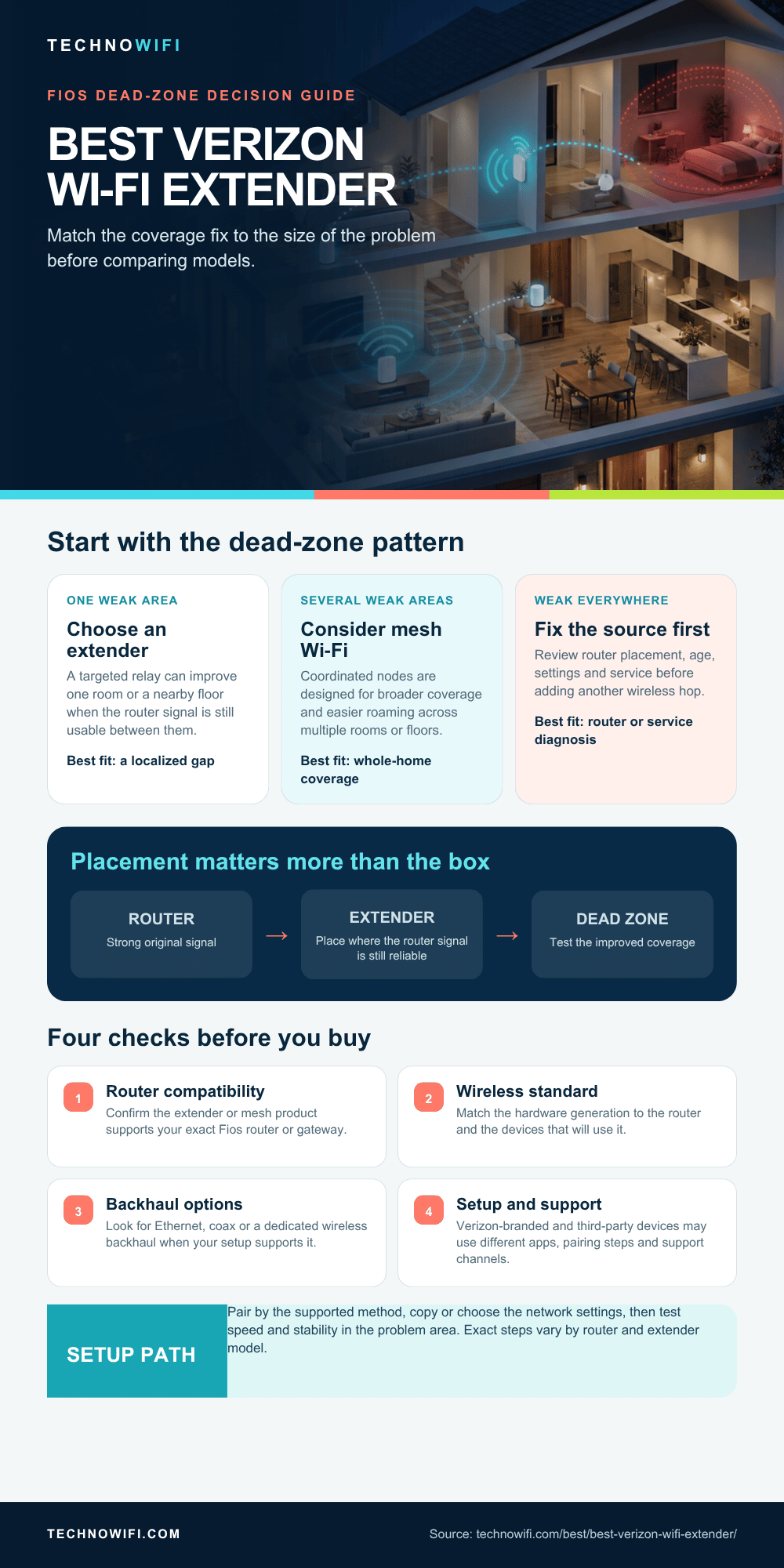
The usual dead zone problem areas with Fios are basements, upstairs bedrooms on the far side of the house, home offices above the garage, and any room separated from the router by brick, concrete, or several walls. Even bathrooms with tile and plumbing in the walls can block WiFi signals more than you’d think.
Not sure what you need? Our repeater vs extender explainer clears it up.
WiFi extenders in 2026 support WiFi 6 and WiFi 6E, so they can keep up with Verizon Fios speeds without bottlenecking. Older WiFi 5 extenders worked fine when most Fios plans maxed out at 200 Mbps, but today’s Gigabit and 2 Gig plans need current hardware to deliver what you’re paying for. Here are the best options that work well with Verizon Fios routers right now.
Do You Need a WiFi Extender or a Mesh System With Verizon Fios
Before spending money, it helps to know the difference between these two approaches. They solve the same problem (dead zones) but work very differently under the hood.
A WiFi extender rebroadcasts your router’s existing signal. It connects to your Verizon router wirelessly, then pushes that signal into areas with weak coverage. It’s simpler and cheaper, but the extended signal can lose 30-50% of the original bandwidth depending on the extender type. You’re basically adding a relay point to your network.
A mesh system replaces your router’s WiFi entirely. Instead of one router broadcasting to the whole house, you have multiple coordinated access points (called nodes) working together. Your devices see one unified network and switch between nodes automatically as you move around. There’s no bandwidth loss between nodes if the system uses a dedicated backhaul channel. The trade-off is cost. Mesh systems run $200-400 or more.
Verizon sells its own mesh solution, the Fios Extender E3200. It’s a WiFi 6 tri-band unit that uses Verizon’s self-organizing network (SON) technology. It integrates directly with the My Fios app and pairs automatically with Verizon routers. It works well, but it’s expensive and locked into Verizon’s ecosystem. If you cancel Fios or switch to another ISP, the E3200 doesn’t come with you as a usable device.
For most Fios users dealing with one or two dead zones, a good WiFi extender is enough. You’ll spend $40-100 instead of $200-400, and setup takes about 10 minutes. Save the mesh investment for large homes with dead zones in multiple rooms or on multiple floors.
One quick test before buying anything: walk through your home with your phone and check where the WiFi signal starts to drop. Open the WiFi settings on your phone and watch the signal bars. If the signal only weakens in one or two spots, an extender handles it. If you’re losing signal in three or more areas across different parts of the house, the problem is bigger than what a single extender can fix. Third-party extenders and mesh systems both work fine with Verizon routers as long as they support WiFi 6 or newer.
Best WiFi Extenders for Verizon Fios in 2026
These five extenders all support WiFi 6, work with Verizon Fios routers out of the box, and range from budget-friendly to loaded with features. Each one fits a different situation, so read the descriptions before defaulting to the most expensive option. A $50 wall-plug extender does just as much for a single dead zone as a $200 tri-band unit would.
Verizon Fios Extender E3200
The E3200 is Verizon’s own WiFi 6 tri-band mesh extender. It delivers a combined speed rating of 3.2 Gbps across three bands (2.4 GHz, 5 GHz, and a dedicated 5 GHz backhaul band) and adds up to 2,600 square feet of coverage. The third band handles communication between the extender and your Fios router, so the two user-facing bands stay at full speed.
Setup happens entirely through the My Fios app. The E3200 uses Verizon’s self-organizing network technology, which means it automatically picks the best channel and band configuration based on your home’s layout and interference. It also shows up in the My Fios app alongside your router, so you can manage everything from one place.
The downside is price and lock-in. The E3200 costs $200 or more and only works in mesh mode with compatible Verizon routers. You can’t take it with you if you switch ISPs, and you can’t repurpose it as a standalone access point. But if you want the most polished Verizon experience and don’t mind paying for it, this is the easiest option. Everything works inside the My Fios app, support comes from Verizon directly, and there’s no compatibility guesswork.
TP-Link RE700X
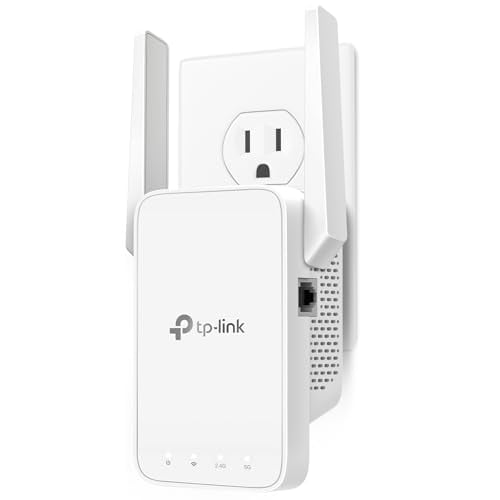
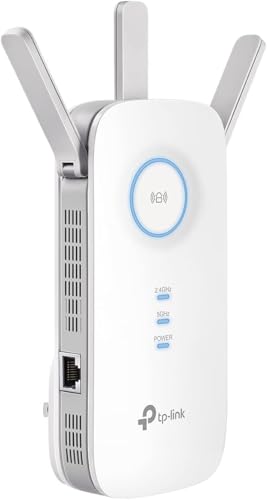
The RE700X is a WiFi 6 dual-band extender with AX3000 speeds, which translates to up to 3 Gbps of combined throughput across the 2.4 GHz and 5 GHz bands. It has one Gigabit Ethernet port on the bottom for wiring a desktop computer, game console, or smart TV directly to the extender.
What makes the RE700X stand out at its price point is the raw performance. It uses 160 MHz channel width on the 5 GHz band, which means it can actually deliver close to its rated speeds in real-world use. If you have a TP-Link router, the OneMesh feature turns the RE700X into a mesh node with smooth roaming between access points. With a Verizon router, it works as a standard extender, still fast, just without the automatic handoff between router and extender.
At around $60-80, this is the best value WiFi 6 extender for Fios users. The only real limitation is that it’s dual-band. It uses one band for the backhaul connection to your router and the other for devices, so heavy traffic on both bands at the same time can cause some slowdown. For most households, this isn’t a noticeable issue.
Netgear EAX80
The EAX80 is a WiFi 6 four-stream extender rated at AX6000 speeds. That’s 1.2 Gbps on the 2.4 GHz band and 4.8 Gbps on the 5 GHz band. It has four Gigabit Ethernet ports on the back, which makes it useful as a wired networking hub on top of being a wireless extender. You can plug in a game console, a smart TV, a computer, and a NAS drive all at once.
The EAX80 also works as a standalone access point. If you can run an Ethernet cable from your Verizon router to the EAX80’s location, access point mode gives you a full-speed wired backhaul connection instead of a wireless one. This eliminates the bandwidth loss that comes with wireless extending and turns the EAX80 into what’s basically a second router.
It’s not cheap at around $150 or more, and the physical size is closer to a small router than a compact wall plug. You’ll need shelf or desk space for it rather than just an open outlet. But for large homes with multiple wired devices in a room far from the router, the EAX80’s combination of wireless extending, access point mode, and four Ethernet ports makes it worth the extra money. It’s the closest thing to placing a second router in another part of the house without actually running a second network.
TP-Link RE505X
The RE505X is a budget WiFi 6 extender with AX1500 speeds. It’s a wall-plug design that sticks directly into an outlet without taking up desk or shelf space. You get one Gigabit Ethernet port for connecting a single wired device, and the setup happens through the TP-Link Tether app or WPS.
AX1500 means 300 Mbps on the 2.4 GHz band and 1,200 Mbps on the 5 GHz band. That’s enough for a Fios plan up to about 500 Mbps in the extended zone, accounting for the overhead of wireless transmission. It supports OneMesh for smooth roaming with compatible TP-Link routers, but it works perfectly fine as a standard extender with Verizon routers.
At $40-50, this is the right pick for covering a single dead zone on a budget. It won’t cover a 3,000-square-foot house, and it doesn’t have the power to handle a Gigabit Fios plan at full speed in the extended area. But for getting WiFi to a back bedroom, a home office upstairs, or a detached garage that’s not too far from the house, it does the job without spending more than necessary. If you’re on a 300 Mbps or 500 Mbps Fios plan and just need one room fixed, this extender is all you need.
Netgear EAX15
The EAX15 is a compact WiFi 6 mesh extender with AX1800 speeds. Like the RE505X, it uses a wall-plug form factor, so it takes up an outlet instead of counter space. It’s rated at 600 Mbps on the 2.4 GHz band and 1,200 Mbps on the 5 GHz band. There’s one Gigabit Ethernet port on the bottom.
The EAX15 works with any router brand. If you pair it with a compatible Netgear router, it creates a mesh network with smooth roaming. With a Verizon router, it functions as a straightforward WiFi extender. Setup uses the Netgear Nighthawk app, which walks you through the process step by step.
At $50-70, it sits between the budget RE505X and the premium RE700X. The feature set is basic, with no access point mode, no multiple Ethernet ports, and no tri-band, but the setup is fast and the AX1800 speeds handle Fios plans up to about 500 Mbps comfortably. Good for small to medium dead zones where you want slightly more headroom than the cheapest option but don’t need the full power of a $100+ extender.
| Extender | WiFi Standard | Speed Rating | Bands | Coverage | Ethernet Ports | Approximate Price |
|---|---|---|---|---|---|---|
| Verizon Fios Extender E3200 | WiFi 6 | 3.2 Gbps (AX3200) | Tri-band | Up to 2,600 sq ft added | 1 Gigabit | $200+ |
| TP-Link RE700X | WiFi 6 | 3 Gbps (AX3000) | Dual-band | Up to 2,000 sq ft | 1 Gigabit | $60 – $80 |
| Netgear EAX80 | WiFi 6 | 6 Gbps (AX6000) | Dual-band | Up to 2,500 sq ft | 4 Gigabit | $150+ |
| TP-Link RE505X | WiFi 6 | 1.5 Gbps (AX1500) | Dual-band | Up to 1,500 sq ft | 1 Gigabit | $40 – $50 |
| Netgear EAX15 | WiFi 6 | 1.8 Gbps (AX1800) | Dual-band | Up to 1,500 sq ft | 1 Gigabit | $50 – $70 |
Speed ratings in the table are theoretical maximums that combine all bands together. Real-world speeds are always lower. A good rule of thumb: expect about 40-60% of the rated speed in everyday use over WiFi. The Ethernet port on each extender delivers full wired speed, so if you have a device that needs the most bandwidth, like a 4K streaming box or a gaming PC, plug it directly into the extender’s Ethernet port instead of connecting wirelessly.
All five of these extenders work with Verizon Fios routers regardless of which Fios router model you have. The Verizon E3200 offers the tightest integration, but the third-party options connect to your Fios WiFi just like any other wireless device. No special configuration or Verizon approval needed.
How to Set Up a WiFi Extender With a Verizon Router
Placement is the single biggest factor in whether your extender works well or just sits there providing a weak signal that barely beats what you already had. Get this part right before worrying about anything else.
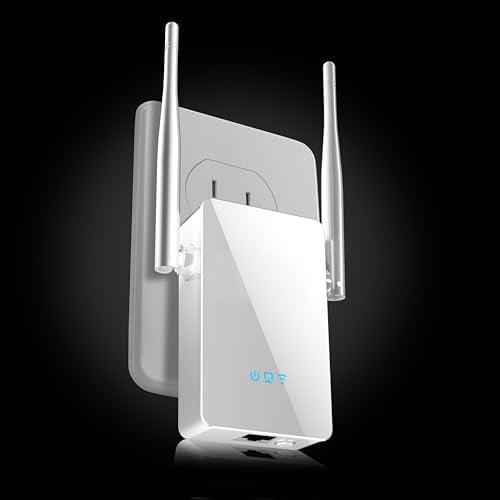
- Put the extender halfway between your Verizon router and the dead zone. The extender needs to receive a strong signal from the router before it can rebroadcast anything useful. If you stick the extender in the dead zone itself, it picks up the same weak signal your phone already gets and rebroadcasts garbage. Find the midpoint where the router signal is still strong and the extender can push it the rest of the way.
- Avoid putting the extender near large metal objects, fish tanks, mirrors, or old plaster walls with wire mesh inside them. All of these block or scatter WiFi signals. An outlet in a central hallway with line of sight toward both the router and the dead zone is ideal.
- Most WiFi extenders support WPS for quick pairing. Press the WPS button on your Verizon Fios router, then press the WPS button on the extender within two minutes. The two devices negotiate automatically, no password entry, no app, no browser setup. The whole process takes about 30 seconds after pressing the buttons.
- If your router or extender doesn’t support WPS, or if you prefer more control over the settings, use the app or browser-based setup instead. Plug the extender in, connect your phone to the extender’s setup WiFi network (usually named something like “TP-Link_Extender_Setup” or “NETGEAR_EXT”), then open the manufacturer’s app or type the setup URL into a browser. Select your Verizon WiFi network from the list and enter your password.
- Set the extender to use the same network name (SSID) and password as your main Verizon router. Most modern extenders do this by default during setup. Using the same SSID means your devices switch between the router and extender automatically based on signal strength. You won’t have to manually disconnect from “MyFiosWiFi” and connect to “MyFiosWiFi_EXT” every time you walk to another room.
- After setup, test the results. Stand in the dead zone with your phone and run a speed test. Compare it to the speed you get standing next to your Verizon router. You should see at least 50-70% of the router’s speed in the extended zone. If the speed is much lower, try moving the extender closer to the router or to a different outlet along the path between the router and the dead zone.
One thing to watch for with Verizon routers specifically: make sure your router’s 2.4 GHz and 5 GHz bands are broadcasting separately if you want to control which band the extender uses for its backhaul. Some Fios routers combine both bands under one SSID by default. This is fine for most setups, but if you’re troubleshooting slow extender speeds, splitting the bands in your router settings and connecting the extender to the 5 GHz band for backhaul can help.
WiFi Extender vs Mesh WiFi for Verizon Fios – Which Is Better
This is the most common question Fios users ask after discovering they have dead zones, and the answer depends on three things: how many dead zones you have, how large your home is, and how much you’re willing to spend. Neither option is universally better. They solve different scales of the same problem.
A WiFi extender costs $40-100, plugs into an outlet, and pairs with your existing Verizon router in minutes. It’s a targeted fix for one or two spots where the signal drops out. The downside is bandwidth. Most extenders lose 30-50% of the router’s speed on the extended signal because they share radio time between receiving and transmitting. Devices also don’t always switch between the router and extender smoothly, especially older phones and laptops that hang onto a weak connection instead of jumping to the stronger one.
A mesh system costs $200-400 for a two or three-node setup and replaces your router’s WiFi entirely. Each node communicates with the others over a dedicated backhaul channel, so there’s no bandwidth loss between them. Your devices see one network name and transition between nodes automatically as you move through the house. You never have to think about which access point you’re connected to. It’s the right tool for large homes, multi-story houses, and households with 20 or more connected devices spread across multiple rooms.
| Factor | WiFi Extender | Mesh WiFi System |
|---|---|---|
| Typical Cost | $40 – $100 | $200 – $400 (2-3 nodes) |
| Setup Complexity | Plug in and pair via WPS or app | Replace router WiFi, place multiple nodes |
| Speed Loss | 30-50% on extended signal | Minimal with dedicated backhaul |
| Smooth Roaming | Limited – devices may not switch automatically | Yes – one network, automatic handoff |
| Number of Dead Zones Fixed | 1-2 spots | Whole-home coverage |
| Best For | Average homes with one weak area | Large homes with multiple dead zones |
If you have a 1,500-square-foot home and the WiFi drops in one back room, buy a $50 extender. If you have a 3,000-square-foot home and three rooms have weak signal, invest in a mesh system. The extender is a patch. The mesh system is a rebuild. Pick the one that matches the size of your problem.
There’s also a middle ground worth knowing about. Several extenders, including the TP-Link RE700X and Netgear EAX15 listed above, can create mesh-like networks when paired with routers from the same brand. You buy one extender for $50-80 instead of a full mesh system, and if you later need more coverage, you add another unit. It’s not as polished as a dedicated mesh system, but it gives you smooth roaming at a lower entry price.
For Verizon Fios specifically, the router you already have matters too. Newer Fios routers like the G3100 already have strong WiFi 6 radios that cover more area than older models. If you’re on an older Verizon router and your whole house has weak signal, upgrading the router through Verizon might solve the problem without adding any extender at all. But if the router is current and the issue is just distance or wall thickness, an extender or mesh system is the right fix.
Verizon Fios WiFi Extender FAQs
Does a WiFi extender slow down Verizon Fios?
An extender won’t slow down the internet speed coming into your home from Verizon. Your Fios connection stays the same regardless of what’s on your local network. What can happen is the extended WiFi signal delivers less of that speed to your devices in the extended zone.
A standard dual-band extender typically delivers 60-80% of your router’s speed. So if your Fios plan gives you 500 Mbps at the router, expect 300-400 Mbps through the extender. Tri-band extenders and mesh systems lose less because they use a dedicated channel for the backhaul connection. Devices connected to the router directly, not through the extender, won’t see any speed change at all.
Can I use any WiFi extender with a Verizon router?
Yes. Verizon Fios routers use standard WiFi protocols, so any WiFi extender from any brand will connect to them. TP-Link, Netgear, Linksys, Asus: they all work. You don’t need to buy a Verizon-branded device or get Verizon’s approval. The extender connects to your router’s WiFi signal just like a phone or laptop does.
The only thing to match is the WiFi standard. If your Verizon router supports WiFi 6, get a WiFi 6 extender to take full advantage of the speeds. A WiFi 5 extender will still work with a WiFi 6 router, but it will cap the extended signal at WiFi 5 speeds and miss out on the efficiency improvements that WiFi 6 brings for handling multiple devices.
Where should I place a WiFi extender for best coverage?
Halfway between your Verizon router and the dead zone. The extender needs a strong signal from the router to have something worth rebroadcasting. If you put the extender inside the dead zone, it receives the same weak signal your devices already get and just repeats it poorly.
Check the signal indicator light on the extender after placing it. Most extenders use green for strong, amber or red for weak. Avoid placing it behind furniture, inside closets, near microwaves, or on the floor. Higher placement generally works better since WiFi signals spread outward and slightly downward from the antenna. A hallway between two rooms is often the best spot.
Does Verizon sell its own WiFi extender?
Yes. Verizon sells the Fios Extender E3200, a WiFi 6 tri-band mesh extender designed specifically for Verizon Fios routers. It integrates with the My Fios app and uses Verizon’s self-organizing network technology for automatic optimization. It costs $200 or more and only works in mesh mode with compatible Verizon routers.
Third-party extenders from TP-Link, Netgear, and other brands cost significantly less and offer more flexibility. They work with any router from any ISP, so you keep them if you ever switch from Fios to another provider. The trade-off is that third-party devices don’t integrate with the My Fios app. You manage them through their own apps instead.
Do WiFi extenders work with Verizon 5G Home Internet?
They can, but the situation is different from Fios. Verizon 5G Home Internet uses a 5G gateway that already broadcasts WiFi throughout your home. You can connect a WiFi extender to the gateway’s WiFi signal just like you would with a Fios router.
The catch is that 5G Home Internet speeds vary based on your distance from the cell tower, time of day, and network congestion. The speeds change in ways that wired Fios does not. Extending a signal that’s already variable can make that inconsistency worse in the extended zone. If you have persistent dead zones with 5G Home, a mesh system may give more stable results than a simple extender because mesh nodes handle varying backhaul speeds more gracefully.
Can I use multiple WiFi extenders with Verizon Fios?
You can use two extenders connected directly to your Verizon router without issues. Each one should cover a different dead zone in a different part of the house. Place them so their coverage areas don’t overlap too much. One covering the basement and another covering the far end of the second floor, for example.
Your router is only as fast as your internet plan. See which providers and speed tiers are available in your area.
For the extender vs booster question, see our comparison guide.
If you are using a Netgear extender, our Netgear WiFi extender setup guide walks through every step.
What you should avoid is daisy-chaining, connecting one extender to another extender instead of back to the router. Each hop cuts the available bandwidth further, and by the second hop the speed is often unusable for streaming or video calls. If you need coverage in more than two areas, a mesh system handles it better because mesh nodes are designed to relay traffic between each other without stacking speed losses the way extenders do.