People use “WiFi repeater” and “WiFi extender” as if they mean the same thing. Retailers mix the terms on product listings. Even some manufacturers slap both labels on the same box. But there is a technical difference between the two, and it affects the speed you actually get.
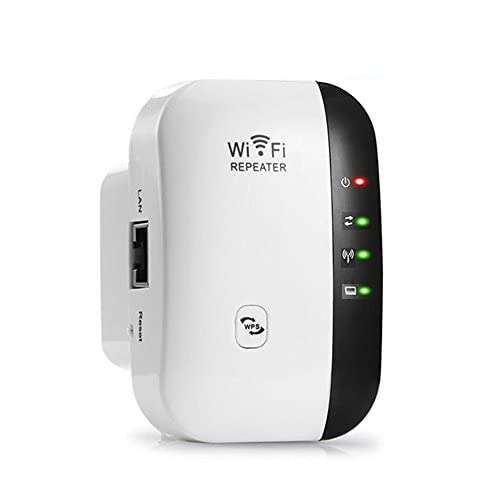
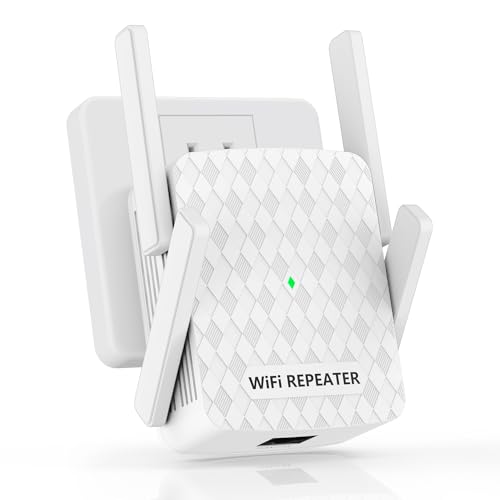
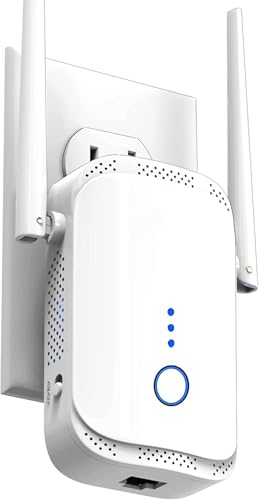
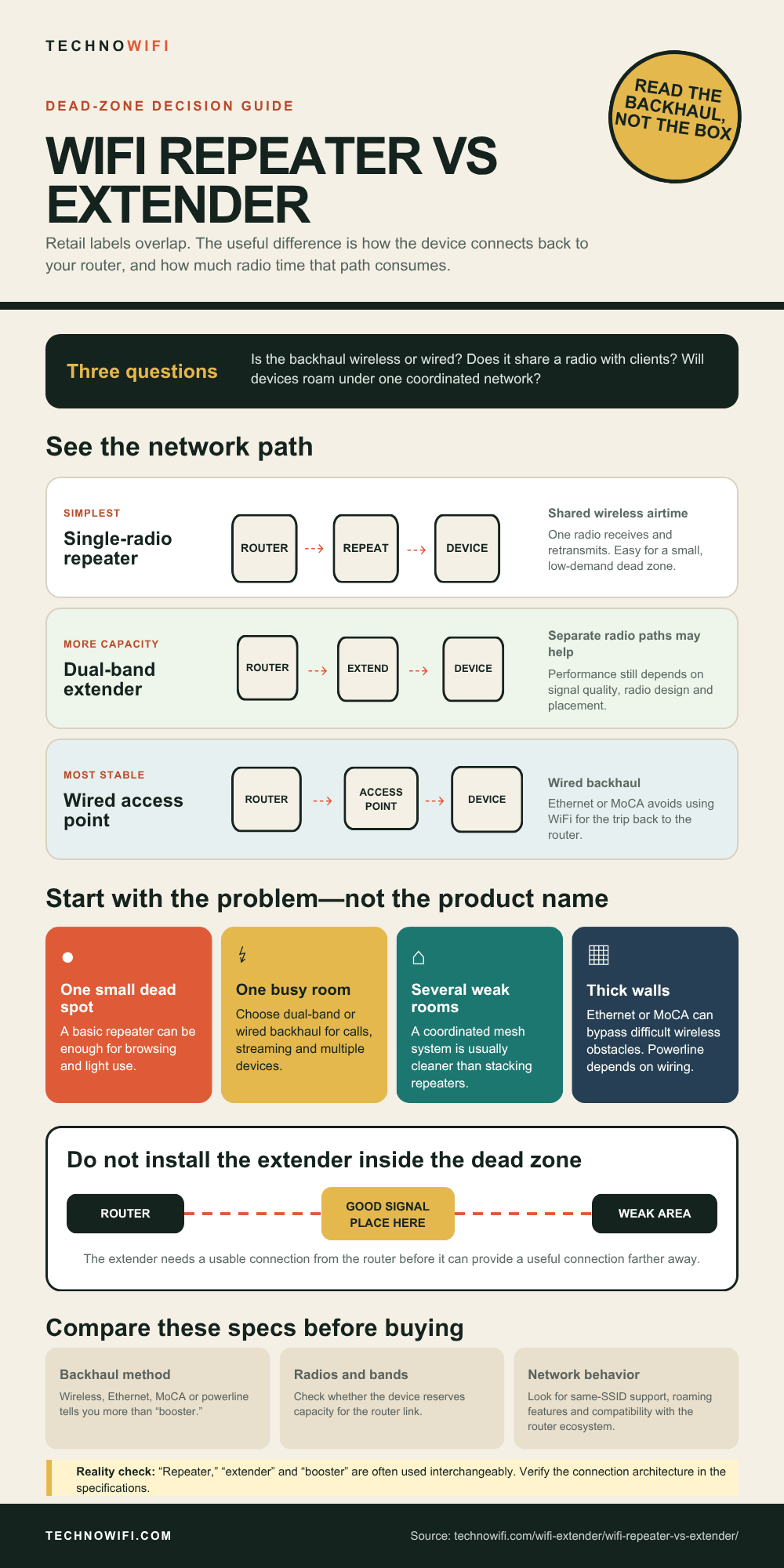
A WiFi repeater grabs your router’s signal and rebroadcasts it on the same frequency band. That single-radio trick cuts your available bandwidth roughly in half. A WiFi extender is a broader category, it includes repeaters, but also covers devices that use Ethernet, powerline wiring, or MoCA coaxial cable to extend coverage without the speed penalty.
Knowing which one you’re buying determines whether you’ll get decent speeds in that dead zone or just a stronger signal with half the throughput.
For the extender vs booster question, see our comparison guide.
What Is a WiFi Repeater and How Does It Work
A WiFi repeater is the simplest device in this category. It has one radio that connects wirelessly to your router and rebroadcasts the signal to cover more area. The repeater receives data on the same channel and frequency band it uses to transmit. Because one radio can only do one job at a time (listen or talk), the repeater alternates between receiving from the router and sending to your devices.
That alternation is why repeaters cut your speed by about 50%. If your router delivers 300 Mbps, a repeater typically passes along 150 Mbps at best. The signal might show full bars on your phone, but the actual data rate is halved.
Repeaters also tend to create a second network name. Your main network might be “HomeWiFi” while the repeater broadcasts “HomeWiFi_EXT” or “HomeWiFi_RPT.” Your phone won’t switch between them automatically – you often have to disconnect from one and manually join the other as you move through the house.
What Is a WiFi Extender and How Is It Different
WiFi extender is an umbrella term. Every repeater is technically an extender, but not every extender is a repeater. The term covers any device that extends your WiFi coverage beyond what the router can reach on its own.
The key difference is how the extender connects back to the router. A repeater uses a single wireless connection on the same band. Other types of extenders avoid that bottleneck entirely.
Dual-band wireless extenders have two radios. One radio connects to the router on one frequency band (say 5 GHz), while the other broadcasts to your devices on 2.4 GHz, or the other way around. Because the two conversations happen on separate frequencies, you keep most of your speed.
Powerline extenders send the internet signal through your home’s electrical wiring. You plug one adapter near the router with an Ethernet cable, then plug a second adapter in the dead zone where it broadcasts WiFi. Walls and distance don’t matter as much because the signal travels through copper wiring, not air.
MoCA extenders do the same thing using coaxial cable – the same cable that carries TV signals. If your home already has coax outlets in multiple rooms, a MoCA adapter gives you a near-wired-speed backhaul connection without running new Ethernet cables.
Ethernet-backhauled extenders connect to the router with a physical Ethernet cable and broadcast WiFi at the remote end. No speed loss, no interference concerns. This is the best-performing type of extender, but it requires a cable run between the router and the extender location.
WiFi Repeater vs Extender vs Mesh – Comparison Table
| Feature | WiFi Repeater | WiFi Extender (Dual-Band / Wired Backhaul) | Mesh WiFi System |
|---|---|---|---|
| How It Connects to Router | Wireless – same band and channel | Wireless on separate band, or wired (Ethernet/powerline/MoCA) | Wireless dedicated backhaul or wired backhaul |
| Speed Impact | Cuts speed by ~50% | Minimal loss (10-30% wireless, near-zero wired) | Little to no loss |
| Network Name | Usually creates a second SSID | May create second SSID or support same SSID | Single seamless network |
| Seamless Roaming | No – manual switching often needed | Limited | Yes – automatic handoff between nodes |
| Setup Difficulty | Easy – WPS button or basic app | Easy to moderate | Moderate – replaces or works alongside router |
| Best For | One small dead zone, tight budget | Larger dead zones, users who need better speeds | Whole-home coverage, multiple dead zones |
| Price Range (2026) | $15 – $40 | $30 – $120 | $150 – $400 (2-3 pack) |
Does a WiFi Repeater Slow Down Your Internet
Yes, and here’s exactly why. A single-band repeater uses one radio to handle two jobs. It receives data from the router, then switches to send that same data to your device. While it’s talking to your device, it can’t listen to the router. While it’s listening to the router, it can’t talk to your device. Each direction gets roughly half the available airtime.
The result is about a 50% speed reduction compared to connecting directly to the router. If your internet plan delivers 200 Mbps and your router broadcasts that over WiFi, a repeater in the next room will give connected devices around 100 Mbps at best. In practice, the loss is often worse because of signal degradation and interference.
Full signal bars don’t mean full speed. Your phone might show a strong connection to the repeater while only getting a fraction of the router’s bandwidth. This is the most common frustration people run into after buying a cheap plug-in repeater.
Dual-band extenders solve this problem by using one radio for the router connection and a separate radio for device connections. A good dual-band extender delivers 60-80% of your router’s speed. Extenders with wired backhaul (Ethernet, powerline, MoCA) can deliver 90% or more.
When Should You Use a WiFi Repeater
Repeaters make sense in a narrow set of situations. They’re the right tool when the dead zone is small, the speed demands are low, and the budget is tight.
A repeater works well for covering a back bedroom where you mostly browse the web and check email. It’s fine for a guest room that only needs occasional connectivity. And it’s a reasonable fix when the dead zone is close enough to the router that the repeater still picks up a strong signal.
Repeaters also work as a temporary fix. If you’re renting an apartment and don’t want to invest in a mesh system you’ll outgrow when you move, a $25 repeater handles the problem until your lease is up.
Skip the repeater if you stream 4K video, run video calls, game online, or have more than a few devices connecting through it. The halved bandwidth makes all of those activities unreliable.
When Should You Use a WiFi Extender Instead
An extender with a dual-band wireless connection or wired backhaul is the better choice when you need real performance in the extended zone. If you work from home and take video calls from a room the router can’t reach, a repeater’s halved bandwidth will cause freezing and dropped calls. A dual-band extender keeps enough speed for a stable connection.
Extenders also make sense when you have existing wiring you can take advantage of. Many homes have coaxial cable running to multiple rooms from a former cable TV setup. A pair of MoCA adapters turns that unused coax into a high-speed network backbone. Similarly, if you can run an Ethernet cable to the dead zone – even along a baseboard or through the attic – an extender in access point mode gives you the best possible performance.
Powerline extenders fit homes where wireless signals struggle with thick walls, concrete floors, or long distances. The signal travels through the electrical wiring instead of fighting through building materials.
When Is a Mesh System Worth the Money
Mesh is the right answer when the problem goes beyond one or two dead spots. If your entire second floor gets weak signal, if three different rooms have coverage gaps, or if your home is over 2,500 square feet, individual extenders become a patchwork of separate networks that your devices don’t switch between gracefully.
A mesh system replaces that patchwork with two or three nodes that all share one network name and password. Your phone connects to whichever node has the strongest signal and switches automatically as you move. There’s no “HomeWiFi” and “HomeWiFi_EXT” – just one network everywhere.
Mesh systems also handle high device counts better. In a home with 25-30 connected devices – smart speakers, cameras, thermostats, phones, laptops, tablets, a gaming console, smart TVs – a mesh system distributes those connections across multiple nodes instead of overloading a single router.
| Your Situation | Best Solution | Why It Fits |
|---|---|---|
| One small dead spot, budget under $40 | WiFi repeater | Cheapest option, covers small gaps |
| One dead zone, need decent speed | Dual-band extender | No speed halving, easy setup |
| Dead zone behind thick walls | Powerline or MoCA extender | Signal bypasses walls through wiring |
| Work-from-home office in dead zone | Extender with Ethernet port | Wire the laptop for stable video calls |
| Whole house has weak WiFi | Mesh system (2-3 nodes) | Blanket coverage, seamless roaming |
| Large home over 3,000 sq ft | Mesh system or wired access points | Multiple nodes cover every floor |
| 30+ smart devices throughout home | Mesh system | Distributes device load across nodes |
How to Set Up a WiFi Repeater
- Plug the repeater into an outlet in the same room as your router. You’ll move it to its permanent location after setup.
- Press the WPS button on your router, then press the WPS button on the repeater within two minutes. The devices will pair automatically. If your repeater doesn’t have WPS, connect to the repeater’s setup network (printed on the label) from your phone and follow the browser-based setup wizard.
- Wait about 60 seconds for the connection indicator light to turn solid. Green or blue typically means a strong connection.
- Unplug the repeater and move it to a spot halfway between your router and the dead zone. Plug it back in and wait two minutes for it to reconnect.
- Check the signal indicator light. If it shows green or blue, placement is good. If amber or red, move the repeater closer to the router.
How to Set Up a WiFi Extender with Wired Backhaul
- Connect one end of an Ethernet cable to a LAN port on your router. Connect the other end to the extender’s WAN or Ethernet-in port.
- Plug the extender into power at the location where you need WiFi coverage.
- Use the manufacturer’s app (TP-Link Tether, Netgear Nighthawk, etc.) to configure the extender. Set it to access point mode if prompted – this tells the device to use the wired connection as its backhaul instead of wireless.
- Set the WiFi network name and password. You can use the same name and password as your main router for easier switching, or create a separate name if you want to control which network devices connect to.
- Test the connection by moving to the previously dead zone and running a speed test from your phone.
Where to Place a Repeater or Extender for Best Signal
The most common mistake is placing the device inside the dead zone. If your phone can’t get WiFi in the garage, putting a repeater in the garage won’t help. The repeater needs a strong signal from the router first – it can only rebroadcast what it receives.
Place the device roughly halfway between your router and the area with weak coverage. It should be in a spot where your phone still shows at least two or three signal bars from the main router. Hallways work well. Open doorways between rooms are usually good locations too.
Height makes a difference. WiFi signals spread outward and slightly downward from the antenna. A repeater plugged into an outlet near the floor performs worse than one plugged into a higher outlet or placed on a shelf. Some extenders come with desktop stands or wall-mount options for this reason.
Keep the device away from microwaves, baby monitors, Bluetooth speakers, and other electronics that operate on the 2.4 GHz band. Metal surfaces, mirrors, and fish tanks also block or reflect WiFi signals. The fewer obstacles between the router, the extender, and your devices, the better the performance.
Why Is My WiFi Slow After Adding a Repeater
The three most likely causes are the 50% speed loss from a single-band repeater, poor placement, or channel interference.
If you bought a basic single-band repeater and your speeds dropped in half, that’s the device working as designed. Single-band repeaters always cut bandwidth because they use one radio for both directions. Upgrading to a dual-band extender eliminates this problem.
If the repeater is too far from the router, it receives a weak signal and rebroadcasts a weak signal. Move it closer to the router until the signal indicator shows a strong connection. You may need to experiment with two or three locations before finding the sweet spot.
Channel congestion is another common culprit. Your repeater and router may be competing with neighbor networks on the same WiFi channel. Log into your router’s admin panel and switch to a less crowded channel. On 2.4 GHz, stick to channels 1, 6, or 11 – the only three that don’t overlap with each other.
My Devices Won’t Connect to the Repeater
If the repeater creates a separate network name (like “HomeWiFi_EXT”), you need to manually connect your device to that network when you’re in range. Your phone won’t switch on its own unless the repeater supports 802.11k/v/r roaming protocols and your router does too.
Some devices stubbornly hold onto a weak router signal instead of connecting to the closer, stronger repeater. The fix is to “forget” the main network on that device when you’re in the repeater’s coverage area, then connect to the repeater’s network. For a permanent fix, look for an extender that supports the same SSID as your router with band steering enabled.
Also check that the repeater’s firmware is current. Manufacturers frequently release updates that fix connection issues with specific devices. Most extender apps have a firmware update option in the settings menu.
WiFi Repeater vs Extender FAQs
Is a WiFi repeater the same as an extender?
Not exactly. A repeater is one type of extender. It extends WiFi coverage by rebroadcasting the router’s signal on the same band, which cuts speed in half. The term “extender” covers repeaters plus devices that use wired connections (Ethernet, powerline, MoCA) or dual-band wireless to extend coverage without the bandwidth penalty. When shopping, check whether the product is a single-band repeater or a dual-band extender – the label on the box won’t always tell you.
Do WiFi repeaters slow down your WiFi?
Single-band repeaters reduce speed by about 50% because they use the same radio and channel for both receiving from the router and transmitting to your devices. This is a hardware limitation, not a defect. Dual-band extenders avoid this by using separate radios for each direction. If speed matters to you – and for streaming, video calls, or gaming, it does – avoid single-band repeaters and choose a dual-band extender or mesh system instead.
Can I use a WiFi repeater with any router?
Yes. WiFi repeaters and extenders use standard WiFi protocols (802.11ac, WiFi 6, WiFi 6E), so they work with any router regardless of brand. You can pair a TP-Link extender with a Netgear router or a Netgear extender with an Asus router. The only thing to match is the WiFi standard – a WiFi 5 extender on a WiFi 6 router will work but cap speeds at WiFi 5 levels. For best results, match the extender’s WiFi generation to your router’s.
Is mesh WiFi better than a repeater?
For whole-home coverage, yes. A mesh system provides a single seamless network with automatic device handoff between nodes. Repeaters create separate networks, cut speed in half, and don’t roam well. However, mesh systems cost $150-400 while a repeater costs $15-40. If you only need to fix one small dead spot and don’t mind slower speeds, a repeater or dual-band extender is a more practical and affordable fix.
How many repeaters can I use at once?
You can connect two repeaters or extenders directly to your router without major issues. Each one should cover a different dead zone. Avoid daisy-chaining – connecting one repeater to another repeater instead of to the router – because each hop stacks the speed loss. Two hops through single-band repeaters leaves you with roughly 25% of the original speed. If you need more than two coverage zones, a mesh system handles multi-hop traffic far more efficiently.
Should I buy a WiFi 6 extender in 2026?
If your router supports WiFi 6 (802.11ax), yes. A WiFi 6 extender takes advantage of the faster speeds, better multi-device handling, and improved efficiency that WiFi 6 provides. If your router only supports WiFi 5, a WiFi 5 extender costs less and performs the same – the extender can’t go faster than the router feeding it. Check the label on the bottom of your router to confirm which standard it supports before buying.
Sources
For Netgear options, check our best Netgear WiFi extenders.
Need help setting up your extender? See our Netgear WiFi extender setup walkthrough.
Netgear – WiFi Extender vs Repeater | TP-Link – What Is a WiFi Range Extender