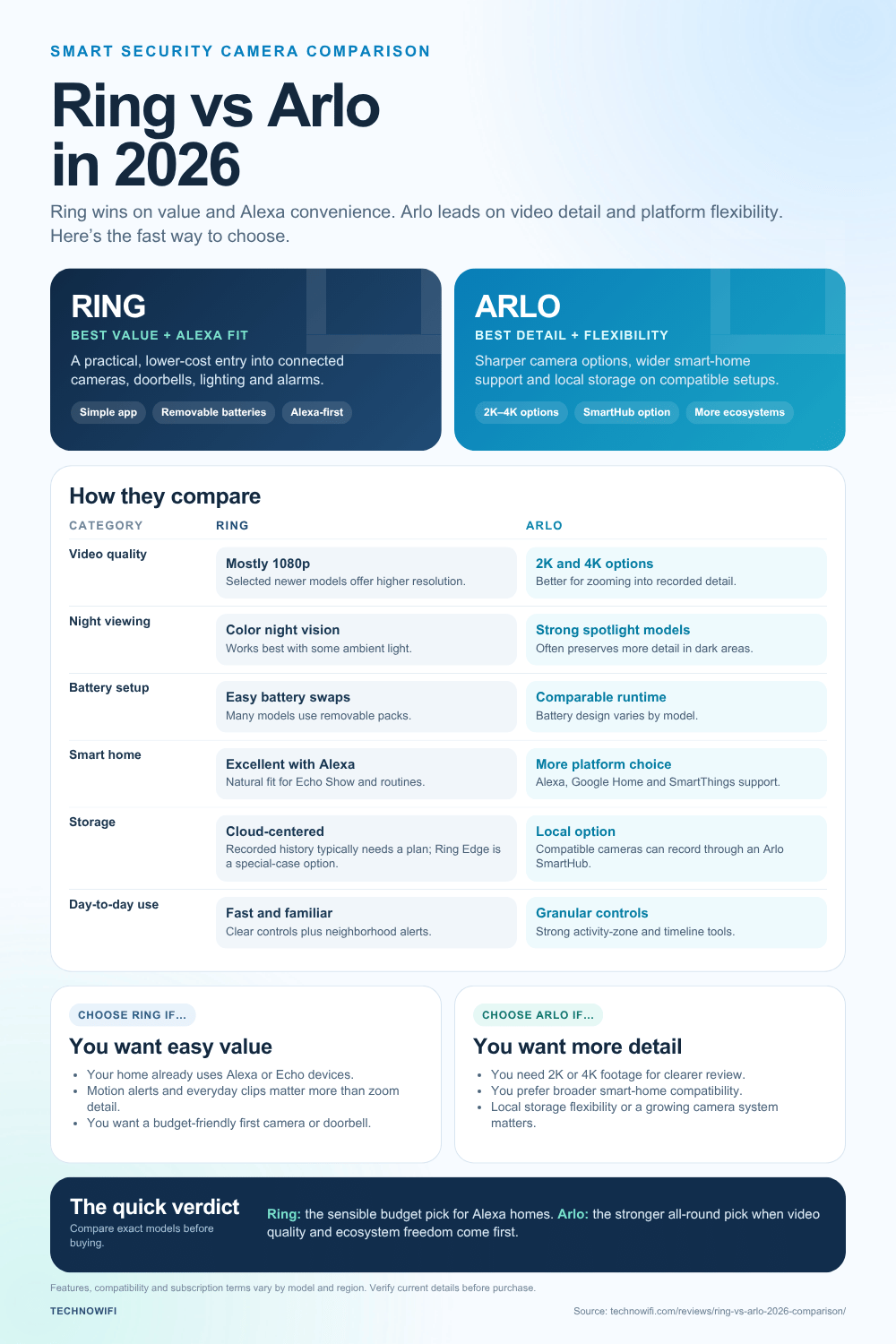
If you are shopping for a video doorbell or outdoor security camera in 2026, your search almost always comes down to two names: Ring and Arlo. Both brands have been around long enough to work out most of their early hardware problems, and both now sell cameras that shoot in resolutions well above what you needed five years ago. But they approach home security from different directions. Ring wants to live inside Amazon’s ecosystem and win on price. Arlo wants to be the premium, platform-agnostic option that works the same whether you run Alexa, Google Home, or Apple HomeKit.
We have tested both lineups at TechnoWifi, and the honest answer is that neither one is simply better across the board. It depends on what you already own, how much video quality matters to you, and how much you are willing to pay every month for cloud storage. Here is how they actually stack up.
Quick Spec Comparison
- Ring Spotlight Cam Plus: 1080p, color night vision, two-way talk, around $99.99
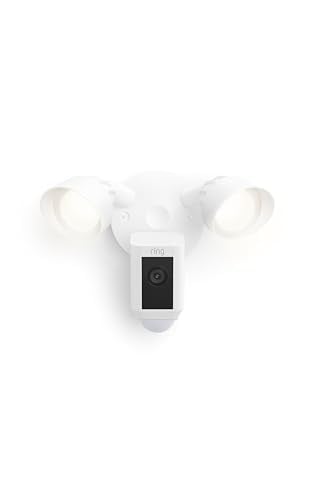
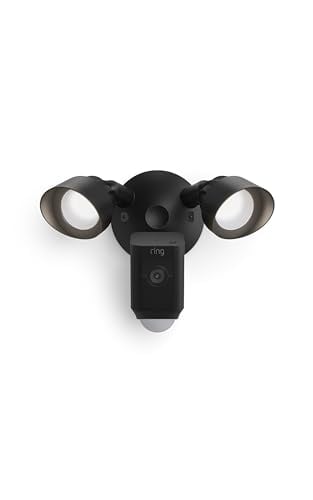
- Ring Floodlight Cam Plus: 1080p, 2,000-lumen lights, built-in siren, around $199.99
- Ring Stick Up Cam: 1080p, wired or battery, indoor or outdoor, around $99.99
- Arlo Pro 5S: 2K HDR, spotlight, color night vision, around $119.99 to $199.99
- Arlo Ultra 2: 4K HDR, 12x zoom, integrated spotlight, around $299.99
Video Quality: Where Arlo Pulls Ahead
This is the clearest gap between the two brands. Most of Ring’s lineup, including the popular Spotlight Cam and Stick Up Cam, still tops out at 1080p, with only a couple of newer 2K models in the catalog. That is fine for identifying a person walking up your driveway, but it is not going to give you a readable license plate from thirty feet away.
Arlo’s entire current lineup starts at 2K, and the Ultra 2 shoots true 4K HDR with a 12x digital zoom that actually holds up when you pinch in on a recorded clip. If you plan to zoom into footage after the fact, whether for a package thief or a car break-in, Arlo’s extra resolution is not a marketing gimmick. It is the difference between usable evidence and a blurry blob.
Night Vision
Both brands now offer color night vision instead of the old black and white or green-tinted infrared look. Ring’s version works well in areas with some ambient light, like a porch light or streetlamp, but it struggles in genuinely dark backyards. Arlo’s spotlight cameras handle pitch-black conditions more gracefully because the built-in spotlight is brighter and the sensor pulls in more detail before it needs to lean on the light source at all.
Battery Life and Installation
Ring’s battery cameras typically run two to six months per charge depending on how much motion they detect, and swapping the battery pack is quick since most models use a removable pack rather than a built-in cell. One thing worth knowing: after about a year of daily use, we noticed the Ring battery stopped holding a full charge the way it did out of the box. It went from lasting months to needing a top-up every few weeks, which is not unusual for rechargeable lithium packs but still caught us off guard. Arlo’s battery life is comparable, generally three to six months, though the Ultra 2’s higher resolution and constant spotlight use can drain it faster if you leave detection zones set too wide.
Installation is close to a wash. Both companies design their mounts for a five-minute, no-drill setup, and both apps walk you through placement with a live preview. If you already have Ring’s original doorbell, our guide on how to set up an Arlo Pro camera is worth a read before you commit, since the mounting hardware and app pairing process differ enough to trip up first-timers switching brands.
Subscription Costs: The Real Price of Ownership
Neither system is truly free after the first month, and this is where a lot of buyers get surprised. Ring Protect Basic runs about $3.99 a month per camera and covers video history and event recording for that single device. Ring Protect Plus, at roughly $12.99 a month, covers every camera on your account, adds 24/7 professional monitoring eligibility, and extends your video history.
Arlo Secure costs more up front but scales differently. The single-camera plan runs around $7.99 a month, while Arlo Secure Plus, at about $17.99 a month, covers unlimited cameras across your whole account and adds features like activity zones and 4K streaming for compatible cameras. If you own three or more cameras, Arlo’s unlimited plan often ends up cheaper per camera than Ring’s equivalent tier, since Ring’s per-camera Basic plan adds up fast for larger installations.
Smart Home Integration
Ring is built for Alexa. Announcements, routines, and Echo Show video calls all feel native because Amazon owns both products. If your house already runs on Alexa speakers and smart plugs, Ring slots in without any extra setup. That said, the connection is not always as stable as you would expect from two Amazon products. In our testing, a Ring camera would randomly disconnect from Alexa for no clear reason, and the only fix was to remove the device and pair it all over again. It did not happen every week, but it happened often enough to be annoying.
Arlo takes a more neutral stance. It works with Alexa, Google Assistant, and SmartThings, and several models support Apple HomeKit Secure Video, which Ring still does not offer. If your household is split between an iPhone user and an Android user, or you just do not want to be locked into one voice assistant, Arlo is the safer long-term bet. For readers deciding between Ring’s own camera tiers before even comparing brands, our breakdown of which Ring security camera is best covers the internal lineup in more depth.
Privacy: A Real Difference
Ring has had a rockier public history around law enforcement data requests and has since added end-to-end encryption as an opt-in feature, though it is not on by default and turning it on disables some conveniences like the Ring Doorbell’s shared access features. Arlo has generally taken a more locked-down default stance, with local storage options through Arlo SmartHub and no history of the kind of law enforcement partnership controversy that dogged Ring in its early years.
If your camera loses its internet connection, behavior also differs. We get this question often, and our post on whether Arlo cameras work without internet explains exactly what still functions locally versus what requires a live connection, which matters if you live somewhere with spotty broadband.
App Experience and Day-to-Day Use
Once the hardware is mounted, the app is what you actually live with every day, and here the two feel different. The Ring app doubles as a neighborhood hub thanks to Neighbors, a feature that shares alerts and video clips from nearby users. It is useful if you want a sense of what is happening on your block, though some users find the constant stream of nearby alerts more noise than signal. Ring’s interface is straightforward, with live view, event history, and device settings all a tap away, and it rarely feels like it is hiding a feature behind three menus.
Arlo’s app skews a bit more toward a security-first mindset, with clearer activity zone drawing tools and a timeline view that makes scrubbing through a day of recorded clips less tedious. Arlo also lets you set up geofencing so cameras automatically arm when your phone leaves the house, a feature Ring offers too but buries a little deeper in its Modes settings. Neither app is going to frustrate you, but if you want fast, granular control over exactly when and where a camera pays attention, Arlo’s zone tools have the edge.
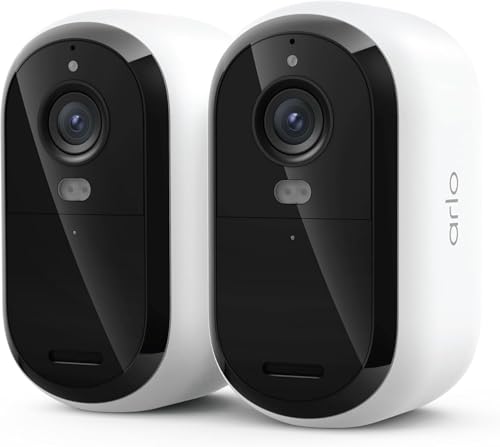
2K HDR video, color night vision, and cross-platform support make this the safer buy if you are not locked into Alexa. It costs more than Ring’s equivalent, but the video quality difference shows up the moment you need to actually review footage.
If you already own Echo devices and just want reliable motion alerts without spending a fortune, this is the practical choice. Pair it with the cheaper Ring Protect Basic plan and you are covered for under $150 total in year one.
Customer Support and Warranty
Both companies offer a standard one-year warranty on hardware, and both sell extended coverage through their subscription plans rather than a separate warranty purchase. Ring’s support leans heavily on self-service help articles and community forums, with phone support available but sometimes slow during peak return season. Arlo offers similar self-service resources, plus a more direct path to live chat support for Secure subscribers, which can matter if a camera stops connecting and you need an answer quickly rather than searching through forum threads.
Neither company has a reputation for exceptional customer service, and most buyers only interact with support when something has already gone wrong, so it is worth registering your devices and keeping receipts regardless of which brand you choose.
Which One Should You Pick?
Pick Ring if you are already deep in the Amazon ecosystem, want the cheapest possible entry point, and mostly need motion alerts and basic recorded clips rather than zoomed-in detail. It is a genuinely solid budget system, and the Alexa integration is hard to beat if that is your setup.
Pick Arlo if video quality actually matters to you, you want to keep your options open across smart home platforms, or you are buying more than two or three cameras and want the subscription math to work in your favor. The upfront cost stings more, but between the sharper 4K footage on the Ultra 2 and the unlimited-camera Secure Plus plan, Arlo tends to age better as your setup grows.
Either system will keep your house safer than no camera at all, which is really the point. Just go in knowing the monthly subscription is part of the real price, not an optional add-on.