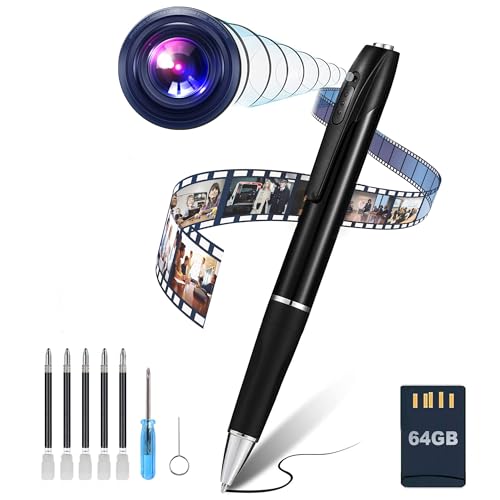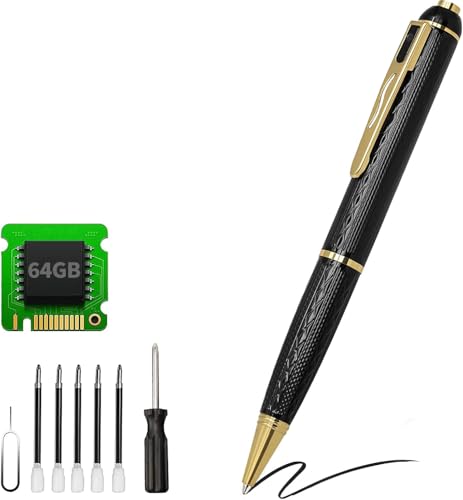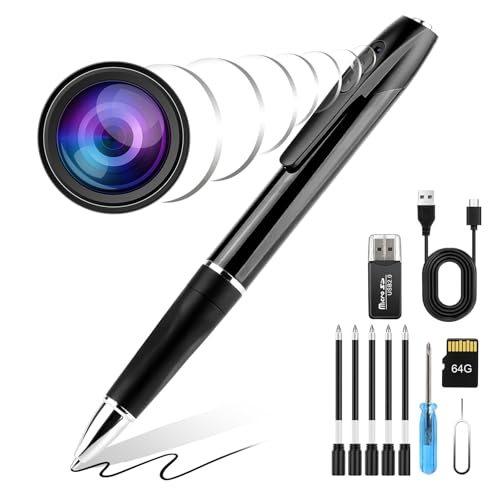
A spy pen camera is a working ballpoint pen with a tiny camera hidden inside. The camera lens, microphone, processor, battery, and storage are all packed into a pen-shaped body that looks completely normal sitting in a shirt pocket or on a desk. You can write with it just like any other pen. The difference? It also records video, takes photos, and picks up audio without anyone around you catching on.
These devices have been around for over a decade, but the older models were bulky, low-resolution, and not very reliable. Today’s spy pen cameras are slimmer, record in 1080p or higher, and hold hours of footage on a tiny microSD card. Prices start at around $20 for a basic 720p model and go up to $80 or more for a Wi-Fi-enabled pen with 2K resolution and motion detection.
People use spy pen cameras to document workplace interactions, record meetings for personal notes, monitor a home office, or collect evidence of harassment. Journalists and private investigators also rely on them when discreet recording is a must. The pen sits right out in the open, which makes it way less obvious than a body camera or a phone propped up on a shelf.
This article breaks down exactly what’s inside a spy pen camera, how each part works, and how to operate one from first charge to file transfer. It also covers the legal rules you need to know before you hit record.
What Is a Spy Pen Camera
A spy pen camera is a covert recording device disguised as a regular ballpoint pen. It combines a working pen with a miniature video camera, a microphone, a rechargeable battery, and either built-in memory or a microSD card slot. The pen writes normally with a replaceable ink cartridge, so it passes casual inspection without raising any red flags.
The camera lens is built into the pen’s body or clip. On most models, the lens sits near the top of the pen, either in the pocket clip or just below the push-button cap. The pinhole opening is typically 0.5mm to 2mm in diameter, which is small enough that most people wouldn’t notice it even while holding the pen in their hand.
Spy pen cameras are single-purpose recording tools. They don’t connect to cloud storage, they don’t stream to a security monitoring system, and they aren’t meant to replace a proper surveillance setup. They fill a very specific role: recording video and audio when pulling out a phone or wearing a body camera would be impractical or way too obvious.
How Does a Spy Pen Camera Record Video
A spy pen camera records video using four main internal parts: a pinhole lens, a CMOS image sensor, a digital signal processor, and a storage module. Each one is shrunk down to fit inside the pen barrel alongside the ink cartridge and battery. Here’s how they work together.
The pinhole lens. Light enters the camera through a tiny pinhole opening in the pen body. The lens behind this opening is usually 1mm to 2mm in diameter. It has a fixed focal length, so there’s no autofocus and no optical zoom. The focus is set at the factory to produce the sharpest image at a distance of about 1 to 3 meters. Objects closer than half a meter or farther than 5 meters will look progressively blurrier.
The CMOS image sensor. Behind the lens sits a CMOS (Complementary Metal-Oxide Semiconductor) image sensor. This is the chip that converts light into an electrical signal. Spy pen cameras use CMOS sensors instead of CCD sensors because CMOS chips are smaller, cheaper, and draw less power. All of those factors matter when the entire device needs to fit inside a pen barrel and run on a tiny battery. The sensor size in most spy pens is around 1/4 inch or smaller.
The digital signal processor (DSP). The raw data from the CMOS sensor goes to a small processor chip. This chip handles several jobs at once: it compresses video using the H.264 codec (or H.265 on newer models), encodes audio from the built-in microphone, writes the combined stream to storage as an AVI or MP4 file, and manages the LED status indicators. The processor also controls motion detection on models that support it.
The storage module. Finished video files get saved to a microSD card inserted into a slot inside the pen. You usually access it by unscrewing the pen body. Some older or cheaper models use built-in flash memory instead, typically 4GB to 8GB soldered to the circuit board. Models with microSD card slots are more practical because you can swap in a larger card (up to 32GB or 64GB depending on the model) and transfer files easily.
The microphone. A small electret microphone sits inside the pen body, usually near a tiny hole in the casing. It records ambient sound along with the video. Audio quality varies by model, but most spy pen cameras pick up conversational speech clearly within 3 to 5 meters. Background noise and muffled audio are common issues since the microphone opening has to stay nearly invisible.
The battery. A rechargeable lithium-polymer battery powers the whole setup. Most spy pen camera batteries are rated between 180mAh and 280mAh, which translates to roughly 60 to 90 minutes of continuous video recording. The battery charges through a micro-USB or USB-C port, usually hidden under a removable cap at the end of the pen. A full charge takes 1 to 2 hours.
Spy Pen Camera Specs Compared
Not all spy pen cameras are built the same. Budget models cut corners on resolution, battery life, and storage capacity. Higher-end models offer sharper video, longer recording times, and extras like Wi-Fi streaming and motion detection. The table below breaks down what you can expect at each price tier.
| Specification | Budget ($20-$35) | Mid-range ($35-$55) | High-end ($55-$100+) |
|---|---|---|---|
| Video resolution | 720p (1280×720) | 1080p (1920×1080) | 2K (2560×1440) |
| Frame rate | 15-25 fps | 30 fps | 30 fps |
| Photo resolution | 2-3 MP (interpolated) | 5-8 MP (interpolated) | 8-12 MP (interpolated) |
| Video format | AVI | AVI or MP4 | MP4 (H.264/H.265) |
| Storage type | Built-in 4-8GB | microSD up to 32GB | microSD up to 64GB |
| Battery life | 40-60 minutes | 60-90 minutes | 70-90 minutes |
| Charging port | Micro-USB | Micro-USB | USB-C |
| Motion detection | No | Sometimes | Yes |
| Wi-Fi streaming | No | No | Some models |
| Night vision (IR) | No | No | Some models |
| Date/time stamp | No | Some models | Yes |
| Functional pen | Yes | Yes | Yes |
Photo resolution numbers on spy pen cameras are almost always interpolated. A camera with a small CMOS sensor physically captures far fewer pixels than the spec sheet claims. A pen that advertises 12 MP photos is using software upscaling to hit that number, not actual optical resolution. Expect photo quality that’s roughly on par with a low-end webcam, not a smartphone.
If you want to go deeper, we have a separate guide on spy camera for cars.
Frame rate matters more than resolution for usable video. A 720p video at 30 frames per second looks smoother and is easier to watch than a 1080p video at 15 fps, which will appear choppy whenever there’s any movement. If you’re comparing two models with different resolution and frame rate combos, go with the one that offers a consistent 30 fps.
How to Use a Spy Pen Camera
Most spy pen cameras follow the same basic workflow: charge, insert a card, power on, record, stop, and transfer files. The exact button presses vary by manufacturer, but the steps below apply to the vast majority of models you’ll find online.
- Charge the pen fully before first use. Connect the included USB cable to the charging port on the pen, which is usually hidden under a cap at the top or bottom. Plug the other end into a computer USB port, a standard 5V/1A wall adapter, or a power bank. The LED indicator will glow (often red or blue) while charging and either turn off or change color when the battery is full. First charge takes 1 to 2 hours. Don’t use fast chargers since the small lithium-polymer battery inside isn’t rated for rapid charging.
- Insert a microSD card if your model has a card slot. Unscrew or pull apart the pen body to get to the slot. Use a Class 10 or UHS-I card, formatted as FAT32, in a size your pen supports (most accept up to 32GB, some up to 64GB). Push the card in until it clicks. If the camera has built-in memory instead of a card slot, skip this step.
- Power the pen camera on by pressing and holding the button on top of the pen for 2 to 3 seconds. The LED will blink or flash briefly to confirm the camera is on and in standby mode. On some models, the pen vibrates slightly when it powers up.
- Start video recording by pressing the button once (a single short click). The LED will either blink in a pattern, change color, or turn off entirely depending on the model. Many spy pens disable the LED during recording so the pen doesn’t draw attention. Do a test recording at home first so you know exactly what your specific model’s LED does during active recording.
- Stop recording by pressing the button once more. The camera saves the current video file to storage. The LED usually blinks a few times to confirm the file was saved. On most models, recordings are automatically split into segments of 3 to 10 minutes each, so a 30-minute session might produce several separate files.
- Take a photo instead of video by double-clicking the button while the camera is in standby mode. Some models cycle through modes (video, photo, motion detection) with each button press, while others use a double-click specifically for photos. The LED flashes once to confirm the photo was captured.
- Power off the pen by pressing and holding the button for 3 to 5 seconds. The LED flashes and then turns off. On some models, holding the button during an active recording both stops the recording and powers off the pen in one step.
Keep the pen steady while recording. These cameras have no image stabilization, so shaky footage is common if you’re holding the pen in your hand. For the best results, clip the pen to a shirt pocket or stand it upright in a pen holder on a desk. The fixed-focus lens produces the sharpest image when the subject is 1 to 3 meters away.
How Does Motion Detection Work on a Spy Pen Camera
Motion detection on a spy pen camera works through software, not a separate physical sensor. The camera’s processor continuously compares consecutive video frames. When it spots a significant change in pixel values between frames (which happens when something moves in front of the lens), it automatically starts recording. When the motion stops, the camera records for a few more seconds and then goes back to standby.
This mode is great for monitoring a room, a desk, or a parked car’s interior over long stretches. Instead of recording hours of empty footage and killing the battery, the camera only captures clips when something actually happens. Each motion-triggered clip typically runs 30 to 120 seconds, depending on the model and how long the motion continues.
Motion detection stretches battery life a lot compared to continuous recording. A spy pen that lasts 60 minutes in continuous recording mode might run for 3 to 6 hours in motion detection mode, depending on how often motion is triggered. It also saves storage space since the camera isn’t filling your microSD card with footage of an empty room.
The sensitivity of motion detection varies by model and usually isn’t adjustable on budget spy pens. Some models trigger on very slight movements (a curtain blowing, a shadow shifting), which leads to a ton of false recordings. Higher-end models let you adjust the sensitivity threshold through a configuration file on the microSD card, or through a companion smartphone app on Wi-Fi-enabled models.
To activate motion detection, cycle through the pen’s modes by pressing the button until the LED shows the pattern for motion detection mode. This is usually the third mode after video and photo. The LED pattern for each mode is specific to your model, so check the manual or test each mode at home to figure them out.
Wi-Fi Spy Pen Cameras vs Standard Models
Some spy pen cameras include a built-in Wi-Fi module that lets you connect the pen to a smartphone app. This adds live streaming, remote start/stop control, and the ability to change settings from your phone. It also bumps up the cost, adds complexity, and takes a serious toll on battery life.
| Feature | Standard spy pen (no Wi-Fi) | Wi-Fi spy pen |
|---|---|---|
| Live video streaming | No | Yes, via smartphone app |
| Remote control | No, button on pen only | Yes, start/stop from phone |
| Battery life (recording) | 60-90 minutes | 30-40 minutes |
| Setup difficulty | Simple: charge, insert card, press button | Moderate: download app, connect to pen’s Wi-Fi network, configure settings |
| Price range | $20-$50 | $50-$100+ |
| File access | Remove microSD or connect via USB | Download via app, or remove microSD |
| Stealth factor | Higher, no wireless signals | Lower, detectable Wi-Fi network broadcast |
| Recording without phone | Yes, fully standalone | Yes, Wi-Fi is optional for basic recording |
| Settings adjustment | Config file on microSD card | Smartphone app interface |
The biggest downside of Wi-Fi spy pen cameras is battery drain. Running a Wi-Fi radio alongside the camera sensor, processor, and storage cuts recording time nearly in half. A standard spy pen that records for 75 minutes will last about 35 minutes with Wi-Fi streaming turned on. If you only need to review footage after the fact, a standard model makes more sense.
Wi-Fi models also broadcast a wireless network that anyone scanning for Wi-Fi signals can detect. The network name usually includes the camera brand or a generic label like “WIFI_CAM” or “SPY_PEN,” which kind of defeats the purpose of a covert device. Some models let you rename the network or hide the SSID, but the signal itself is still detectable with network scanning apps.
Where Wi-Fi models really stand out is convenience. You can preview the camera angle on your phone before recording, start and stop recording without touching the pen, and download clips wirelessly without taking the pen apart to remove the microSD card. If you’re placing the pen on a desk and monitoring a room remotely, the Wi-Fi features are genuinely useful even with the shorter battery life.
How Long Does a Spy Pen Camera Record
Recording time depends on two things: battery capacity and storage capacity. The battery decides how long the camera can stay powered on, and the storage decides how much footage it can save before running out of space. In most cases, the battery dies before the storage fills up.
A typical spy pen camera battery lasts 60 to 90 minutes of continuous video recording. Wi-Fi streaming cuts that down to 30 to 40 minutes. Motion detection mode stretches effective monitoring time to several hours because the camera only records when something’s actually moving.
Storage capacity depends on your microSD card size and the recording resolution. Higher resolution means larger files. The table below shows approximate recording times at common resolution and card size combinations.
| Resolution | Approx. file size per minute | 8GB card | 16GB card | 32GB card | 64GB card |
|---|---|---|---|---|---|
| 720p at 30 fps | 60-80 MB | ~1.5 hours | ~3 hours | ~6.5 hours | ~13 hours |
| 1080p at 30 fps | 120-150 MB | ~50 minutes | ~1.5 hours | ~3.5 hours | ~7 hours |
| 2K at 30 fps | 200-250 MB | ~30 minutes | ~1 hour | ~2 hours | ~4.5 hours |
These numbers show that storage is rarely the limiting factor for spy pen cameras. Even a small 8GB card holds more footage than the battery can produce on a single charge. The exception is motion detection mode, where the pen might run for hours on one charge and slowly fill up a smaller card. If you plan to use motion detection for extended monitoring, grab a 32GB or 64GB card.
For related tips, check out our full guide on how to detect spy camera with your phone.
Most spy pen cameras split recordings into segments instead of creating one continuous file. Segment lengths are typically 3 to 10 minutes. This protects your footage if the battery dies mid-recording. You only lose the last incomplete segment, not the entire session. Some models support loop recording, which overwrites the oldest files when the card is full, so the camera never stops because it ran out of space.
How to Transfer Files from a Spy Pen Camera
There are two ways to move recordings from your spy pen camera to a computer. Both work on Windows and Mac.
Method 1: microSD card reader (recommended).
- Power off the spy pen camera by holding the button for 3 to 5 seconds until the LED turns off.
- Unscrew or pull apart the pen body to reach the microSD card slot. The slot location varies. On some models it’s near the USB port; on others it’s inside the main barrel behind the ink cartridge.
- Press the microSD card inward and release it. The card will spring out slightly so you can pull it free. Use your fingernail or a small tool if the slot is recessed.
- Insert the microSD card into a USB card reader and plug the reader into your computer. The card will show up as a removable drive in File Explorer (Windows) or Finder (Mac).
- Open the drive and look for a folder named DCIM, VIDEO, or a numbered folder at the root level. Your video files (AVI or MP4) and photos (JPG) will be inside.
- Copy the files to your computer. Delete the files from the card afterward if you want to free up space for new recordings.
- Safely eject the card reader, remove the microSD card, and put it back into the spy pen camera.
Method 2: USB cable connection.
- Connect the spy pen camera to your computer using the included USB cable. Plug the micro-USB or USB-C end into the pen and the standard USB end into your computer.
- The camera should mount as a removable drive automatically. If it doesn’t show up, try a different USB port, a different cable, or check whether the pen needs to be powered on first (some models require it, others connect automatically).
- Open the removable drive in File Explorer or Finder, find the video and photo folders, and copy the files to your computer.
- Safely eject the drive before unplugging the cable.
The card reader method is faster and doesn’t drain the pen’s battery during transfer. It also works even if the pen’s USB connection is acting up. A basic USB microSD card reader costs $5 to $10 and is worth having if you use spy pen cameras or other microSD-based devices on a regular basis.
Wi-Fi-enabled spy pen cameras offer a third option: downloading files through the companion smartphone app. Connect your phone to the pen’s Wi-Fi network, open the app, browse the recorded files, and download the ones you want. This is the most convenient method but also the slowest, especially for large 1080p or 2K video files.
Are Spy Pen Cameras Legal
Whether it’s legal to use a spy pen camera depends on where you are, what you’re recording, and whether you’re capturing audio along with video. Laws vary a lot between countries and, within the United States, between states. Recording someone without their knowledge can come with civil or criminal penalties if done in violation of applicable laws.
Video recording. In most U.S. states, recording video in a place where you have a legal right to be is generally allowed, as long as the recording doesn’t happen in an area where someone has a reasonable expectation of privacy. Public spaces, your own home, your own office, and your own car interior are usually fine. Private areas like bathrooms, changing rooms, and bedrooms in someone else’s home are off-limits everywhere.
Audio recording. Audio recording laws are stricter and more complicated than video-only rules. U.S. states fall into two categories based on consent requirements.
One-party consent states. In these states, you can legally record a conversation as long as at least one participant (which can be you) consents to the recording. You don’t have to tell the other person. Most U.S. states follow this standard, including New York, Texas, Colorado, and Georgia. Federal wiretapping law also follows a one-party consent standard.
Two-party (all-party) consent states. In these states, every participant in a conversation must agree to being recorded. Recording someone without their knowledge and consent is illegal, even if you’re part of the conversation yourself. States with all-party consent laws include California, Florida, Illinois, Maryland, Massachusetts, Michigan, Montana, New Hampshire, Oregon, Pennsylvania, and Washington.
If you use a spy pen camera in a two-party consent state and it records audio (which most spy pen cameras do by default), you could face criminal charges for illegal wiretapping or eavesdropping, even if the video recording itself would have been legal without the audio. Some spy pen cameras let you disable the microphone through a configuration file on the microSD card, which may reduce your legal exposure. Still, you should talk to an attorney before relying on this approach.
Workplace recording. Recording at work adds another layer of complexity. Some employers have policies that specifically ban recording on company premises. Breaking these policies may not be a criminal offense, but it could get you fired. Federal labor law (the National Labor Relations Act) does protect employees’ right to record in certain situations related to labor organizing and working conditions, but this protection isn’t absolute and doesn’t override state wiretapping laws.
Outside the United States. Many countries have stricter privacy laws than the U.S. In the European Union, recording someone without their consent can violate the General Data Protection Regulation (GDPR) along with national privacy laws. In Canada, recording a private conversation is legal if one party consents (similar to U.S. one-party consent), but using a hidden camera in certain situations may violate provincial privacy statutes. In the United Kingdom, covert recording is generally legal for personal use but becomes illegal if done to harass someone or in places where privacy is expected. Always check local laws before using a spy pen camera in any country.
Frequently Asked Questions
Can a spy pen camera record without a microSD card?
Only if the pen has built-in internal memory. Models with built-in memory (typically 4GB to 8GB) can record without any card inserted. Models that rely on a microSD card slot can’t save recordings without a card. The camera may power on, but it has nowhere to store the footage. Most mid-range and high-end spy pen cameras use microSD cards rather than built-in memory, so you’ll need to buy and insert a card separately.
Do spy pen cameras record audio?
Yes. Nearly all spy pen cameras have a built-in electret microphone that records audio alongside video. The microphone opening is a tiny hole in the pen casing, usually near the top or middle of the pen body. Audio quality is good enough for capturing speech at close range (1 to 5 meters) but drops off quickly with distance or background noise. A few models let you disable audio recording through a settings file on the microSD card, which may be necessary for legal compliance in two-party consent jurisdictions.
How far away can a spy pen camera record clearly?
Most spy pen cameras have a fixed-focus lens optimized for a distance of 1 to 3 meters (roughly 3 to 10 feet). Subjects within this range will look reasonably sharp. Beyond 3 to 5 meters, faces become hard to identify and text is unreadable. The cameras have no optical zoom and no autofocus, so you can’t adjust the focus range. For the best results, position the pen within arm’s length to a few feet of whatever you need to capture.
Can you tell if a pen is actually a spy camera?
It’s tough but not impossible. Look for a tiny pinhole on the pen body or clip. That’s the camera lens. The hole is usually 0.5mm to 2mm in diameter and may have a slight reflective glint when light hits it at the right angle. Other giveaways include a pen that feels heavier than normal (because of the battery), a USB port hidden under a cap, or a small LED that briefly blinks when the pen is picked up. Dedicated camera detector devices that scan for lens reflections or RF signals can also spot hidden cameras.
Do spy pen cameras work in the dark?
Standard spy pen cameras don’t record usable footage in dark or very low-light conditions. The tiny CMOS sensor and pinhole lens just don’t gather enough light to produce a visible image. Some higher-end models include infrared LEDs for night vision, which light up the scene with invisible IR light. The catch is that IR LEDs on a spy pen produce a faint red or purple glow that’s visible to the naked eye in a dark room, which takes away some of the camera’s covert advantage. The effective range of IR night vision on a spy pen is typically limited to 1 to 3 meters.
How do you set the date and time stamp on a spy pen camera?
Most spy pen cameras that support a date and time stamp use a text configuration file stored on the microSD card. Connect the pen to your computer via USB or pop the microSD card into a card reader. Look for a file named “time.txt,” “TAG.txt,” or “userconfig.txt” on the root of the drive. Open the file in a text editor, enter the current date and time in the format shown (usually YYYY-MM-DD HH:MM:SS), save the file, and safely eject. The camera reads this file on its next power-up and sets the internal clock. Some models create this file automatically while others require you to create it manually.