LG makes some of the best smart TVs money can buy. They’re the company that brought OLED panels to the mainstream, and in 2026, they continue to set the standard for picture quality, color accuracy, and viewing angles. Whether you’re after a jaw-dropping OLED for movie night or a dependable LED for everyday watching, LG has a lineup that covers every need and budget.
Here’s everything you need to know about LG smart TVs, their strengths, their different series, and how to choose the right one for your setup.
What Makes LG TVs Stand Out
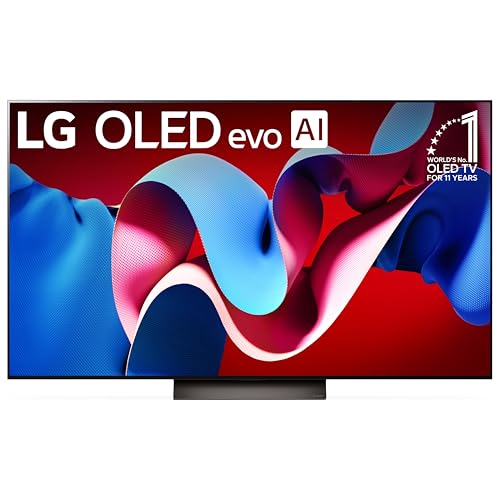
LG’s biggest advantage is their OLED technology. OLED panels produce perfect blacks because each pixel generates its own light, when a pixel is off, it’s truly off. This creates contrast ratios that LCD-based TVs simply cannot match, no matter how many dimming zones they throw at the problem. If you’ve ever seen an OLED TV displaying a dark scene in a dimly lit room, you know the difference is immediately visible.
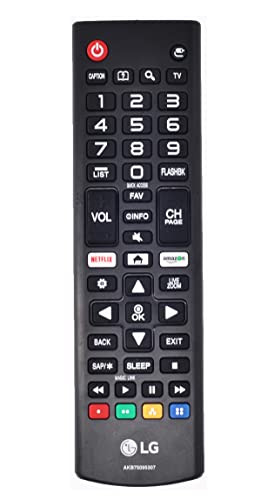
Beyond the panels themselves, LG’s webOS smart TV platform is one of the most user-friendly in the industry. It’s fast, it’s clean, and it supports every major streaming app you’d want. The app selection is excellent, and LG’s Magic Remote, which works like a pointer you aim at the screen, makes navigation feel almost effortless once you get used to it.
LG also takes gaming seriously. Many of their TVs support 4K at 120Hz, variable refresh rate (VRR), AMD FreeSync, and NVIDIA G-Sync compatibility. If you own a PlayStation 5, Xbox Series X, or a gaming PC, LG’s OLED TVs are consistently rated among the best gaming displays available.
LG’s Classic Models: Still Worth Buying Used
Some of LG’s older models, like the C8, B8, SK8000, UK7700, and UK6300, were best-sellers when they launched around 2018. While you won’t find these new anymore, they still show up on the used and refurbished market, and they can be surprisingly good values.
LG OLED C8 and B8
The C8 and B8 were game-changers. The C8 was LG’s mainstream OLED, offering the same panel technology as their more expensive models but at a more accessible price point. The B8 used a slightly older processor but the same OLED panel, making it an even better value. Both delivered stunning picture quality that honestly still looks impressive today.
If you find a used C8 or B8 in good condition, they’re worth considering, especially if you primarily use external streaming devices like a Roku or Fire TV Stick and don’t rely heavily on built-in apps. The main limitation is that their HDMI ports are HDMI 2.0, so they max out at 4K/60Hz rather than the 4K/120Hz you get with newer models.
LG SK8000, UK7700, and UK6300
These were LG’s LED-LCD options from the same era. The SK8000 sat near the top of the LED lineup with Nano Cell technology for wider viewing angles and better color. The UK7700 and UK6300 were more budget-friendly options with solid 4K resolution and decent smart features.
These older LED models are strictly budget buys at this point. They’re fine for secondary rooms, but if you’re investing in your main living room TV, you’ll want something more current.
Understanding LG’s Current TV Lineup
LG organizes their TVs into clearly defined series, and understanding the naming helps you shop smarter.
LG OLED Evo (C-Series and G-Series)
The C-Series is LG’s sweet spot for OLED, it delivers flagship-level picture quality at a price that, while not cheap, is much more manageable than the gallery-style G-Series. The C-Series is the TV most people should buy if they want OLED. It’s incredible for movies, TV shows, and gaming alike.
The G-Series is LG’s premium OLED, designed to be wall-mounted with an ultra-slim profile. It uses a brighter OLED panel with improved heat dissipation and includes a flush wall mount in the box. If aesthetics matter as much as picture quality, the G-Series is stunning, but you’re paying a significant premium over the C-Series for those extras.
LG QNED (LED-LCD with Quantum Dots and NanoCell)
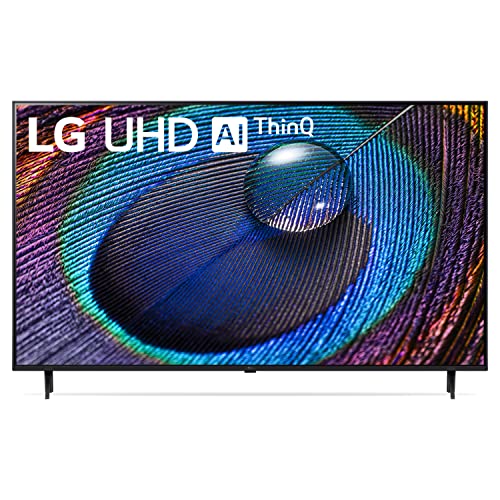
For shoppers who want LG quality without the OLED price tag, the QNED series is a strong option. These combine quantum dot and NanoCell technologies for vivid color and good viewing angles, and they use mini-LED backlighting for improved local dimming and contrast. They’re not OLED, but they’re a big step up from basic LED TVs.
LG UT and UQ Series (Budget LED)
LG’s entry-level TVs still run webOS and support 4K resolution, but they use simpler LED backlighting with fewer dimming zones. These are perfectly fine for bedrooms, kitchens, and secondary viewing areas. They’re also a good choice if you just need a big screen for cable TV or casual streaming and don’t want to overthink it.
LG webOS: The Smart TV Experience
LG’s webOS platform has matured into one of the best smart TV operating systems available. Here’s what you get.
- Home Dashboard: A single hub to manage all your connected devices, inputs, and smart home controls.
- App Store: All the major streaming services are available. Netflix, Disney+, Hulu, HBO Max, Apple TV+, Amazon Prime Video, YouTube, and more.
- ThinQ AI: Built-in voice control that works with both Amazon Alexa and Google Assistant. You can change inputs, adjust volume, search for content, and control smart home devices all by voice.
- AirPlay 2: Stream content directly from your iPhone, iPad, or Mac to the TV without any additional hardware.
- Free Streaming Channels: LG Channels offers a selection of free, ad-supported streaming content built right into the TV.
One thing worth noting: LG has started including ads on the webOS home screen in recent years. It’s not overwhelming, but if you’re sensitive to ads on a product you’ve paid for, it’s something to be aware of.
How to Choose the Right LG TV
With so many options in LG’s lineup, here’s a practical framework for picking the right one.
For Movie Enthusiasts
Go OLED. The C-Series is the go-to recommendation. The perfect blacks, wide color gamut, and Dolby Vision support make movies look absolutely cinematic. You’ll notice details in dark scenes that are completely invisible on LED TVs.
For Gamers
Again, the C-Series OLED is the top pick. The near-instant pixel response time, 4K/120Hz support, VRR compatibility, and low input lag make it one of the best gaming displays at any price. If you want the absolute best for gaming without buying a dedicated monitor, this is it.
For Bright Rooms
OLED TVs can struggle with glare in very bright rooms because they don’t get as bright as the best LED-backlit panels. If your living room gets a lot of direct sunlight, consider the QNED series. Its higher peak brightness handles well-lit environments better than OLED.
For Budget Shoppers
The UT Series gives you the LG name, webOS software, and 4K resolution at a competitive price. You’re giving up premium picture quality, but for casual viewing, it’s a perfectly satisfying experience.
LG vs. Samsung: The Eternal Rivalry
Samsung and LG are the two biggest names in TVs, and people always want to know which is better. The honest answer: it depends on what you value.
LG wins on OLED. Samsung makes excellent OLED TVs now too, but LG has more experience with the technology and generally offers better value at each price tier for OLED panels.
Samsung wins on LED brightness. Samsung’s Neo QLED TVs get extremely bright, which makes them better for rooms with lots of ambient light.
Software is a wash. Both webOS and Samsung’s Tizen platform are mature, well-supported, and have all the apps you need. It comes down to personal preference.
For most people buying an OLED, LG is the safer bet. For a bright-room LED TV, Samsung deserves a close look.
Frequently Asked Questions
Is OLED burn-in still a problem?
It’s a real phenomenon but much less of an issue than it used to be. LG has added multiple burn-in mitigation features, pixel shifting, screen savers, logo luminance adjustment, and panel refresh cycles. With normal varied viewing habits (different shows, movies, games), burn-in is extremely unlikely. It’s mainly a risk if you display static content like a news ticker or game HUD for many hours every single day.
How long do LG TVs last?
LG OLED panels are rated for roughly 100,000 hours to half brightness. For someone watching 6 hours a day, that’s over 45 years. The electronics or software support will become the limiting factor long before the panel wears out. LED models similarly last 7 to 10 years with normal use.
Are LG TVs good for streaming?
Absolutely. webOS supports all major streaming platforms natively, so you don’t need an external streaming device unless you specifically prefer one. The built-in apps are responsive and regularly updated.
Getting Your LG TV Connected
Once you’ve picked out your LG TV, getting it set up on your network is straightforward. If you need help with wireless connectivity, our guide on connecting a smart TV to Wi-Fi covers the process for most brands including LG. You can also connect your phone to your smart TV for casting and screen mirroring.
And if you have an older TV that you’re not ready to replace, don’t worry, there are easy ways to turn your old TV into a smart TV with an affordable streaming device.