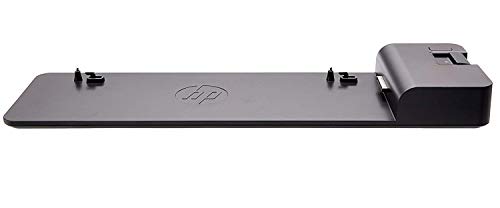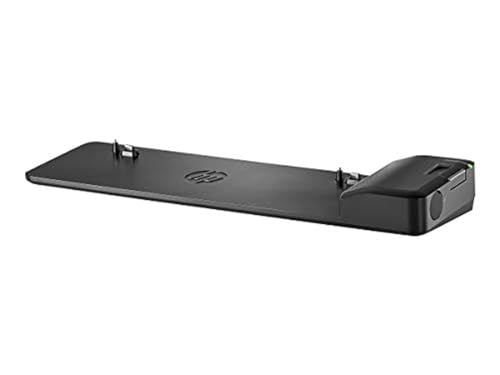
HP UltraSlim Docking Station Compatibility List
Most HP laptops and notebooks are on the HP UltraSlim docking station compatibility list, which makes this dock a popular choice for business users in 2026.
The HP UltraSlim docking station was built specifically for the EliteBook Notebooks series. It expands your display options and network connectivity, so you can stay productive all day without juggling adapters.
Setup is straightforward. You slide your laptop into the side connector with one click, and you’re connected. No fussing with multiple cables or hunting for drivers.
The dock has four USB 3.0 ports that give you high-speed connectivity to external drives, keyboards, mice, and other USB devices. Data transfers are noticeably faster compared to USB 2.0, which saves real time when moving large files.
You also get a secured connection option through an HP docking station cable lock (sold separately). The limited warranty and ongoing support mean you can count on this dock for years.
Inside the box, you’ll find the HP UltraSlim docking station, a power adapter, and documentation.
You might also want to read our how to use HP docking station guide for the full picture.
HP UltraSlim Hardware Compatibility
- HP ProBook 650 G2 and G3 Notebook PCs
- HP EliteBook 840 G1, 820 G1, and 850 G1 Notebook PCs
- HP EliteBook Folio and EliteBook Revolve 810 G1/G2 Tablets
- HP ZBook 14 Mobile Workstation
- Additional compatible lines: EliteBook Folio, EliteBook Revolve, Pro, ProBook, ZBook, and ZBook Mobile Workstation series
Now that you know which devices are on the HP UltraSlim docking station compatibility list, let’s look at the most popular dock models and the laptops they support.
1. HP UltraSlim G2 Docking Station
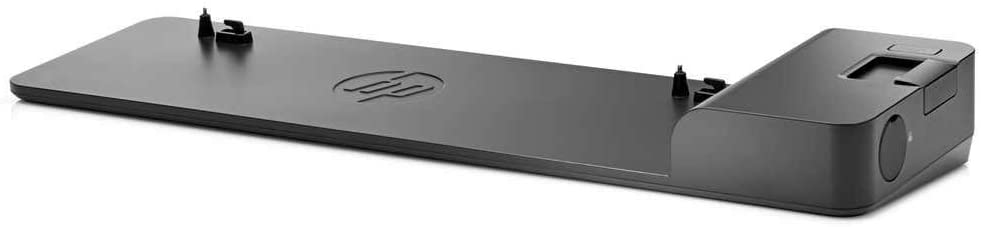
The G2 model comes with four USB 3.0 ports, two DisplayPort outputs, VGA, and one LAN connection. It’s compatible with EliteBook Notebook PCs (720, 725, 740, 745, 750, 755, 820, 840, 850, 1020, and 1040), plus the EliteBook Folio, EliteBook Revolve, Pro series, ProBook, ZBook, and ZBook Mobile Workstation.
A nice bonus: the G2 supports a lock slot for physical security, though the lock itself isn’t included in the box. This model also works with several HP tablet PCs, which gives it extra flexibility if your team uses mixed form factors.
2. HP 2013 UltraSlim with 65W Adapter
This dock has been professionally designed, tested, and inspected for reliable day-to-day performance. It ships with original HP parts.
Interested in this area? We go deeper in our triple monitor setup guide.
Compatible models include the EliteBook 720, 725, 740, 745, 750, 755, 820, 840, 850, 1020, and 1040. It also works with the EliteBook Revolve, Pro, EliteBook Folio, ProBook, ZBook, and ZBook Mobile Workstation lines.
Benefits of the HP UltraSlim Docking Station
Port connectivity includes a line-in jack and a line-out jack, alongside USB 3.0 and DisplayPort 1.2 support. That combination covers most peripheral and display setups you’d need in 2026.
The power unit runs at 18.5 volts, and the whole dock weighs just 0.76 kg. It’s light enough to toss in a bag if you move between desks or offices.
Security is solid, too. The HP docking station cable lock uses a simplified locking mechanism that secures both the dock and the notebook at the same time. You also get support for industry-standard notebook locks, which is a nice touch for shared workspaces.
This dock fits business laptop PCs, business monitors, HP Care Pack services, business tablets, and workstations.
Bottom Line
The HP UltraSlim docking station works with a wide range of HP devices, which makes it a strong pick for multitasking and expanding your workspace. Alignment and security are straightforward, and the lightweight design means you won’t be tied to a single desk.
If you need a reliable dock that supports multiple display outputs, fast USB connectivity, and a simple setup process, the HP UltraSlim is worth a serious look.