What to Look for in a Business Laptop from HP
Choosing the best HP laptop for business comes down to matching the machine to the work you actually do. A sales rep who lives in email and video calls has different needs than a data analyst running heavy spreadsheets, and both have different needs than a field technician who needs something rugged and portable.
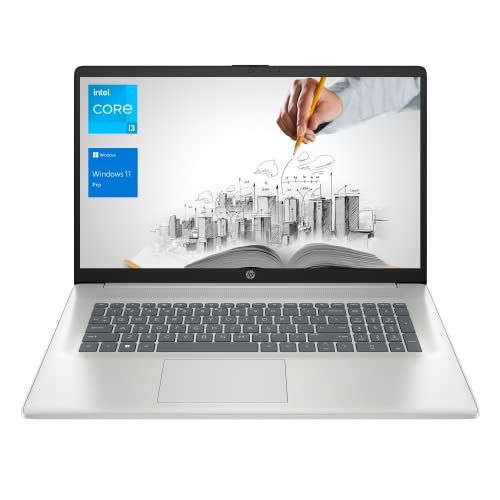
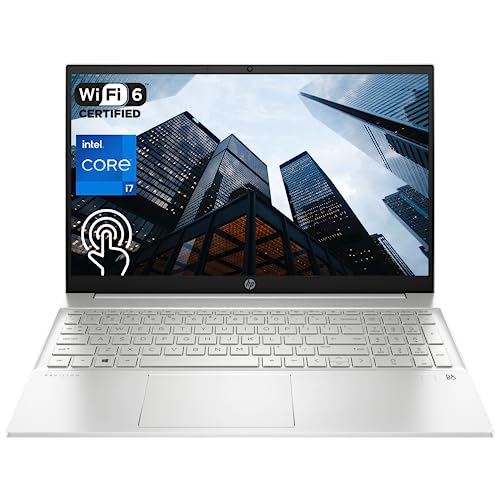
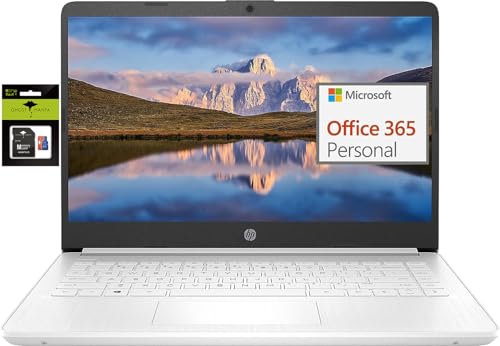
Before diving into specific models, here are the key factors to weigh when picking an HP business laptop in 2026.
- Processor: Intel Core i5 or AMD Ryzen 5 is the sweet spot for most business tasks. Step up to an i7 or Ryzen 7 if you regularly work with large datasets, run virtual machines, or do any media production.
- RAM: 8 GB is the minimum for comfortable multitasking in 2026. 16 GB is the better choice if you keep many browser tabs and applications open at once.
- Storage: SSD storage is non-negotiable. A 256 GB SSD covers basic needs, but 512 GB gives you breathing room for larger files and application installs.
- Display: A Full HD (1920 x 1080) screen is the baseline for business use. Anything lower makes text and spreadsheets harder to read during long work sessions.
- Battery life: Look for at least 8 hours of real-world use. Business laptops that die by mid-afternoon defeat the purpose of portability.
- Build quality and weight: If you travel regularly, every ounce matters. Thinner, lighter machines trade some port variety and cooling capacity for portability.
The 10 Best HP Laptops for Business in 2026
This list covers a range of budgets and use cases, from budget-friendly options for basic office work to more powerful machines for demanding tasks.
1. HP Pavilion 15
The Pavilion 15 is a solid mid-range laptop that handles everyday business tasks without any trouble. It pairs an Intel Core i5 processor with 8 GB of RAM and a 256 GB SSD, giving you enough power for office applications, web browsing, video conferencing, and light multitasking.
The 15.6-inch Full HD display is bright enough for indoor work, and the keyboard is comfortable for extended typing. At around 4.5 pounds, it is not the lightest option on this list, but the larger screen real estate makes it a good choice for desk-heavy work where portability is secondary.
Good for: General office work, email, and video calls on a moderate budget.
2. HP Pavilion x360 14
The Pavilion x360 adds a 360-degree hinge to the Pavilion formula, letting you flip the screen into tablet, tent, or presentation modes. This versatility makes it useful for client presentations, note-taking with a stylus, and general-purpose office work.
Under the hood, it runs an Intel Core i5 with 8 GB of RAM and a 256 GB or 512 GB SSD depending on configuration. The 14-inch Full HD touchscreen is responsive and vibrant. The convertible design adds a small amount of weight compared to traditional clamshell laptops, but the flexibility is worth it if you present to clients or sketch ideas regularly.
Good for: Professionals who present, sketch, or switch between laptop and tablet modes.
3. HP 15 Premium
The HP 15 Premium sits a step above the base Pavilion 15 in terms of specs. Configurations typically include an Intel Core i7 or AMD Ryzen 7 processor, 16 GB of RAM, and a 512 GB SSD. This extra horsepower makes it a better fit for users who run resource-heavy applications like large Excel models, database tools, or design software.
The 15.6-inch Full HD display, sturdy chassis, and full-sized keyboard carry over from the Pavilion line. Battery life typically reaches 7 to 9 hours depending on workload, which covers a full work day for most users.
Good for: Power users who need more processing muscle without jumping to a premium-priced business line.
4. HP Pavilion 15-CS
The Pavilion 15-CS is a slim, modern-looking laptop in the Pavilion family. It features a narrower bezel design that gives the screen more visual presence without increasing the overall footprint. Available with Intel Core i5 or i7 processors, 8 or 16 GB of RAM, and SSD storage, it offers good flexibility across configurations.
On a similar note, our HP laptop for graphic design article has more practical tips.
The build quality feels a step up from the base Pavilion line, with a metal chassis on some configurations and a thinner profile overall. If appearance matters in your work environment and you want something that looks polished during meetings, the 15-CS delivers without a flagship price tag.
Good for: Professionals who want a polished look and slim design at a mid-range price.
5. HP 14 Laptop
The HP 14 is a compact, budget-friendly machine built for light business tasks. It typically ships with an Intel Core i3 or AMD Ryzen 3 processor, 4 to 8 GB of RAM, and a 128 or 256 GB SSD. These specs are fine for email, document editing, and web-based tools, but you will notice slowdowns if you try to run heavy applications or keep dozens of browser tabs open.
At 14 inches and around 3.5 pounds, it is easy to carry between meetings or toss into a bag for travel. Battery life is generally solid, stretching to 8 or 9 hours with light use. For a secondary work machine or a laptop for employees with basic computing needs, the HP 14 hits the right price point.
Good for: Light office tasks and travel on a tight budget.
6. HP 15 Laptop
The HP 15 is the no-frills workhorse of the lineup. It comes in a variety of configurations spanning Intel and AMD processors, 8 to 16 GB of RAM, and 256 to 512 GB SSD storage. This breadth of options makes it easy to find a configuration that matches your workload and budget.
The 15.6-inch display, full-sized keyboard with a number pad, and reasonable weight make it a practical daily driver for office work. It does not win any design awards, but it gets the job done reliably day after day. If you need to outfit a team with dependable laptops and do not want to overthink the decision, the HP 15 is a safe pick.
Good for: General business use where reliability and value matter more than aesthetics.
7. HP 15.6-Inch Touchscreen Laptop
This model adds a touchscreen to the HP 15 formula, giving you the option to tap, swipe, and pinch-to-zoom in addition to the standard keyboard and trackpad. Touchscreen interaction can speed up navigation in certain workflows, especially when working with visual content, presentations, or touch-optimized business applications.
Specs typically include an Intel Core i5 or i7 processor, 8 to 16 GB of RAM, and a 256 or 512 GB SSD. The touchscreen is responsive and accurate without adding significant weight to the laptop. If you find yourself reaching for the screen instinctively (especially after using a tablet), this model eliminates the frustration of a non-responsive display.
Good for: Users who want touch interaction without switching to a convertible form factor.
8. HP 14-Inch Laptop (2021 Refresh)
This compact laptop was originally released as a 2021 model but remains available in updated configurations. It offers Intel Core i3 or i5 processors, 4 to 8 GB of RAM, and SSD storage in a slim 14-inch chassis. The design is clean and unassuming, fitting comfortably into both office and remote work environments.
We walk through HP laptop for video editing step by step in a separate post.
While it does not match the performance of newer models with the latest processors, it remains a practical choice for basic business tasks at a lower price point. If your work centers on email, cloud-based apps, and light document editing, this laptop covers those needs without unnecessary expense.
Good for: Budget-conscious buyers handling basic business tasks who do not need cutting-edge performance.
9. HP Chromebook 14
The Chromebook 14 runs ChromeOS instead of Windows, which makes it a distinctly different kind of business machine. ChromeOS is fast, secure, and low-maintenance. It boots in seconds, updates automatically, and is virtually immune to traditional Windows malware.
The trade-off is software compatibility. You are limited to web apps, Android apps from the Play Store, and Linux apps if you enable that feature. For businesses that run entirely on Google Workspace (Gmail, Docs, Sheets, Meet), a Chromebook can handle everything you need. If you depend on Windows-only software, this is not the right fit.
Hardware specs are modest, typically an Intel Celeron or Pentium processor with 4 GB of RAM and 32 to 64 GB of eMMC storage. The lower specs are fine because ChromeOS is much lighter than Windows and does not need the same resources to run smoothly.
Good for: Businesses running on Google Workspace that want a low-cost, low-maintenance laptop.
10. HP Stream
The HP Stream occupies the bottom of HP’s pricing ladder and is designed for the lightest possible workloads. It runs Windows but with very modest specs, usually an Intel Celeron processor, 4 GB of RAM, and 32 to 64 GB of eMMC storage. The limited storage means you will need to rely heavily on cloud storage services.
The Stream comes in bright color options and weighs very little, making it easy to carry. It works for checking email, browsing the web, and editing documents in a pinch, but anything beyond that will test its limits. Consider the Stream as a secondary device, a loaner for temporary staff, or a machine for a single specific task like point-of-sale or check-in duties.
Good for: Ultra-budget needs, loaner devices, or single-task workstations.
How to Match an HP Laptop to Your Business Needs
With 10 models on the table, here is a quick framework for narrowing down the right pick.
- General office work (email, documents, video calls): HP Pavilion 15, HP 15, or HP 14 cover these tasks well at various price points.
- Presentations and client meetings: The Pavilion x360 14 and Pavilion 15-CS look sharp and offer flexible form factors.
- Heavy multitasking and data work: The HP 15 Premium with an i7/Ryzen 7 and 16 GB of RAM handles demanding workloads.
- Maximum portability: The HP 14 and HP Chromebook 14 are the lightest and most portable options.
- Lowest cost: The HP Stream and HP Chromebook 14 are the most affordable entries, though with significant performance trade-offs.
- Google Workspace-centric teams: The HP Chromebook 14 is purpose-built for this environment.
Buying Tips for Business Laptops in 2026
A few practical considerations beyond the spec sheet can save you headaches down the road.
Check the Warranty
HP offers standard one-year warranties on most consumer-grade laptops. For business use, upgrading to HP Care Pack (an extended warranty with accidental damage protection) is worth the additional cost. A dead laptop means lost productivity, and having next-business-day support reduces downtime.
Consider Refurbished Models
HP’s refurbished and renewed program sells certified pre-owned laptops at a discount. If you are buying laptops for a team and budget is tight, refurbished Pavilion and HP 15 models often deliver excellent value. Just verify the warranty coverage and return policy before purchasing.
Plan for Accessories
Budget for a good external mouse, a laptop stand or docking station, and a second monitor if your team works primarily at desks. These accessories improve comfort and productivity far beyond what any laptop spec upgrade can offer.
Test Before You Commit
If possible, visit a retailer and spend a few minutes typing on the keyboard, checking the screen brightness and viewing angles, and evaluating the trackpad. Specs on paper do not always tell you how a laptop feels in daily use. A comfortable keyboard and a screen that does not wash out under office lighting can make a big difference over months of use.