Nikon D3300 Wedding Photography Settings
Shooting your first wedding can feel intimidating, but the right Nikon D3300 wedding photography settings go a long way toward making the day run smoothly. This camera packs a solid 24.2-megapixel sensor and shoots 1080p Full HD video, so you’ve got plenty of power in your hands. The trick is knowing how to set it up for each moment.
Here’s a step-by-step guide to getting your D3300 dialed in before the big day.
Recommended Settings for Nikon D3300 Wedding Photography
Step 1. Use Single Point Autofocus
Nikon D3300 wedding photography – autofocusWeddings are fast-paced. You’re constantly shifting angles, and the camera needs to lock onto the right subject every time. The D3300 has 11 focal points, but in dim reception halls or candlelit venues, it can pick the wrong one.
Switch to single point autofocus and set it to the center focal point. Then use the focus-and-recompose method: half-press the shutter to lock focus on your subject, adjust your framing, and fire. It’s simple and reliable.
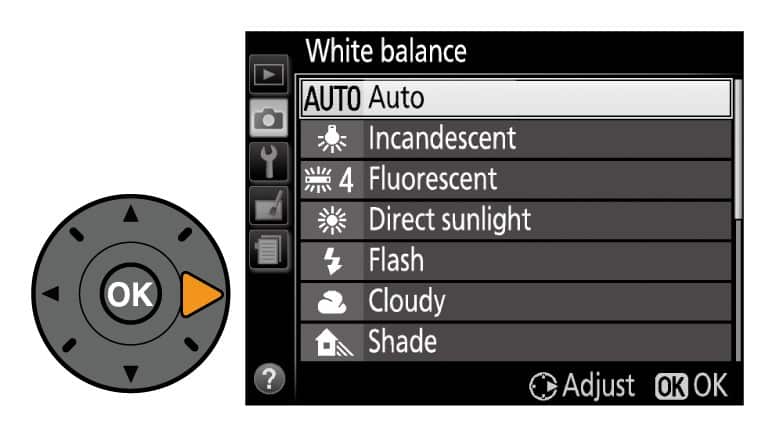
Step 2. Set Auto White Balance
We put together a full guide on Nikon D3500 wedding photography that pairs well with this.
Wedding venues throw all kinds of lighting at you. You might go from warm tungsten bulbs indoors to bright sunlight for outdoor portraits within minutes. Manually adjusting white balance every time just isn’t practical when things move this fast.
Leave your D3300 on Auto White Balance. It handles mixed lighting conditions well, and you won’t miss a shot fumbling with settings. If you’re shooting RAW (and you should be at weddings), you can always fine-tune white balance during editing later.
Step 3. Get the Right ISO Settings
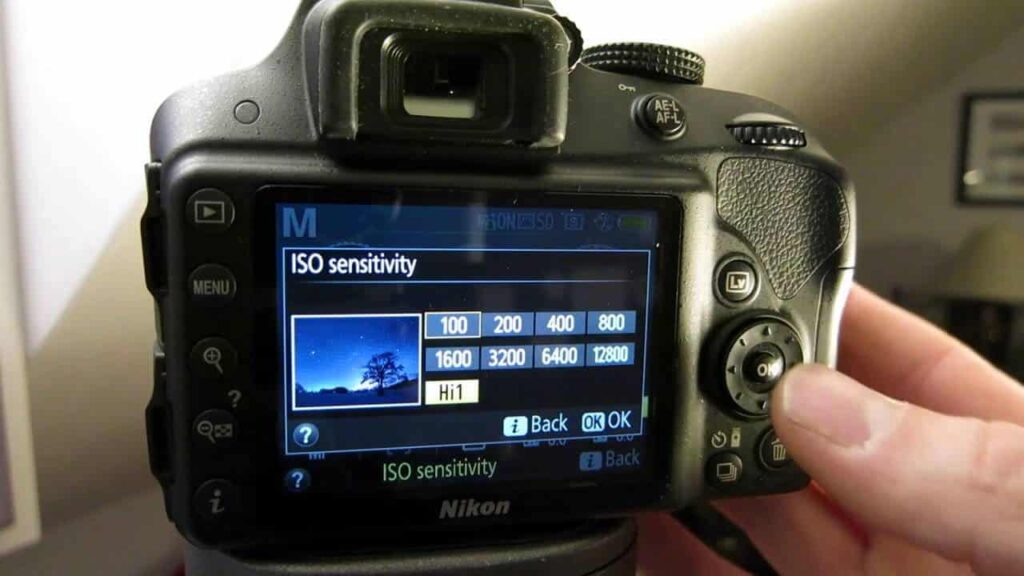
ISO is all about matching the available light. For well-lit outdoor ceremonies or bright reception halls, ISO 400 is a great starting point. You can drop it to ISO 200 if conditions are really bright.
In dimmer venues or during evening events, bump the ISO up to 800 or even 1600. The D3300 handles noise reasonably well at these levels. Just keep in mind that lower ISO values produce cleaner images with less grain, so stay as low as conditions allow.
Our Nikon lens for wedding walkthrough covers this from a different angle.
Step 4. Adjust Aperture Settings
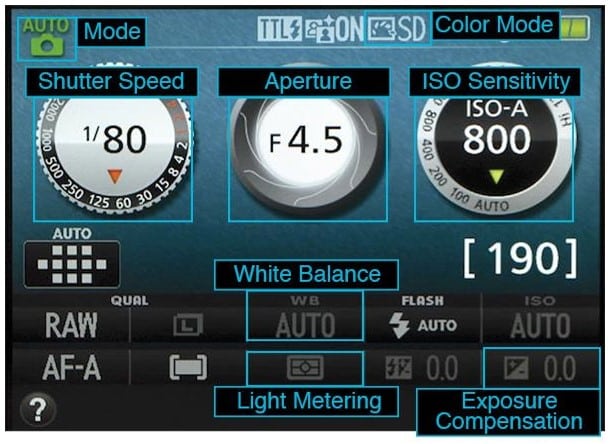
Aperture choice depends on what you’re shooting. For couple portraits and candid close-ups, lower f-stops work best because they blur the background and draw attention to your subjects.
If you’re new to wedding photography and don’t want to overthink it, f/2.8 is a solid default for portraits. When you’re shooting wider scenes like the venue or group shots of guests, increase the aperture to f/4.0 or higher so everything stays sharp.
Step 5. Use a High-Quality Flash
Lighting at wedding venues can be unpredictable. Indoor receptions, evening ceremonies, and dimly lit dance floors all call for extra light.
The D3300’s built-in flash has a guide number of 12 meters at ISO 100. That works for close subjects, reaching about 11.1 feet at f/3.5 and 7 feet at f/5.6. But for larger venues, you’ll want an external flash. Make sure whatever flash you buy is compatible with the D3300 and test it before the wedding day.
Step 6. Bring the Right Lens
A quality lens can make or break your wedding shots. It lets you capture sharp portraits from a distance and pull in details you’d miss with a kit lens.
Pick a lens that matches your shooting style. Here are some strong options for the D3300:
- Nikon 24-70mm f/2.8G
- Nikon 35mm f/1.4G
- Nikon 50mm f/1.8G
- Nikon 58mm f/1.4G
- Nikon 70-200mm f/2.8E FL VR
- Nikon 85mm f/1.4G
- Nikon 105mm f/1.4E
- Nikon 105mm f/2.8G VR Micro