Nikon D3300 DSLR Hacks You Should Try
Looking for some Nikon D3300 DSLR Hacks to step up your photography? You don’t always need expensive gear to get better results. The Nikon D3300 wifi capability and affordable price make it a popular choice, and sometimes a little creativity with a camera like the Nikon D3300 are all you need.
Whether you’re shooting vacation photos, portraits, or just experimenting for fun, these DIY tricks can help you get results that look way more polished than you’d expect from a budget DSLR.
Why the Nikon D3300 Is Great for Experimenting
The Nikon D3300 wifi connectivity and image quality make it a favorite among hobbyist photographers. It’s affordable, easy to use, and reliable enough to handle creative experiments without worrying about damaging a high-end body.
Digital photography has changed the game when it comes to experimentation. You can take hundreds of shots, review them instantly, and edit them on your computer. No more wasting film on trial and error.
What Makes a Good Photograph?
Becoming a professional photographer takes time and dedication. You need to constantly look for fresh ideas and execute them well. Professional gear can drain your wallet fast, but the truth is that you don’t need the most expensive equipment to capture great images. Budget-friendly DSLRs like the Nikon D3300 can produce outstanding results when paired with a little know-how.
Good photography comes down to lighting, composition, and timing. You don’t need to spend a fortune on accessories to improve in these areas. A bit of improvisation with everyday household items, some creative thinking, and a willingness to experiment can produce surprisingly impressive results. Here are five hacks that are easy to pull off and tested on the Nikon D3300.
1. Use a Fish Tank for Underwater-Style Shots
Underwater photography usually requires expensive waterproof housings or dedicated cameras. But you can fake the effect pretty convincingly with a small portable fish tank and your Nikon D3300.
Here’s how it works: place your camera inside the fish tank (keep it dry, obviously). Hold the whole setup firmly, then slowly lower the fish tank into water so that the front glass panel goes below the surface. The glass sits in the water while your camera stays safe and dry above the waterline.
You’ll get that half-underwater, half-above-water split shot that looks incredible on social media. The effect works especially well at pools, ponds, and calm shorelines where the water isn’t too choppy.
A few tips to make this work: use a clean tank with clear glass (acrylic works too). Shoot on a bright day so you have plenty of light both above and below the waterline. Set your Nikon D3300 to a fast shutter speed (1/500 or higher) to freeze any water movement. And most importantly, be extremely careful that no water reaches your DSLR. Have a towel nearby just in case.
2. Use a Kitchen Sifter for Creative Shadow Patterns
Here’s a hack you probably didn’t see coming. Grab a kitchen sifter (the kind you use for flour) and hold it between a light source and your subject. The mesh pattern creates interesting shadow lines across your subject’s face or body.
To get the best effect, use a strong directional light source like a desk lamp or even direct sunlight coming through a window. Position the sifter so the shadow pattern falls where you want it, then shoot with your Nikon D3300.
The resulting photos look like they were taken in a professional studio with patterned lighting gear. It’s a simple trick that produces high-end looking portraits.
3. Build a Portable Background for Better Portraits
Professional photographers use backdrop stands and continuous paper rolls, but you can make a portable version with stuff you already have at home.
Get a piece of cardboard that’s reasonably large (think poster-size at minimum). Find some solid-colored fabric scraps or even a bedsheet. Cut the fabric to size and attach it to the cardboard with tape or glue.
Pick neutral colors like gray, white, or black for the most versatile backgrounds. When you want to shoot, just prop the cardboard up behind your subject. It’s not fancy, but it works surprisingly well for headshots and product photography.
4. Add Artificial Lights for Better Atmosphere
Light is everything in photography, and adding some extra light sources to your frame can completely change the mood of a shot.
String lights (the kind people use for holiday decorations) are an easy and cheap option. Drape them behind your subject for a warm, bokeh-filled background. You can also try colored LED bulbs for more dramatic effects.
The Nikon D3300 handles mixed lighting situations reasonably well, especially if you shoot in manual mode and adjust your white balance. Don’t be afraid to experiment with placing lights at different angles and distances.
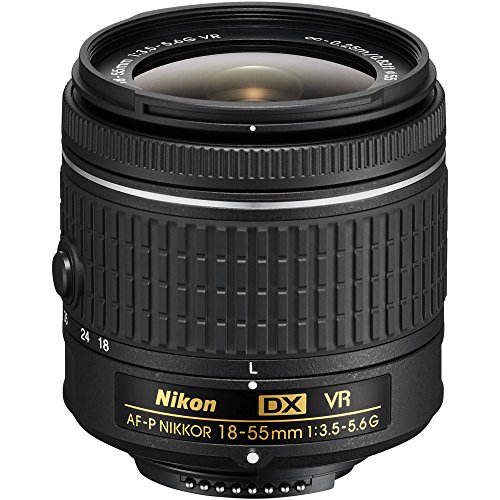
For bokeh effects with string lights, open your aperture as wide as your lens allows (f/1.8 or f/3.5 depending on your kit lens). Place the lights at least a few feet behind your subject so they blur into soft, glowing circles. You can also try holding a single LED light close to the lens edge for a warm flare effect that adds character to portraits.
5. Remove Tourists from Travel Photos Using Photoshop
This is one of the most useful hacks for anyone who travels. Getting a clean shot of a famous landmark without random people walking through your frame feels impossible at popular tourist spots. Here’s the workaround:
Set up your Nikon D3300 on a tripod and take a photo every ten seconds. Shoot at least fifteen frames of the same scene. People will move between shots, but the landmark stays put.
Open all those photos in Adobe Photoshop. Go to File > Scripts > Statistics. Choose “Median” as the stack mode and select all your images. Photoshop will analyze the stack and remove anything that moved between frames (the people) while keeping the static parts (the building, monument, or landscape).
The result is a clean, tourist-free photo of the location. This trick works best when people are moving through the scene rather than standing still in one spot.