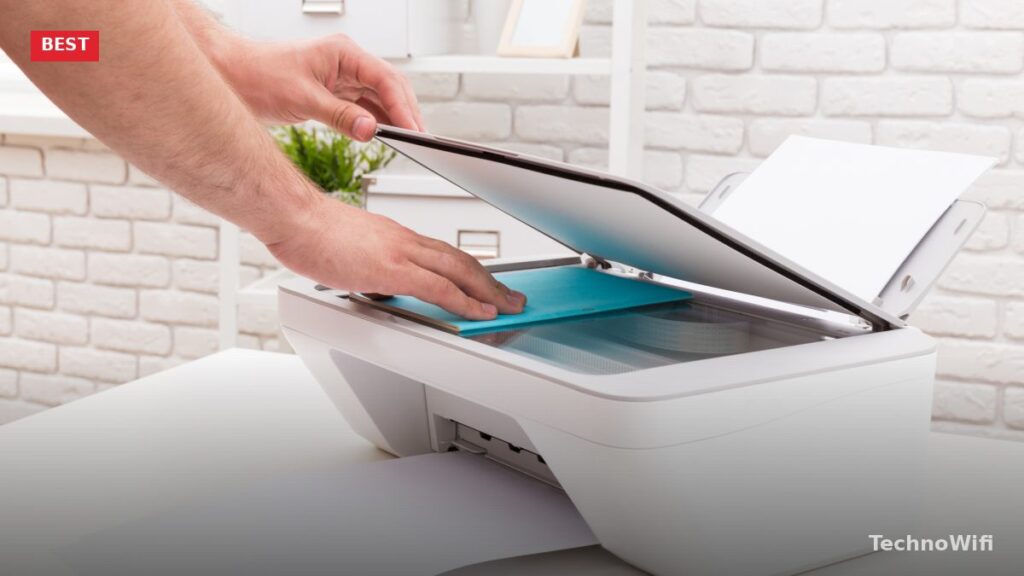
What to Look for in a Home Office Printer
Working from home means your printer has to handle more than the occasional recipe or boarding pass. You need reliable document output, decent print speed, and low running costs that do not eat into your budget month after month. The best home office printer in 2026 balances upfront price, ink economy, print quality, and useful extras like scanning, copying, and wireless connectivity.
We tested five printers that cover the full range of home office needs. Whether you print ten pages a week or a hundred, whether you need wide-format A3 output or just standard letter-size documents, there is an option here that fits.
Brother MFC-J5945DW
Best for high-volume home offices
The Brother MFC-J5945DW is built for people who print a lot. It handles up to A3 paper, ships with a 500-sheet paper tray, and can print at speeds up to 18 pages per minute. For a home office that regularly churns out long reports, presentations, or spreadsheets, that kind of throughput makes a real difference.
Brother designed this model around cost efficiency. The included ink cartridges can last up to a year depending on your volume, which dramatically cuts the frequency of cartridge replacements. The four-tank ink system (black, cyan, magenta, yellow) delivers consistent color across large print runs.
Connectivity is well covered. You get WiFi, USB, and NFC, so you can print wirelessly from almost any device. NFC is particularly handy: just tap a compatible phone against the printer and the print job starts. There is no fumbling with apps or network settings.
As an all-in-one, the MFC-J5945DW also scans, copies, and faxes. The automatic document feeder handles multi-page scan jobs without manual intervention. At 46 pounds, it is a large printer that needs its own spot on a desk or shelf, but the capability it packs into that footprint justifies the space.
Key specs
- Printer type: Color inkjet all-in-one
- Connectivity: WiFi, USB, NFC
- Ink: Four tanks (CMYK)
- Paper capacity: 500 sheets
- Max paper size: A3
- Print speed: Up to 18 ppm
- Weight: 46 pounds
Canon PIXMA G1220
Best budget option with refillable ink
The Canon PIXMA G1220 is Canon’s entry point into the MegaTank lineup, and it focuses on one thing above all else: slashing your ink costs. Instead of expensive cartridges, the G1220 uses refillable ink tanks fed by bottles of ink that cost a fraction of traditional cartridge prices. Canon estimates you can cut recurring ink expenses by up to 90 percent compared to a standard cartridge printer.
Print quality is impressive for the price. Color documents and photos come out with solid detail, and black text is clean enough for any professional use. The printer supports glossy photo paper, envelopes, and even poster-size output for creative projects.
The trade-offs at this price point are real. There is no WiFi, so you are limited to USB connectivity. There is no auto-duplex printing, no built-in display, and the paper tray holds just 100 sheets. Scanning and copying are not included either, since this is a print-only model. If you need those features, step up to a higher-tier MegaTank model. But if your priority is affordable, quality color printing with minimal ongoing costs, the G1220 is hard to argue with.
Key specs
- Printer type: Color inkjet (print only)
- Connectivity: USB
- Ink: Four refillable tanks (CMYK)
- Paper capacity: 100 sheets
- Max paper size: A4
- Print speed: Up to 9 ppm
- Weight: 10.6 pounds
Epson EcoTank ET-3760
Best all-in-one with tank ink system
The Epson EcoTank ET-3760 pairs the money-saving benefits of refillable ink tanks with the convenience of an all-in-one design. It prints, scans, and copies, and each set of ink bottles can last up to two years of typical home office use. That means fewer trips to buy ink, less waste, and lower costs per page than just about any cartridge-based alternative.
The ET-3760 connects over WiFi, Ethernet, or USB, giving you flexibility in how you set it up. WiFi is convenient for wireless printing from phones and laptops. Ethernet is better if you want a stable, always-on connection shared across multiple computers. Print speed reaches up to 15 pages per minute in black, which is respectable for a home office inkjet.
Paper capacity tops out at 150 sheets, which is on the low side if you print heavily. You will be refilling the tray more often than you would with the Brother MFC-J5945DW. The maximum paper size is also limited to A6 for some functions, though it handles standard letter and A4 sheets for everyday printing. For most home offices, these are minor inconveniences weighed against the significant ink savings.
Key specs
- Printer type: All-in-one color inkjet
- Connectivity: WiFi, Ethernet, USB
- Ink: Four refillable tanks (CMYK)
- Paper capacity: 150 sheets
- Max paper size: A4 (standard printing)
- Print speed: Up to 15 ppm
- Weight: 19.5 pounds
Epson WorkForce WF-7210
Best for wide-format printing
Home office printers that handle A3 paper are hard to find, and ones that can auto-duplex on A3 sheets are even rarer. The Epson WorkForce WF-7210 does both, making it a standout choice if you regularly print large-format documents like architectural plans, posters, banners, or oversized spreadsheets.
Print quality holds up across the board. Black text is sharp and professional, while color output on glossy paper is vivid enough for marketing materials and presentations. The dual paper trays hold a combined 500 sheets, so you can load different paper sizes or types simultaneously without swapping trays.
NFC and WiFi are both included for wireless printing. The WF-7210 works with Epson’s mobile app, AirPrint, and Google Cloud Print alternatives. At 32.8 pounds, the printer is large but not unreasonably heavy for a wide-format machine. Keep in mind that this is a print-only model. If you also need scanning and copying, you would need to pair it with a separate scanner or consider a different all-in-one model.
Key specs
- Printer type: Color inkjet (print only)
- Connectivity: WiFi, NFC
- Ink: Four cartridges (CMYK)
- Paper capacity: 500 sheets (dual trays)
- Max paper size: A3
- Print speed: Up to 18 ppm
- Weight: 32.8 pounds
HP ENVY 6455e
Best compact all-in-one
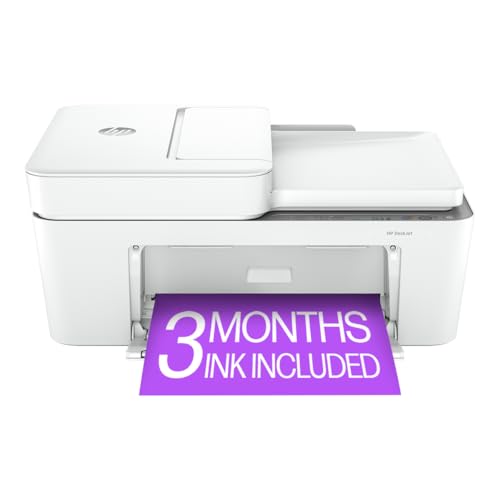
The HP ENVY 6455e is a small, affordable all-in-one that covers the basics well. It prints, scans, copies, and even handles fax jobs, all from a compact unit that fits on a small desk or shelf. For a home office that does not demand high volume or special features, it is a practical choice at a low price.
Wireless connectivity is the highlight. The 6455e connects over WiFi and Bluetooth, and HP’s smartphone app for iOS and Android makes mobile printing straightforward. You can scan documents with your phone’s camera through the app, send print jobs remotely, and manage ink levels from anywhere. The built-in automatic document feeder handles up to 35 pages for batch scanning and copying.
Print speed is moderate at up to 10 pages per minute, which is fine for home use but noticeably slower than the Brother or Epson WorkForce models. The 100-sheet paper tray is also on the small side for heavy printing. Ink costs are reasonable if you subscribe to HP’s Instant Ink program, which automatically ships replacement cartridges before you run out. Without the subscription, per-page costs are higher than the tank-based models on this list.
Key specs
- Printer type: All-in-one inkjet
- Connectivity: WiFi, Bluetooth, USB
- Ink: Two cartridges (black, tri-color)
- Paper capacity: 100 sheets
- Max paper size: A4
- Print speed: Up to 10 ppm
- Weight: 13.58 pounds
How to Pick the Right Printer for Your Home Office
Think about your monthly print volume
If you print fewer than 50 pages a month, a compact model like the HP ENVY 6455e covers your needs at a low upfront cost. If you regularly exceed 100 pages, a tank-based model like the Epson EcoTank ET-3760 or Canon PIXMA G1220 saves serious money on ink. High-volume users who also need large paper sizes should look at the Brother MFC-J5945DW or Epson WorkForce WF-7210.
Decide whether you need scanning and copying
All-in-one models (the Brother, Epson EcoTank, and HP ENVY) include a scanner and copier. Print-only models (the Canon G1220 and Epson WorkForce) skip those features to keep the price down. If you scan documents for digital filing or need to make quick copies, an all-in-one saves you from buying a separate scanner.
Compare ink costs, not just printer prices
The cheapest printer to buy is often the most expensive to operate. Cartridge-based printers typically cost 5 to 15 cents per page, while tank-based models can drop that figure to 1 to 3 cents. Over a year of moderate printing, the difference can easily exceed the price of the printer itself.
Check connectivity options
WiFi is standard on most models, but Ethernet offers a more stable connection for shared printers. Bluetooth is useful for quick phone-to-printer jobs. NFC lets you tap and print without any setup. USB is always reliable as a backup. Make sure the printer supports the way you want to connect.
Frequently Asked Questions
Are ink tank printers really cheaper to run?
Yes. Tank-based printers like the Canon PIXMA G1220 and Epson EcoTank ET-3760 use refillable ink reservoirs instead of cartridges. A single set of ink bottles can last one to two years under normal use, and replacement bottles cost a fraction of what cartridges cost. The per-page savings are substantial, especially if you print frequently.
Do I need a laser printer for my home office?
Not necessarily. Modern inkjet printers produce text quality that is close to laser output, and they handle color and photos much better. Laser printers make sense for very high-volume, text-only printing environments, but for most home offices, a good inkjet or ink tank printer is the more flexible choice.
Can I print from my phone?
All five printers on this list support mobile printing. Models with WiFi work with AirPrint (iOS), Mopria (Android), or manufacturer-specific apps. The HP ENVY 6455e also supports Bluetooth printing. The Canon PIXMA G1220 is USB-only, so mobile printing requires a direct USB connection to a compatible device.