When you purchase through links on our site, we may earn an affiliate commission. Here’s how it works.
Why Go Portable?
If your work takes you out of the office regularly, a portable printer can save you from hunting down a copy shop every time you need a printout. Real estate agents, field technicians, insurance adjusters, traveling sales reps, and event photographers all rely on printers they can toss in a bag and set up anywhere. The best portable printers in 2026 are lighter, faster, and more reliable than ever, with improved battery life and better wireless connectivity across the board.
![Phomemo Portable Printer,[Upgrade] M832 Inkless Printer,Bluetooth Portable Printers Wireless for Travel,8.5''x 11''Thermal Printer Support Multi Sizes for Home,Office,Car,Compatible with Phone &Laptop](https://www.technowifi.com/wp-content/uploads/2026/08/phomemo-portable-printerupgrade-m832-inkless-printerbluetooth-portable-printers.jpg)
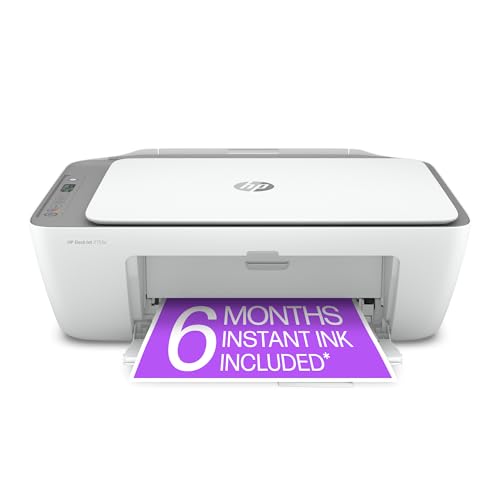
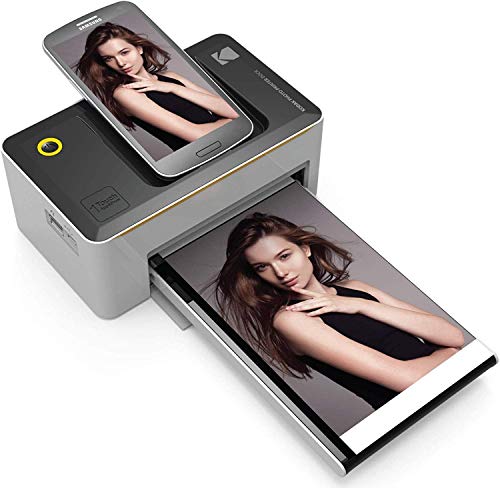
Portable printers fall into three main categories. Inkjet models print standard documents in both color and black-and-white. Thermal printers skip ink entirely, using heat-sensitive paper for fast, maintenance-free black-and-white output. Dye-sublimation photo printers produce high-quality 4×6 prints with vibrant color and a protective finish. Your choice depends on what you actually print on the go.
Our Top Picks at a Glance
| Printer | Best For | Type | Color | Battery Life | Price Range |
|---|---|---|---|---|---|
| HP OfficeJet 250 | Best overall portable | Inkjet | Yes | ~100 pages | $350 to $400 |
| Canon PIXMA TR150 | Best color output | Inkjet | Yes | ~50 pages | $200 to $250 |
| Brother PocketJet 8 | Best for documents | Thermal | No | ~600 pages | $350 to $400 |
| Canon SELPHY CP1500 | Best photo printer | Dye-sublimation | Yes | ~54 prints | $100 to $130 |
HP OfficeJet 250: Best Overall Portable Printer
The HP OfficeJet 250 remains the top pick for professionals who need a do-it-all portable printer. It prints, scans, and copies, all packed into a 6.2-pound unit that fits in most laptop bags. That three-in-one capability is rare in portable form factors, and it sets the OfficeJet 250 apart from the rest of this list.
Print quality is strong enough for client-facing work. Text documents come out sharp and professional, while color charts, graphs, and logos reproduce with good accuracy. The 250-sheet monthly duty cycle handles light-to-moderate workloads without issue.
Battery performance is where this printer really shines. With the optional battery pack (sold separately for around $60), you can print about 100 black-and-white pages or roughly 70 color pages on a single charge. WiFi Direct and Bluetooth let you print straight from your phone or tablet without needing a router, and the 2.65-inch touchscreen makes it easy to manage settings without a computer.
The downside is price. At $350 to $400 before the battery, this is the most expensive option here. Running costs are manageable when you use HP’s XL cartridges, which bring the per-page cost to around 8 to 10 cents for black text. If you print on the road more than a few times per month, the investment pays for itself in time saved.
Who should buy it
Road warriors who need to print, scan, and copy documents during site visits or client meetings. The OfficeJet 250 handles everything a typical office printer does, just in a smaller package.
Canon PIXMA TR150: Best Color Quality
The Canon PIXMA TR150 produces the best color output of any portable inkjet in this group. Text is clean and dark, and color photos on glossy paper look surprisingly sharp for a travel-sized machine. Canon’s five-ink system uses a dedicated black cartridge for text and separate color cartridges, so you only replace the ink that runs out. Over months of use, that saves real money.
At 4.4 pounds without the battery, the TR150 is the lightest full-featured portable inkjet available. The optional battery adds about a pound and delivers around 50 pages per charge. Wireless printing works through AirPrint for Apple devices, Mopria for Android, and Canon’s PRINT app for more control over print settings.
Speed is the main weakness. At around 5.5 pages per minute for black-and-white, the TR150 is noticeably slower than the OfficeJet 250. If you are printing a single contract at a meeting, the pace is fine. If you need to run off a 20-page report, the wait gets tedious. Also note that the TR150 is print-only, with no scanner or copier built in.
Who should buy it
People who care about color accuracy and want the lightest possible inkjet for travel. If you print marketing materials, branded documents, or the occasional photo, the TR150 delivers quality that punches above its size.
Brother PocketJet 8: Best for Document-Heavy Work
The PocketJet 8 takes a completely different approach. It is a thermal printer, meaning there are no ink cartridges, no printheads to clog, and almost zero maintenance required. It uses heat to print on special thermal paper, producing clean 300 DPI black-and-white output. At just 1.5 pounds, it is the lightest full-page printer you can buy.
Battery life is outstanding. Because there is no ink system drawing power, a single charge produces roughly 600 pages. Print speed is fast too, clocking in at about 13.5 pages per minute. For field workers who generate forms, inspection reports, receipts, and work orders throughout the day, the PocketJet 8 was built specifically for that kind of demand.
The trade-offs are straightforward. There is no color printing at all. Thermal paper costs about 10 to 15 cents per sheet, which is more than standard copy paper. Thermal prints can also fade if they are exposed to heat, sunlight, or heavy friction over time. For documents that need to last years in a file cabinet, inkjet is the better choice. For immediate-use paperwork like delivery confirmations and field reports, thermal is hard to beat.
Who should buy it
Field technicians, delivery drivers, inspectors, and anyone printing a high volume of black-and-white documents throughout the workday. The combination of light weight, long battery life, and zero ink maintenance makes the PocketJet 8 a workhorse.
Canon SELPHY CP1500: Best Portable Photo Printer
The SELPHY CP1500 uses dye-sublimation technology to create borderless 4×6-inch prints that are water-resistant, smudge-proof, and protected by a built-in laminate layer. Print quality genuinely competes with drugstore photo prints. Colors are rich, skin tones look natural, and Canon claims the laminated finish protects against fading for up to 100 years based on accelerated aging tests.
Each print takes about 47 seconds. The printer connects via WiFi to phones and tablets, and Canon’s companion app lets you apply filters, borders, and layouts before sending the print. An optional battery kit makes it truly portable for events, trade shows, and outdoor shoots. Cost per print runs around 60 to 70 cents including the paper and ink cassette.
The obvious limitation is that the CP1500 only prints photos, with a maximum size of 4×6 inches. You cannot print documents, letters, or anything on standard paper. It is a purpose-built device, and nothing else under $200 touches its photo quality.
Who should buy it
Event photographers, wedding vendors, crafters, and anyone who wants to hand out or sell photo prints on the spot. If you need document printing, look at the inkjet or thermal options instead.
How to Choose the Right Portable Printer
Match the printer type to your output
Start with what you actually print. If you need standard documents with occasional color, go inkjet. If you print a high volume of black-and-white forms and receipts, go thermal. If you print photos for events or personal use, go dye-sublimation. Trying to force a photo printer into document duty, or vice versa, leads to frustration.
Factor in the total cost, not just the sticker price
A cheaper printer with expensive consumables often costs more over a year than a pricier printer with affordable ink or media. Calculate the cost per page using the manufacturer’s cartridge yields. For thermal printers, add up the cost of thermal paper rolls or sheets. For photo printers, factor in the price of paper and ink packs.
Check battery details carefully
Some portable printers include the battery in the box. Others sell it as an add-on for $50 to $100. Look at the page yield per charge and compare it to your daily volume. Printing 50 pages per charge works for someone who prints a few documents per meeting, but falls short if you need 30 or more pages every day. All rechargeable batteries lose capacity over time, so expect roughly 80 percent of the original performance after two to three years of regular use.
Wireless printing matters
Every printer on this list supports wireless printing through WiFi Direct, AirPrint, Mopria, or a dedicated app. Confirm that your phone’s operating system is supported before buying. The ability to print directly from your phone, without pulling out a laptop, is often the main reason to choose a portable printer in the first place.
Frequently Asked Questions
Can portable printers use regular copy paper?
Inkjet portable printers accept standard letter-size or A4 paper. Thermal printers require special thermal paper, which is widely available online and at office supply stores. Photo printers use proprietary media packs from the manufacturer. If using standard paper is a priority, choose an inkjet model.
How long does a portable printer battery last?
It depends on the type. Inkjet portables typically get 50 to 100 pages per charge. Thermal printers like the PocketJet 8 can manage over 600 pages because they do not power an ink delivery system. Photo printers get about 50 to 60 prints per charge with the battery kit. Replacement batteries run $50 to $100 from the manufacturer.
Are portable printers worth the money?
If you need to print away from your desk regularly, absolutely. The alternative is searching for a FedEx Office, Staples, or library, which eats into your schedule. For people who only need an occasional printout a few times a month, a standard desktop printer is more cost-effective. Think about how many times in the last six months you wished you had a printer in your bag. If the answer is “often,” a portable model will pay for itself quickly.
