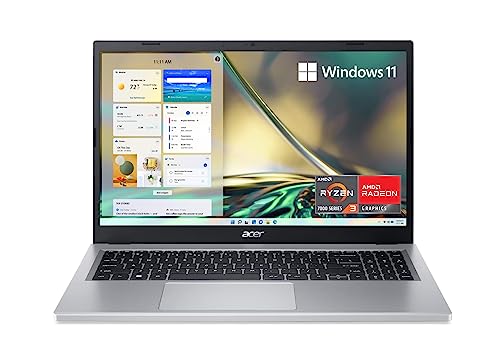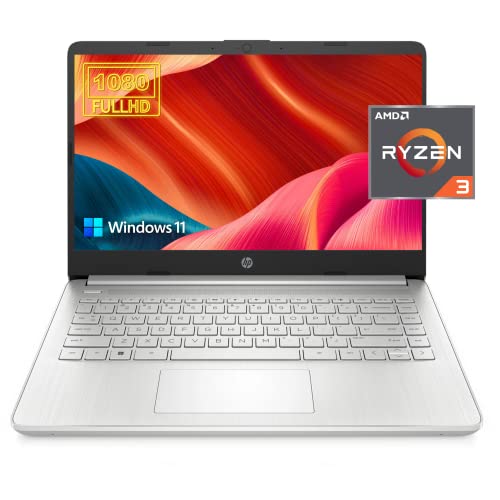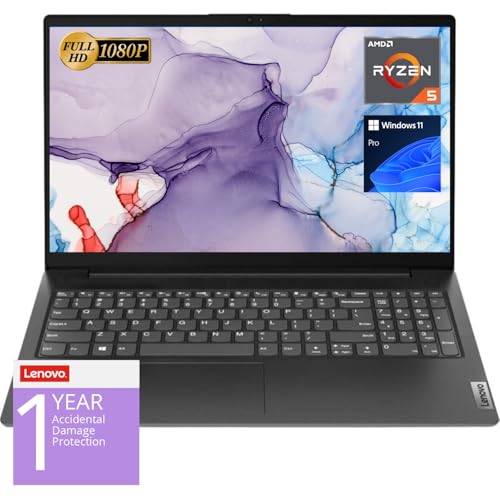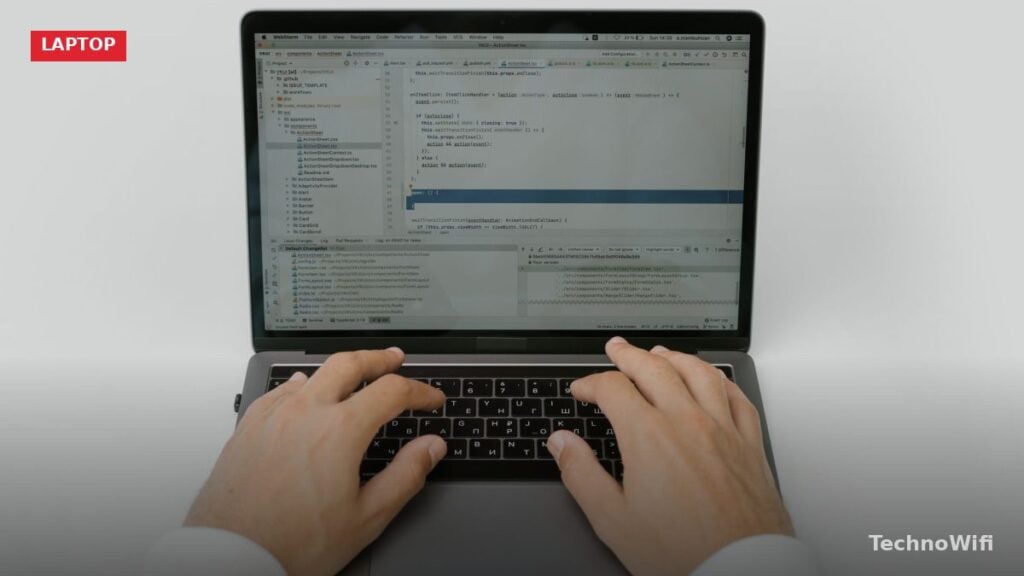
A good laptop for programming does not need the highest-end specs on the market. It needs the right specs. Fast compile times, smooth multitasking between your editor and browser, enough RAM to run containers or emulators, and a keyboard you can type on for hours without fatigue. Those are the things that actually affect your daily workflow as a developer.
Picking the wrong laptop means lag when switching tabs, thermal throttling during builds, or a cramped display that forces you to squint at code. The right one disappears into the background and lets you focus on the work. This guide covers what hardware matters most, which operating system fits different types of development, and specific models worth considering at every price point in 2026.
What Specs Matter Most for a Programming Laptop
The CPU determines how fast your code compiles and how smoothly your IDE runs. For web development and scripting languages like Python or JavaScript, any modern processor from 2024 or later handles the workload. For compiled languages like C++, Rust, or Swift, a faster multi-core CPU saves real time on every build. In 2026, look for Intel Core Ultra Series 2 or 3, AMD Ryzen AI 300 series, Apple M5, or Qualcomm Snapdragon X2 processors.
RAM is where most developers feel the bottleneck first. Running VS Code with several extensions, a browser with 15 tabs, a local dev server, Docker containers, and a terminal eats through memory fast. 16GB is the minimum for comfortable development in 2026. Go with 32GB if you run Android emulators, virtual machines, or work with large datasets. AI coding assistants running in the background add another 2 to 4 GB of overhead on top of everything else.
An SSD is non-negotiable. Hard drives are too slow for modern development. Project files, node_modules folders, build artifacts, and IDE indexes all benefit from fast read and write speeds. A 512GB NVMe SSD is the starting point. If you work with mobile SDKs, emulator images, or multiple large projects, go with 1TB.
Does Display Resolution Matter for Coding
Yes, and more than most people expect. A higher resolution display fits more lines of code on screen without shrinking the font size. At 1920×1080, you can comfortably view around 40 to 50 lines of code in a single pane. At 2560×1600 or 2880×1800, that number jumps significantly, and you gain enough horizontal space to run a side-by-side editor split without feeling cramped.
OLED panels have reached budget price tiers in 2026. Models like the Lenovo IdeaPad Pro 5 offer 2880×1800 OLED screens for under $800. The deep blacks and high contrast ratio make dark-mode coding noticeably easier on the eyes during long sessions. IPS panels still work fine, but OLED is worth the upgrade if your budget allows it.
Screen size is a personal preference. A 14-inch laptop is more portable for commuting or working from cafes. A 16-inch screen gives you more room for split panes and integrated terminals. If you plan to use an external monitor at your desk, the built-in screen size matters less.
Why Keyboard Quality Matters for Developers
Developers type more than almost any other computer user. If you write 200 to 500 lines of code per day, plus emails, documentation, Slack messages, and terminal commands, you are pressing thousands of keys. A mushy, shallow keyboard causes fatigue and slows you down.
ThinkPad keyboards remain the benchmark. The Lenovo ThinkPad T14 Gen 6 and ThinkPad X1 Carbon Gen 13 both deliver 1.5mm of key travel with crisp tactile feedback. Apple’s MacBook keyboards improved dramatically starting with the M1 generation and remain comfortable through the M5 era. Dell’s XPS line has decent keyboards but slightly less travel than ThinkPads.
If you plan to use the laptop at a desk most of the time, an external mechanical keyboard solves the problem regardless of which laptop you buy. But for coding on the go, the built-in keyboard quality should factor into your decision.
Best Operating System for Developers in 2026
The best OS depends on what you build. There is no single correct answer, but each platform has clear advantages for specific types of development.
| Factor | macOS (Sequoia) | Windows 11 | Linux (Ubuntu/Fedora) |
|---|---|---|---|
| Terminal/Shell | Native Unix terminal (zsh) | WSL2 provides full Linux kernel | Native bash/zsh |
| iOS Development | Required (Xcode is macOS only) | Not possible | Not possible |
| Android Development | Fully supported | Fully supported | Fully supported |
| Web Development | Excellent | Excellent (via WSL2) | Excellent |
| Docker Support | Docker Desktop (native) | Docker Desktop (via WSL2) | Native Docker Engine |
| Package Managers | Homebrew | winget, Chocolatey, Scoop | apt, dnf, pacman |
| CUDA/GPU Computing | No CUDA (Metal only) | Full NVIDIA CUDA support | Full NVIDIA CUDA support |
| Gaming During Breaks | Limited | Best compatibility | Good (via Proton/Steam) |
macOS is the default choice for many professional developers because it combines a Unix-based terminal with polished hardware and software integration. If you build iOS apps, it is your only option since Xcode runs exclusively on macOS.
Windows 11 with WSL2 has closed the gap significantly. WSL2 runs a real Linux kernel inside Windows, giving you access to apt, bash, Docker, and every Linux development tool without dual-booting. For developers who need CUDA support for machine learning or want to build .NET applications natively, Windows is the better fit.
Linux gives you the most control and the lowest overhead. It runs closer to production server environments than any other desktop OS. Ubuntu and Fedora are the most popular distributions among developers, with strong community support and wide toolchain compatibility.
Best Laptops for Programming Under $800
Budget laptops have improved dramatically in 2026. You can now get a 2.5K OLED display, 16GB of RAM, and a current-generation processor for well under $800. These machines handle web development, scripting, and general software engineering without issues.
Looking for more? We have a dedicated guide on laptops for writers.
| Laptop | CPU | RAM | SSD | Display | Price Range |
|---|---|---|---|---|---|
| Dell XPS 13 (2026) | Intel Core 5 320 | 8-16GB | 512GB | 13.4″ 2.5K 120Hz | $599 – $750 |
| Lenovo IdeaPad Pro 5 16″ | AMD Ryzen AI 5 340 | 16GB | 512GB – 2TB | 16″ 2880×1800 OLED | $749 – $850 |
| Acer Swift Go 14 | Snapdragon X Plus | 16GB | 1TB | 14.5″ 2560×1600 120Hz | $700 – $800 |
The Dell XPS 13 (2026) stands out at $599 for the base configuration. It weighs only 2.2 pounds and delivers a 2.5K 120Hz display that looks far more expensive than its price tag suggests. The base model ships with 8GB of RAM, which is tight for development. Spend the extra money on the 16GB configuration if you can.
The Lenovo IdeaPad Pro 5 16-inch is the best value overall. For around $749 to $850, you get a 2880×1800 OLED display, 16GB of RAM, and a dedicated NVIDIA RTX 5050 GPU. That GPU helps with GPU-accelerated tasks and makes the machine capable of light machine learning work. The 16-inch screen provides plenty of room for split-pane coding.
The Acer Swift Go 14 with Snapdragon X Plus offers outstanding battery life exceeding 15 hours. Its ARM-based processor runs most development tools natively on Windows, though you should verify compatibility with your specific toolchain before buying.
Best Laptops for Programming Between $800 and $1500
This price range is the sweet spot for most professional developers. You get faster processors, better keyboards, larger RAM configurations, and displays that make long coding sessions more comfortable.
| Laptop | CPU | RAM | SSD | Display | Price Range |
|---|---|---|---|---|---|
| Apple MacBook Air M5 13″ | Apple M5 (10-core) | 16GB | 512GB | 13.6″ Liquid Retina | $1,099 |
| Apple MacBook Air M5 15″ | Apple M5 (10-core) | 16GB | 512GB | 15.3″ Liquid Retina | $1,299 |
| ASUS Zenbook 14 OLED (2026) | AMD Ryzen AI 9 HX 370 | 16GB | 512GB – 1TB | 14″ 2880×1800 OLED 120Hz | $999 – $1,199 |
| Lenovo ThinkPad T14 Gen 6 | AMD Ryzen AI 7 PRO 350 | 16-32GB | 256GB – 1TB | 14″ 1920×1200 IPS | $1,064 – $1,399 |
The Apple MacBook Air M5 is the top recommendation in this range. It runs silently with no fan, lasts 18 hours on a charge, and handles React, Vue, Node.js, Python, and Docker workflows without breaking a sweat. The Unix-based terminal works the way developers expect. At $1,099 for the 13-inch or $1,299 for the 15-inch, it is hard to beat for the combination of performance, battery life, and build quality.
The ASUS Zenbook 14 OLED pairs a stunning 2880×1800 OLED panel with AMD’s Ryzen AI 9 HX 370 processor. It weighs only 2.6 pounds and delivers around 15 hours of battery life. For developers who want Windows or Linux with a premium display, this is the pick.
The Lenovo ThinkPad T14 Gen 6 wins on keyboard quality and durability. Its MIL-STD-810H rated chassis handles rough treatment, and the keyboard is the most comfortable typing experience in any 14-inch laptop. Linux compatibility is excellent. If you type all day and value reliability over flashy features, the T14 is the right choice.
Best Premium Laptops for Programming Over $1500
Premium laptops deliver faster compilation, more RAM, better sustained performance under load, and displays that reduce eye strain over marathon coding sessions. These machines are worth the investment if programming is your primary source of income.
| Laptop | CPU | RAM | SSD | Display | Price Range |
|---|---|---|---|---|---|
| Apple MacBook Pro 14″ M5 Pro | Apple M5 Pro (18-core) | 24-48GB | 1TB – 4TB | 14.2″ Liquid Retina XDR 120Hz | $2,199 – $3,199 |
| Dell XPS 16 (2026) | Intel Core Ultra 5/7/X | 16-64GB | 512GB – 4TB | 16.3″ 3.2K OLED 120Hz | $1,750 – $3,449 |
| Lenovo ThinkPad X1 Carbon Gen 13 | Intel Core Ultra 7 258V | 16-32GB | 1TB – 2TB | 14″ 2.8K OLED | $2,300+ |
| Framework Laptop 16 | AMD Ryzen AI 9 HX 370 | Up to 64GB | Up to 4TB+ | 16″ (multiple options) | $1,299 – $2,000+ |
The Apple MacBook Pro 14-inch with M5 Pro delivers the fastest compile times available in a laptop. Its 18-core CPU handles large codebases, complex Docker setups, and concurrent builds without throttling. Thunderbolt 5 connectivity, a ProMotion 120Hz display, and 18 to 20 hours of battery life round out the package. For full-stack, iOS, or cross-platform development, this is the best overall programming laptop you can buy in 2026.
The Dell XPS 16 scales up to 64GB of RAM and 4TB of storage, making it suitable for developers who work with large monorepos, multiple virtual machines, or heavy containerized environments. The 3.2K tandem OLED display is exceptional for extended use.
The ThinkPad X1 Carbon Gen 13 weighs under 2.2 pounds and packs a 2.8K OLED display with the best keyboard in any ultrabook. WSL2 runs perfectly on it, and Linux installs cleanly with full hardware support.
The Framework Laptop 16 stands apart with its fully modular design. You can swap GPU modules, expansion cards, and upgrade RAM and storage without buying a new laptop. For developers who value sustainability and long-term cost savings, Framework offers something no other manufacturer does.
Best Laptop for Web Development in 2026
Web development is relatively lightweight in terms of hardware requirements. Running VS Code or WebStorm, a local Node.js or Python server, a browser with dev tools open, and a terminal is a standard workflow. That combination runs well on 16GB of RAM and any modern processor.
Battery life, keyboard comfort, display quality, and portability matter more than raw compute power for web developers. The MacBook Air M5 at $1,099 is the top pick. It runs silently, lasts all day on a charge, and its native Unix terminal pairs naturally with web development tools.
On a tighter budget, the Dell XPS 13 (2026) at $599 to $750 delivers a premium 2.5K display and Wi-Fi 7 in a package that weighs barely over two pounds. For front-end developers who need portability above all else, it is an excellent choice when configured with 16GB of RAM.
We also cover laptop for engineering students in a separate article worth checking out.
For full-stack developers who prefer Windows or Linux and type heavily, the ThinkPad T14 Gen 6 provides the best keyboard experience at $1,064 to $1,399. Its WSL2 integration and Linux compatibility make it equally capable on either OS.
Best Laptop for Mobile App Development in 2026
Mobile app development is more demanding than web development. Android Studio and Xcode both consume significant memory and CPU resources, especially when running emulators or simulators alongside the IDE.
For iOS development, you need a Mac. There is no workaround. Xcode runs exclusively on macOS, and the iOS Simulator requires Apple hardware. The MacBook Pro 14-inch M5 Pro at $2,199 is the professional choice. Its 24GB of unified memory handles Xcode builds, SwiftUI previews, and the iOS Simulator without lag. The MacBook Air M5 at $1,099 works for indie developers and students, though sustained builds may cause mild thermal throttling due to its fanless design.
For Android development, any operating system works. Android Studio runs on macOS, Windows, and Linux. The recommended minimum is 32GB of RAM because the Android Emulator is memory-hungry, especially when running alongside the IDE with Gradle builds in progress. Plan for at least 1TB of SSD storage since SDKs, emulator system images, and build caches add up quickly.
Cross-platform frameworks like Flutter and React Native work best on a Mac because you can build and test for both iOS and Android from one machine. On Windows or Linux, you are limited to Android testing only.
Best Laptop for Data Science and Machine Learning in 2026
Data science and machine learning have the most specific hardware requirements of any development discipline. The right laptop depends on whether you train models locally or use cloud computing for heavy lifting.
For everyday data science work with pandas, scikit-learn, Jupyter notebooks, and visualization libraries, the MacBook Air M5 at $1,099 handles the workload surprisingly well. Apple’s unified memory architecture processes large DataFrames efficiently, and PyTorch supports the MPS (Metal Performance Shaders) backend for GPU-accelerated training on Apple Silicon.
For deep learning with CUDA, you need an NVIDIA GPU. Apple Silicon does not support CUDA, which rules out MacBooks for TensorFlow or PyTorch workflows that depend on it. The Acer Nitro V 15 at $850 to $1,150 provides an RTX 5060 GPU at a budget-friendly price. For more serious training work, the ASUS ROG Strix G16 at $1,600 to $2,000 offers an RTX 5070 Ti or RTX 5080 with 32GB of RAM.
The Framework Laptop 16 deserves a mention here because its swappable GPU module means you can start with an RTX 5070 today and upgrade to a faster card when new modules release, without replacing the entire laptop. For ML engineers who want flexibility, that modularity saves money over time.
Programming Laptop Comparison Table for 2026
| Laptop | Best For | CPU | RAM | Display | Battery Life | Weight | Price Range |
|---|---|---|---|---|---|---|---|
| Dell XPS 13 (2026) | Budget portability | Intel Core 5 320 | 8-16GB | 13.4″ 2.5K 120Hz | ~14 hours | 2.2 lbs | $599 – $750 |
| Lenovo IdeaPad Pro 5 16″ | Budget all-rounder | AMD Ryzen AI 5 340 | 16GB | 16″ 2.8K OLED | ~10 hours | 3.8 lbs | $749 – $850 |
| Acer Swift Go 14 | Battery life | Snapdragon X Plus | 16GB | 14.5″ 2.5K 120Hz | 15+ hours | 3.0 lbs | $700 – $800 |
| MacBook Air M5 13″ | Web dev / general | Apple M5 | 16GB | 13.6″ Liquid Retina | 18 hours | 2.7 lbs | $1,099 |
| ASUS Zenbook 14 OLED | Lightweight Windows | Ryzen AI 9 HX 370 | 16GB | 14″ 2.8K OLED | ~15 hours | 2.6 lbs | $999 – $1,199 |
| ThinkPad T14 Gen 6 | Keyboard / Linux | Ryzen AI 7 PRO 350 | 16-32GB | 14″ 1920×1200 | ~12 hours | 3.1 lbs | $1,064 – $1,399 |
| MacBook Pro 14″ M5 Pro | iOS / full-stack | Apple M5 Pro | 24-48GB | 14.2″ XDR 120Hz | 18-20 hours | 3.4 lbs | $2,199 – $3,199 |
| Dell XPS 16 (2026) | Large screen / RAM | Intel Core Ultra 5/7/X | 16-64GB | 16.3″ 3.2K OLED | ~10 hours | 4.2 lbs | $1,750 – $3,449 |
| ThinkPad X1 Carbon Gen 13 | Ultra-light premium | Core Ultra 7 258V | 16-32GB | 14″ 2.8K OLED | ~14 hours | 2.2 lbs | $2,300+ |
| Framework Laptop 16 | Modular / ML | Ryzen AI 9 HX 370 | Up to 64GB | 16″ (varies) | ~8 hours | 4.6 lbs | $1,299 – $2,000+ |
How to Choose Based on Your Development Stack
Your programming language and framework should guide your hardware choices more than brand loyalty or aesthetics. Here is a quick reference for the most common development stacks in 2026.
Front-end web development with React, Vue, Angular, or Svelte needs 16GB of RAM, a fast SSD, and a high-resolution display. Any laptop on this list handles it well. Prioritize display quality and keyboard comfort over raw CPU speed.
Back-end development with Node.js, Python, Go, or Java benefits from more RAM (16 to 32GB) because you will often run databases, message queues, and API servers locally alongside your editor. Docker adds memory overhead on top of that.
Mobile development requires the most careful planning. iOS development locks you into macOS. Android development needs at least 32GB of RAM for a comfortable experience with emulators. Both benefit from fast SSDs of 1TB or larger.
Data science and ML work splits into two paths. If you rely on CUDA for training, you need a Windows or Linux laptop with an NVIDIA GPU. If you use cloud GPUs for training and only do data exploration and visualization locally, a MacBook Air M5 handles it perfectly.
Frequently Asked Questions
How much RAM do I need for programming in 2026?
16GB is the minimum for comfortable development. Running a code editor with extensions, a browser with dev tools, a terminal, and a local server consumes 10 to 12GB on its own. If you use Docker, run Android emulators, or work with AI coding assistants, aim for 32GB. The added headroom prevents the system from swapping to disk, which kills performance.
Is a MacBook or Windows laptop better for programming?
It depends on what you build. MacBooks are better for iOS development (Xcode requires macOS), general web development (native Unix terminal), and workflows that benefit from exceptional battery life. Windows laptops are better for .NET development, CUDA-based machine learning, and scenarios where you need maximum RAM (up to 64GB in models like the Dell XPS 16). With WSL2, Windows runs Linux tools almost as seamlessly as a native Linux machine.
Can I use a Chromebook for programming?
Chromebooks can handle basic web development using Linux (Beta) mode, which lets you install VS Code, Node.js, and Python. But the limited RAM (usually 4 to 8GB), slower processors, and restricted storage make them impractical for anything beyond simple projects. If you are a student learning to code, a Chromebook with Linux mode works in a pinch. For professional development, a dedicated Windows, macOS, or Linux laptop is a much better investment.
Do I need a dedicated GPU for programming?
For most types of programming, no. Web development, mobile development, and general software engineering run entirely on the CPU and integrated graphics. A dedicated GPU only becomes necessary for machine learning with CUDA, 3D game development, or heavy GPU-accelerated tasks. Integrated graphics in modern chips like the Apple M5, Intel Arc, and AMD RDNA handle everything else.
Is 512GB of SSD storage enough for a developer?
It depends on your stack. For web development, 512GB is usually sufficient. For mobile development, plan for more. Android SDK components, emulator system images, and Xcode with iOS simulators consume 50 to 100GB or more on their own. Add multiple project repositories, Docker images, and node_modules folders, and 512GB fills up fast. Going with 1TB from the start avoids headaches later.
What screen size is best for coding?
A 14-inch screen with 2560×1600 or higher resolution is the best balance of portability and usability for most developers. You get enough room for a split editor view and an integrated terminal without the laptop becoming too bulky to carry. A 16-inch screen is better if you rarely travel and want maximum on-screen real estate. Either way, plan to use an external monitor at your desk for the best multi-window workflow.