How to Take Pictures for Instagram That Actually Stand Out
Instagram has come a long way since 2010. Back then, smartphone cameras were pretty basic, and the built-in filters were doing most of the heavy lifting. Those early in-app photos? They look blurry and pixelated on today’s screens.
Now the feed is a mix of smartphone shots and professionally edited content, and honestly, the line between the two keeps getting thinner. Modern phone cameras are so good that most people can’t tell whether a photo came from an iPhone or a $2,000 mirrorless camera.
That said, a good camera alone won’t get you engagement. You need to understand a few photography basics and know what makes people stop scrolling. Whether you’re shooting with your phone or a proper camera, these five tips will help you take better Instagram photos starting today.
1. Get Your Lighting Right
Light can make or break any photo. Too much of it washes out your subject and kills the detail. Too little and you end up with dark, grainy images that nobody wants to look at.
If you shoot indoors regularly, spend some time watching how sunlight moves through your space during the day. That big window might give you perfect soft light at 9 AM but harsh direct sun by noon. Knowing your light windows saves you from guessing every time.
For outdoor shooting, the golden hours (roughly the first hour after sunrise and the last hour before sunset) give you warm, directional light that’s incredibly flattering. Midday sun creates hard shadows under eyes and noses, which rarely looks good unless that’s the exact vibe you’re going for.
On your phone, tap the screen to set your focus point and then drag the brightness slider up or down to fine-tune exposure. This one trick alone can dramatically improve how your photos look before you even think about editing.
Overcast days are actually great for portraits and product shots. The clouds act like a giant softbox, spreading light evenly and eliminating harsh shadows. Don’t skip shooting just because the sky is gray.
2. Add Layers and Depth to Your Shots
Flat, one-dimensional photos rarely catch anyone’s attention on Instagram. Adding layers to your composition, mixing textures, including foreground and background elements, gives your images depth that draws the viewer in.
If your phone has portrait mode, use it. It blurs the background and keeps your subject sharp, which instantly makes photos feel more polished and intentional.
Try shooting through things. A window, a doorway, some plants in the foreground. These framing elements add visual interest and guide the viewer’s eye to your main subject. Shooting through a rain-spattered window, for example, puts the reflection in the foreground while keeping your subject visible behind it.
Layering also works with colors and textures. A smooth ceramic mug on a rough wooden table. A bright jacket against a weathered brick wall. These contrasts make photos feel richer without needing any fancy equipment or editing.
3. Use Burst Mode to Catch the Right Moment
If you’re shooting anything that involves movement, people, events, pets, street scenes, don’t rely on a single tap of the shutter. You’ll end up with closed eyes, weird expressions, or slightly blurred motion more often than not.
Burst mode is your friend here. On most smartphones, just hold down the shutter button and it fires off a rapid series of shots. You might capture 20-30 frames in a couple of seconds. Scroll through after and pick the one where everything lines up: the expression, the body language, the timing.
This is especially useful for group photos, action shots, and candid moments where you can’t exactly ask everyone to freeze and hold still. The best Instagram photos often look natural and unposed, and burst mode helps you catch those genuine moments.
4. Apply the Rule of Thirds (and Use White Space)
The rule of thirds is one of the oldest composition techniques in photography, and it works just as well on Instagram as it does in a gallery. Imagine your frame divided into a 3×3 grid, nine equal sections. The idea is to place your main subject along one of the grid lines or at the intersection points rather than dead center.
Center-framed shots can feel static and predictable. Placing your subject off to one side creates visual tension and gives the eye room to move around the image. That bit of empty space (called white space or negative space) actually makes your subject feel more prominent, not less.
Most smartphones let you turn on gridlines in the camera settings. Turn them on and leave them on. It takes a few days to get used to composing with the grid, but once it clicks, your photos will look noticeably better composed.
White space is particularly effective for text-overlay posts, product photography, and minimalist aesthetics. Leaving breathing room in the frame keeps things clean and professional.
5. Switch Up Your Angles
Shooting everything from standing eye level gets repetitive fast. Your followers scroll through hundreds of photos a day, and most of them are taken from the exact same height and angle.
Get low. Shooting from a low angle makes subjects look larger, more dramatic, and more powerful. This works great for buildings, portraits with sky backgrounds, and food photography where you want to show height.
Get high. Overhead shots (sometimes called flat lays) are perfect for food, desk setups, outfits laid out on a bed, or anything you want to show in its entirety from above.
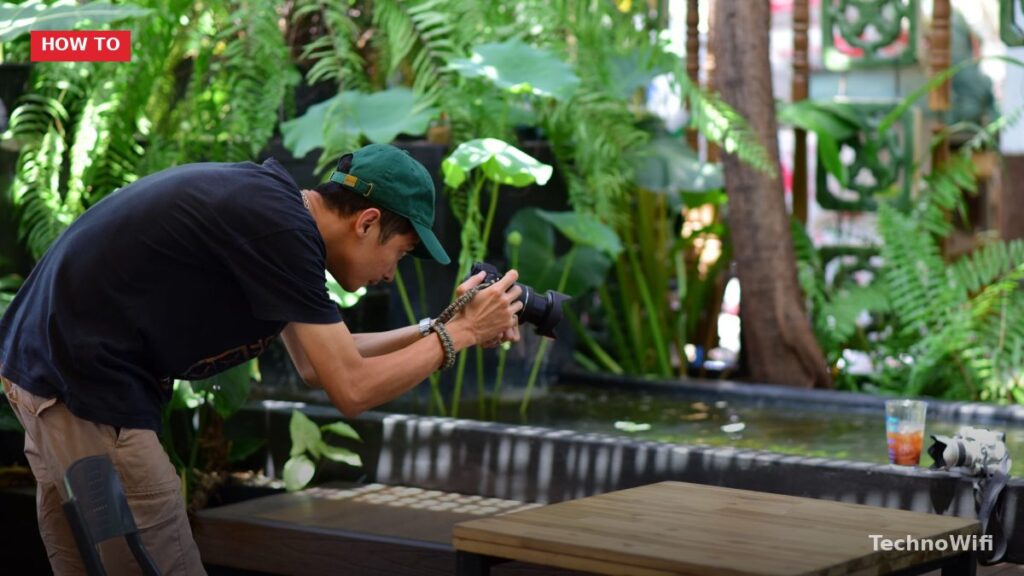
Tilt your camera. A slight angle can add energy and movement to an otherwise static scene. Just make sure it looks intentional, not like you held the phone crooked by accident.
For interior and overhead shots, pay attention to straight lines. Tables, walls, and shelves should be parallel to the edges of your frame unless you’re deliberately going for a tilted look. Nothing screams “amateur” like a flat lay where the table edge is slightly off-kilter.
Know What Your Audience Wants
Taking good photos is half the equation. The other half is knowing what your specific audience responds to. Check your Instagram Insights regularly. Look at which posts get the most saves, shares, and comments, not just likes. Saves and shares tell you which content people found genuinely valuable or worth coming back to.
You might discover that your audience prefers close-up detail shots over wide angles, or that natural outdoor lighting gets more engagement than studio-lit content. Let the data guide your shooting decisions alongside your creative instincts.
See Also
How to Become a Fashion Photographer