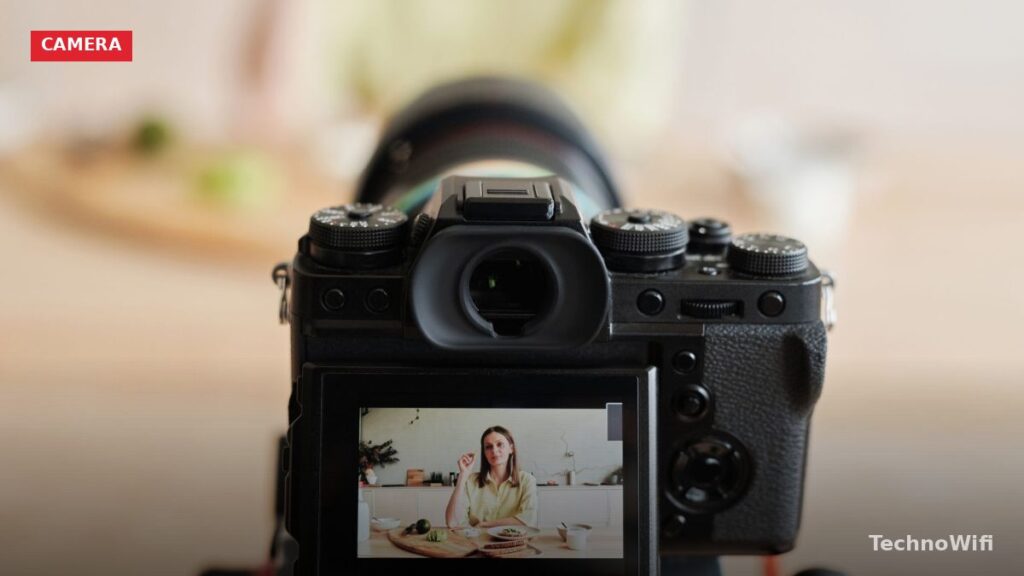
If you’re searching for the best camera for vlogging, you’re in the right place. Vlogging, short for video blogging, has grown from a niche hobby into a legitimate career path and creative outlet for millions of people worldwide. Whether you’re documenting your daily life, sharing expertise, reviewing products, or building a personal brand, having the right camera makes an enormous difference in the quality of your content. This guide covers everything you need to know about vlogging and the gear that makes it work.
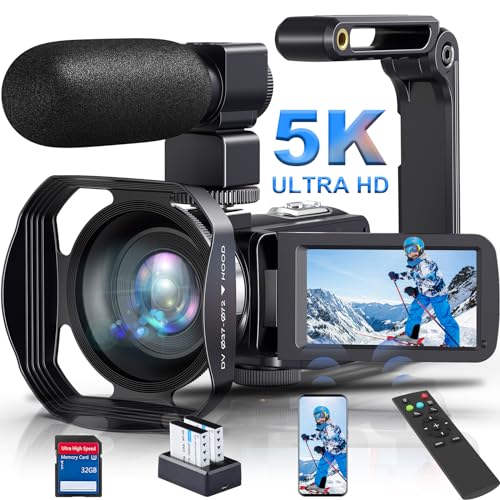
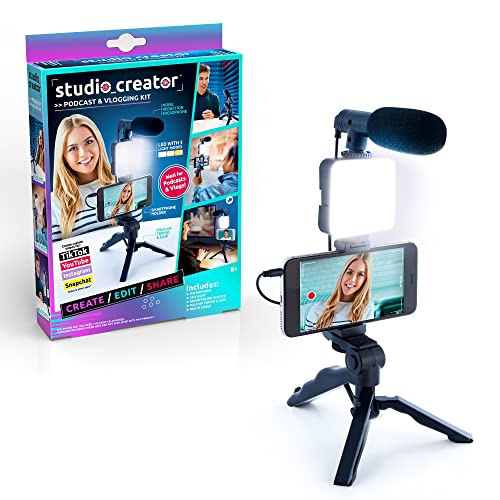
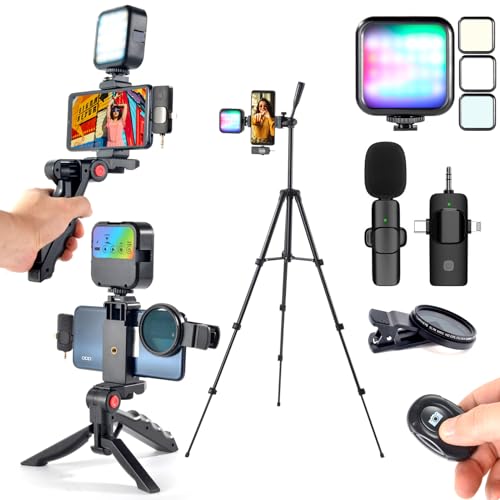
What Is Vlogging?
Vlogging is the art of creating video content that documents experiences, shares knowledge, or tells stories in a personal, first-person format. Unlike traditional filmmaking, vlogging is typically less polished, more spontaneous, and built around the personality of the creator.
The format traces its roots back to the early days of YouTube in 2005, when creators like Lonelygirl15 and Ze Frank began posting regular video diaries. Over the years, vlogging has evolved into a diverse ecosystem of content styles, from highly produced travel vlogs with cinematic footage to raw, unedited daily-life videos shot entirely on phones.
GoPro fan? Check our best GoPro for vlogging breakdown.
What hasn’t changed is the core appeal: authenticity. Audiences connect with vloggers who feel genuine and relatable. The best vlogs make viewers feel like they’re hanging out with a friend, not watching a produced television show. That authenticity, combined with consistent posting and genuine expertise or entertainment value, is what separates successful vloggers from the millions who try and give up.
Types of Vlogs
Vlogging isn’t one-size-fits-all. Different content styles suit different creators, and the gear you need depends on what kind of vlogs you want to make.
Daily vlogs document your everyday life in short, digestible episodes. Think Casey Neistat’s iconic run on YouTube, these vlogs require a portable, always-ready camera setup and strong storytelling instincts. A compact camera or high-end smartphone works best here because you need to pull it out and start shooting at a moment’s notice.
Travel vlogs showcase destinations, cultures, and adventures. They tend to be more cinematic, with b-roll footage, drone shots, and careful editing. Travel vloggers benefit from versatile cameras with good stabilization, since you’re often shooting while walking, hiking, or riding in vehicles.
Tutorial and educational vlogs teach viewers how to do something, cooking, fitness, tech reviews, photography techniques, you name it. These are often shot in a controlled environment (home studio, kitchen, workshop) where you can set up lighting and audio properly. A camera with good autofocus and a flip screen is ideal here.
Gaming vlogs combine gameplay footage with face-camera commentary. The camera needs are simpler, a good webcam or a camera set up as a webcam with proper lighting is all you need since the game footage carries most of the visual weight.
Talking-head vlogs are the simplest format, you sit in front of a camera and talk. This style is common for commentary channels, reaction videos, and podcast-style content. Good audio quality is arguably more important than video quality here, since viewers will tolerate mediocre video but bail on bad audio.
Best Camera for Vlogging: What to Look For
Not every camera is well-suited for vlogging. Here are the features that matter most when choosing the best camera for vlogging in 2026.
Flip Screen or Articulating Display
This is the single most important vlogging feature. When you’re filming yourself, you need to see what the camera sees. A screen that flips forward (or articulates to face you) lets you frame yourself, check your focus, and monitor your recording without guessing. Cameras without a flip screen force you to either shoot blind or add an external monitor, which adds bulk and cost.
Autofocus Performance
Reliable face-detection and eye-tracking autofocus are essential for vlogging. You need a camera that locks onto your face and keeps it sharp as you move around, talking, walking, gesturing, leaning in and out. Phase-detection autofocus systems (found in modern mirrorless cameras) are dramatically faster and more reliable than the contrast-detection systems in older cameras and many point-and-shoots.
Test this feature specifically before buying. Record yourself walking toward and away from the camera while talking. If the autofocus hunts back and forth or loses your face, that camera will frustrate you during real vlogging sessions.
Video Resolution and Frame Rates
4K video is the standard for quality vlogging in 2026. Even if you publish at 1080p, shooting in 4K gives you the ability to crop, stabilize, and reframe footage in post-production without quality loss. Look for a camera that shoots 4K at 30fps minimum, with 4K 60fps available for action-heavy content or smooth slow-motion effects.
1080p at 60fps or 120fps is useful for slow-motion b-roll, those cinematic shots of coffee being poured, waves crashing, or city streets at night that add production value between talking segments.
Image Stabilization
If you vlog while walking or moving, stabilization is critical. In-body image stabilization (IBIS) is the gold standard, it smooths out handheld footage regardless of which lens you use. Electronic image stabilization (EIS) is a software-based alternative that works well but slightly crops the frame. External gimbals like the DJI RS series offer the smoothest results but add weight, cost, and setup time.
Audio Quality
Built-in camera microphones are universally terrible for vlogging. They pick up handling noise, wind, ambient room noise, and they make your voice sound distant and echoey. Plan on using an external microphone from day one. Your camera needs a 3.5mm microphone input (most mirrorless cameras and many compacts have one) or a hot shoe for mounting a shotgun mic.
Popular vlogging microphones include the Rode VideoMicro II (compact shotgun mic that mounts on the camera), the Rode Wireless GO II (wireless lavalier system), and the DJI Mic 2 (another excellent wireless option). Good audio improves amateur video to professional-feeling content faster than any camera upgrade.
Size and Weight
A camera you leave at home because it’s too heavy is useless for vlogging. The best vlogging cameras are compact enough to toss in a bag and light enough to hold at arm’s length for extended selfie-style shots. This is why many vloggers prefer compact mirrorless cameras and high-end compacts over larger DSLRs.
Best Cameras for Vlogging in 2026
Here are the top picks across different budgets and use cases.
Best Overall: Sony ZV-E10 II
Sony designed the ZV-E series specifically for vloggers and content creators, and the ZV-E10 II is the current sweet spot. It features a large APS-C sensor for excellent image quality and shallow depth of field, Sony’s industry-leading autofocus with real-time eye tracking, a fully articulating screen, and a directional three-capsule microphone that’s actually usable (though an external mic is still better).
The interchangeable lens system means you can start with the compact kit lens and upgrade to wider or faster glass as your needs grow. 4K recording at up to 60fps with no time limit makes it practical for everything from short vlogs to long-form content. At around $800-$900 for the body, it’s a phenomenal value for the feature set.
Best Compact: Sony ZV-1 II
If you want vlogging capability in the smallest possible package, the ZV-1 II is tough to beat. It has a built-in 18-50mm equivalent zoom lens, so there’s no need to buy or carry separate lenses. The flip screen, background defocus button, product showcase mode, and excellent autofocus make it incredibly easy to create polished content right out of the box.
The fixed lens means less versatility than interchangeable-lens cameras, and the 1-inch sensor can’t match larger sensors in low light. But for grab-and-go vlogging, travel, daily vlogs, on-the-street content, its convenience is unmatched.
Best for Cinematic Content: Canon EOS R8
If your vlogs lean more toward the cinematic side, travel films, short documentaries, highly produced tutorials, the Canon EOS R8 offers a full-frame sensor in a remarkably compact body. Canon’s Dual Pixel CMOS AF II is exceptionally good at face and eye tracking, and the full-frame sensor delivers stunning image quality with beautiful depth-of-field separation.
4K recording at 60fps, Canon Log 3 for color grading flexibility, and compatibility with Canon’s excellent RF lens lineup make this a serious content creation tool. It’s more expensive than APS-C options ($1,300-$1,500 body only) and requires an investment in RF lenses, but the results speak for themselves.
Best Budget Option: Your Smartphone
Let’s be honest, if you’re just starting out, the camera in your pocket is the best camera for vlogging. Modern flagship smartphones (iPhone 15/16 series, Samsung Galaxy S24/S25 series, Google Pixel 8/9 series) shoot excellent 4K video with built-in stabilization, face tracking, and computational photography that rivals dedicated cameras in many conditions.
The advantages are obvious: you always have it with you, the learning curve is minimal, and editing apps like CapCut and LumaFusion let you edit and publish without a computer. Many successful vloggers shot their first year of content entirely on smartphones before upgrading.
Invest in a phone tripod/grip (like the Joby GripTight), an external microphone (Rode VideoMicro or DJI Mic 2 with a smartphone adapter), and good lighting before spending money on a dedicated camera. Content quality comes from storytelling, audio, and lighting, not resolution.
Best Action Camera: GoPro HERO13 Black
For adventure vlogging, surfing, mountain biking, skiing, skydiving, or any activity where your camera might get wet, dropped, or subjected to extreme conditions, the GoPro HERO13 Black is the standard. HyperSmooth stabilization produces gimbal-like smoothness, the ultra-wide lens captures immersive perspectives, and the waterproof design handles any environment.
The Max Lens Mod 2.0 adds an ultra-wide 177-degree field of view and improved horizon locking. For POV content and action sports, nothing else comes close.
Essential Vlogging Gear Beyond the Camera
A camera alone doesn’t make a vlogging setup complete. Here’s the supporting gear that professional vloggers consider essential.
Microphone
Audio quality makes or breaks a vlog. Viewers will watch slightly grainy video if the audio is clear, but they’ll click away from pristine 4K footage if the audio sounds like it was recorded in a bathroom. Invest in an external microphone early, it’s the single highest-impact upgrade you can make.
For on-camera use, a compact shotgun mic like the Rode VideoMicro II or Deity D4 Duo mounts on your camera’s hot shoe and dramatically improves voice clarity. For more flexibility, wireless lavalier systems like the Rode Wireless GO II or DJI Mic 2 clip to your clothing and give you freedom to move away from the camera.
Lighting
Good lighting is what makes “YouTube quality” video look professional. You don’t need an expensive studio setup, a single LED panel like the Elgato Key Light or a ring light for face-to-camera talking-head shots makes a huge difference. Position the light in front of and slightly above your face for the most flattering look.
Natural window light is also excellent and free. Position yourself facing a large window during daylight hours, and you’ll get soft, flattering illumination that no ring light can perfectly replicate.
Tripod and Mounting
For stationary vlogs, a basic tripod keeps your frame stable and your composition consistent. For on-the-go shooting, a compact tripod/grip like the Joby GorillaPod or the Manfrotto PIXI doubles as a handgrip and a tabletop tripod.
If you vlog while walking, a gimbal stabilizer adds smoothness that even in-body stabilization can’t match. The DJI RS 3 Mini is excellent for mirrorless cameras, while the DJI OM series handles smartphones.
Memory Cards and Storage
4K video eats storage fast. A 128GB card fills up surprisingly quickly when you’re shooting 4K 60fps footage. Carry at least two high-speed SD cards (V30 or V60 speed class minimum for 4K), and back up your footage to an external SSD at the end of each shooting day. Data loss from a corrupted card is heartbreaking, always have backups.
Editing Software
Raw footage needs editing to become a watchable vlog. Beginner-friendly options include CapCut (free, works on desktop and mobile), DaVinci Resolve (free version is remarkably powerful), and iMovie (free for Mac users). As your skills grow, Adobe Premiere Pro and Final Cut Pro offer professional-grade editing capabilities.
Don’t get paralyzed by editing software choices. Pick one, learn it well, and focus on creating content. You can always switch later as your needs evolve.
Vlogging Tips for Beginners
Gear is important, but it’s not what makes a vlog successful. Here are the fundamentals that matter more than any camera.
Start Before You’re Ready
Your first vlogs will be awkward, poorly lit, and badly edited. That’s completely normal. Every successful vlogger’s early content was rough. The only way to improve is to create, publish, evaluate, and iterate. Waiting until you have perfect gear and perfect skills means waiting forever. Start with what you have today.
Audio First, Video Second
Viewers tolerate imperfect video far more than imperfect audio. If you can only invest in one upgrade, make it a microphone. Clear audio keeps viewers engaged; muffled, echoey, or wind-blasted audio drives them away in seconds.
Tell Stories, Don’t Just Record
The difference between a good vlog and a boring one isn’t production quality, it’s storytelling. Every vlog should have some kind of arc: a question to answer, a challenge to overcome, a lesson to share, or an experience to document. Even a “day in my life” vlog is more engaging when it has a theme or a narrative thread connecting the segments.
Be Consistent
Consistency beats quality in the early stages of building an audience. Publishing one decent vlog every week is more effective than publishing one perfect vlog every month. Platforms reward consistent creators with better algorithmic visibility, and regular posting builds audience habits, people start expecting and looking forward to your content.
Engage With Your Audience
Reply to comments, ask questions in your videos, and create content based on viewer suggestions. The vloggers who build the strongest communities are the ones who treat their audience as participants, not passive viewers. This feedback loop also helps you understand what resonates and what doesn’t.
Building a Vlogging Setup on Any Budget
You don’t need to spend thousands to start vlogging. Here’s how to build a solid setup at three price points.
Budget Setup ($0-$50)
Use your smartphone, a free editing app (CapCut or DaVinci Resolve), and natural window light. A $15 phone tripod and a quiet room are all you need to get started. Focus on content, not gear.
Mid-Range Setup ($500-$1,000)
A Sony ZV-1 II or used ZV-E10 ($400-$600), a Rode VideoMicro II ($60), a small LED light ($50-$100), and a Joby GorillaPod ($40-$60). This setup produces professional-quality content and covers most vlogging scenarios.
Professional Setup ($1,500-$3,000)
A Sony ZV-E10 II or Canon EOS R8 ($800-$1,500), a prime lens like a 16mm or 24mm ($200-$500), a Rode Wireless GO II ($200), an Elgato Key Light ($150-$200), a quality tripod ($100-$150), and DaVinci Resolve (free) or Adobe Premiere Pro ($22/month). This setup handles any vlogging situation and produces content that’s visually indistinguishable from major YouTube channels.
Frequently Asked Questions About Vlogging
Do I need a 4K camera for vlogging?
Not strictly, but it’s strongly recommended in 2026. 4K gives you flexibility to crop and stabilize footage in post, and platforms like YouTube are increasingly optimizing for 4K content. Most cameras in the $300+ range shoot 4K, so it’s not a premium feature anymore.
Is a mirrorless camera better than a DSLR for vlogging?
Generally, yes. Mirrorless cameras offer better autofocus during video, more video-focused features (flip screens, no recording limits, clean HDMI out), and more compact bodies. DSLRs can still produce great video, but they’re designed primarily for stills photography.
How much does it cost to start a vlog?
Technically, nothing, your smartphone and free editing software are all you need. For a dedicated vlogging camera and basic accessories, budget $500-$1,000 for a setup that will serve you well for years. The most important investment isn’t money, it’s time spent learning to create compelling content.
What’s the best platform for vlogging?
YouTube remains the dominant platform for long-form vlogs (5+ minutes). TikTok and Instagram Reels are ideal for short-form vlog clips (under 3 minutes). Many successful vloggers publish long-form content on YouTube and repurpose clips for TikTok and Instagram to reach different audiences. Don’t try to be everywhere at once, start with one platform, build a following, then expand.
How long should a vlog be?
Long enough to tell your story, short enough to hold attention. For YouTube, 8-15 minutes is the sweet spot for most vlogs, long enough to develop a narrative and satisfy the algorithm, short enough that viewers don’t drop off. For TikTok and Reels, 60-90 seconds. Always edit ruthlessly, if a segment doesn’t add value, cut it.
The Best Camera for Vlogging Is the One You’ll Actually Use
Here’s the truth that experienced vloggers learn eventually: the best camera for vlogging is the one that’s always charged, always with you, and always ready to record when something interesting happens. A $3,000 camera sitting at home is worth less than a smartphone in your pocket when the moment strikes.
For helmet audio, see our best mics for motovlogging.
For vlogging inspiration and gear breakdowns, check our roundup of the best travel vloggers on YouTube.
Start with what you have. Upgrade when your skills outgrow your equipment, and you’ll know when that happens because the gear becomes the limiting factor, not your ideas, storytelling, or editing ability. Until then, focus on creating content that connects with people. That’s what vlogging is really about.