
A good WiFi security camera doesn’t have to cost a fortune. In fact, some of the most reliable home security cameras on the market today cost well under $100, and a few of the best options come in under $50. The trick is knowing which features actually matter and which are just marketing fluff.
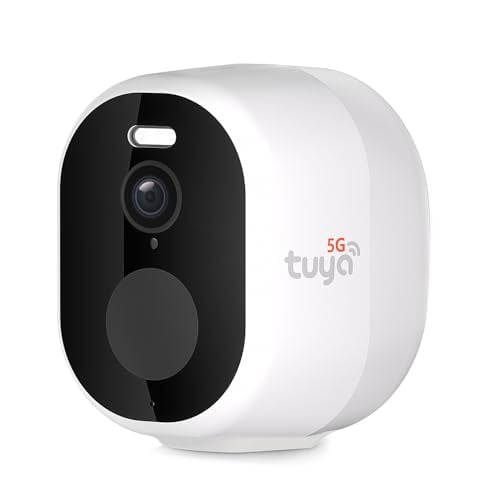
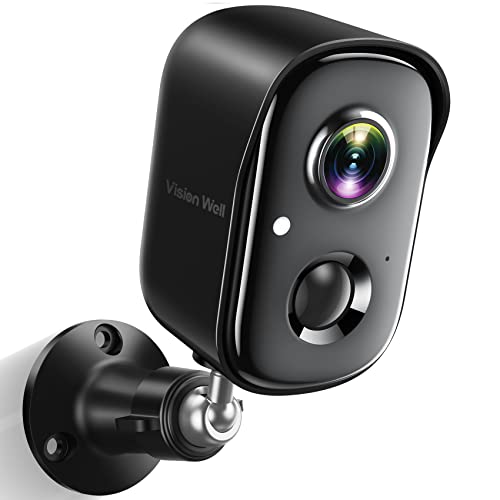
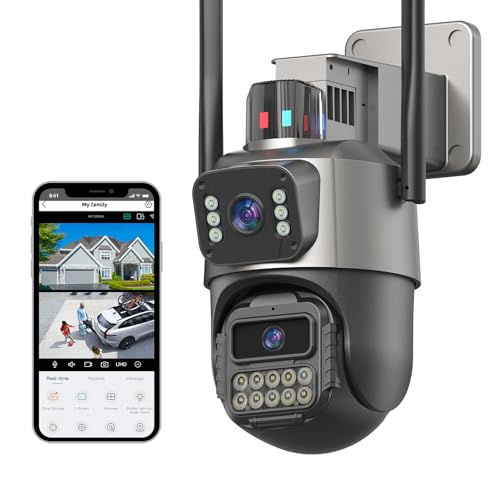
I’ve reviewed dozens of affordable WiFi cameras over the years, and this guide covers the models that consistently deliver solid performance without breaking the bank. Some of the cameras on this list have been around for a while and have proven their reliability; others are newer picks that have earned strong reputations quickly.
What to Look for in an Affordable WiFi Camera
Before diving into specific models, here’s what actually matters when you’re shopping on a budget:
- Resolution: 1080p is the minimum you should accept in 2026. Some budget cameras now offer 2K, which is even better.
- Night vision: Infrared (IR) night vision is standard. Some cameras add color night vision using a spotlight, which is a nice bonus.
- Two-way audio: Built-in microphone and speaker so you can talk through the camera.
- Motion detection: Ideally with zones and sensitivity adjustments to reduce false alerts.
- Storage: Local (microSD card), cloud, or both. Cloud subscriptions add ongoing cost, so check what’s included free.
- App quality: A camera is only as good as its app. Buggy apps ruin otherwise good hardware.
If you’re worried about WiFi cameras affecting your network, that’s a common concern, read our guide on whether wireless security cameras interfere with WiFi for the full breakdown.
Best Affordable WiFi Security Cameras
YI Home Camera
The YI Home Camera has been one of the best budget indoor cameras for years, and it’s still a solid pick. It offers 1080p video with decent clarity, a wide 111-degree viewing angle, and reliable motion detection with customizable alert zones. The two-way audio works well for quick communication, and the night vision covers a reasonable range.
What keeps the YI relevant is its app and cloud integration. YI Cloud offers rolling cloud storage with a free tier for short clips, and you can also save to a local microSD card. The setup process takes about five minutes, and the app is clean and responsive. For a basic indoor camera to keep an eye on pets, kids, or a room, it’s hard to beat at this price.
TP-Link Kasa Spot
TP-Link makes networking gear, so it’s no surprise their security camera handles WiFi connectivity well. The Kasa Spot streams 1080p video with surprisingly good image quality for its price range. It integrates smoothly with the Kasa Smart ecosystem, which means you can tie it into your smart home setup alongside TP-Link plugs, switches, and lights.
The standout feature is activity zones for motion detection. Instead of the whole frame triggering alerts every time a tree branch moves, you can draw specific zones and only get notified when motion occurs in those areas. It also works with Alexa and Google Assistant for voice-controlled viewing on smart displays.
Amcrest UltraHD 2K Indoor Camera
If you want better-than-1080p resolution without spending much more, the Amcrest UltraHD 2K is worth a look. The 2K (3MP) sensor captures noticeably more detail than 1080p cameras, you can actually read text and identify faces from farther away. Amcrest also doesn’t force you into a cloud subscription; the camera works perfectly with local microSD storage and even supports Amcrest’s own NVR systems.
The Amcrest app has a bit of a learning curve compared to simpler options like YI or Kasa, but once you get it configured, it’s powerful. You get pan and tilt control, privacy masking, scheduled recording, and ONVIF compatibility for use with third-party NVR software. For tech-savvy users who want more control, this is one of the best values available.
Samsung SmartCam
Samsung’s SmartCam line brought the brand’s hardware quality to the budget security camera market. The cameras feature solid build quality, clear 1080p video, and Samsung’s SmartThings integration for smart home compatibility. Motion tracking, two-way audio, and expandable local storage round out the feature set.
Keep in mind that Samsung has shifted their smart home strategy over the years, and some older SmartCam models have limited ongoing software support. If you’re buying new, make sure you’re getting a current model that still receives app updates. If you find one at a good price, the hardware itself remains very capable.
iCamera Keep Pro
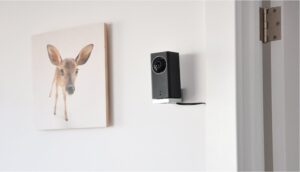
The iCamera Keep Pro stands out for its straightforward setup process and reliable performance. It connects to your WiFi network quickly, and the companion app walks you through every step. Once running, it delivers consistent 1080p video with clear night vision and responsive motion alerts.
This camera is designed for people who don’t want to fuss with settings. The defaults work well out of the box, and you don’t need to be technical to get it up and running. It’s a good choice for monitoring a baby’s room, keeping an eye on elderly family members, or watching the front door. The form factor is compact and unobtrusive, it blends into a bookshelf or sits on a counter without drawing attention.
Blink Cameras
Blink, now owned by Amazon, carved out a niche with battery-powered cameras that run for up to two years on AA lithium batteries. That means truly wireless installation: no power cables, no outlet needed. Just mount it, connect it to WiFi, and you’re done.
The current Blink lineup includes indoor and outdoor models, all with 1080p video, infrared night vision, and motion-activated recording. The Blink app sends alerts to your phone, and you can view live feeds anytime. Video clips are stored locally on the included Sync Module’s USB drive, or you can pay for Blink’s cloud subscription for cloud backup.
The main limitation is that Blink cameras only record when triggered by motion, there’s no continuous recording option. For most home users that’s fine, but if you want 24/7 recording, look at the other options on this list.
Ring Stick Up Cam
Ring is synonymous with video doorbells, but their Stick Up Cam is a versatile standalone camera that works indoors and outdoors. It comes in battery, plug-in, and solar-powered versions, giving you flexibility in how you install it. Video quality is solid 1080p with HDR support for handling tricky lighting like bright doorways.
Ring’s app is polished and well-designed. You get customizable motion zones, a motion schedule, and quick access to live view. The camera also integrates with the broader Ring ecosystem, if you have a Ring Doorbell or Ring Alarm, everything works together smoothly through one app. Ring Protect plans are required for video recording history, which adds ongoing cost, but the basic live view and real-time alerts work without a subscription.
Amazon Cloud Cam
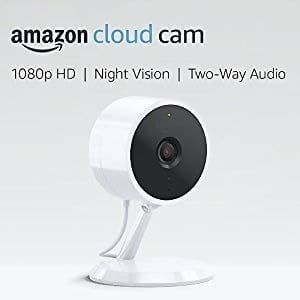
The Amazon Cloud Cam was one of Amazon’s earlier entries into home security before they acquired Ring and Blink. While Amazon has since shifted its focus to those brands, the Cloud Cam set a template for what affordable indoor cameras should offer: simple setup through the Alexa app, clean 1080p video, and tight integration with Echo Show devices for hands-free viewing.
If you already have the Cloud Cam, it still works well as a basic indoor monitor. For new purchases, Amazon now steers customers toward Ring and Blink cameras, which offer more features, better app support, and active development. The Cloud Cam’s real legacy is proving that sub-$100 cameras could deliver genuinely useful home security, a standard that the rest of the market has since met and exceeded.
WiFi Camera vs. Wired Camera: Which Is Better?
WiFi cameras are easier to install, more flexible to position, and don’t require you to run cables. Wired cameras deliver more reliable connections, don’t depend on your WiFi network’s strength, and are harder for intruders to jam.
For most homeowners, WiFi cameras are the better choice simply because of the convenience. But if you’re covering a large property or need maximum reliability, a wired system, or a hybrid setup with some of each, is worth considering. Our guide to outdoor home security cameras covers both options.
Tips for Getting the Most from Your WiFi Camera
- Position your router wisely. Camera placement is limited by your WiFi signal strength. If a camera is too far from your router, the connection will drop and you’ll get choppy video. A WiFi extender or mesh system can solve this.
- Use the 2.4GHz band. Most budget cameras only connect to 2.4GHz WiFi, which actually works in their favor, it has better range and wall penetration than 5GHz.
- Set up motion zones. Don’t let the camera alert you for every passing car or swaying bush. Define specific zones where motion actually matters.
- Consider local storage. Cloud subscriptions add up. A camera with a microSD slot gives you local recording without monthly fees.
- Update firmware regularly. Security camera manufacturers release updates that patch vulnerabilities and improve performance. Keep your cameras updated.
For more WiFi camera recommendations, see our full roundup of the best WiFi security cameras and our picks for the best WiFi outdoor security cameras. You can also browse all of our camera guides for more options.
- Best WiFi Security Cameras
- Best Outdoor Home Security Cameras
- Best WiFi Outdoor Security Cameras
- Will Wireless Security Cameras Interfere with WiFi?
- All Camera Guides