Like a lens, an external monitor can seriously expand what you can do with your camera. When you connect one of these Sony external monitors to your setup, you’ll spot out-of-focus areas, nail your framing, and catch exposure problems before they ruin a shot.
Here’s our list of the 5 best Sony A6400 external monitors, with the details you need to make a smart purchase.
How to Connect an External Monitor to the Sony A6400
Before you start shopping, it helps to understand how the connection works. The Sony A6400 has a Micro HDMI (Type D) port on the left side of the body. You need a Micro HDMI to full-size HDMI cable to connect the camera to any external monitor. These cables are inexpensive and easy to find, but make sure you get the right type. A Mini HDMI (Type C) cable will not fit the A6400’s smaller port.
To set things up, power off both the camera and monitor. Plug the Micro HDMI end into the camera and the full-size HDMI end into the monitor’s input. Turn on the monitor first, then the camera.
Once connected, go into your camera menu and navigate to Setup > HDMI Settings. You can adjust the output resolution here, though leaving it on Auto works for most monitors. If you want a clean feed without camera info on screen, find the HDMI Info. Display option and set it to Off. This shows only what the lens sees, which is ideal for focus checks and client monitoring.
If you plan to record externally to a device like an Atomos Ninja, confirm it supports 4K HDMI input. The A6400 outputs 4K over HDMI, and external recording gives you higher bit-depth files than the camera records internally.
5 Best External Monitors for the Sony A6400
1. FEELWORLD F6 Pro 5.5 inch Full HD On-Camera Monitor with 4K HDMI Input
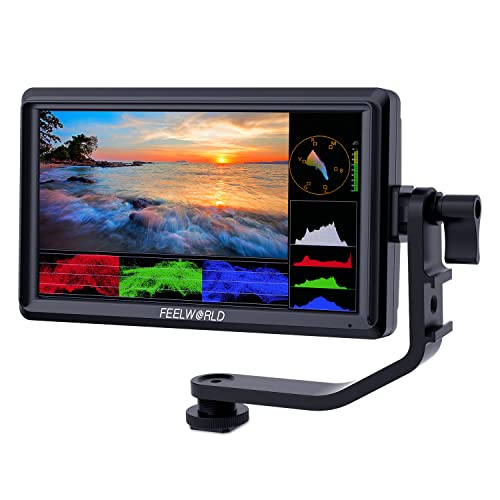
This external monitor covers all the bases for Sony A6400 users. The touchscreen controls let you zoom in and out on the OCR full-fit screen with simple gestures, making it quick to check focus and composition.
The screen uses tCR full-fit technology behind scratch-resistant, impact-resistant glass. You navigate everything by tapping and swiping.
The 5.5″ IPS panel runs at 1920 x 1080 resolution with 400 pixels per inch and a 160-degree viewing angle. That wide angle is really helpful when you need to check the image from an off-axis position.
It also includes built-in 3D LUT color calibration that meets the REC-709 standard. You can adjust monitor settings to eliminate any color cast issues, which keeps your colors accurate throughout a shoot.
2. PortKeys LH5 HDR 4K Video Monitor 5 Inch
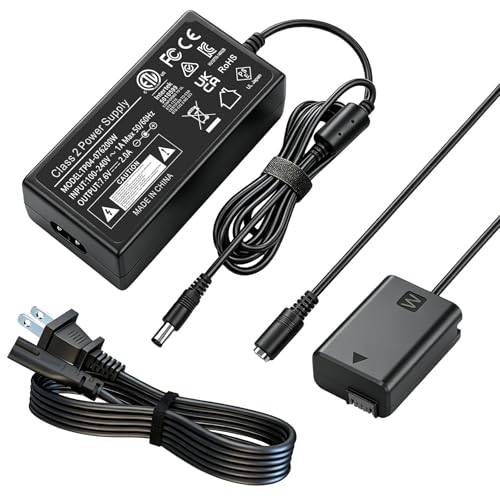
The PortKeys LH5 features a bright 5-inch, 1500-nit HDR display that stays visible even in direct sunlight. It supports 4K HDMI input and tracks your image in sync without any transmission delay. HDMI output is preserved as well.
At just 200g, this thing is incredibly lightweight and portable. It has three 1/4-20 thread points for easy mounting to your Sony A6400, and it comes backed by a 1-year manufacturer warranty.
3. Godox GM55 4K Monitor 5.5 Inch DSLR Camera
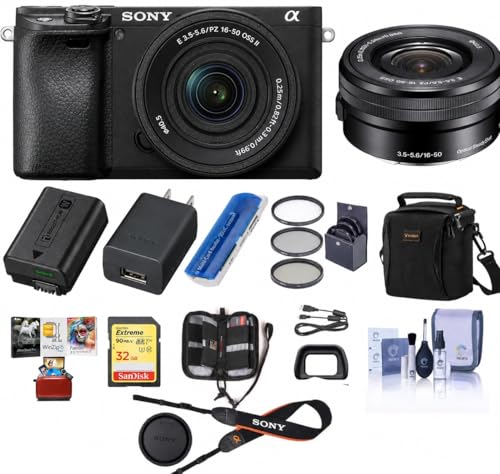
The Godox GM55 is a feature-packed monitor that lets you preview footage while keeping an eye on exposure, focus, and other parameters. It’s a great companion for outdoor shooting sessions.
The 4K HDMI output means you can connect it to a wireless transmitter and monitor the image in real time on a second screen. This is especially useful when a director and camera operator both need to see the same image at once.
With REC.709 color calibration, the GM55 displays natural, accurate colors that you can trust more than what you see on the camera’s built-in screen. You can control your camera through the pop-out menu or the shortcut buttons.
4. Neewer FW600 5.5-inch Touch Screen Camera Field Monitor
If ease of use is your top priority, the Neewer FW600 is worth a close look. The touchscreen panel lets you dial in parameters with a single finger, so you can skip scrolling through the full OSD menu.
The screen pushes 450cd/m2 brightness, so you can check your images clearly even on sunny days. The 1000:1 contrast ratio and 1920×1080 resolution give you a 160-degree viewing angle. You get sharp images with visible detail, even in shadows and low-light conditions.
5. ANDCYINE X7 7-Inch Ultra Brightness Camera Video Monitor
If you don’t mind spending a bit more for top-tier quality, the ANDCYINE X7 delivers. It’s built inside a CNC aluminum housing with an anti-corrosion, scratch-resistant finish that can take a beating.
The 2200cd/m2 ultra-bright backlight makes this monitor viewable in full sunlight with no trouble. You get a clear, sharp image regardless of your viewing angle.
Specs-wise, it runs 1920×1200 resolution at 323 PPI with a 1200:1 contrast ratio, IPS 160-degree viewing angle, and Rec.709 color calibration. That adds up to the sharpest, most color-accurate image of any monitor on this list.
What to Look For in an External Monitor
With so many monitors available, knowing which specs actually matter will save you from overspending or picking the wrong one.
Brightness (nits/cd/m2). The most important spec for outdoor shooters. A 500-nit screen looks washed out in direct sun, while 1000 to 2200 nits stays readable. For studio work, 400 to 500 nits is enough.
Focus peaking. Overlays colored highlights on the sharpest edges in your frame, making it easy to confirm focus at shallow depth of field.
Zebra stripes. Diagonal lines appear on overexposed areas. You can set the threshold (95%, 100%, etc.) to protect highlights without constantly checking the histogram.
Waveform and histogram. A waveform shows exposure across the frame, while the histogram shows tone distribution. Together they give you far more accurate exposure info than eyeballing the screen, which can mislead depending on ambient light.
LUT support. If you shoot S-Log2 or S-Log3 on the A6400, loading a LUT onto the monitor previews graded footage in real time. Log footage looks flat on its own, so this helps you judge exposure accurately while shooting.
Power options. Most small monitors run on Sony NP-F batteries, which are cheap and easy to find. Larger monitors may support D-Tap power for V-mount rigs. Consider your typical shoot length and whether spare NP-F cells or a bigger power source makes more sense.
Choosing the Right Sony A6400 External Monitor
Every monitor on this list was selected based on real feedback from professional photographers and videographers. Before you buy, compare the features and specs against your specific shooting needs.
Think about brightness (especially if you shoot outdoors), resolution, size, and mounting options. The right external monitor will make a noticeable difference in your final results.
One common question is screen size. A 5-inch or 5.5-inch monitor keeps your rig compact and light, which is great for handheld shooting, gimbals, and travel. You can mount it on the hot shoe without throwing off balance. A 7-inch screen like the ANDCYINE X7 gives you more room to check fine details, but adds weight. That size works best on a tripod or cage where extra bulk is not a problem.
If you mostly shoot run-and-gun or need to stay mobile, go with 5 to 5.5 inches. For interviews, studio work, or tripod shooting where you can study the frame, the 7-inch screen is worth it. Either way, any monitor here is a major step up from the A6400’s small built-in LCD.