How to Choose a Laptop by Budget, Size, and Purpose in 2026
Buying a laptop should not feel overwhelming, but there are hundreds of models on the market right now and specs can get confusing fast. Instead of reviewing individual models (which change every few months), this guide gives you a framework for figuring out what kind of laptop fits your needs based on three things: how much you want to spend, what screen size works best, and what you plan to do with it.
Choosing by Budget
Under $500: The Basics
Laptops in this price range handle everyday tasks well: web browsing, email, streaming video, working in Google Docs or Microsoft 365, and video calls. You will typically get a 1080p display, 8 GB of RAM, and either an Intel Core i3/i5 or AMD Ryzen 3/5 processor. Storage will usually be a 256 GB SSD.
At this price, don’t expect fast photo or video editing, smooth gaming beyond casual browser games, or long multi-tasking sessions with 30 tabs and several apps running at once. But for students writing papers, people who mostly live in the browser, or anyone who needs a basic secondary machine, sub-$500 laptops get the job done.
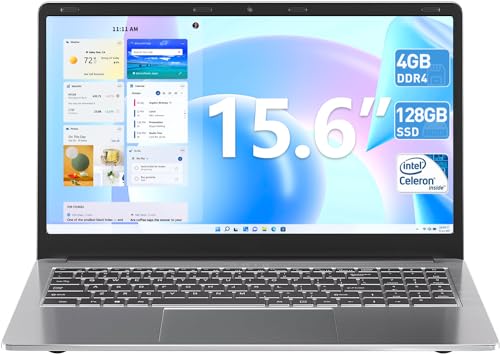
What to prioritize: 8 GB RAM minimum (avoid 4 GB models, they struggle in 2026), SSD storage (not a spinning hard drive), and at least a 1080p IPS display.
$500 to $1,000: The Sweet Spot
This is where you get the most value. Laptops in this range usually feature faster processors (Intel Core i5/i7 or AMD Ryzen 5/7), 16 GB of RAM, 512 GB SSDs, and better build quality with aluminum or magnesium chassis. Display quality improves, too, with brighter screens, better color accuracy, and sometimes higher resolutions.
A laptop in this bracket can handle office productivity, light photo editing, casual gaming, software development, and comfortable daily multitasking. This is the budget range where most people should be shopping.
What to prioritize: 16 GB RAM, a screen with at least 300 nits brightness, good keyboard feel (read reviews specifically about the keyboard), and at least a USB-C port with charging support.
$1,000 and Up: Performance and Premium
Above $1,000, you are paying for some combination of better performance, better displays, better build materials, lighter weight, or specialized capabilities like dedicated graphics cards.
Thin-and-light ultrabooks in this range often weigh under 3 pounds, have gorgeous OLED or high-refresh displays, and all-day battery life. Workstation laptops add powerful CPUs and GPUs for video editing, 3D rendering, and data science. Gaming laptops pack dedicated NVIDIA or AMD graphics with high-refresh screens.
What to prioritize: Match the premium you are paying to a feature you actually need. Don’t buy a $1,500 gaming laptop if you mostly write emails. Don’t buy a thin ultrabook if you need a big, bright screen for photo editing.
Choosing by Screen Size
13-inch laptops
These are the most portable option. They fit easily into small bags, weigh between 2 and 3 pounds, and work well for travel, commuting, and working from coffee shops. The trade-off is a smaller workspace. If you spend all day in spreadsheets or need to have two windows side by side, a 13-inch screen can feel cramped.
14-inch laptops
The 14-inch category has exploded in popularity because it splits the difference between portability and usable screen space. Thanks to thinner bezels, modern 14-inch laptops are often about the same physical size as 13-inch models from a few years ago. For most people, 14 inches is the best all-around choice.
15 to 16-inch laptops
If screen real estate is your top priority, a 15 or 16-inch laptop gives you a much more comfortable workspace. These are popular with people who use their laptop as their primary computer, creative professionals who need to see fine detail, and gamers who want an immersive display. The trade-off is weight (usually 4 to 5 pounds) and bulk. Carrying one every day gets tiring.
Choosing by Purpose
For Students
Students need a laptop that is light, has good battery life (8+ hours), and handles note-taking, writing, research, and video calls. A 13 or 14-inch laptop in the $400 to $800 range covers most students well. Look for durable build quality since it will get tossed in a backpack daily.
For Business and Office Work
Business users benefit from fast boot times, comfortable keyboards, good webcam quality for video meetings, and security features like fingerprint readers. The $700 to $1,200 range offers plenty of strong options. Brands like Lenovo ThinkPad, HP EliteBook, and Dell Latitude are designed specifically for this space.
For Creative Work
Photo editing, video editing, graphic design, and music production all need more horsepower. Look for a laptop with at least 16 GB of RAM (32 GB is better for video work), a color-accurate display (100% sRGB minimum, ideally DCI-P3 coverage), and a dedicated GPU if you work with video or 3D. Budget at least $1,000 to $1,500.
For Gaming
Gaming laptops need a dedicated graphics card. That is non-negotiable. The GPU matters more than the CPU for game performance. Look for at least an NVIDIA RTX 4060 or AMD equivalent, paired with a display that has a 120 Hz or higher refresh rate. Gaming laptops are heavier and have shorter battery life, so they are not great as travel machines. Budget $1,000 to $2,000 depending on how demanding your games are.
General Tips That Apply to Every Laptop
Don’t buy a laptop with less than 8 GB of RAM in 2026. Software has gotten heavier, and 4 GB is simply not enough anymore.
Always get an SSD. There are still some budget laptops with spinning hard drives, and they will feel painfully slow.
Check the return policy. Laptops are personal. The keyboard might feel wrong, the screen might look washed out, or the fans might be loud. Buy from a retailer with a generous return window so you can test it at home.
Read reviews from people who actually used the laptop for a few weeks, not just unboxing videos. Battery life claims from manufacturers are almost always optimistic. Real-world testing gives you a better picture.