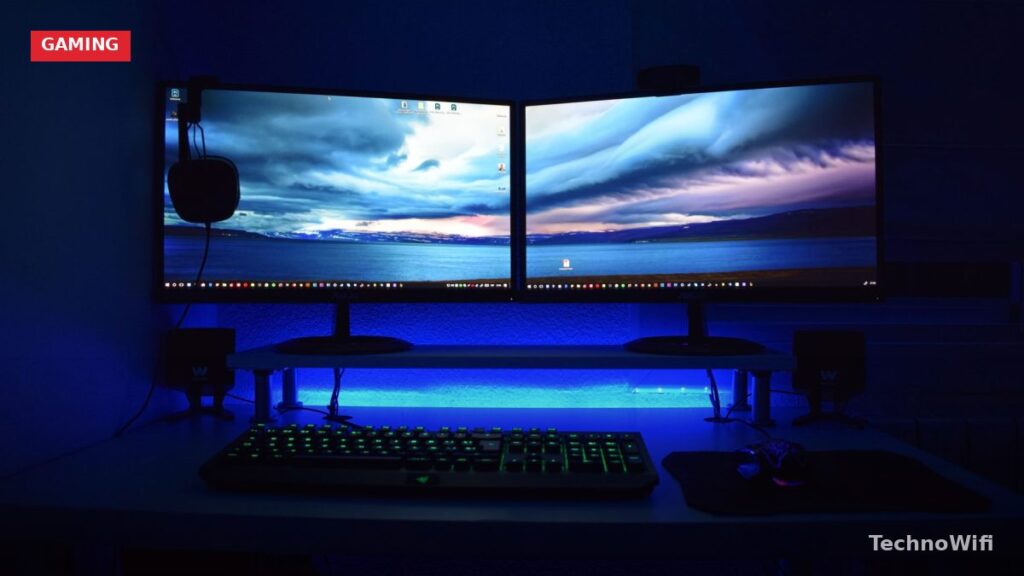
Is 4K Worth It for Gaming?
At 4K resolution (3840×2160), games look noticeably sharper than at 1440p or 1080p. Textures have more detail, distant objects render more clearly, and the overall image quality jumps in a way that’s hard to unsee once you’ve experienced it. The jump from 1080p to 4K is dramatic. From 1440p to 4K, the difference is subtler but still visible, especially on screens 27 inches and larger.
The catch is hardware. Running games at 4K with high settings and smooth frame rates demands a powerful GPU (an NVIDIA RTX 4070 Ti or better, or AMD’s RX 7900 XT). Console gamers have it easier since the PS5 and Xbox Series X output 4K natively in most titles, though some games use dynamic resolution scaling to maintain performance. If your setup can push the pixels, a 4K gaming monitor is absolutely worth it.
What to Look for in a 4K Gaming Monitor
Panel Type
IPS panels offer the best color accuracy and viewing angles, which is why they dominate the 4K gaming monitor market. You get vibrant colors that look consistent even when you’re not sitting dead center. The weakness is contrast. Blacks look slightly grayish in dark scenes compared to VA panels.
VA panels produce deeper blacks and higher contrast ratios, making them better for dark games and movies. Response times are slightly slower than IPS, which can cause minor ghosting in fast-paced shooters. For RPGs, strategy games, and cinematic single-player titles, VA panels look fantastic.
OLED panels are the premium tier. Perfect blacks, incredible contrast, near-instant response times, and colors that pop. The downsides are price (usually $800+), risk of burn-in with static UI elements, and peak brightness that’s sometimes lower than the best IPS or VA monitors.
Refresh Rate
A 60Hz 4K monitor feels sluggish for gaming. Aim for at least 120Hz, which delivers noticeably smoother gameplay. The sweet spot for most PC gamers is 144Hz at 4K, and it’s smooth enough for competitive play and widely supported by current GPUs with the right settings. Some monitors push 160Hz or even 240Hz at 4K, but you’ll need a top-tier GPU and be willing to lower some graphics settings to actually hit those frame rates.
Console gamers should look for 120Hz panels with HDMI 2.1 support. The PS5 and Xbox Series X both support 4K at 120fps in select titles through HDMI 2.1, but only if the monitor has the right port.
We walk through 4K 144hz monitor step by step in a separate post.
HDR Support
HDR (High Dynamic Range) makes bright areas brighter and dark areas darker, adding depth to the image. But not all HDR is created equal. A monitor labeled “HDR400” barely looks different from SDR. You need at least HDR600 for a noticeable improvement, and HDR1000 or higher for truly impressive results. OLED monitors produce excellent HDR even at lower peak brightness because of their perfect black levels.
Best 4K Gaming Monitors Compared
| Monitor | Size | Panel | Refresh Rate | HDR | Price Range |
|---|---|---|---|---|---|
| LG 27GP950-B | 27″ | Nano IPS | 160Hz | HDR600 | $500 to $700 |
| Samsung Odyssey Neo G7 | 32″ | VA (Mini LED) | 165Hz | HDR2000 | $700 to $1,000 |
| ASUS ROG Swift PG32UCDM | 32″ | QD-OLED | 240Hz | HDR True Black 400 | $1,000 to $1,300 |
| Gigabyte M28U | 28″ | IPS | 144Hz | HDR400 | $350 to $450 |
| Dell S2722QC | 27″ | IPS | 60Hz | HDR400 | $250 to $350 |
Best Overall: LG 27GP950-B
LG’s 27GP950-B has been a go-to recommendation for 4K gaming for good reason. The Nano IPS panel delivers wide color gamut coverage (98% DCI-P3) with accurate colors out of the box. It supports 160Hz via DisplayPort and 120Hz via HDMI 2.1, making it equally useful for PC and console gaming. Response time is fast enough for competitive shooters without noticeable ghosting.
The HDR600 certification means HDR content looks decent but not jaw-dropping. The backlight doesn’t get bright enough for truly punchy highlights. For SDR gaming (which is still the majority of content), this monitor looks excellent. At the $500 to $700 range, it’s the best all-rounder for gamers who want 4K without paying OLED prices.
Best Budget: Gigabyte M28U
The M28U proves you don’t need to spend $700+ for a capable 4K gaming monitor. It offers 144Hz refresh rate, HDMI 2.1 for console compatibility, and an IPS panel with solid color accuracy. The 28-inch screen size is ideal for 4K, large enough to appreciate the resolution without needing to sit uncomfortably close.
Corners were cut to hit the price point. HDR performance is mediocre (HDR400 is essentially a checkbox feature), and the stand is basic with limited adjustability. Pair it with a VESA monitor arm for $25 and those issues disappear. For the money, the M28U gives you the core 4K gaming experience without the premium tax.
Best for HDR: Samsung Odyssey Neo G7
Samsung’s Mini LED backlight is what sets this monitor apart. With over 1,000 dimming zones and a peak brightness of 2,000 nits, HDR content actually looks the way it’s supposed to. Bright explosions bloom realistically, dark scenes maintain detail in the shadows, and the contrast ratio crushes anything a standard IPS monitor can produce.
The 32-inch VA panel runs at 165Hz and supports both AMD FreeSync Premium Pro and NVIDIA G-Sync compatibility. VA’s slightly slower response time is noticeable in fast competitive games compared to IPS, but for cinematic single-player titles, RPGs, and racing games, the image quality is hard to beat at this price. Samsung’s aggressive curve (1000R) takes some getting used to.
You might also want to read our 4K curved monitors guide for the full picture.
Best Premium: ASUS ROG Swift PG32UCDM
If you want the best image quality available in a 4K gaming monitor right now, the PG32UCDM delivers. The 32-inch QD-OLED panel combines perfect blacks with Samsung’s quantum dot color layer for vibrant, accurate colors. It runs at 240Hz, which is absurdly fast for a 4K display, and the pixel response time is essentially instant. No ghosting, no smearing, even in the fastest games.
The price reflects what you’re getting. At $1,000 to $1,300, this is an investment. OLED burn-in is a theoretical concern with static HUD elements, though modern OLED panels include pixel-shift and compensation cycles to mitigate it. ASUS includes a 3-year warranty that covers burn-in, which helps with peace of mind.
4K vs 1440p for Gaming
At 27 inches, 1440p still looks sharp, and the performance difference is significant. A mid-range GPU can push 1440p at 144Hz comfortably, while 4K at the same frame rate needs a high-end card. If you game competitively and prioritize frame rate over pixel count, 1440p is still the better choice. At 32 inches and above, 1440p starts showing its individual pixels, and 4K becomes a more meaningful upgrade.
The performance gap is narrowing as GPUs get more powerful and upscaling technologies like DLSS and FSR improve. These tools render games at a lower internal resolution and intelligently upscale to 4K, giving you much of the visual benefit with less GPU strain. Modern implementations look surprisingly close to native 4K in most games.
Do I need HDMI 2.1 for 4K gaming?
For console gaming, yes. The PS5 and Xbox Series X require HDMI 2.1 to output 4K at 120Hz. HDMI 2.0 caps out at 4K/60Hz. For PC gaming, DisplayPort 1.4 handles 4K at 120Hz or 144Hz with DSC (Display Stream Compression), so HDMI 2.1 isn’t strictly necessary. If you plan to connect both a PC and a console, look for a monitor with at least one HDMI 2.1 port and one DisplayPort 1.4.
What GPU do I need for 4K gaming?
For 4K at 60fps with high settings, an NVIDIA RTX 4060 Ti or AMD RX 7800 XT handles most games. For 4K at 120fps+, you’ll want an RTX 4070 Ti Super or better. The RTX 4080 and 4090 are the only cards that consistently hit 4K/144fps at max settings in demanding titles. DLSS and FSR upscaling let you play at effective 4K quality with a mid-range card by rendering at lower resolution internally.
Is a 27-inch monitor too small for 4K?
Not at all. At 27 inches, 4K delivers a pixel density of about 163 PPI, which makes text and UI elements extremely crisp. Some people find UI elements too small at 4K on a 27-inch screen and need to use Windows scaling at 125% or 150%. At 32 inches, 4K feels more natural at 100% scaling while still looking sharp. Your viewing distance matters too. If you sit 2 to 3 feet from the screen, 27-inch 4K looks fantastic.
Sources
LG – LG Gaming Monitors | Samsung – Odyssey Gaming Monitors | NVIDIA – DLSS Technology