Cox Communications is a cable internet provider that serves around 7 million customers across 18 states, mostly in the southern and western US. Cox delivers internet through its hybrid fiber-coaxial (HFC) network using DOCSIS 3.1 technology. Download speeds go up to 2 Gbps on the top-end plan, but upload speeds trail behind fiber providers by a wide margin. All Cox cable internet plans come with a 1.25 TB monthly data cap.
Cox recently overhauled its plan names. The old lineup of Starter 25, Essential 50, Preferred 150, and Ultimate 500 is gone. Current plans use names like Fast, Go Even Faster, Go Super Fast, and Go Beyond Fast. Pricing, speeds, and plan structures have all changed since 2022, so if you’re reading outdated info from other sites, this guide covers what’s actually available right now.
Cox Internet Plans and Pricing
Cox has four main residential internet tiers on its cable network, plus a low-cost option and a prepaid plan. Promotional pricing locks in for 24 months. There’s no binding contract, though, so you can cancel anytime without an early termination fee on internet-only plans.
Comparing carriers? Check our Verizon vs AT&T comparison.
| Plan | Download speed | Upload speed | Promo price (24 months) | Regular price (estimated) | Contract required? |
|---|---|---|---|---|---|
| Fast | 300 Mbps | 10 Mbps | ~$50-55/month | ~$70-84/month | No |
| Go Even Faster | 500 Mbps | 10 Mbps | ~$85/month | ~$105-115/month | No |
| Go Super Fast | 1 Gbps | 35 Mbps | ~$100/month | ~$135-139/month | No |
| Go Beyond Fast | 2 Gbps | 35 Mbps (cable) / 2 Gbps (fiber) | ~$115/month | ~$169/month | No |
A few things to know about that table. Pricing varies by market since Cox dynamically adjusts rates based on your address. The Fast plan shows up as $50/month in some cities and $55/month in others. Regular (post-promotional) rates are typically $20-30/month higher than the intro price, so keep that in mind when budgeting.
Upload speeds are where Cox falls short compared to fiber providers. At 10 Mbps upload on the Fast and Go Even Faster plans, you’ll hit limitations during video calls, uploading large files to cloud storage, or livestreaming. Even the top-tier Go Beyond Fast plan maxes out at 35 Mbps upload over cable, which is a fraction of what AT&T Fiber or Verizon Fios offer symmetrically.
The Go Beyond Fast 2 Gbps plan is available in both cable and fiber versions depending on where you live. On fiber, you get symmetrical 2 Gbps up and down with no data cap. On cable, you’re stuck with the 35 Mbps upload and the standard 1.25 TB cap.
Cox Budget and Prepaid Plans
Cox also has lower-cost options for customers who qualify. Connect2Compete provides 100 Mbps for $9.95/month to families with K-12 students who participate in SNAP or the National School Lunch Program. ConnectAssist offers 100 Mbps for $30/month to households receiving government assistance. These are solid deals if you’re eligible, though availability depends on your address.
StraightUp Internet is Cox’s prepaid plan. You get 100 Mbps for $50/month with no credit check and a three-year price guarantee. Payment is in advance each month. There’s no promotional rate that spikes later, which makes the actual long-term cost more predictable than the standard plans.
Cox Internet Data Caps and Overage Charges
Every Cox cable internet plan has a 1.25 TB (1,280 GB) monthly data cap. That number sounds big, but it’s not unlimited, and heavy-use households can hit it faster than you’d think.
Here’s what 1.25 TB looks like in real-world use. A single 4K Netflix stream eats about 7 GB per hour. That’s roughly 178 hours of 4K streaming per month before you hit the cap, about 6 hours per day. Sounds like plenty until you factor in a household of four, each streaming on their own device, plus game downloads, cloud backups, video calls, and smart home devices.
A modern AAA game download runs 50-100 GB. Windows and macOS updates can be several gigabytes each. Multiple gamers in the house who also stream in 4K? You can blow through 1.25 TB in two to three weeks.
When you go over the cap, Cox charges $10 for each additional 50 GB block. These charges hit your account automatically with no confirmation prompt. The good news is that overage charges top out at $100/month, so that’s the maximum extra you’d pay regardless of how far over you go.
Cox gives every account a one-time courtesy credit the first time you go over. After that, charges apply every month you exceed 1.25 TB.
How to Avoid Cox Data Overage Charges
Two options if the data cap is causing problems. Cox sells a 500 GB add-on for $29.99/month, bumping your cap to 1.75 TB. Or you can add unlimited data for $49.99/month with no cap at all. Cox also bundles unlimited data with higher-tier plans: the 500 Mbps plan with unlimited data runs $115/month, the 1 Gbps plan with unlimited runs $130/month, and the 2 Gbps plan with unlimited is $145/month.
There’s also a workaround through Cox Mobile. If you subscribe to a Cox internet plan at 500 Mbps or higher and add a Cox Mobile Gig Unlimited line ($45/month), unlimited home internet data is included free. Whether that’s actually a savings depends on whether you’d use the mobile plan anyway.
Cox TV and Internet Bundle Plans
Cox still offers traditional TV service through its Contour TV platform. The TV side of the business has gotten pricey, though. Cox’s bundle savings aren’t as aggressive as they used to be, with internet and TV prices being mostly additive and limited discounts for combining services.
| TV plan | Channels | Monthly price | What’s included |
|---|---|---|---|
| Cox TV Lite | 60+ channels | ~$20/month | Requires Cox internet; basic locals and cable channels |
| Contour TV Starter | 75+ channels | ~$80/month | Local networks; 1 Contour box and voice remote included |
| Contour TV Preferred | 140+ channels | ~$140/month | ESPN, CNN, Disney Channel, HGTV, etc.; 1 Contour box included |
| Contour TV Ultimate | 250+ channels | ~$184/month | HBO/Max, Paramount+, STARZ included; 1 Contour box included |
The cheapest option is Cox TV Lite at $20/month, but it requires an active Cox internet subscription and only includes about 60 channels. Contour TV Starter at $80/month gets you 75+ channels including local networks. The Preferred tier at $140/month adds the popular cable channels most people actually want, like ESPN, CNN, Food Network, Discovery, and similar. The Ultimate tier at $184/month throws in premium channels like HBO and STARZ.
Bundling Contour TV with Cox internet doesn’t produce big savings. You’re basically paying the sum of both services with a small discount, if any. Cox has shifted its bundling emphasis toward internet plus Cox Mobile packages rather than internet plus TV.
YouTube TV as a Cox TV Alternative
YouTube TV at $73/month gives you 100+ live channels with unlimited DVR storage and works on any streaming device. No set-top box rental, no Contour equipment fees, no technician visit. If you’re already paying for Cox internet, pairing it with YouTube TV instead of Contour TV is usually cheaper and more flexible, especially since Contour TV Starter alone costs $80/month for fewer channels.
The main reason to stick with Contour TV is if you want regional sports networks that YouTube TV doesn’t carry in your area, or if you specifically prefer the Contour interface and voice remote.
Cox Internet Equipment and Fees
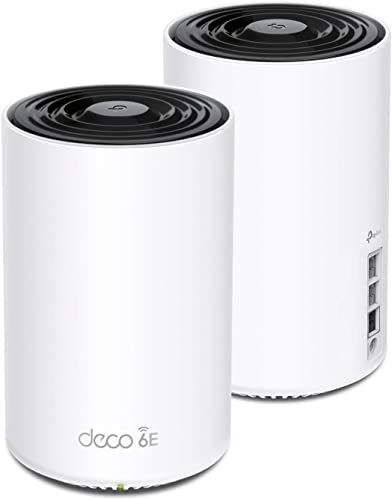
Cox rents its Panoramic Wi-Fi Gateway, a combined modem and router, to customers. The gateway is included free for the first 24 months with a new internet subscription. After that promotional period, the rental fee kicks in at $13-15/month depending on your market. Over a year, that’s $156-180 in equipment rental alone.
| Equipment / fee | Cost | Notes |
|---|---|---|
| Panoramic Wi-Fi Gateway rental | Free first 24 months, then ~$13-15/month | DOCSIS 3.1 modem/router combo; Wi-Fi 6 capable |
| Panoramic Wi-Fi Pods (mesh extenders) | $129.99 one-time purchase | Extends Wi-Fi coverage to dead spots |
| StayConnect Wi-Fi Backup | $7/month | Cellular and battery backup for outages |
| Professional installation | $100 one-time | Technician comes to your home |
| Self-install kit (Easy Connect) | Free | Cox ships equipment; you set it up |
| Cox Complete Care (tech support) | $10/month | 24/7 premium tech support and in-home service |
| Late payment fee | $8.35 | Applied to overdue bills |
Self-installation is free and simple if your home already has a coaxial cable outlet in the right spot. Cox ships the equipment to you with instructions. Professional installation costs $100 and makes sense if you need new cable runs, wall jacks, or just don’t want to deal with setup yourself.
Using Your Own Modem With Cox
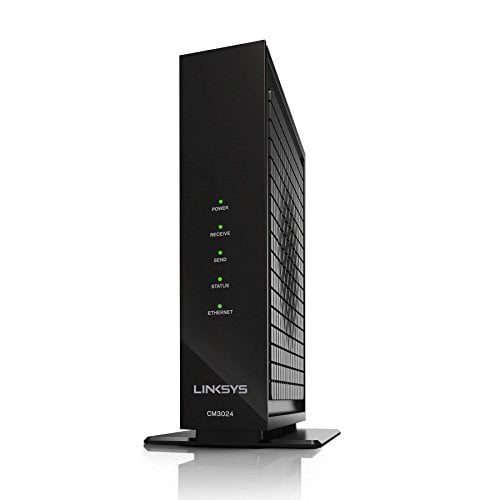
You can skip the Panoramic Wi-Fi Gateway rental by buying your own DOCSIS 3.1 compatible modem. This saves you $13-15/month after the free promotional period ends. Over two years beyond the promo, that’s $312-360 back in your pocket.
Three modems that work well with Cox and support DOCSIS 3.1 for speeds up to 1 Gbps: the Motorola MB8611 (around $130-170), the ARRIS SB8200 (around $120-150), and the Netgear CM1000 (around $130-160). All three handle Cox’s top cable speeds and pay for themselves within a year compared to renting.
You’ll also need a separate Wi-Fi router if you buy your own modem since the modems above don’t include Wi-Fi. A good Wi-Fi 6 router runs $80-150. Or grab a modem-router combo like the Motorola MG8725 or Netgear CAX30 to keep things simple.
One caveat: if you use your own modem, Cox won’t troubleshoot your equipment. Any issues traced back to your modem or router are on you. The Panoramic Wi-Fi Gateway rental includes Cox’s support for the device.
Where Is Cox Internet Available
Cox covers parts of 18 states, concentrated in the southern and western parts of the country. You won’t find Cox in the Northeast (that’s Verizon Fios and Optimum territory) or across most of the Midwest (where Spectrum and Mediacom dominate). Cox operates in pockets within its states, not statewide.
The biggest Cox markets include Phoenix and Scottsdale (Arizona), Las Vegas (Nevada), San Diego (California), New Orleans and Baton Rouge (Louisiana), Oklahoma City and Tulsa (Oklahoma), Omaha (Nebraska), Hampton Roads and Virginia Beach (Virginia), Wichita (Kansas), Pensacola and Gainesville (Florida), and parts of Arkansas, Georgia, Idaho, Iowa, Connecticut, and Rhode Island.
To check if Cox serves your specific address, use the availability tool at cox.com/residential/internet. Enter your street address, and Cox will show you which plans and speeds are available at your location. Speeds and pricing can vary by neighborhood even within the same city.
Cox Fiber Availability
Cox has been building out a fiber-to-the-home (FTTH) network in select markets, but availability is still limited. Roughly 10% of Cox’s total footprint can currently get fiber. Cox Fiber delivers symmetrical upload and download speeds with no data cap, a big upgrade over the cable service.
Fiber availability is strongest in parts of Phoenix, Scottsdale, Tempe, Mesa, and Chandler in Arizona. It’s also available in portions of Norfolk, Virginia Beach, and Chesapeake in Virginia, and parts of Baton Rouge, Lafayette, and the New Orleans suburbs in Louisiana. Cox added around 60,000 new fiber-eligible households in mid-2024 across Florida, Kansas, Nebraska, and Oklahoma.
If Cox Fiber is available at your address, the plans and pricing match the cable tiers, but you get symmetrical speeds and no data cap. Installation requires a technician visit (usually 3-4 hours) to install an ONT (Optical Network Terminal) at your home.
Cox Internet vs Competitors
How does Cox stack up against other major internet providers? Here’s a comparison of Cox against the ISPs you’re most likely to encounter as alternatives.
| ISP | Fastest plan | Starting price | Data cap | Max upload speed | Contract required? | Technology |
|---|---|---|---|---|---|---|
| Cox | 2 Gbps | ~$50/month | 1.25 TB | 35 Mbps (cable) / 2 Gbps (fiber) | No | Cable (DOCSIS 3.1) / Fiber in select areas |
| AT&T Fiber | 5 Gbps | ~$55/month | None | Symmetrical (matches download) | No | Fiber |
| Spectrum | 1 Gbps | ~$50/month | None | 35 Mbps | No | Cable (DOCSIS 3.1) |
| Xfinity | 2 Gbps | ~$35/month | 1.2 TB | 35 Mbps (cable) | No (1-2 year terms available for lower price) | Cable (DOCSIS 3.1) / Fiber in select areas |
Cox’s strengths are solid speed tiers up to 2 Gbps and reliable cable service in its coverage areas. If you’re in a Cox market without fiber alternatives, it’s a perfectly functional option for most households. The network is well-maintained and outages aren’t unusually frequent.
The downsides are real, though. Upload speeds on cable top out at 35 Mbps, while AT&T Fiber and Verizon Fios deliver symmetrical speeds of 300 Mbps to 5 Gbps. The 1.25 TB data cap is another drawback, especially when Spectrum offers no data cap at all and AT&T Fiber has no cap either. Prices also jump $20-30/month after the 24-month promotional period, which catches people off guard.
If AT&T Fiber or another fiber provider serves your address, that’s typically the better deal. Symmetrical speeds, no data cap, and competitive pricing give fiber a clear edge. Cox makes more sense when it’s the only high-speed option at your address or when you specifically want a no-contract plan without commitment.
Is Cox Internet Good for Gaming and Streaming
Cox works fine for gaming. Cable internet typically delivers latency in the 15-30 ms range, which is more than good enough for online multiplayer. You’re not going to notice a competitive disadvantage in Call of Duty, Fortnite, or Valorant at those latency numbers. Fiber is slightly better (often 5-15 ms), but the difference is marginal for most players.
For streaming, any Cox plan handles 4K video easily on the download side. A single 4K stream uses about 25 Mbps. The 300 Mbps Fast plan can theoretically support 12 simultaneous 4K streams, though your router and Wi-Fi network will likely become the bottleneck before your internet speed does.
Where Cox falls short for gaming is download sizes and updates. Modern games regularly ship 50-100 GB downloads, and frequent patches pile up. Two or three gamers in the household, each downloading a couple of large games per month? That’s 300-600 GB right there, nearly half your monthly data cap before anyone streams a movie.
Cox for Content Creators and Streamers
If you create content, whether it’s streaming on Twitch, uploading YouTube videos, or running a podcast, Cox’s upload speeds are a problem. The Go Super Fast plan at 1 Gbps only gives you 35 Mbps upload. A 1080p Twitch stream at decent quality needs about 6-8 Mbps upload, so you can technically do it, but there’s little headroom for other devices using the connection at the same time. Streaming at 4K or running a multi-camera setup will struggle.
Cox previously offered an “Elite Gamer” add-on powered by WTFast that optimized network routing for lower latency in games. Cox discontinued that service in late 2023, citing low demand. The standalone WTFast service is still available directly from WTFast at roughly $13/month if you want similar routing optimization.
Cox for Working From Home
Cox handles most work-from-home setups adequately. Video calls on Zoom, Teams, or Google Meet need about 3-5 Mbps upload for HD quality. Even the 10 Mbps upload on the Fast plan covers that with room to spare, as long as nobody else in the house is uploading at the same time.
Problems show up with heavy upload workloads. If you regularly upload large files to cloud storage, push code repositories, sync design files, or transfer video projects, the 10-35 Mbps upload range gets frustrating fast. A 10 GB file takes about 45 minutes to upload at 35 Mbps. On a fiber connection with 1 Gbps upload, that same file takes under 2 minutes.
The data cap is also worth watching if you work from home full-time. Constant video calls, cloud syncing, VPN traffic, and general browsing add up, especially combined with a household’s evening streaming and gaming. If your work is data-heavy, the unlimited data add-on at $49.99/month is worth thinking about.
Cox Internet Plans FAQs
Does Cox have a data cap?
Yes. All Cox cable internet plans have a 1.25 TB (1,280 GB) monthly data cap. When you go over, Cox charges $10 per additional 50 GB block, up to a maximum of $100/month in overage fees. You can add unlimited data for $49.99/month or a 500 GB data boost for $29.99/month. Cox Fiber plans (where available) don’t have a data cap.
Can I use my own modem with Cox?
Yes. Cox supports customer-owned DOCSIS 3.1 modems. Popular compatible options include the Motorola MB8611, ARRIS SB8200, and Netgear CM1000. Using your own modem saves you the $13-15/month Panoramic Wi-Fi Gateway rental fee that starts after the first 24 months. You’ll need a separate Wi-Fi router unless you buy a modem-router combo. Check Cox’s approved modem list at cox.com before purchasing.
Does Cox require a contract?
No. Cox internet-only plans don’t require a contract. Promotional pricing lasts 24 months, but you can cancel anytime without an early termination fee. Some bundled services (internet combined with TV and equipment) may include a service agreement with an early termination fee of $10 per remaining month, up to $120 for one year or $240 for two years.
How fast is Cox upload speed?
Cox upload speeds range from 10 Mbps to 35 Mbps on cable internet plans. The Fast (300 Mbps) and Go Even Faster (500 Mbps) plans both include 10 Mbps upload. The Go Super Fast (1 Gbps) and Go Beyond Fast (2 Gbps) plans include 35 Mbps upload. These speeds are significantly lower than fiber providers, which typically offer symmetrical upload and download speeds. Cox Fiber, where available, does offer symmetrical speeds.
Does Cox offer fiber internet?
Yes, but availability is limited. Cox Fiber (FTTH) is available to roughly 10% of Cox’s total footprint, primarily in parts of Phoenix, Arizona; Hampton Roads, Virginia; and Baton Rouge, Louisiana. Cox Fiber delivers symmetrical speeds (upload matches download) and has no data cap. Pricing matches the cable plans. Cox continues to expand its fiber network, but the majority of customers still use the cable (HFC) network.
Is Cox internet good for working from home?
Cox works for most remote work needs. Video calls need about 3-5 Mbps upload, and even the entry-level Fast plan provides 10 Mbps upload, enough for one or two simultaneous video calls. Download speeds on any Cox plan handle cloud applications, web browsing, and file downloads without issues. The limitations show up with heavy uploading (large file transfers, video production) and when multiple people work from home at the same time. The 1.25 TB data cap is also a factor for full-time remote workers in busy households.
What happens when my Cox promotional rate ends?
After 24 months, your Cox internet price increases by roughly $20-30/month, depending on your plan. The Fast plan jumps from around $50 to $70-84/month. Higher-tier plans see similar increases. You can call Cox and ask for a retention discount. Customer service reps can often apply partial discounts if you mention considering a switch to another provider. You can also cancel and sign up again (sometimes at a different address or under a different household member’s name) to get promotional pricing again.
Does Cox throttle internet speeds?
Cox doesn’t openly throttle internet speeds based on usage. Cox’s network management policies do allow for traffic prioritization during periods of heavy congestion. In practice, this means you might see slower speeds during peak hours (typically 7-11 PM) in congested areas, even if your connection isn’t technically being throttled. Cox is also required to follow its open internet commitments, which prohibit blocking or throttling lawful content. If you consistently get speeds well below what you’re paying for, contact Cox support and request a line test.
References:
Cox Internet – Official Plans and Pricing
For Spectrum coverage, see our Spectrum availability guide.
Wondering how Cox compares to other ISPs? See our head-to-head matchups: CenturyLink Vs Cox: Which ISP Is Better in 2026?, AT&T vs Cox Internet: Speeds, Prices and Plans, T-Mobile Home Internet vs Cox: Plans and Speeds, and Spectrum Vs Cox: Speed, Price, and Value.
To check availability for other providers in your area, try our ISP coverage checker.
FCC Broadband Availability Map