When you purchase through links on our site, we may earn an affiliate commission. Here’s how it works.
CenturyLink Vs Cox
CenturyLink and Cox Communications are both established ISPs (internet service providers), but they take very different approaches to delivering internet service.
CenturyLink’s network is built primarily on DSL technology, which gives it reach into rural areas where cable providers don’t go. The trade-off is that DSL speeds tend to be slower than cable. CenturyLink also has a fiber network, but it’s limited to select metro areas.
Cox delivers internet over its cable network, which means faster download speeds for most customers. Cox is a strong pick for households that want TV bundles, gaming-friendly speeds, and responsive customer support.
Choosing between CenturyLink and Cox depends on your location, budget, and what matters most to you. Below, we’ll compare them on accessibility, customer ratings, pricing, perks, and speeds.
CenturyLink Vs. Cox: Accessibility
CenturyLink Vs Cox – Accessibility
CenturyLink has a presence in all fifty US states, with its DSL internet reaching close to fifty million people. DSL makes up the bulk of CenturyLink’s network.
The rest is fiber internet, which is limited to larger metro areas like Phoenix (Arizona), Las Vegas (Nevada), and Seattle (Washington).
Even though CenturyLink’s fiber coverage is restricted, it still gives them an edge over Cox in one respect. CenturyLink at least offers residential fiber, while Cox has historically focused its fiber services on business customers.
Our article on Spectrum vs cox covers related ground and is worth a look.
Cox, on the other hand, operates in eighteen US states. Their biggest markets are in Arizona, California, Florida, Nevada, and Virginia.
Cox’s cable internet reaches roughly 22 million Americans. These two ISPs don’t just cover different areas, they also structure their internet packages quite differently.
CenturyLink Vs. Cox: Approval Rating
CenturyLink Vs Cox – Approval Rating
Cox Communications has better customer ratings compared to CenturyLink. Out of twelve major US ISPs, Cox ranks third for overall satisfaction and scores well for customer support, dependability, and download speeds.
Cox is especially known for its customer support. If you’re having trouble with your WiFi, you can reach Cox’s 24/7 tech support team or use the live chat feature.
CenturyLink’s overall customer approval scores are lower. However, CenturyLink’s fiber customers tend to be quite satisfied with their service. Among fiber subscribers, CenturyLink scored a 3.7 out of 5 for reliability.
An impressive fifty-six percent of CenturyLink subscribers have also said they haven’t run into unexpected hidden fees or price hikes.
CenturyLink Vs Cox: Charges

CenturyLink Vs Cox – Charges
Equipment
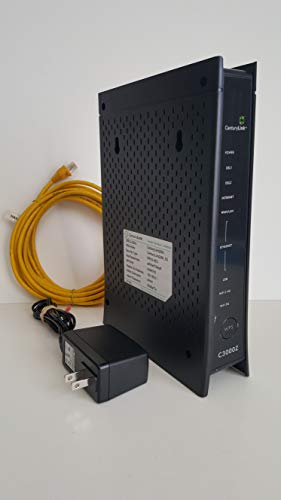
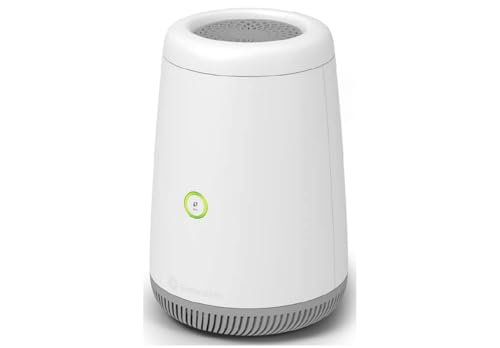
CenturyLink charges $15 per month for equipment rental, slightly more than Cox’s $13 per month. Cox also waives this fee for their three fastest internet plans.
Both ISPs let subscribers use their own modems and routers as long as the devices are compatible. Check the CenturyLink and Cox websites for compatible equipment lists.
Installation
Both CenturyLink and Cox allow self-installation at no extra cost.
We put together a full guide on att vs cox that pairs well with this.
If you’d prefer a certified technician from either provider to handle the installation, expect to pay up to $130 for CenturyLink and up to $100 for Cox.
CenturyLink Vs Cox: Perks

CenturyLink Vs Cox – Perks
Several perks apply to all of CenturyLink’s internet-only plans. Their Fiber Gigabit plan, for instance, includes a “Price for Life” guarantee. That means your monthly fee stays the same as when you signed up, as long as you keep the plan active.
CenturyLink also doesn’t require term contracts. You can pause or cancel your service at any time without penalties.
Cox isn’t as flexible when it comes to contracts. You can pay an extra ten dollars for a month-to-month plan, but if you go with a contract, the prices after the term expires can be steep.
CenturyLink Vs. Cox: Pricing and Speeds
Price is one of the biggest factors when choosing an internet provider. Beyond that, the quality of service and actual speeds you get matter just as much.
Both CenturyLink and Cox have expanded their plan options over the years. Keep in mind that prices may vary depending on where you live.
The tables below break down the current plans from each provider so you can compare and find the right package for your household.
CenturyLink Vs. Cox Comparison Table
| Cox Interent Plans and Pricing | Price | Max Download Speed | Max Upload Speed | Type |
|---|---|---|---|---|
| Starter 25 | $30.00/Mo | 25Mbps | 3Mbps | Cable |
| Essential 50 | $40.00/Mo | 50Mbps | 3Mbps | Cable |
| Preffered 250 | $60.00/Mo | 250Mbps | 3Mbps | Cable |
| Ultimate 500 | $80.00/Mo | 500Mbps | 10Mbps | Cable |
| Gigablast | $100.00/Mo | 1000Mbps | 35Mbps | Cable |
| CenturyLink Internet Plans and Pricing | Price | Max Download Speed | Max Upload Speed | Type |
|---|---|---|---|---|
| CenturyLink Simply Unlimited | $50.00/Mo | 100 Mbps | 30 Mbps | DSL |
| CenturyLink Fiber | $65.00/Mo | 940 Mbps | 940 Mbps | Fiber |
Final Thought
Overall, CenturyLink’s fiber internet is the better deal here because it delivers gigabit speeds at a much more affordable price than Cox’s cable internet.
The catch is that fiber coverage is limited. And CenturyLink’s DSL service is significantly slower than Cox’s cable internet.
If fiber isn’t available at your address, Cox cable is likely the faster option. But if CenturyLink fiber is available where you live, it’s hard to beat on value.
Considering Cox? See our full Cox internet plans breakdown with current pricing and speed tiers.
Want to compare all the providers in your area side by side? Try our internet provider coverage checker.
For T-Mobile vs Cox, check our internet comparison.