A smart plug is a small adapter that fits between a standard wall outlet and whatever you plug into it – a lamp, a fan, a coffee maker, anything with a regular power cord. It gives you remote on/off control over that device through a smartphone app or voice assistant. The device itself doesn’t get smarter. The plug just controls whether electricity flows to it or not, which is enough to automate a surprising number of things around your house.
You don’t need to rewire anything or replace existing devices. Plug the smart plug into the wall, plug your lamp into the smart plug, connect it to your Wi-Fi network through the manufacturer’s app, and you can turn that lamp on or off from anywhere. That’s the basic idea, and it’s what makes smart plugs one of the easiest entry points into home automation.
How Does a Smart Plug Connect to Your Home
Most smart plugs connect over your home Wi-Fi network, typically using the 2.4 GHz band. You download the manufacturer’s app, create an account, and follow a short pairing process. Once connected, the app becomes your remote control. You can toggle devices on and off, set schedules, and create automations from your phone.
Some smart plugs use Zigbee or Z-Wave protocols instead of Wi-Fi. These require a separate hub (like a Samsung SmartThings hub or Amazon Echo with a built-in Zigbee radio) to function. The upside is they put less strain on your Wi-Fi network. The newer Matter protocol is also showing up in smart plugs, offering cross-platform compatibility so a single plug works natively with Apple HomeKit, Google Home, and Amazon Alexa without extra setup.
For a deeper look at the technical side of how smart plugs communicate and process commands, see How Do Smart Plugs Work.
Popular Smart Plug Brands Compared
| Brand / Model | Protocol | Voice Assistant Support | Energy Monitoring | Approx. Price |
|---|---|---|---|---|
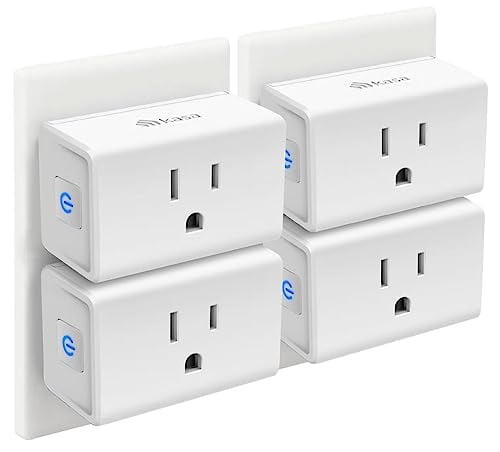
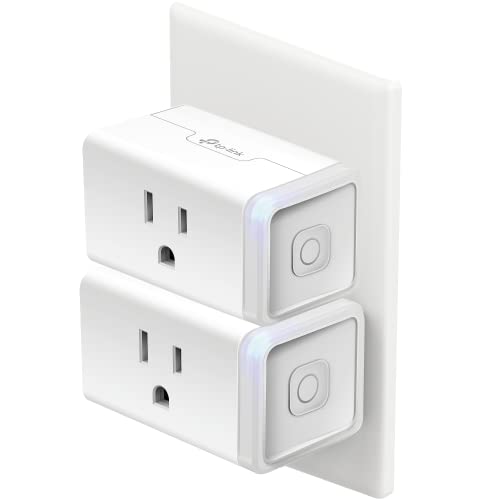
| TP-Link Kasa Smart Plug (EP25) | Wi-Fi | Alexa, Google Assistant | Yes | $13-$15 |
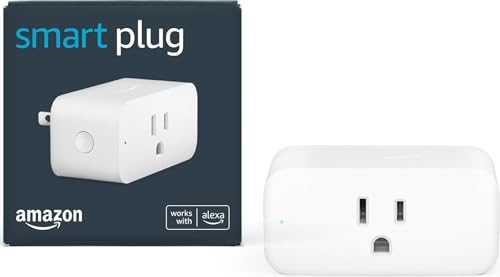
| Amazon Smart Plug | Wi-Fi | Alexa only | No | $25 |
| Wyze Plug | Wi-Fi | Alexa, Google Assistant | No | $8-$10 |
| Meross Smart Plug (MSS110) | Wi-Fi | Alexa, Google Assistant, SmartThings | Yes (select models) | $10-$13 |
| Eve Energy | Matter / Thread | Alexa, Google Assistant, Apple HomeKit | Yes | $35-$40 |
If you’re deep in the Apple ecosystem, Eve Energy is the standout because it supports HomeKit natively through Matter and Thread. For Alexa-only households, the Amazon Smart Plug integrates seamlessly since it’s built by the same company. For most people looking for a reliable, affordable option with energy monitoring, the TP-Link Kasa line hits the sweet spot.
What Are Smart Plugs Used For
Automating lamps and lighting. This is the most common use case and the one that sells most people on smart plugs. Plug a table lamp or floor lamp into a smart plug and you can turn it on at sunset, off at bedtime, or control it with your voice while you’re on the couch. No need to buy a smart bulb for every fixture.
Scheduling a coffee maker. If your coffee maker has a physical on/off switch (the kind that stays in the “on” position), a smart plug can turn it on at 6:30 AM so coffee is ready when you walk into the kitchen. Set the schedule once and forget about it.
Controlling holiday lights. String lights, Christmas trees, outdoor decorations – plug them into a smart plug and schedule them to turn on at dusk and off at midnight. No more crawling behind the tree to reach the outlet.
Turning off forgotten appliances remotely. Left the curling iron plugged in? A space heater running in a room you’re not using? Open the app and shut it off from work. Peace of mind is one of the most underrated benefits of smart plugs.
Monitoring energy usage. Smart plugs with energy monitoring (like the TP-Link Kasa EP25 and Eve Energy) show you exactly how much power each device draws. You can track standby power consumption and figure out which devices are quietly running up your electric bill.
Simulating occupancy while traveling. When you’re on vacation, schedule lamps to turn on and off at random intervals throughout the evening. It looks like someone is home. Some smart plug apps have a specific “away mode” or “vacation mode” that randomizes the timing automatically.
Best Smart Plug Use Cases by Device
| Use Case | Best Devices | Why It Works |
|---|---|---|
| Automate lighting | Table lamps, floor lamps, string lights | Lamps use a simple on/off switch – toggling power turns them on |
| Schedule morning coffee | Drip coffee makers with physical switch | Prep the night before, smart plug handles the “on” at your wake time |
| Holiday decorations | Christmas trees, outdoor lights, inflatables | Schedule on/off times so decorations run only in the evening |
| Cut standby power | Phone chargers, game consoles, printers | Kills phantom power draw when devices aren’t in use |
| Simulate occupancy | Living room and bedroom lamps | Random on/off schedules make it look like someone is home |
| Control fans or heaters | Box fans, portable fans, small space heaters | Turn off from bed or schedule to run only during certain hours (check wattage ratings for heaters) |
| Restart network equipment | Routers, modems | Power cycle remotely when internet goes out (some plugs retain schedule offline) |
What Smart Plugs Cannot Do
Smart plugs have one job: control the flow of electricity. That means they only work with devices that start running as soon as power is restored. A lamp with a physical switch left in the “on” position will turn on when the smart plug supplies power. A modern TV will not – it goes into standby mode and waits for you to press the power button on the remote. The same applies to computers, laptops, and most devices with electronic power buttons.
Smart plugs also cannot dim lights. They provide either full power or no power – there’s no in-between. If you want dimming control, you need a smart dimmer switch or a smart bulb. A smart plug turning a dimmable lamp on and off will work fine, but you won’t be able to adjust brightness through the plug.
Every smart plug has a maximum wattage rating, typically between 1,200W and 1,800W (10A to 15A at 120V). High-draw appliances like window AC units, large space heaters, or full-size refrigerators may exceed this limit. Always check the wattage rating on the plug and compare it to the power draw of the device you want to control.
How Do Smart Plugs Work With Voice Assistants
Once your smart plug is connected to your Wi-Fi and linked to a voice assistant, controlling it is as simple as speaking. Say “Alexa, turn off the lamp” or “Hey Google, turn on the coffee maker” and the voice assistant sends the command to the smart plug over your network. You can name each plug in the app – “bedroom lamp,” “office fan,” “coffee maker” – so your voice commands are natural and specific.
You can also group smart plugs into rooms within the Alexa or Google Home app. Saying “Alexa, turn off the bedroom” will shut down every smart device assigned to that room. Routines take it further. A “Good morning” routine can turn on the kitchen lights, start the coffee maker, and play the news – all from a single command or triggered automatically at a set time.
Can Smart Plugs Save You Money on Electricity
Smart plugs reduce your electricity bill in two ways. First, scheduling devices to turn off during peak pricing hours (if your utility uses time-of-use rates) avoids the most expensive electricity. Second, cutting standby power – also called phantom or vampire power – eliminates the small but constant draw from devices that are “off” but still plugged in.
The Lawrence Berkeley National Laboratory found that standby power accounts for 5% to 10% of residential electricity use. A smart plug on your entertainment center can kill power to the TV, soundbar, and streaming stick all at once when you’re asleep, eliminating that passive drain. Over a year, the savings on a single device might only be $5 to $15, but multiply that across several smart plugs and it adds up.
Smart plugs with energy monitoring give you the data to make informed decisions. If your old mini fridge is drawing 150W continuously, the plug’s app will show you exactly how much that costs per month, and you can decide whether replacing the fridge would save more than keeping it plugged in.
Are Smart Plugs Safe to Use
Smart plugs from reputable brands are safe when used within their rated limits. Look for plugs that carry ETL or UL certification, which means the device has been tested by an independent safety lab. Most major brands – TP-Link, Amazon, Meross, Eve – carry one of these certifications.
The main safety concern is wattage. Plugging a device that draws more power than the smart plug is rated for creates an overheating risk. Most smart plugs are rated for 15A (about 1,800W), which handles lamps, fans, coffee makers, and most small appliances with no issue. However, most manufacturers specifically advise against using smart plugs with space heaters, even if the wattage falls within the rated limit. Space heaters run at high power for extended periods, and the added connection point increases risk.
Avoid stacking smart plugs (plugging one smart plug into another) and don’t use them with high-draw power strips loaded with multiple devices. One smart plug per outlet, controlling one device or a low-draw power strip, is the safe approach.
Smart Plug FAQs
Are smart plugs worth it?
For most people, yes. A basic smart plug costs $8 to $15, and the convenience of controlling devices from your phone or voice is immediate. If you use them to cut standby power and schedule devices efficiently, they can pay for themselves within a few months. They’re one of the least expensive smart home devices you can buy, and they work with appliances you already own – no need to replace lamps or coffee makers with “smart” versions.
Do smart plugs work without Wi-Fi?
Most Wi-Fi smart plugs need an active connection to receive commands from the app or voice assistant. If your Wi-Fi goes down, you lose remote control and voice commands. However, schedules and timers stored on the plug itself will usually continue to run even without Wi-Fi. Zigbee and Z-Wave plugs communicate through a local hub and don’t depend on your internet connection for basic operation, though they still need the hub to be powered on and functioning.
Can I use a smart plug with a power strip?
Yes, but pay attention to total wattage. A smart plug rated for 15A (1,800W) can handle a power strip, as long as the combined power draw of everything plugged into the strip stays below the smart plug’s rating. A power strip with a phone charger, a lamp, and a small speaker is fine. A power strip loaded with a space heater and a vacuum cleaner is not. When the smart plug turns off, everything on the strip loses power – so make sure that’s the behavior you want.
Do smart plugs increase your electric bill?
A smart plug itself uses about 1 to 2 watts of power to maintain its Wi-Fi connection. That works out to roughly $1 to $3 per year, per plug. If you use the plug to schedule devices off during idle hours and cut standby power, you’ll save far more than the plug consumes. The net effect is almost always a slight reduction in your electricity bill, not an increase.
Sources
TP-Link – Kasa Smart Plug Setup and Features | Amazon – Set Up Your Amazon Smart Plug