What Makes a Keyboard a “Gaming” Keyboard?
A gaming keyboard prioritizes fast response times, durable switches, and customizable features over the slim profiles and quiet typing that office keyboards aim for. The practical differences include mechanical or optical switches instead of membrane, N-key rollover (every key registers even when you press many at once), per-key RGB lighting, programmable macros, and sometimes dedicated media controls.
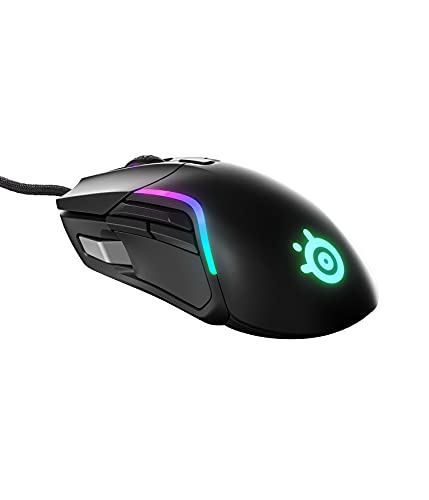
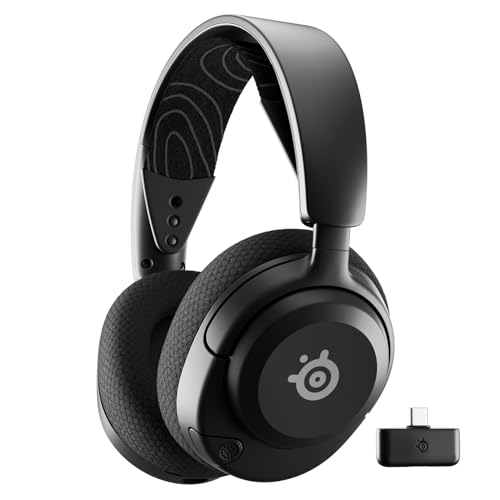
Whether you actually need a gaming keyboard depends on what you play. For competitive shooters and fighting games where input speed matters, a fast mechanical keyboard with a high polling rate makes a measurable difference. For story-driven single-player games, a standard keyboard works just fine. You’re not losing matches because your keyboard has 5 ms more latency.
Mechanical vs Optical vs Magnetic Switches in 2026
| Switch Type | How It Works | Pros | Cons | Price Range |
|---|---|---|---|---|
| Mechanical | Physical metal contacts | Tactile feedback, durable, many switch options | Louder, more expensive | $70 to $200+ |
| Optical | Light beam activation | Faster actuation, longer lifespan, no debounce delay | Fewer switch options, can feel different | $80 to $180 |
| Magnetic (Hall Effect) | Magnets detect key position | Adjustable actuation, no physical wear, extremely fast | Higher cost, newer tech | $100 to $250 |
| Membrane | Rubber dome over contacts | Quiet, affordable | Mushy feel, shorter lifespan, less precise | $20 to $60 |
Mechanical switches come in three main flavors. Linear switches (like Cherry MX Red) press straight down with no bump or click. They’re smooth and fast, preferred by most competitive gamers. Tactile switches (Cherry MX Brown) have a small bump at the actuation point so you feel when the key registers. Clicky switches (Cherry MX Blue) add an audible click on top of the tactile bump, which is satisfying to type on but annoyingly loud in shared spaces or on voice chat.
Magnetic Hall Effect switches have taken off in 2026. Brands like Wooting, SteelSeries, and Razer now offer keyboards where every key’s actuation point is adjustable through software. You can set WASD to fire at 0.1 mm of travel for gaming and leave everything else at a deeper 2.0 mm for comfortable typing. Because the switch detects position through a magnetic field rather than physical contact, there’s nothing to wear out.
Best Gaming Keyboards Compared
| Keyboard | Best For | Switch | Size | Price |
|---|---|---|---|---|
| Corsair K70 RGB Max | Best overall | Corsair MGX magnetic | Full-size | $180 to $210 |
| Razer Huntsman V3 Pro | Competitive gaming | Razer Analog Optical | Full-size / TKL | $200 to $250 |
| SteelSeries Apex Pro Gen 3 | Adjustable actuation | OmniPoint magnetic | Full-size / TKL / 60% | $180 to $200 |
| Wooting 80HE | Enthusiast pick | Lekker magnetic | TKL (75%) | $175 to $200 |
| Logitech G Pro X TKL | Esports standard | GX2 mechanical (swappable) | TKL (87 keys) | $100 to $150 |
| HyperX Alloy Origins 65 | Best compact | HyperX Red linear | 65% | $80 to $110 |
| Corsair K55 RGB Pro | Best budget | Membrane | Full-size | $40 to $50 |
Best Overall: Corsair K70 RGB Max
Corsair updated its flagship with magnetic Hall Effect switches for 2026, and the K70 RGB Max delivers on the promise. The Corsair MGX switches offer per-key adjustable actuation from 0.1 mm to 4.0 mm, rapid trigger for instant key reset, and the kind of durability that comes from having zero physical contact points inside the switch. The aluminum frame remains rock-solid, the volume wheel and media keys are still there, and the magnetic wrist rest snaps into place cleanly.
Corsair’s iCUE software handles RGB customization, actuation settings, macro programming, and profile management. The software is more full-featured than most competitors, though it’s also heavier and runs in the background. The 8,000 Hz polling rate means inputs register faster than the standard 1,000 Hz, though the difference is only noticeable in competitive scenarios.
At $180 to $210, it’s moved upmarket from earlier K70 models. But the combination of magnetic switches, aluminum build, and a deep feature set makes it the easiest recommendation for someone who wants one keyboard that handles both gaming and daily typing.
Best for Competitive Gaming: Razer Huntsman V3 Pro
Razer’s analog optical switches in the Huntsman V3 Pro offer adjustable actuation points. You can set each key to register at anywhere from 0.1 mm to 4.0 mm of travel. Setting it to 0.1 mm means the key fires the instant you touch it, which gives you a speed advantage in fast-paced games. The optical mechanism eliminates the debounce delay that mechanical switches need, shaving off a few more milliseconds.
The analog function lets keys act like a controller’s analog stick. Press lightly for walking and harder for sprinting in games that support it. The build quality matches the price: magnetic wrist rest, PBT keycaps that resist shine, and a solid frame. RGB is excellent with per-key control through Razer Synapse.
At $200 or more, this is overkill for casual gaming. You’re paying for fractional speed advantages and analog key functionality that a growing number of games now support, though it’s still far from universal. For tournament-level play or if you simply want the fastest keyboard available, it delivers.
Best Adjustable: SteelSeries Apex Pro Gen 3
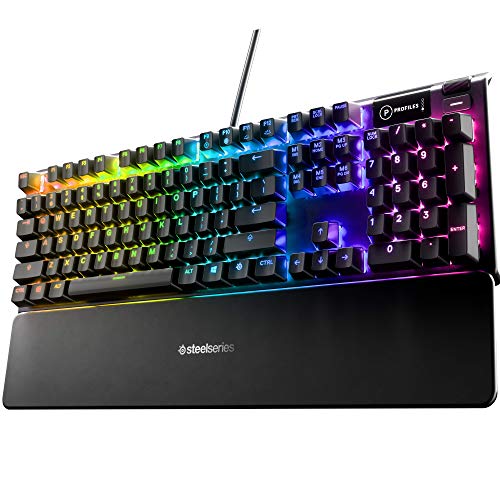
The Apex Pro uses magnetic Hall Effect switches (OmniPoint) that detect the exact position of each key press. Like the Razer, you can adjust the actuation point per key. Set WASD to hair-trigger 0.2 mm for gaming and the rest to a deeper 2.0 mm for comfortable typing. Because magnetic switches have no physical contact point to wear out, they should last the life of the keyboard.
SteelSeries offers the Apex Pro in full-size, TKL, and 60% layouts. The OLED screen on the full-size model displays game info, media controls, or custom animations, though it’s more of a novelty than a practical feature. Build quality is premium with an aluminum alloy frame and double-shot PBT keycaps.
At $180 to $200, it competes directly with the Razer Huntsman V3 Pro. The SteelSeries software (GG) is lighter and less intrusive than Razer Synapse, which some users prefer. Both keyboards are excellent for competitive gaming. The choice often comes down to which software ecosystem you already use.
Best Enthusiast Pick: Wooting 80HE
Wooting was the first company to popularize adjustable actuation and rapid trigger in gaming keyboards, and the 80HE is their refined version of that idea. The Lekker magnetic switches feel smooth and consistent, with per-key actuation adjustment from 0.1 mm to 4.0 mm and rapid trigger that resets the key almost instantly after release. The 75% layout keeps the function row while dropping the numpad, hitting a sweet spot between compactness and daily usability.
What sets Wooting apart is the community and the open-source software (Wootility). Updates arrive frequently based on user feedback, and the company has been faster than the big brands at implementing new features like mod-tap (one key does different things on tap vs hold) and dynamic keystrokes.
The trade-off is availability. Wooting sells direct and sometimes has waitlists. Build quality is good but not quite on the level of Corsair or Razer’s premium aluminum frames. If you prioritize switch performance and software flexibility over brand polish, the Wooting 80HE is one of the best keyboards you can buy in 2026.
Best for Esports: Logitech G Pro X TKL
Tenkeyless (TKL) keyboards drop the number pad, saving about 4 inches of desk space. This gives your mouse arm more room to move, which matters for low-sensitivity FPS players who sweep across large mouse pads. The G Pro X is the TKL keyboard many esports professionals use, and the reason is straightforward: it’s reliable, compact, and feels good.
The hot-swappable switch sockets let you change switches without soldering. Start with linear reds for gaming, swap to tactile browns for typing-heavy work, or try third-party switches. The detachable USB-C cable makes it easy to transport to LAN events. RGB is per-key with Logitech G HUB controlling profiles and macros.
It lacks the adjustable actuation of pricier options, but at $100 to $150, it’s a much easier buy. For most gamers, the speed difference between a Logitech G Pro X and a $250 keyboard is imperceptible.
Best Compact: HyperX Alloy Origins 65
A 65% keyboard removes the function row and navigation cluster but keeps the arrow keys, which makes it much more practical for daily use than a 60% layout. You still get a tiny footprint that frees up massive desk space and looks clean on a setup.
The Alloy Origins 65 uses HyperX’s own Red linear switches, which are smooth and consistent. The double-shot PBT keycaps feel textured and resist the greasy shine that cheaper ABS keycaps develop. The detachable USB-C cable and compact size make it easy to bring to tournaments or use with a laptop. RGB is per-key with HyperX NGENUITY software.
The 65% layout isn’t for everyone. If you use the function keys or navigation cluster (Page Up, Page Down, Home, End) frequently, you’ll be reaching for Fn combinations often. For pure gaming and a minimal desk aesthetic, it’s ideal.
Best Budget: Corsair K55 RGB Pro
Not everyone wants to spend $150 or more on a keyboard. The K55 RGB Pro uses membrane switches. No mechanical click or tactile bump, just a soft, quiet press. It won’t satisfy keyboard enthusiasts, but it plays games perfectly well and costs $40 to $50. You still get per-key RGB lighting, six programmable macro keys, and IP42 spill resistance.
The membrane switches are quieter than any mechanical keyboard, which makes the K55 a reasonable choice if you share a room or play late at night. Response times are slightly slower than mechanical switches, but the difference only matters at competitive levels. For the price, the build quality and feature set are solid.
Full-Size vs TKL vs 65% vs 60%: Which Layout?
Full-size keyboards include everything: number pad, function row, arrow keys, and navigation cluster. Best if you use the number pad for data entry, work applications, or certain game binds. TKL removes the number pad, saving desk space while keeping arrow keys and the function row. This is the most popular layout for gamers. 65% keeps arrow keys but drops the function row and navigation cluster. 60% removes everything except the core letter and number keys, maximizing desk space but requiring Fn-key combinations for everything else.
If you’re unsure, TKL is the safest choice. You get more mouse room without sacrificing keys you probably use daily. Move to 65% or 60% only after you’re confident you can live without dedicated function and navigation keys.
Do I Need a Gaming Keyboard to Play Games?
No. Any keyboard works for gaming. A $15 office keyboard registers inputs the same way a $200 mechanical keyboard does in most scenarios. Gaming keyboards offer faster response times, more durable switches, and extra features like macros and lighting, but none of these are required to play well. Plenty of professional gamers have won tournaments on basic equipment. Buy a gaming keyboard because you want the feel and features, not because you think it’ll make you better.
How Loud Are Mechanical Keyboards?
It depends entirely on the switch type. Linear switches (Red, Speed Silver) are the quietest. You hear the bottoming out sound when keys hit the plate, but there’s no click. Tactile switches (Brown) add a slight bump sound. Clicky switches (Blue, Green) are loud on purpose. Adding O-ring dampeners to keycaps or using a desk mat under the keyboard reduces noise further. If noise is a concern, linear switches with dampening are quieter than most people expect.
How Long Do Mechanical Keyboards Last?
Mechanical switches are rated for 50 to 100 million keypresses per key. Magnetic Hall Effect switches have no rating limit because nothing physically touches inside the switch. At normal usage, a good mechanical keyboard should last 10 to 20 years before switches start failing. The keycaps typically show wear (legend fading, surface shine) before the switches do. PBT keycaps resist wear longer than ABS keycaps.