An ISP – Internet Service Provider – is a company that sells you access to the internet. Every time you open a browser, stream a show, or send an email, your ISP is the middleman connecting your home or business to the global network. Without one, your router and modem are just boxes with blinking lights.
ISPs do more than flip a switch, though. They assign your IP address, run the DNS servers that translate website names into numbers, route your traffic to the right places, and often bundle in extras like email accounts and security tools. Some ISPs also provide TV and phone service alongside internet.
There are thousands of ISPs worldwide, ranging from global backbone operators you have never heard of to the local cable company that sends you a bill every month. They are organized into a tiered system that determines how internet traffic flows from one network to another. Understanding what your ISP actually does – and where it fits in that hierarchy – helps you make better decisions about your service.
What Does an ISP Do?
Your ISP performs several jobs behind the scenes every time you go online. The most obvious one is providing the physical connection – running a fiber line, cable, or phone wire to your home and linking it to a larger network. But the role goes well beyond that.
Assigns your IP address. Every device that connects to the internet needs an IP address. Your ISP assigns one to your modem (and by extension, your router and all your devices) so websites and services know where to send data back to you. Most residential customers get a dynamic IP that changes periodically. Business accounts can request a static IP that stays the same.
Runs DNS servers. When you type “google.com” into your browser, your ISP’s DNS (Domain Name System) server translates that into an IP address like 142.250.80.46. This happens in milliseconds, thousands of times a day, for every website you visit.
Routes your traffic. Your ISP decides the path your data takes to reach its destination. If you are loading a website hosted in another country, your traffic may pass through several networks before arriving. Your ISP manages the first leg of that journey and hands it off to other providers along the way.
Manages network infrastructure. ISPs maintain the cables, fiber lines, cell towers, and data centers that keep everything running. When a storm knocks out service or a cable gets cut, your ISP sends crews to fix it.
What Are the Different Types of ISP Connections?
Not all ISPs deliver internet the same way. The type of connection you get depends on the infrastructure available at your address and what the provider has built in your area. Each technology has different speed capabilities, reliability, and cost.
| Connection type | Typical download speeds | Typical upload speeds | Availability | Best for | Main drawback |
|---|---|---|---|---|---|
| Fiber | 300 Mbps – 10 Gbps | 300 Mbps – 10 Gbps | Urban and suburban areas (expanding) | Heavy usage, remote work, gaming, large households | Limited availability in rural areas |
| Cable | 25 Mbps – 1.2 Gbps | 5 Mbps – 50 Mbps | Widely available in cities and suburbs | Streaming, general browsing, moderate households | Speeds slow during peak hours (shared bandwidth) |
| DSL | 1 Mbps – 100 Mbps | 1 Mbps – 10 Mbps | Anywhere with a phone line | Light browsing, email, small households | Speed drops with distance from provider hub |
| Satellite | 25 Mbps – 220 Mbps | 3 Mbps – 25 Mbps | Virtually anywhere (line of sight to sky) | Rural areas with no wired options | High latency, data caps, weather sensitivity |
| Fixed wireless | 25 Mbps – 1 Gbps | 5 Mbps – 100 Mbps | Suburban and rural areas near towers | Areas without cable or fiber access | Requires line of sight to tower, weather can affect signal |
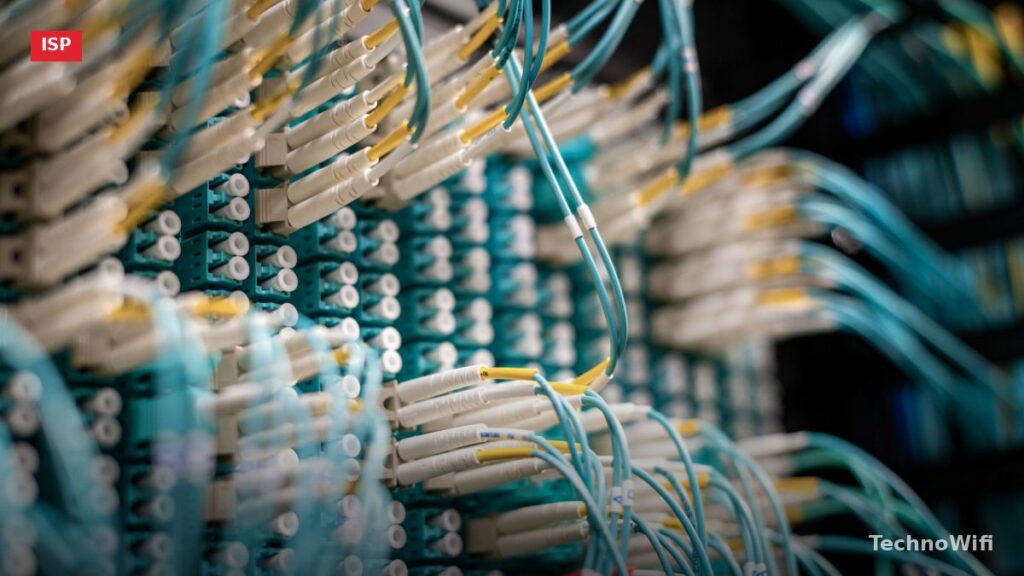
Fiber is the fastest and most reliable option available in 2026. It uses thin glass strands to transmit data as pulses of light, which means it can handle symmetrical speeds – your upload matches your download. Providers like AT&T Fiber, Verizon Fios, and Google Fiber offer residential plans up to 5 Gbps or higher in some markets.
Cable runs over the same coaxial wires that carry cable TV. It is the most common connection type in the US, offered by providers like Xfinity, Spectrum, and Cox. Download speeds are solid, but upload speeds are significantly slower, and you share bandwidth with your neighbors.
DSL (Digital Subscriber Line) uses existing copper telephone lines. It was once the standard for home broadband but has largely been overtaken by cable and fiber. Speeds are limited, and performance degrades the farther you live from the provider’s central office. AT&T and CenturyLink still offer DSL in some areas.
Satellite internet reaches almost any location because it beams signals from space. Traditional satellite providers like HughesNet and Viasat have high latency (500-600 ms), making real-time activities like gaming or video calls frustrating. Starlink, which uses low-earth orbit satellites, has cut latency to 20-60 ms and pushed speeds past 200 Mbps in many areas.
Fixed wireless uses radio signals transmitted from a nearby tower to an antenna on your home. It bridges the gap between wired and satellite service, offering better speeds than DSL in areas where cable and fiber have not been built out. T-Mobile Home Internet and Verizon Home Internet are the largest fixed wireless providers in the US.
What Are ISP Tiers and Why Do They Matter?
The internet is not a single network – it is a network of networks. ISPs connect to each other to exchange traffic, and the way they connect follows a tiered hierarchy. There are three tiers, and the tier an ISP belongs to determines how it gets (and pays for) access to the rest of the internet.
What Is a Tier 1 ISP?
A Tier 1 ISP owns and operates a global backbone network – the high-capacity fiber lines that carry internet traffic across continents and under oceans. These companies can reach every part of the internet without paying anyone else for transit. They do this through peering, which means two networks agree to exchange traffic with each other for free because both benefit equally from the arrangement.
There are roughly 15-20 Tier 1 providers in the world. They include names like Lumen Technologies (formerly CenturyLink/Level 3), AT&T, NTT Communications, Telia Carrier, Cogent Communications, and Arelion (formerly Telia Carrier’s international arm). Most consumers never interact with these companies directly – they operate behind the scenes, carrying the bulk of global internet traffic between regions and countries.
The defining feature of a Tier 1 ISP is that it never pays for transit. If a Tier 1 network needs to send traffic to another Tier 1 network, they peer – no money changes hands. This is possible because each Tier 1 provider has enough global reach that the exchange is mutually beneficial.
What Is a Tier 2 ISP?
A Tier 2 ISP is a regional or national provider that owns a significant network but does not have global reach. These companies peer with some networks for free but also pay Tier 1 providers for transit to reach parts of the internet their own network does not cover.
Think of Tier 2 ISPs as the middle layer. They might own fiber networks across a large region or country, and they sell connectivity to smaller ISPs and businesses. Companies like GTT Communications, Zayo Group, and many national carriers around the world fall into this category.
Tier 2 providers play a significant role in keeping internet costs manageable. By peering with each other and with Tier 1 networks where possible, they reduce the amount of paid transit required to move data around. This keeps prices down for the Tier 3 ISPs – and ultimately the consumers – that buy service from them.
What Is a Tier 3 ISP?
A Tier 3 ISP is the provider that most people actually deal with. These are the companies that sell internet service directly to homes and businesses – your Xfinity, Spectrum, Cox, AT&T consumer internet, Verizon Fios, and hundreds of smaller local providers across the country.
Tier 3 ISPs do not own backbone infrastructure. They buy transit from Tier 1 or Tier 2 providers to connect their customers to the broader internet. They own the “last mile” – the cable, fiber, or phone line that runs from the neighborhood junction box to your house – and they handle billing, customer support, and local network maintenance.
When you pay your monthly internet bill, you are paying a Tier 3 ISP. That ISP turns around and pays a Tier 2 or Tier 1 provider for the upstream connectivity that links your local network to everything else online.
Tier 1 vs Tier 2 vs Tier 3 ISP Comparison
| Feature | Tier 1 | Tier 2 | Tier 3 |
|---|---|---|---|
| Network scope | Global backbone | Regional or national | Local (last mile) |
| Pays for transit? | No – peers with all other Tier 1s | Yes – buys transit from Tier 1 for some routes | Yes – buys transit from Tier 1 or Tier 2 |
| Sells to | Tier 2 ISPs, large enterprises, content providers | Tier 3 ISPs, businesses | Homes and small businesses |
| Examples | Lumen, NTT, Telia, AT&T (backbone) | GTT, Zayo, regional carriers | Xfinity, Spectrum, Cox, Verizon Fios |
| Customer interaction | Almost none with consumers | Minimal – mostly B2B | Direct – billing, support, installation |
Who Are the Largest ISPs in the United States?
The US broadband market is dominated by a handful of large providers. Most Americans have two or three options at their address, and in many areas, only one provider offers speeds above 100 Mbps. Here are the largest ISPs by subscriber count as of 2026.
Comcast Xfinity is the largest ISP in the US with over 32 million internet subscribers. Xfinity delivers service primarily over cable (coaxial) infrastructure, with speeds up to 2 Gbps in some areas. Coverage spans 40 states, concentrated in the Northeast, Mid-Atlantic, Midwest, and Pacific Northwest.
AT&T serves around 22 million broadband customers across fiber, DSL, and fixed wireless. AT&T Fiber is available in 24 states and growing. The company has been aggressively expanding its fiber footprint and phasing out legacy DSL in areas where fiber has been built.
Charter Spectrum is the second-largest cable ISP with about 30 million subscribers. Spectrum offers cable internet in 41 states, with minimum speeds starting at 300 Mbps and no data caps. The company is also building out fiber-to-the-home in select markets.
Verizon Fios provides fiber internet in parts of nine states plus Washington, D.C. Fios is known for symmetrical speeds (upload matches download), no data caps, and no annual contracts. Plans range from 300 Mbps to 2 Gbps.
Cox Communications serves about 6 million internet customers across 18 states, primarily through cable. Cox offers fiber in some areas and has been upgrading its network to support multi-gigabit speeds.
How to Choose the Right ISP for Your Home
Picking an ISP usually comes down to what is available at your address. In many areas, you only have one or two real options. But when you do have a choice, here is what to look at.
Speed. Match the plan to your actual usage. A single person who browses the web and streams Netflix does fine with 100 Mbps. A household of four with multiple 4K streams, gaming consoles, and work-from-home video calls should look at 300 Mbps or higher. If you regularly upload large files – video editing, cloud backups, live streaming – prioritize plans with strong upload speeds, which usually means fiber.
Availability. Check which providers serve your specific address, not just your zip code. ISP coverage varies block by block, especially for fiber. The FCC’s broadband map at broadbandmap.fcc.gov lets you look up every provider available at your exact address.
Pricing and contracts. Watch for promotional rates that expire after 12 months. Some ISPs advertise $30/month but the regular rate is $75/month after the first year. Check whether the plan requires an annual contract with an early termination fee. Spectrum, for example, does not require contracts. Xfinity sometimes does.
Data caps. Some ISPs limit how much data you can use per month. Xfinity enforces a 1.2 TB monthly data cap in most markets (with an option to pay $30/month for unlimited). AT&T Fiber and Verizon Fios have no data caps. Spectrum has no data caps. If you have a large household or stream constantly, a data cap can add unexpected charges to your bill.
Equipment costs. Many ISPs charge $10-$15/month to rent a modem and router. Over two years, that adds up to $240-$360. Buying your own compatible modem and router often pays for itself within a year. Just check your ISP’s list of approved devices before purchasing.
How Does Your ISP Assign an IP Address?
Every device connected to the internet needs an IP address – a numerical label that identifies it on the network. Your ISP controls a block of IP addresses and assigns one to your modem when it connects. This is your public IP address, the one that websites and services see when you visit them.
Most residential ISPs assign dynamic IP addresses. This means your IP can change periodically – sometimes every few days, sometimes every few months, sometimes only when you reboot your modem. Your ISP uses a system called DHCP (Dynamic Host Configuration Protocol) to hand out addresses from its available pool and recycle them as needed.
Static IP addresses stay the same permanently. Business ISPs typically offer static IPs, and some residential providers sell them as an add-on for $5-$15/month. You would want a static IP if you run a server from home, use remote desktop access, or need a consistent address for a VPN or security camera system.
Inside your home, your router assigns private IP addresses (like 192.168.1.x) to individual devices using its own DHCP server. These private addresses are only visible within your home network. When your phone or laptop sends data to the internet, your router translates the private address to your public IP address through a process called NAT (Network Address Translation).
Frequently Asked Questions
Can I have internet without an ISP?
For practical purposes, no. You need an ISP to connect to the internet. Some alternatives exist in limited situations – community mesh networks, free municipal Wi-Fi in certain cities, or satellite-based setups in extremely remote areas – but all of these ultimately rely on an ISP somewhere in the chain. Even Starlink, which beams internet from space, is itself an ISP. There is no way to connect to the internet that does not involve a service provider at some level.
What is the difference between an ISP and Wi-Fi?
An ISP provides your internet connection – the actual link to the global network. Wi-Fi is just the wireless signal inside your home that lets your devices connect to your router without cables. Your router creates the Wi-Fi network, but without an ISP providing the internet connection, that Wi-Fi network would not reach anything beyond your own walls. You can have Wi-Fi without internet (devices could talk to each other locally), but you cannot access websites or online services without an ISP.
Do ISPs track your browsing history?
Yes. ISPs can see which websites you visit, when you visit them, and how much data you use. In the United States, ISPs are legally allowed to collect and sell anonymized browsing data after Congress rolled back FCC privacy rules in 2017. If you want to prevent your ISP from seeing your browsing activity, use a VPN (Virtual Private Network), which encrypts your traffic so your ISP can only see that you are connected to the VPN server – not what you are doing through it. Visiting HTTPS websites encrypts the page content, but your ISP can still see the domain names you visit.
Can I switch ISPs anytime?
It depends on your contract. If you signed a 12- or 24-month agreement, canceling early typically triggers an early termination fee ranging from $50 to $200 or more. If you are on a month-to-month plan with no contract, you can switch at any time by signing up with the new provider and canceling the old one. Before switching, check whether you own or rent your equipment – rented equipment needs to be returned to avoid continued charges. Also confirm that your new ISP actually serves your address before canceling your existing service.
Sources
Before choosing a provider, use our ISP coverage checker to see every option available at your zip code.
FCC – Getting Broadband | Internet Society – Internet Access