5G UW stands for 5G Ultra Wideband. It is Verizon’s branding for its fastest 5G network, and it shows up as a “5G UW” icon on your phone’s status bar when you connect to it. If you have seen that icon and wondered what it means or why your phone sometimes shows plain “5G” instead, the answer comes down to which slice of Verizon’s network you are using.
Verizon runs two tiers of 5G. The basic tier, called 5G Nationwide, uses low-band spectrum that covers a wide area but delivers modest speeds. The premium tier, 5G Ultra Wideband, uses higher-frequency spectrum that delivers significantly faster downloads. When your phone displays “5G UW,” you are connected to that faster tier.
Originally, 5G UW referred only to Verizon’s millimeter wave (mmWave) network, which operates on extremely high-frequency spectrum above 24 GHz. In 2022, Verizon expanded the 5G UW label to also include its C-Band mid-band spectrum deployments. So in 2026, “5G UW” on your phone could mean you are on mmWave or C-Band, both of which are faster than the basic nationwide layer.
How Fast Is 5G UW Compared to Regular 5G
Speed is the main reason Verizon separates 5G UW from its standard 5G. The performance gap between the two is significant, and within 5G UW itself, mmWave and C-Band deliver different speed ranges.
Verizon’s 5G Nationwide network (low-band) typically delivers download speeds between 50 and 200 Mbps. That is faster than 4G LTE in many areas, but not by a dramatic margin. You will notice smoother streaming and faster app downloads, but it will not feel like a generational leap.
5G UW on C-Band spectrum is where performance starts to separate. Real-world download speeds on C-Band generally fall between 200 and 700 Mbps. Some users in strong signal areas report speeds above 1 Gbps. This is the speed tier that most Verizon 5G UW users actually experience day to day, because C-Band has much broader coverage than mmWave.
5G UW on mmWave is the absolute fastest option. Peak download speeds can reach 1 to 4 Gbps under ideal conditions. Upload speeds on mmWave are also strong, often exceeding 100 Mbps. The catch is that mmWave has extremely limited range and struggles with obstacles like walls and windows.
| Network tier | Spectrum type | Typical download speed | Typical upload speed | Range | Best for |
|---|---|---|---|---|---|
| 5G Nationwide | Low-band (below 1 GHz) | 50 – 200 Mbps | 10 – 30 Mbps | Miles – wide area coverage | General browsing, streaming, email |
| 5G UW (C-Band) | Mid-band (3.7 – 3.98 GHz) | 200 – 700 Mbps | 20 – 80 Mbps | 1 – 3 miles from tower | HD/4K streaming, large downloads, video calls |
| 5G UW (mmWave) | High-band (28 / 39 GHz) | 1 – 4 Gbps | 50 – 200 Mbps | Under 1,000 feet, line of sight | Stadiums, dense urban areas, fixed wireless |
In practical terms, most people who see “5G UW” on their phone are connected to C-Band. The mmWave connections happen only in very specific locations where Verizon has installed small cell equipment. Both are significantly faster than the basic nationwide 5G layer.
Where Is 5G UW Available in 2026
Verizon’s 5G UW coverage depends on which spectrum band you are talking about. C-Band availability has expanded rapidly since its initial rollout, while mmWave remains confined to dense urban pockets.
C-Band 5G UW is available in hundreds of cities and metro areas. Verizon reports that its C-Band network reaches over 200 million people across the US as of 2026. Coverage concentrates in suburban and urban areas where Verizon has upgraded its existing cell towers with C-Band equipment. If you live in or near a mid-size to large city, there is a reasonable chance you have C-Band coverage.
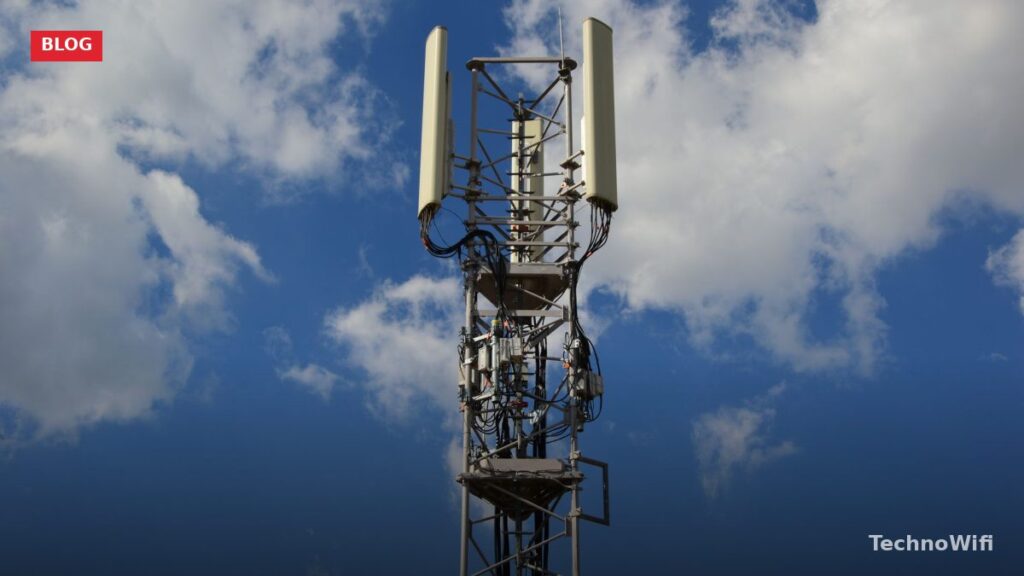
mmWave 5G UW remains limited to high-traffic venues and dense downtown corridors. Think NFL stadiums, NBA arenas, major airports, convention centers, and busy downtown blocks in cities like New York, Los Angeles, Chicago, and Miami. Verizon deploys mmWave using small cells mounted on streetlights and building facades, and each one covers a small area. You will not find mmWave in suburban neighborhoods or rural areas.
The best way to check 5G UW availability at your address is Verizon’s coverage map at verizon.com/coverage-map. The map distinguishes between 5G Nationwide (marked in lighter shading) and 5G Ultra Wideband (marked in darker shading). Zoom in to your neighborhood to see exactly which tier covers your area.
Which Verizon Plans Include 5G UW Access
Not every Verizon plan lets you connect to 5G UW, even if you have a compatible phone and you are standing in a covered area. Your plan tier determines whether your phone can access the Ultra Wideband network or is restricted to the Nationwide layer.
Verizon’s current myPlan lineup has three tiers. Only the upper two include 5G UW access.
| Verizon plan | 5G Nationwide access | 5G UW access | Price per line (4 lines, with autopay) |
|---|---|---|---|
| Unlimited Welcome | Yes | No | ~$30/line |
| Unlimited Plus | Yes | Yes | ~$45/line |
| Unlimited Ultimate | Yes | Yes | ~$55/line |
If you are on the Unlimited Welcome plan, your phone will connect to 5G Nationwide but will not switch to 5G UW towers even when they are nearby. Upgrading to Unlimited Plus is the minimum step required to access Ultra Wideband speeds. The Unlimited Ultimate plan also includes 5G UW along with more hotspot data, higher streaming resolution, and additional perk selections.
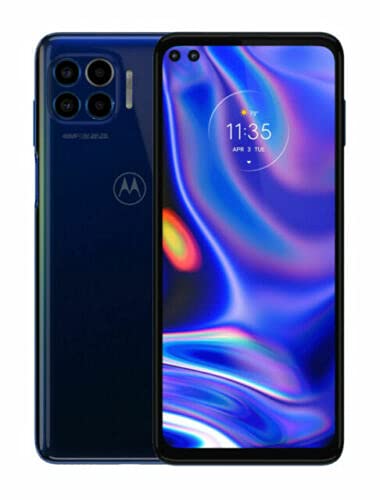
You also need a 5G UW-capable phone. Most flagship phones released since 2021 support both C-Band and mmWave on Verizon. The iPhone 12 and later, Samsung Galaxy S21 and later, and Google Pixel 6 and later all work with 5G UW. Budget phones and older models may only support low-band 5G or 4G LTE.
How to Tell if You Are Connected to 5G UW
Your phone’s status bar icon is the simplest indicator. When connected to Verizon’s Ultra Wideband network, the icon reads “5G UW” instead of just “5G.” On some phones, the icon might appear as “5G UWB” or show a small “UW” beneath the 5G symbol.
- Unlock your phone and look at the top-right corner of the screen (iPhone) or top-left area (most Android phones).
- If you see “5G UW” or “5G UWB,” you are on the Ultra Wideband network.
- If you see just “5G,” you are on Verizon’s Nationwide low-band network.
- If you see “LTE” or “4G,” you are not on any 5G network at all.
You can also verify your connection type by running a speed test. Open the Speedtest by Ookla app or visit speedtest.net. If your download speed is above 200 Mbps, you are likely on C-Band. Speeds above 1 Gbps almost certainly mean mmWave. Anything below 200 Mbps with a “5G” icon probably means you are on the Nationwide layer.
On iPhones, you can check your current connection in Settings > Cellular > Cellular Data Options > Voice & Data. This shows whether your phone is set to use 5G Auto, 5G On, or LTE. For best results with 5G UW, keep it on “5G Auto,” which lets the phone switch between LTE and 5G depending on signal quality and battery level.
5G UW vs AT&T 5G+ vs T-Mobile 5G UC
Every major US carrier has its own branding for premium 5G, and the names are confusing. Verizon calls it 5G UW. AT&T calls its mid-band and mmWave network “5G+.” T-Mobile uses “5G UC” (Ultra Capacity). All three labels mean the same basic thing: you are connected to the carrier’s faster 5G tier instead of its basic low-band 5G.
| Feature | Verizon 5G UW | AT&T 5G+ | T-Mobile 5G UC |
|---|---|---|---|
| Full name | 5G Ultra Wideband | 5G Plus | 5G Ultra Capacity |
| Spectrum used | C-Band + mmWave | C-Band + mmWave | Mid-band (2.5 GHz) + mmWave |
| Typical speed range | 200 – 1,000+ Mbps | 150 – 800 Mbps | 200 – 800 Mbps |
| Status bar icon | 5G UW | 5G+ | 5G UC |
| Plan requirement | Unlimited Plus or higher | Included on most plans | Included on most plans |
| Coverage breadth | 200M+ people (C-Band) | Expanding C-Band rollout | Largest mid-band footprint |
T-Mobile holds a coverage advantage because it owns a large block of 2.5 GHz mid-band spectrum, which it acquired from Sprint. This spectrum covers more ground than C-Band while still delivering strong speeds. T-Mobile’s 5G UC network reaches more people than either Verizon’s UW or AT&T’s 5G+.
A key difference is plan access. AT&T and T-Mobile include premium 5G access on most or all of their unlimited plans. Verizon restricts 5G UW to its Unlimited Plus and Ultimate tiers, locking out customers on the cheaper Welcome plan. If premium 5G access matters to you and you do not want to pay for a higher-tier plan, AT&T and T-Mobile are more permissive.
Why Does My Phone Show 5G but Not 5G UW
If your Verizon phone displays a plain “5G” icon instead of “5G UW,” there are several possible reasons. The most common ones are straightforward to diagnose.
Your plan does not include 5G UW. The Unlimited Welcome plan restricts you to the Nationwide layer. Even with a capable phone in a covered area, you will only see “5G” unless you upgrade to Unlimited Plus or Ultimate.
There is no 5G UW coverage where you are. C-Band has expanded significantly, but it still does not blanket every square mile. Suburban edges, rural areas, and some smaller cities may only have Nationwide 5G coverage. Check Verizon’s coverage map to confirm UW availability at your location.
Your phone does not support 5G UW. Some budget and mid-range Verizon phones only include low-band 5G radios. Without C-Band and mmWave hardware in the phone itself, it cannot connect to UW even when the signal is available. Check your phone’s spec sheet or contact Verizon to confirm compatibility.
Your phone’s 5G settings are set to LTE priority. On iPhones, go to Settings > Cellular > Cellular Data Options > Voice & Data and make sure “5G Auto” or “5G On” is selected. On Samsung phones, go to Settings > Connections > Mobile Networks > Network Mode and select the option that includes 5G.
How to Fix Slow 5G UW Speeds
Connecting to 5G UW does not guarantee peak speeds every time. Several factors can drag performance down even when the icon shows UW on your status bar.
- Toggle airplane mode on and off to force your phone to reconnect to the nearest tower.
- Restart your phone completely. A fresh reboot clears temporary network glitches.
- Move closer to a window if you are indoors. C-Band and especially mmWave signals weaken when passing through walls, glass, and building materials.
- Check for network congestion. 5G UW speeds drop during peak hours in busy areas like stadiums, transit hubs, and downtown lunch-hour crowds.
- Make sure your phone software is up to date. Carrier updates often include modem firmware improvements that affect 5G performance.
- Reset your network settings. On iPhone, go to Settings > General > Transfer or Reset iPhone > Reset > Reset Network Settings. On Android, go to Settings > General Management > Reset > Reset Network Settings.
If speeds are consistently poor, run a speed test using the Ookla Speedtest app and compare results at different times of day. Congestion is the most common cause of slow UW speeds in areas with confirmed coverage. If your speeds never exceed 100 Mbps even with a strong “5G UW” icon, contact Verizon support to check whether there is a tower issue or an account provisioning problem.
Does 5G UW Work Indoors
It depends on which spectrum band is providing the signal. C-Band penetrates buildings reasonably well, though it does lose some strength passing through exterior walls. If you are near a window in a building within a C-Band coverage area, indoor performance is usually acceptable. Deeper inside large concrete or steel-framed buildings, the signal weakens noticeably.
mmWave barely works indoors at all. The high-frequency signals cannot penetrate most building materials. Glass windows block a significant portion of the signal, and brick or concrete walls stop it almost entirely. If you see “5G UW” indoors and you are near a venue with dedicated mmWave infrastructure (like a stadium or airport terminal), Verizon may have indoor small cells installed. Otherwise, your phone will typically fall back to C-Band or Nationwide 5G when you step inside.
Verizon has installed indoor mmWave nodes at select venues, including airports, sports arenas, and large convention centers. In those environments, indoor mmWave speeds can be excellent. But this setup requires specific infrastructure that does not exist in ordinary homes and offices.
Is 5G UW the Same as mmWave
Not anymore. When Verizon first launched 5G Ultra Wideband in 2019, the label applied exclusively to mmWave deployments. At that time, “5G UW” and “mmWave” were essentially interchangeable terms for Verizon’s network.
That changed in early 2022 when Verizon began rolling out C-Band spectrum and applied the 5G UW branding to those deployments as well. Since then, 5G UW has been an umbrella term that covers both mmWave and C-Band. When you see “5G UW” on your phone, you could be on either one. Your phone does not tell you which specific band it is using through the status bar icon alone.
If you want to know whether you are on C-Band or mmWave at any given moment, your speed test results are the best clue. Downloads between 200 and 700 Mbps suggest C-Band. Downloads over 1 Gbps almost always indicate mmWave. You can also use apps like Network Cell Info Lite on Android to see which frequency band your phone is currently using.
5G UW FAQs
Do I need a special plan for 5G UW?
Yes. Verizon’s entry-level Unlimited Welcome plan does not include 5G UW access. You need to be on the Unlimited Plus plan ($45/line for four lines with autopay) or the Unlimited Ultimate plan ($55/line for four lines with autopay) to connect to 5G Ultra Wideband towers. Without one of these plans, your phone will only use the slower 5G Nationwide network even in areas with UW coverage.
Is 5G UW available in my area?
The fastest way to check is Verizon’s online coverage map at verizon.com/coverage-map. Enter your address and look for the darker-shaded 5G UW zones. C-Band coverage has expanded to reach over 200 million people across hundreds of US cities. mmWave is limited to specific venues and dense urban corridors. If the map shows only light shading at your address, you have Nationwide 5G but not Ultra Wideband.
Does 5G UW use more battery than regular 5G?
It can. Connecting to higher-frequency bands like C-Band and especially mmWave requires more power from your phone’s modem. The impact varies by phone model, but many users report slightly shorter battery life in 5G UW areas compared to LTE or low-band 5G. Setting your phone to “5G Auto” mode helps manage this by letting the phone drop to LTE when high-speed data is not actively needed.
Will my older phone work with 5G UW?
Only if it has the right hardware. Phones need C-Band and mmWave radio components to connect to 5G UW. Most flagships from 2021 onward support it, including iPhone 12 and later, Samsung Galaxy S21 and later, and Google Pixel 6 and later. Phones released before 2020 generally do not support any form of 5G. Some mid-range phones released after 2021 support low-band 5G only and cannot connect to UW.
Can I use 5G UW for home internet?
Verizon offers a fixed wireless home internet product called Verizon 5G Home Internet that runs on 5G UW in supported areas. This is a separate service from your phone plan and comes with its own router. Speeds on C-Band home internet typically range from 85 to 300 Mbps, with mmWave locations seeing higher peaks. It is a viable alternative to cable internet in areas where Verizon has strong 5G UW coverage.
Sources
Slow speeds are not always a hardware problem. See which internet providers and speed tiers serve your area to find out if a better plan exists.
Verizon – 5G Coverage Map | FCC – C-Band Spectrum Auction (Auction 107)