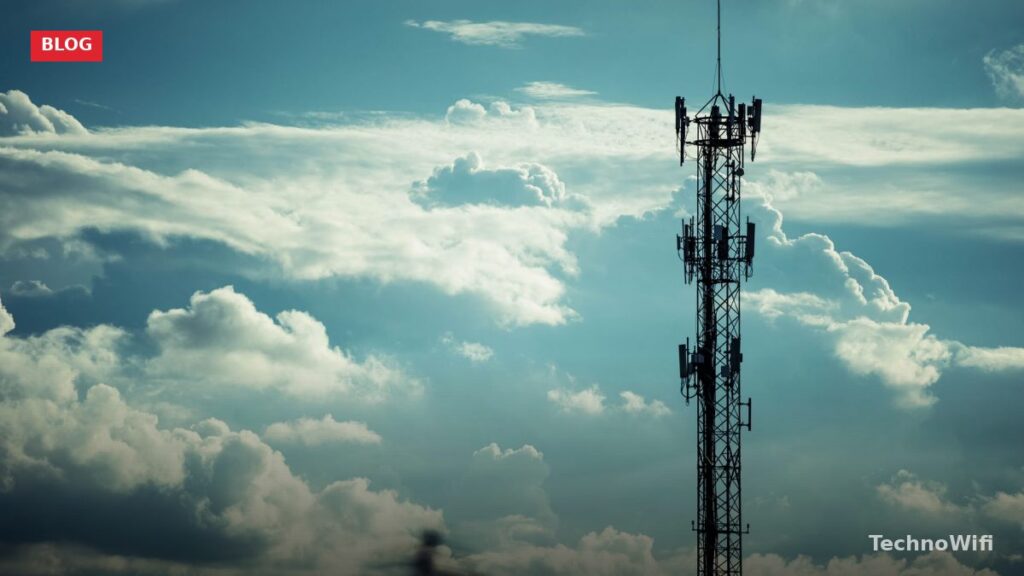
5G UC stands for 5G Ultra Capacity. It is T-Mobile’s branding for its faster 5G network, and it appears as a “5G UC” icon in your phone’s status bar when you connect to it. If you have noticed that icon popping up in some areas but not others, the explanation comes down to which layer of T-Mobile’s 5G network your phone is using at that moment.
T-Mobile operates two main 5G layers. The base layer, called Extended Range 5G, runs on low-band 600 MHz spectrum. It covers a huge geographic area but delivers modest speeds – roughly comparable to a solid LTE connection. The second layer, 5G UC, uses mid-band 2.5 GHz spectrum and millimeter wave (mmWave) frequencies to deliver significantly faster downloads and lower latency.
When your phone displays “5G UC,” you are connected to one of those faster bands. When it shows just “5G,” you are on the Extended Range low-band layer. Both are real 5G, but the performance gap between them is substantial.
How Fast Is 5G UC Compared to Regular 5G
The speed difference between Extended Range 5G and 5G UC is the entire reason T-Mobile created a separate label. Extended Range 5G on 600 MHz typically delivers download speeds between 50 and 150 Mbps. That is a step up from LTE, but it will not blow you away. Streaming, browsing, and video calls all work fine on it.
5G UC on mid-band 2.5 GHz spectrum is where things get noticeably faster. Download speeds on mid-band generally fall between 200 and 700 Mbps in real-world use. Some users in strong signal areas report speeds above 1 Gbps. This is the band most people connect to when they see the UC icon, because T-Mobile’s mid-band coverage is far more widespread than its mmWave footprint.
5G UC on mmWave pushes speeds even higher. Peak downloads can exceed 1 Gbps under ideal conditions, with some tests hitting 2 to 3 Gbps. But mmWave has extremely short range and cannot penetrate walls or buildings effectively. T-Mobile’s mmWave deployments are limited to specific high-traffic locations.
| Network layer | Spectrum | Typical download speed | Typical upload speed | Range |
|---|---|---|---|---|
| Extended Range 5G | Low-band (600 MHz) | 50 – 150 Mbps | 10 – 25 Mbps | Miles – wide area coverage |
| 5G UC (mid-band) | 2.5 GHz | 200 – 700 Mbps | 30 – 100 Mbps | 1 – 5 miles from tower |
| 5G UC (mmWave) | 24 – 39 GHz | 1 – 3 Gbps | 50 – 200 Mbps | Under 1,000 feet, line of sight |
For everyday use, the mid-band UC connection is the sweet spot. It combines strong speeds with reasonable indoor penetration, making it the backbone of T-Mobile’s 5G UC experience for most subscribers in 2026.
Why T-Mobile’s Mid-Band 5G UC Covers So Much Ground
T-Mobile’s mid-band advantage traces back to the 2020 Sprint merger. Sprint held a massive block of 2.5 GHz spectrum that had been used for WiMax and LTE. When T-Mobile absorbed Sprint, it gained access to that spectrum nationwide and began refarming it for 5G.
The 2.5 GHz band sits in a useful sweet spot. It is high enough in frequency to carry large amounts of data at fast speeds, but low enough that signals still travel a reasonable distance and penetrate buildings better than mmWave. A single 2.5 GHz tower can cover a wider area than C-Band (used by Verizon and AT&T in the 3.7 to 3.98 GHz range) while still delivering comparable speeds.
T-Mobile now covers over 300 million people with its combined 5G network and has the largest mid-band 5G footprint in the US. That Sprint spectrum acquisition was the single biggest factor in giving T-Mobile a head start over its competitors in the mid-band 5G race.
Where Is 5G UC Available in 2026
5G UC coverage depends on whether you are talking about mid-band or mmWave. Mid-band 2.5 GHz availability has expanded aggressively since T-Mobile started deploying it, while mmWave remains limited to dense pockets.
Mid-band 5G UC is live in hundreds of cities and metro areas across the US. T-Mobile reports covering over 260 million people with mid-band 5G as of 2026. Coverage concentrates in urban and suburban zones, but T-Mobile has also pushed mid-band into many smaller cities and towns that Verizon and AT&T have not yet reached with their own mid-band rollouts.
mmWave 5G UC is available only at select high-traffic venues – airports, stadiums, convention centers, and dense downtown corridors in major cities. T-Mobile’s mmWave footprint is smaller than Verizon’s, since T-Mobile has prioritized mid-band as its primary capacity layer instead.
To check whether 5G UC is available at your address, visit T-Mobile’s coverage map at t-mobile.com/coverage/coverage-map. Look for areas shaded with the “Extended Range” and “Ultra Capacity” labels. Zoom in to your specific neighborhood for the most accurate picture.
Which T-Mobile Plans Include 5G UC
Here is the good news: all current T-Mobile plans include 5G UC access. Unlike Verizon, which restricts its faster 5G UW network to higher-tier plans, T-Mobile does not gate 5G UC behind a premium plan tier. If you have a compatible phone on any active T-Mobile unlimited plan, you can connect to 5G UC where it is available.
This applies to the Go5G, Go5G Plus, and Go5G Next plans as well as the older Magenta and Essentials plans that are still active on some accounts. There is no extra charge and no add-on required. Your phone will automatically connect to 5G UC whenever it detects a stronger mid-band or mmWave signal in your area.
The only real requirement on the plan side is that your account must be active and in good standing. Prepaid T-Mobile plans also get 5G UC access on supported devices.
How to Tell if You Are Connected to 5G UC
The status bar icon on your phone is the fastest way to check. T-Mobile phones display “5G UC” when connected to mid-band or mmWave spectrum. A plain “5G” icon means you are on the Extended Range low-band layer.
- Unlock your phone and look at the network icon in the status bar – top right on iPhone, top left on most Android phones.
- If the icon reads “5G UC,” you are connected to T-Mobile’s faster mid-band or mmWave network.
- If the icon reads “5G,” you are on Extended Range 5G (low-band 600 MHz).
- If you see “LTE” or “4G,” you are not on a 5G network at all.
Running a speed test is another way to confirm. Use the Speedtest by Ookla app or visit speedtest.net. Download speeds above 200 Mbps strongly suggest a mid-band UC connection. Anything below 150 Mbps with a “5G” icon likely means you are on the Extended Range layer. Speeds over 1 Gbps indicate mmWave.
T-Mobile 5G UC vs Verizon 5G UW vs AT&T 5G+
All three major US carriers brand their faster 5G networks differently, but the underlying concept is the same. Each carrier runs a basic low-band 5G layer for broad coverage and a faster mid-band or mmWave layer for speed. The branding just tells you which layer your phone is using.
| Feature | T-Mobile 5G UC | Verizon 5G UW | AT&T 5G+ |
|---|---|---|---|
| Full name | 5G Ultra Capacity | 5G Ultra Wideband | 5G Plus |
| Spectrum used | 2.5 GHz mid-band + mmWave | C-Band (3.7 GHz) + mmWave | C-Band + mmWave |
| Typical speed range | 200 – 700+ Mbps | 200 – 1,000+ Mbps | 150 – 800 Mbps |
| Status bar icon | 5G UC | 5G UW | 5G+ |
| Plan requirement | Included on all plans | Unlimited Plus or higher only | Included on most plans |
| Mid-band coverage | Largest footprint (260M+ people) | 200M+ people | Expanding rollout |
T-Mobile has two advantages in this comparison. First, its mid-band coverage footprint is the largest thanks to the Sprint 2.5 GHz spectrum. Second, every T-Mobile plan includes 5G UC access, while Verizon locks its fastest 5G behind premium plan tiers. If you want faster 5G without paying for a top-tier plan, T-Mobile is the most accessible option.
Why Does My Phone Show 5G but Not 5G UC
Seeing a plain “5G” icon on a T-Mobile phone instead of “5G UC” is common, and there are a few reasons it happens.
You are outside mid-band coverage. T-Mobile’s Extended Range 5G covers far more territory than its mid-band UC layer. Rural areas, small towns, and the outer edges of suburbs may only have low-band 600 MHz coverage. Check T-Mobile’s coverage map to see whether UC is available where you are.
Your phone does not support mid-band 5G. Some older or budget T-Mobile phones only have low-band 5G radios. Without 2.5 GHz hardware in the phone, it cannot connect to UC towers even when they are nearby. Flagships from 2021 and later generally support all of T-Mobile’s 5G bands.
Your network settings need adjustment. On iPhone, go to Settings, then Cellular, then Cellular Data Options, then Voice and Data, and confirm that 5G Auto or 5G On is selected. On Samsung, go to Settings, then Connections, then Mobile Networks, then Network Mode, and select the option that includes 5G.
A temporary network glitch is forcing a fallback. Phones sometimes get stuck on a lower band after traveling through an area with weak signal. Toggling airplane mode on and off for 10 seconds usually forces the phone to reconnect to the best available band.
How to Fix a Phone Not Connecting to 5G UC
If you know 5G UC is available in your area but your phone will not connect to it, run through these steps.
- Toggle airplane mode on, wait 10 seconds, then toggle it off. This forces your phone to re-scan for available bands and often picks up a UC signal it was missing.
- Restart your phone. A full reboot clears any temporary modem glitches that might be locking the phone onto a lower band.
- Check for a carrier settings update. On iPhone, go to Settings, then General, then About. If an update is available, a prompt will appear. On Android, carrier updates typically install automatically.
- Make sure your phone’s software is fully up to date. Go to Settings, then Software Update, and install any pending updates. Modem firmware improvements often come bundled with system updates.
- Remove and reinsert your SIM card (or reset your eSIM profile). A corrupted SIM provisioning can prevent the phone from accessing certain bands.
- Reset network settings as a last resort. On iPhone, go to Settings, then General, then Transfer or Reset iPhone, then Reset, then Reset Network Settings. On Android, go to Settings, then General Management, then Reset, then Reset Network Settings. This erases saved Wi-Fi passwords, so note them down first.
If none of these steps work and your phone still refuses to show 5G UC in a confirmed coverage area, contact T-Mobile support. There may be an account provisioning issue or a problem with the tower serving your location.
Does 5G UC Work Indoors
Mid-band 2.5 GHz signals handle indoor environments reasonably well. The frequency is low enough to penetrate most residential walls and windows without losing too much strength. If you are in a home or office within a mid-band coverage area, you can generally expect to maintain a UC connection, though speeds will be somewhat lower than what you would get outdoors or near a window.
mmWave is a different story. Those high-frequency signals struggle to pass through glass and are blocked almost entirely by brick, concrete, and steel. Indoor mmWave connections only happen in venues where T-Mobile has installed dedicated indoor small cells, such as certain airports and stadiums. In ordinary buildings, your phone will fall back to mid-band or Extended Range 5G.
One of the practical advantages of T-Mobile’s 2.5 GHz spectrum over Verizon’s 3.7 GHz C-Band is slightly better building penetration. Lower frequencies travel farther and pass through obstacles more easily. This gives T-Mobile’s mid-band UC a small but real edge for indoor reception compared to C-Band deployments.
5G UC FAQs
Is 5G UC faster than regular 5G?
Yes. 5G UC uses mid-band 2.5 GHz and mmWave spectrum that delivers significantly faster speeds than T-Mobile’s Extended Range 5G on 600 MHz. Extended Range 5G typically gets 50 to 150 Mbps, while 5G UC on mid-band delivers 200 to 700 Mbps. The difference is especially noticeable when downloading large files, streaming 4K video, or using video calling apps.
Do all T-Mobile phones support 5G UC?
No. Your phone needs mid-band 2.5 GHz radio hardware to connect to 5G UC. Most flagship phones released since 2021 support it, including iPhone 13 and later, Samsung Galaxy S21 and later, and Google Pixel 6 and later. Some budget and mid-range phones only include low-band 5G radios and cannot access UC. Check your phone’s spec sheet on T-Mobile’s website to confirm compatibility.
Is 5G UC the same as Verizon 5G UW?
They are the same concept but from different carriers using different spectrum. T-Mobile’s 5G UC runs primarily on 2.5 GHz mid-band spectrum from the Sprint acquisition. Verizon’s 5G UW uses C-Band at 3.7 GHz and mmWave. Both labels indicate a faster 5G connection compared to each carrier’s basic low-band 5G layer. T-Mobile’s UC is available on all plans, while Verizon restricts UW to its premium plan tiers.
Does 5G UC cost extra on T-Mobile?
No. T-Mobile includes 5G UC access on every current plan at no additional charge. This includes Go5G, Go5G Plus, Go5G Next, and older Magenta plans. Prepaid plans also get access. The only requirement is a phone that supports T-Mobile’s mid-band 5G frequencies. There is no add-on fee, no plan upgrade needed, and no speed cap applied to UC connections based on your plan tier.
Does 5G UC use more battery than regular 5G?
Connecting to mid-band and mmWave frequencies does draw more power from your phone’s modem than a low-band 600 MHz connection. The impact varies by device, but slightly shorter battery life in UC areas is common. Setting your phone to “5G Auto” mode helps manage battery drain by allowing the phone to fall back to LTE when high-speed data is not actively needed.
Sources
Want to know if 5G fixed wireless is an option at your address? Look up all available providers by zip code.
T-Mobile – 5G Coverage Map | FCC – 5G FAQs and Resources
How we verify what we publishLast checked October 10, 2026Report an error