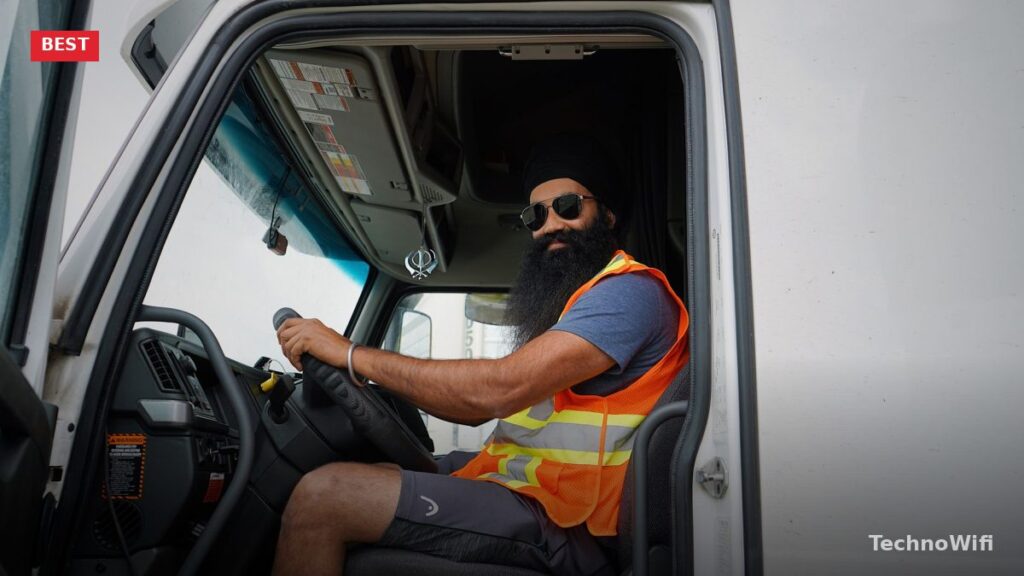
A dash cam is no longer optional for truckers. It is a liability shield that can save your career and your wallet. Insurance companies move faster in your favor when there is footage showing exactly what happened. Without it, your word goes up against someone else’s, and the driver behind the wheel of an 80,000-pound rig rarely wins that argument.
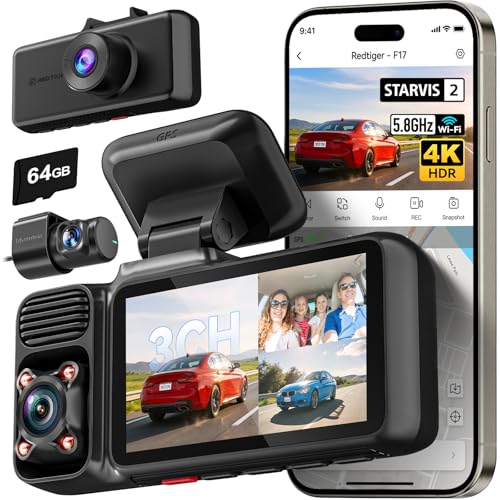
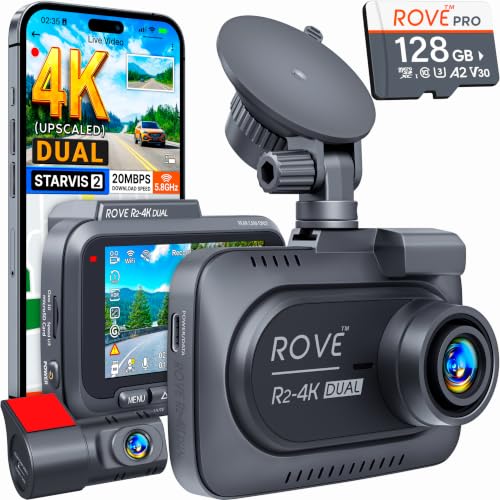
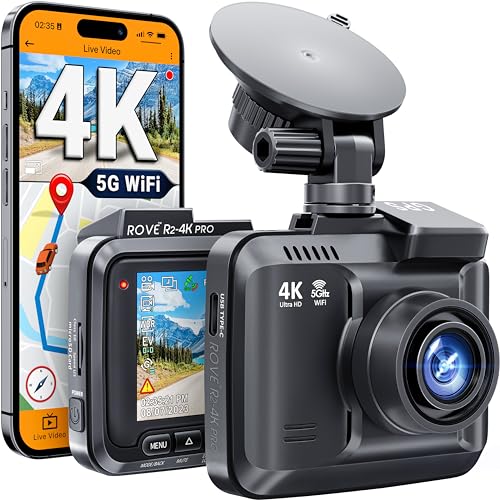


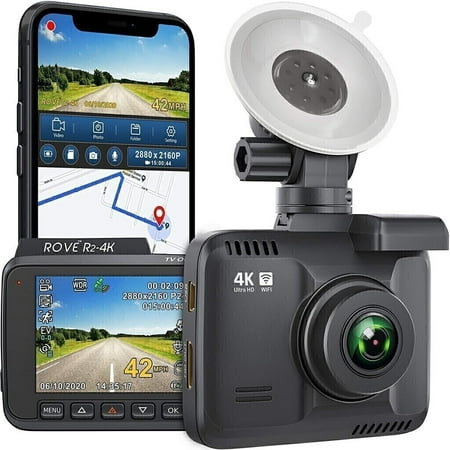
Finding the best dash cam for truckers takes more thought than picking one for a sedan. You need wider angles to capture merging traffic on both sides of a long rig. You need GPS that stamps speed and coordinates directly into every video file so nobody can make up a story about how fast you were going. And you need parking mode, because trucks sit unattended in rest stops, truck stops, and loading docks for hours at a stretch.
This guide covers five dash cams tested and recommended for truckers in 2026. Each one records in at least 1440p, includes GPS, and handles the heat, vibration, and long hours that come with life on the road.
What Is the Best Dash Cam for Truck Drivers?
The BlackVue DR970X-2CH is the best overall dash cam for truck drivers in 2026. It records 4K on the front camera and 1080p on the rear, has embedded GPS that logs speed, location, and coordinates into each video file, and supports cloud connectivity for remote viewing. It runs about $400, which is steep next to budget options, but the video quality and feature set justify the price for anyone who drives professionally.
For truckers who want solid performance at a lower price, the Garmin Dash Cam 67W is the best value pick at roughly $250. Owner-operators who want cabin coverage should look at the Vantrue N4 Pro. And drivers working with a tight budget can get 4K recording for about $130 with the REDTIGER F7NP.
The table below breaks down the specifications for every dash cam on this list so you can compare them side by side before reading the individual reviews.
| Dash Cam | Resolution | Channels | GPS | FOV (Front) | Parking Mode | WiFi/Cloud | Approx. Price |
|---|---|---|---|---|---|---|---|
| BlackVue DR970X-2CH | 4K front / 1080p rear | Dual | Yes (embedded) | 162 degrees | Yes | WiFi + Cloud | $400 |
| Garmin Dash Cam 67W | 1440p | Single | Yes (built-in) | 180 degrees | Yes | WiFi | $250 |
| Vantrue N4 Pro | 4K front / 1080p cabin / 1080p rear | Triple | Yes (via mount) | 155 degrees | Yes | WiFi | $300 |
| Nextbase 622GW | 4K Ultra HD (30fps) | Single (rear add-on available) | Yes (built-in) | 140 degrees | Yes | WiFi + Bluetooth | $350 |
| REDTIGER F7NP | 4K front / 1080p rear | Dual | Yes (built-in) | 170 degrees | Yes | WiFi | $130 |
BlackVue DR970X-2CH
The BlackVue DR970X-2CH is designed for professional drivers who cannot afford any gaps in their footage. The front camera records in true 4K at 30 frames per second, and the rear camera captures 1080p. Both cameras deliver sharp, readable video day and night, and license plate capture at highway speed is among the best you will find in this price range.
GPS is embedded directly into the unit. Every video file gets stamped with your speed, GPS coordinates, and location data. You can open any clip in BlackVue’s desktop viewer and see exactly where you were, how fast you were traveling, and what direction you were heading. If an incident happens at mile marker 247 on I-80, the footage proves it without any room for debate.
Cloud connectivity is the feature that sets the DR970X apart from most of its competitors. With a mobile hotspot or a SIM-based WiFi device in the cab, you can check live footage from your phone anywhere in the country. Fleet owners use this to monitor trucks remotely. Owner-operators use it for peace of mind when the truck is parked overnight at a rest stop. You can also set up push alerts that notify you if the G-sensor detects an impact while you are away from the vehicle.
Parking mode works through motion detection and impact sensing. The camera drops into low-power standby until something moves in front of the lens or the G-sensor picks up a bump. Then it saves a clip from before and after the event. You will need a hardwiring kit or a dedicated battery pack to keep the camera powered when the engine is off, since the cigarette lighter port shuts down with the ignition in most trucks.
At $400, this is the most expensive option on the list. But for truckers who want the highest video quality, GPS logging, cloud access, and reliable parking protection all in one package, the DR970X earns its price tag.
Garmin Dash Cam 67W
The Garmin Dash Cam 67W is a compact single-channel camera that punches well above what its size suggests. It records at 1440p with a 180-degree field of view, the widest angle on this list. That extra width matters on a truck because it picks up traffic in both adjacent lanes, not just what is directly ahead.
Built-in GPS logs your speed and location automatically. Garmin’s desktop software lets you overlay your route on a map alongside the video footage, which is helpful for accident documentation, logbook verification, or simply reviewing a day’s driving. The GPS also enables alerts for speed cameras and red light cameras in supported areas.
Voice control is a practical addition for truckers. You can say “OK Garmin, save video” to lock the current clip without removing your hands from the wheel or your eyes from the road. It also responds to commands for starting and stopping recording. In a cab where reaching the windshield means leaning across a wide dash, voice control is genuinely useful.
The 67W does not include a rear camera, and that is its main limitation. Garmin makes it as a front-only unit with no second channel to add later. If you only want forward-facing coverage and do not need rear recording, this is the best option at $250. If you need front and rear coverage, the BlackVue or REDTIGER are better picks.
The compact form factor is another plus. The 67W is small enough to tuck behind the rearview mirror where it will not obstruct your view or draw attention. Build quality is solid, as you would expect from Garmin, and the magnetic mount makes it easy to remove when you park and want to take the camera inside with you.
Vantrue N4 Pro
The Vantrue N4 Pro is the only triple-channel camera on this list. It records three feeds at the same time: 4K on the front camera, 1080p on the interior cabin camera, and 1080p on the rear camera. You get coverage of the road ahead, what is happening inside the cab, and what is behind you, all at once and all time-stamped.
The cabin camera has infrared night vision LEDs that illuminate the interior even in total darkness. This is useful in two situations. First, if you carry passengers or team-drive with another person, you have a record of what happened inside the cab. Second, if you are an owner-operator and your insurance company asks for proof of who was driving during an incident, the interior footage answers that question immediately.
GPS is available through the included GPS mount. Once connected, it logs speed and location data into the video file the same way built-in GPS does. The mount plugs into the camera’s connection port, so there is no separate device to power or manage.
At $300, the N4 Pro sits in the middle of this list on price but offers more coverage than anything else here. The trade-off is that three simultaneous video feeds demand larger SD cards and more storage management. Vantrue supports up to 512 GB microSD cards, and with three channels recording at once, you will fill them faster than a single or dual-channel camera would. Loop recording handles this automatically by overwriting the oldest footage, but if you want to archive clips, you will need to pull the card or transfer files more often.
For owner-operators who want every angle covered, the N4 Pro is the strongest option. Fleet managers might prefer dedicated fleet cameras from Samsara or Motive that include AI driver coaching, but those require monthly subscriptions and are designed for fleet-level management, not individual drivers.
Nextbase 622GW
The Nextbase 622GW produces the best raw video quality of any dash cam on this list. It records in true 4K Ultra HD at 30 frames per second with digital image stabilization that smooths out vibrations from the truck’s engine and road surface. License plates are readable at greater distances than any other camera here, even at highway speeds in low light.
Image stabilization matters more in a truck than in a car. Truck cabs vibrate constantly from the diesel engine, rough road surfaces, and the weight of the rig hitting expansion joints. A dash cam without stabilization produces footage that shakes and blurs at exactly the moments you need it most. The 622GW handles this well. Footage looks steady even on rough stretches of interstate.
The emergency SOS feature is unique to Nextbase. If the G-sensor detects a severe impact and you do not respond within a set timeframe, the camera contacts emergency services with your GPS coordinates. For solo drivers on remote stretches of highway, this is a real safety benefit. It requires a Bluetooth connection to your phone and the Nextbase app, but once set up, it works automatically.
GPS is built in and logs speed, location, and direction. The 622GW also records what3words location data, which gives emergency responders a precise three-word address for your location. This is especially useful in rural areas where mile markers and road names may not be enough to pinpoint where you are.
The 622GW is a single-channel camera by default, but Nextbase sells modular rear cameras that plug into the back of the unit. The rear camera options range from 1080p to cabin-facing with night vision. This modular approach lets you start with front-only coverage and add a rear camera later without replacing the entire system. At $350, it is priced between the Garmin and the BlackVue.
REDTIGER F7NP
The REDTIGER F7NP is the budget pick on this list, and it is surprisingly capable for $130. It records 4K on the front camera and 1080p on the rear camera, includes GPS, WiFi connectivity, and parking mode. On paper, those specifications match cameras that cost two and three times as much.
The front camera has a 170-degree field of view, which covers nearly as much as the Garmin’s 180-degree lens. Video quality in good lighting is strong. License plates are legible, road signs are readable, and color accuracy is solid. Night footage is decent but does not match the BlackVue or Nextbase in low-light detail. The sensor is smaller than what premium cameras use, so dark scenes carry more grain.
GPS logs speed and location data into each clip. WiFi connectivity lets you transfer footage to your phone through the REDTIGER app, which is faster than pulling the SD card every time you need a clip. The app also lets you adjust settings, format the SD card, and review footage directly on your phone.
Parking mode works through motion detection and impact sensing, the same as the premium options. You will need a hardwiring kit to keep the camera running with the engine off. REDTIGER sells one separately for under $15.
Where the F7NP falls short compared to pricier options is in build quality, software polish, and long-term reliability. The app can be buggy. The mount adhesive may need replacing after a few months in extreme heat. And the image stabilization is not as effective as the Nextbase 622GW. But at $130 for a 4K dual-channel camera with GPS and parking mode, the value is hard to argue with. If you are starting out as an owner-operator and need coverage on a budget, the F7NP gets you there.
What Features Should Truckers Look for in a Dash Cam?
Not every dash cam feature matters equally for truckers. Some are marketing fluff. Others are the difference between winning and losing an insurance dispute. Here is what actually matters and why.
GPS tracking is the single most valuable feature after video recording itself. GPS stamps your speed, coordinates, and direction into every video file. When another driver claims you were speeding, the GPS data in your footage says otherwise. When your dispatcher asks where you were at 3:14 PM on Tuesday, you have a timestamped answer. Some insurance companies offer discounts for trucks running GPS-equipped dash cams because the data makes claims processing faster and more accurate.
Wide-angle lens is more important on a truck than on a passenger car. A 140-degree lens covers the road ahead, but it misses vehicles merging from the sides. A 160- to 180-degree lens captures traffic in adjacent lanes, making it far more useful when someone sideswipes your trailer or cuts in front of you from a blind spot. Every camera on this list has at least a 140-degree front lens, and the Garmin 67W goes up to 180 degrees.
Parking mode protects your truck when you are not in it. The camera stays in standby and starts recording when it detects motion or an impact. Truck stops are not always safe places. Vehicles get sideswiped in parking lots, loads get tampered with, and hit-and-run damage is common. Parking mode catches it on video. The catch is that you need continuous power, either a hardwiring kit connected to a fused circuit or a dedicated battery pack.
Loop recording is standard on all modern dash cams, but it is worth understanding. The camera records in short clips, usually one to three minutes long. When the SD card fills up, the oldest clip gets overwritten. This means the camera never stops recording and never runs out of space. Locked clips, the ones saved by the G-sensor during an impact, are protected from overwriting.
G-sensor (collision detection) automatically locks and saves a video clip when it detects sudden deceleration, acceleration, or impact. You do not have to press a button or remember to save anything. If someone rear-ends you at a red light, the G-sensor has already saved the footage by the time you step out to check the damage. Adjust the sensitivity setting so normal road bumps do not trigger it constantly. Truck suspensions hit harder than cars over potholes and railroad crossings.
Night vision matters because truckers drive at all hours. A dash cam that produces bright, clear footage at noon but records a dark blur at 2 AM is only useful half the time. Look for cameras with larger image sensors (Sony STARVIS sensors are the current standard for low-light performance) and infrared LEDs for cabin cameras. Every camera on this list handles night recording, but the BlackVue and Nextbase produce the sharpest nighttime footage.
Do Truckers Need a Dual or Triple Channel Dash Cam?
A single-channel dash cam records the road ahead and nothing else. It covers the most common situation, a front-end collision or a vehicle cutting you off, but it leaves gaps. If someone rear-ends your trailer, clips your side, or claims you were driving recklessly, a front camera alone cannot help.
A dual-channel dash cam adds a rear camera. The front camera records the road ahead while the rear camera records behind you. For most truckers, this is the right configuration. It covers front collisions, rear-end hits, and provides evidence from both directions during any road incident. The BlackVue DR970X-2CH and REDTIGER F7NP are both dual-channel options on this list.
A triple-channel dash cam adds a cabin-facing camera on top of front and rear coverage. The cabin camera records what is happening inside the truck. This matters for owner-operators who need to prove who was driving during an incident. It matters for team drivers who share a truck. And it matters when someone files a false claim about driver behavior, whether that is distracted driving, texting, or road rage. Interior footage shuts down false accusations immediately.
The Vantrue N4 Pro is the triple-channel option on this list. It is the best choice for truckers who want complete coverage from every angle. The downside is that three video feeds require more storage and more processing power, which means larger SD cards and slightly higher power draw.
For most owner-operators running solo, a dual-channel camera covers the situations that matter most. Add a triple-channel camera if you team-drive, carry passengers, or work in an environment where false claims about driver behavior are a realistic concern.
How Do I Install a Dash Cam in a Semi Truck?
Installing a dash cam in a semi truck is straightforward, but the process is a bit different from a car installation. Truck windshields are larger, the wiring runs are longer, and you need to plan for power when the engine is off if you want parking mode. Here is the step-by-step process.
- Choose the mounting location for the front camera. The best spot is behind the rearview mirror, high on the windshield, centered or slightly to the right of center. The camera should have a clear view of the road without any obstruction from the mirror housing, sun visor, or stickers on the glass. Clean the mounting area with isopropyl alcohol before attaching the adhesive mount or suction cup.
- Mount the rear camera. In a semi truck, the rear camera typically mounts on the inside of the rear window of the cab, facing backward through the glass. If your truck has a sleeper cab, the rear window may be small or nonexistent. In that case, mount the rear camera on the exterior of the cab using a waterproof housing, aimed at the trailer hitch area. Run the rear camera’s cable along the headliner, down the pillar, and across to the front camera unit.
- Run the power cable from the front camera to the power source. For basic operation, plug the power cable into the cigarette lighter or 12V accessory outlet. Tuck the cable along the headliner, down the A-pillar, and across the dash to the outlet. Use cable clips or tuck the cable under the headliner trim to keep it clean and out of the way.
- For parking mode, install a hardwiring kit instead of using the cigarette lighter. A hardwiring kit connects the dash cam directly to the truck’s fuse box, providing continuous power even when the engine is off. Identify a fuse that stays powered when the ignition is off (commonly labeled “ACC” or “BATT” on the fuse box diagram). Connect the hardwiring kit’s constant wire to that fuse and the ground wire to a metal bolt on the truck’s chassis. Most hardwiring kits include a voltage cutoff that shuts down the camera before it drains the truck’s battery.
- Insert a high-endurance microSD card. Standard SD cards are not designed for continuous recording and will fail prematurely. Use a card rated for dash cam or surveillance use, such as SanDisk High Endurance, Samsung PRO Endurance, or similar. For dual-channel 4K recording, use at least a 256 GB card. For triple-channel, go with 512 GB.
- Power on the camera and configure basic settings. Set the date and time (GPS-equipped cameras do this automatically). Set the video resolution to the highest available. Adjust the G-sensor sensitivity to medium and lower it if normal road bumps keep triggering recordings. Enable loop recording if it is not on by default. Set the recording clip length to two or three minutes.
- Test the installation by driving a short distance and reviewing the footage. Check that the front camera captures the full width of the road. Check that the rear camera has a clear, unobstructed view. Verify that GPS coordinates and speed appear in the video overlay. If the footage is tilted, adjust the camera angle on the mount before the adhesive fully sets.
One detail specific to trucks: watch the cable routing carefully. In a car, the power cable runs a few feet from the windshield to the outlet. In a semi cab, that run can be six feet or more, and the cable passes through areas that get hot from engine heat. Use the cable clips and trim tools that come with most dash cams to secure everything properly. A loose cable that drops into your field of view at 70 mph is a distraction you do not need.
If you are not comfortable doing electrical work on your truck, any truck electronics shop can install a hardwiring kit in about an hour. The cost is usually $50 to $100 for labor, and it is worth it for a clean, permanent installation with parking mode.
Frequently Asked Questions
Are dash cams legal for truck drivers?
Dash cams are legal in all 50 US states for commercial truck drivers. Federal regulations do not prohibit windshield-mounted cameras in commercial vehicles. Some states have rules about where the camera can be mounted on the windshield, and generally it must not obstruct the driver’s view. Mount the camera behind the rearview mirror, as high on the glass as possible, and you will meet the placement requirements in every state. If you drive across state lines, this position keeps you compliant everywhere.
Do insurance companies give discounts for dash cams?
Some commercial truck insurance companies do offer discounts for vehicles equipped with dash cams, typically ranging from 5% to 15% off premiums. The discount varies by insurer, and many require the dash cam to have GPS tracking. Even without a direct discount, dash cam footage speeds up the claims process and helps prevent fraudulent claims against you. An at-fault determination that gets overturned by video evidence can save thousands of dollars in premium increases. Ask your insurance provider about their specific dash cam policy.
How much storage do truckers need for dash cam footage?
A 256 GB microSD card is the minimum recommended size for truckers running dual-channel cameras at high resolution. At 4K front and 1080p rear, a dual-channel camera uses roughly 20 to 30 GB per hour of driving. A 256 GB card holds about 8 to 12 hours of footage before loop recording starts overwriting the oldest clips. For triple-channel cameras like the Vantrue N4 Pro, use a 512 GB card. Long-haul drivers who want to keep more footage before it gets overwritten should use the largest card their camera supports and download important clips regularly.
Can I use a regular car dash cam in a semi truck?
Yes. There is no technical difference between a car dash cam and a truck dash cam. The same camera that works in a sedan will work in a Kenworth or a Peterbilt. The practical differences come down to cable length and mounting. Truck windshields are bigger, so you may need a longer power cable or a USB extension. The wider cab means more cable routing. And the higher mounting position gives you a wider view of the road, which is actually an advantage. Any dash cam on this list works in both trucks and cars without modification.
What is the best SD card for a truck dash cam?
Use a high-endurance microSD card designed for continuous recording. Standard cards are built for cameras and phones that record occasionally. Dash cams record nonstop for 10 to 14 hours a day, overwriting old data constantly. Regular cards fail within a few months under that workload. The SanDisk High Endurance and Samsung PRO Endurance lines are the most reliable choices. Both are rated for tens of thousands of hours of continuous recording. Get at least U3 speed class for 4K recording and V30 or higher for smooth playback.
Do fleet cameras like Samsara or Motive work for owner-operators?
Fleet cameras from Samsara, Motive, and similar companies are designed for fleet managers, not individual drivers. They offer AI-powered driver coaching, real-time alerts, ELD integration, and centralized management dashboards. The hardware is solid, but the catch is the monthly subscription fee, which typically runs $25 to $50 per truck per month. For a fleet of 20 trucks, centralized management justifies that cost. For a single owner-operator, you are paying $300 to $600 per year in subscription fees on top of the hardware cost. A standalone dash cam like the BlackVue or Vantrue gives you the same video recording and GPS tracking without any recurring fees.
How do I protect dash cam footage as evidence after an accident?
Immediately after an accident, press the manual save button on your dash cam to lock the current clip. Most cameras also auto-save footage when the G-sensor detects an impact, but pressing the button yourself makes sure the clip is protected. Do not rely on the camera to keep recording indefinitely because loop recording will eventually overwrite unlocked clips. Remove the SD card and copy the files to your phone, a laptop, or a USB drive as soon as it is safe to do so. If the footage is needed for a legal case, make multiple copies and keep the original SD card in a safe place. Do not format the card or continue using it in the camera until you have confirmed the copies are complete.
Sources:
BlackVue. “DR970X-2CH Specifications.” blackvue.com.
Garmin. “Dash Cam 67W Product Page.” garmin.com.
Vantrue. “N4 Pro 3-Channel Dash Cam.” vantrue.net.
Nextbase. “622GW Dash Cam Specifications.” nextbase.com.
REDTIGER. “F7NP 4K Dual Dash Cam.” redtiger.com.
Federal Motor Carrier Safety Administration. “Windshield Mounting Requirements.” fmcsa.dot.gov.