When Do You Actually Need a WiFi Extender?
A WiFi extender is the right call when you’ve got one or two rooms where the signal drops off, but the rest of your house works just fine. Maybe the back bedroom can barely load a YouTube video, or your upstairs office keeps dropping Zoom calls mid-sentence. An extender grabs your router’s signal and rebroadcasts it into that dead zone.
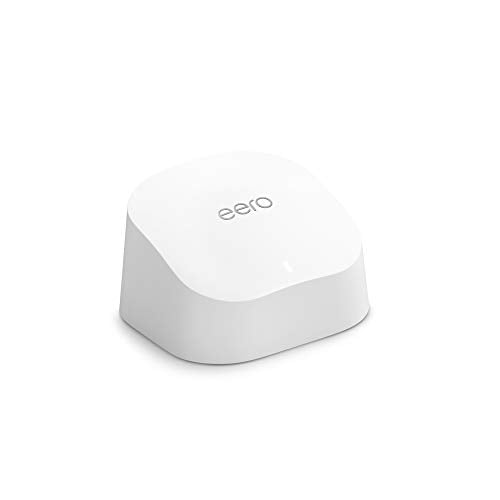
If your whole house has weak coverage or you’re dealing with dead spots in three or more areas, you’re better off with a mesh WiFi system. Extenders work best as a targeted fix for one specific problem area, not as a whole-home solution. They’re also a lot cheaper. Most good extenders run between $30 and $80, compared to $200 or more for a mesh system.
How WiFi Extenders Work
An extender sits between your router and the trouble spot. It connects to your router wirelessly, then pushes that signal farther into your home. Think of it like a relay station. The main trade-off is that most extenders use the same radio to receive and send, which cuts your available bandwidth roughly in half. A dual-band extender that receives on one band and transmits on the other reduces this problem quite a bit.
Placement is everything. Put the extender too close to your router and it doesn’t extend far enough. Put it too far away and it picks up a weak signal and just rebroadcasts a weak signal. The sweet spot is roughly halfway between your router and the dead zone, somewhere the extender still gets at least 50% signal strength from the router.
Top WiFi Extenders Compared
| Extender | WiFi Standard | Bands | Coverage | Price Range |
|---|---|---|---|---|
| TP-Link RE605X | WiFi 6 | Dual-band | Up to 1,500 sq ft | $50 to $70 |
| Netgear EAX15 | WiFi 6 | Dual-band | Up to 1,500 sq ft | $50 to $80 |
| TP-Link RE715X | WiFi 6 | Dual-band | Up to 2,500 sq ft | $70 to $100 |
| Netgear EAX80 | WiFi 6 | Tri-band | Up to 2,500 sq ft | $150 to $200 |
| ASUS RP-AX58 | WiFi 6 | Dual-band | Up to 2,200 sq ft | $60 to $90 |
Best Overall: TP-Link RE605X
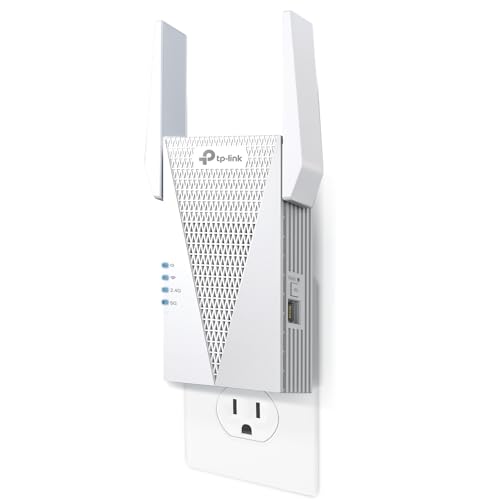
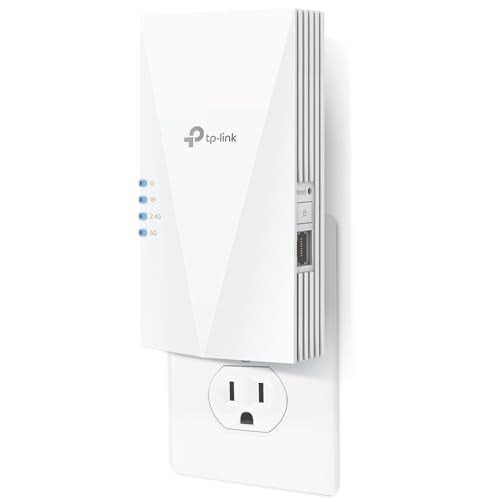
The RE605X nails the balance between price, performance, and ease of use. It supports WiFi 6 with dual-band connectivity, includes a Gigabit Ethernet port for hardwiring a device, and plugs into a wall outlet without blocking the second socket (a detail a lot of extenders get wrong). Setup takes about 5 minutes through the Tether app or the WPS button.
In testing, the extended network held onto about 60-70% of the main router’s output at normal household distances. That’s strong for an extender in the $50 to $70 range. Streaming, video calls, and general browsing all worked without hiccups. Heavy gaming or large file transfers will feel the bandwidth hit, but that’s how extenders work in general, not a shortcoming of this particular model.
Best Budget: Netgear EAX15
Netgear’s EAX15 is a straightforward WiFi 6 extender that does exactly what you’d expect for around $50. It covers up to 1,500 square feet of extra space and handles up to 20 devices at once. The wall-plug design is compact, and the single LED indicator makes it simple to confirm whether the extender has a good connection to your router.
Setup is quick through the Nighthawk app. One useful feature: the EAX15 can either create a separate network name for the extended zone or use the same name as your main network. Using the same name (SSID) means your devices should switch automatically, though the handoff isn’t always smooth in practice. Your phone might cling to the weaker router signal instead of jumping to the closer extender.
Best for Large Coverage: TP-Link RE715X
If you need to cover a bigger dead zone or push signal through especially thick walls, the RE715X has more powerful antennas and a higher throughput ceiling than the RE605X. TP-Link rates it for 2,500 square feet of extra coverage, and real-world testing puts it closer to 2,000, which is still impressive for a dual-band extender. It also has a Gigabit Ethernet port for hardwiring a nearby device like a smart TV or gaming console.
The OneMesh feature is a nice bonus if you already own a compatible TP-Link router. Turning on OneMesh creates a smoother roaming experience between your router and the extender, similar to how mesh systems work. Your devices move between the two without dropping the connection, which fixes the biggest headache with traditional extenders.
Best Premium: Netgear EAX80
The EAX80 is a tri-band extender, which is rare in this category. That third band acts as a dedicated backhaul between the extender and your router, so the two bands your devices actually connect to don’t lose bandwidth to the relay process. The result is noticeably faster speeds on the extended network compared to dual-band options. You’ll keep roughly 80-90% of your router’s speeds instead of 50-60%.
At $150 to $200, you’re getting close to mesh system pricing. The EAX80 makes sense if you already have a good router and just need to knock out one stubborn dead zone without replacing your whole setup. If you need coverage in multiple dead zones, a mesh system is the smarter buy at this price.
WiFi Extender vs Powerline Adapter
Powerline adapters use your home’s electrical wiring to carry internet signal from one room to another. You plug one adapter into an outlet near your router (connected by Ethernet cable), and a second adapter into an outlet in the dead zone. Some powerline kits come with a built-in WiFi access point on the remote adapter.
Powerline works best in newer homes with consistent electrical wiring. Older homes with mixed wiring, circuit breakers between rooms, or GFCI outlets can cause performance problems. Speed is typically lower than WiFi extenders, but the connection tends to be more stable since it doesn’t depend on wireless signal passing through walls. If your dead zone is far from the router and separated by several walls, a powerline kit can sometimes outperform a wireless extender.
Tips for Getting the Best Performance from Your Extender
Where you place the extender matters more than which model you buy. Start by finding the midpoint between your router and the dead zone. Plug in the extender and check signal strength on your phone. Most extender apps show connection quality. If the signal from the router is below 50%, move the extender closer to the router. Try to raise it up if you can. Extenders on upper shelves outperform ones sitting at floor level.
Keep the extender away from microwaves, baby monitors, cordless phones, and Bluetooth speakers. These devices operate on frequencies that interfere with WiFi and will drag down your extender’s performance. Metal objects and fish tanks are also bad neighbors. Water absorbs WiFi signal surprisingly well.
Do WiFi extenders reduce internet speed?
Dual-band extenders typically cut speeds by 40-50% because they use the same radio for receiving and transmitting. Tri-band extenders with dedicated backhaul bring the loss down to about 10-20%. Your actual experience depends on placement, wall materials, and how many devices are connected. For streaming and everyday browsing, even a 50% speed reduction is usually fast enough if your base internet speed is 100 Mbps or higher.
Should I get a WiFi extender or a new router?
If your router is more than 5 years old, replacing it with a modern WiFi 6 router often fixes coverage issues on its own. Newer routers have stronger radios and better beamforming technology. An extender makes sense when your router is still relatively new but your home layout creates one or two specific dead zones. Adding an extender to a weak router just pushes a bad signal farther.
Can I use multiple WiFi extenders?
You can, but it’s usually not a good idea. Daisy-chaining extenders (where extender B picks up signal from extender A instead of the router) tanks speed with each hop. Two extenders both connected directly to the router works better, but at that point you’re spending more than a basic mesh system would cost, and getting worse results. If you need coverage in three or more zones, go with mesh.
Sources
TP-Link – WiFi Range Extenders | Netgear – WiFi Range Extenders | ASUS – WiFi Range Extenders