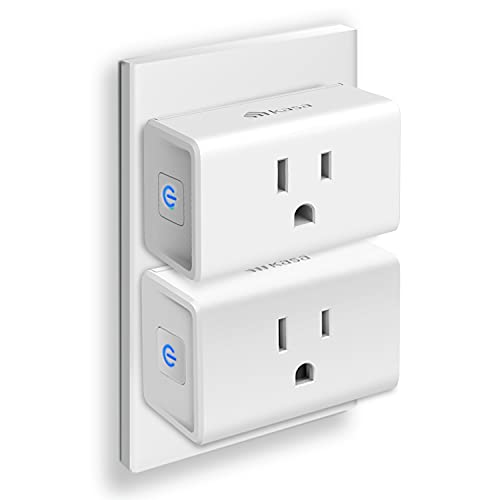
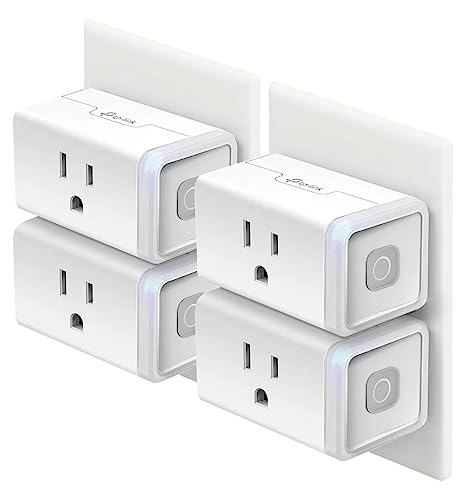
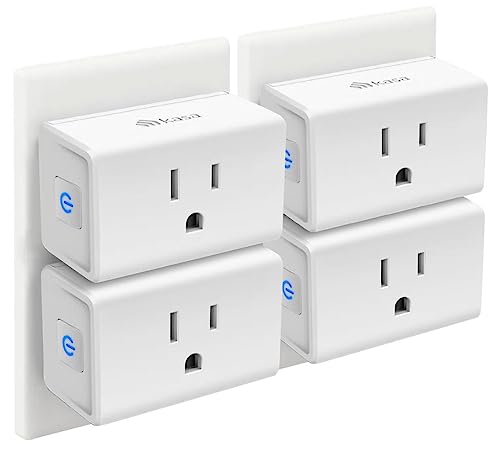
A smart plug is a small adapter that sits between a wall outlet and whatever you plug into it. It connects to your home WiFi network and gives you remote control over the power flowing to that device – through a phone app, a voice assistant, or an automated schedule. Plug a lamp into a smart plug, and you can turn it on from the couch, from work, or from another country. The lamp itself doesn’t need to be “smart.” The plug handles everything.
Smart plugs are one of the cheapest and simplest ways to start automating a home. Most cost between $10 and $30, take about five minutes to set up, and work with devices you already own. No rewiring, no electrician, no technical knowledge required.
How Does a Smart Plug Work Technically
Inside every smart plug is a relay switch – a small electromagnetic component that opens and closes a circuit. When you tap “on” in the app or say “Alexa, turn on the lamp,” a signal travels from your phone or voice assistant to the smart plug over your WiFi network. The plug’s internal microcontroller receives the command and activates the relay, which completes the electrical circuit and sends power to the connected device.
When you send an “off” command, the relay opens and breaks the circuit. Power stops flowing. The device shuts off just as if you had unplugged it from the wall.
The plug itself stays powered at all times, drawing a tiny amount of electricity (typically 1-2 watts) to keep its WiFi radio active and listen for commands. A companion app on your phone communicates with the plug through a cloud server maintained by the manufacturer. Some newer plugs using the Matter protocol can communicate locally without relying on the cloud, which means faster response times and continued operation during internet outages.
What Protocols Do Smart Plugs Use
Smart plugs connect to your home network using different wireless protocols. The protocol determines whether you need a separate hub, how fast the plug responds, and how much power the plug uses while idle. Most smart plugs sold in 2026 use WiFi, but Zigbee, Z-Wave, and Matter/Thread options are growing.
| Protocol | Hub required | Range | Idle power draw | Best for |
|---|---|---|---|---|
| WiFi (2.4GHz) | No – connects directly to your router | Up to 150 ft indoors | 1-2 watts | Simple setups with a few smart devices |
| Zigbee | Yes (SmartThings, Alexa Echo with hub, Philips Hue Bridge) | 30-60 ft per hop (mesh extends range) | Under 0.5 watts | Homes with many smart devices on a mesh network |
| Z-Wave | Yes (SmartThings, Hubitat, Z-Wave stick) | 30-100 ft per hop (mesh extends range) | Under 0.5 watts | Large smart home setups that need reliability |
| Matter/Thread | Thread border router (Apple TV 4K, HomePod Mini, some Nest devices) | 30-60 ft per hop (mesh extends range) | Under 0.5 watts | Future-proof setups that want local control without cloud dependency |
WiFi plugs are the most popular because they connect directly to your existing router with no extra hardware. The downside is that each WiFi plug adds a device to your router’s network. If you have 15-20 smart plugs plus phones, tablets, and laptops all on the same router, you may start seeing slowdowns or disconnections. Zigbee and Z-Wave devices use their own mesh network, which keeps your WiFi network uncluttered.
Matter is the newest standard, backed by Apple, Google, Amazon, and Samsung through the Connectivity Standards Alliance. It runs over Thread (a low-power mesh protocol) or WiFi, and its big selling point is cross-platform compatibility. A Matter smart plug works with Apple HomeKit, Google Home, and Amazon Alexa without needing separate apps or setups for each ecosystem.
What Can You Control With a Smart Plug
Smart plugs work with any device that turns on automatically when it receives power. If you plug it in and it starts working immediately – no button press needed – a smart plug can control it.
Good candidates for smart plugs: table lamps, floor lamps, string lights, holiday lights, box fans, space heaters (with built-in safety shutoffs), coffee makers with a physical toggle switch, slow cookers, window air conditioners with manual dials, humidifiers, dehumidifiers, and phone chargers.
Poor candidates for smart plugs: most modern TVs, computers, laptops, gaming consoles, and any device that requires you to press a power button after plugging it in. Cutting power to a TV with a smart plug does turn the screen off, but when the smart plug restores power, the TV doesn’t turn itself back on. It just sits there waiting for you to press the remote. The same goes for any device with an electronic power button rather than a mechanical switch.
How to Set Up a Smart Plug Step by Step
Setup is nearly identical across brands. The whole process takes about five minutes per plug.
- Plug the smart plug into a wall outlet. Avoid power strips if the manufacturer recommends it – some smart plugs with energy monitoring features need a direct wall connection for accurate readings. The plug’s LED indicator should start blinking, which signals pairing mode.
- Download the manufacturer’s companion app on your phone. For TP-Link Kasa plugs, download the Kasa app. For Amazon Smart Plugs, use the Alexa app. For Meross, download the Meross app. Create an account if you don’t have one.
- Open the app and tap “Add Device” or the plus icon. Select “Smart Plug” from the device list. The app will search for the plug automatically. Make sure your phone is connected to your 2.4GHz WiFi network – most smart plugs do not support 5GHz.
- Connect the plug to your WiFi network. The app will ask for your WiFi password. Enter it, and the plug will connect to your router. This usually takes 15-30 seconds. Once connected, the LED on the plug changes from blinking to solid.
- Name the device and assign it to a room. Give the plug a clear name like “Bedroom Lamp” or “Coffee Maker” rather than “Smart Plug 1.” Voice assistants use this name to identify the device, so something descriptive makes voice commands much easier.
- Set up schedules and automations (optional). In the app, you can set the plug to turn on at 6:30 AM and off at 11 PM, create sunrise/sunset schedules, or build routines that trigger multiple devices at once.
Do Smart Plugs Work With Alexa and Google Home
Most WiFi smart plugs work with Amazon Alexa and Google Home out of the box. After setting up the plug in its companion app, you link that app’s account to Alexa or Google Home. Once linked, you can say things like “Alexa, turn on the coffee maker” or “Hey Google, turn off the bedroom lamp.”
Apple HomeKit support is less common. Only certain brands – Eve Energy, Meross, and some Wemo models – support HomeKit natively. If you’re in the Apple ecosystem and want Siri voice control, check for the HomeKit or Matter logo on the box before buying. Matter-compatible plugs work across all three platforms, which simplifies things if your household uses a mix of Apple, Google, and Amazon devices.
Can Smart Plugs Monitor Energy Usage
Some smart plugs include energy monitoring, which tracks how many watts and kilowatt-hours the connected device consumes. This feature shows up in the companion app as real-time power readings, daily usage graphs, and monthly totals. You can use it to figure out how much electricity a specific appliance costs you per month – or to spot a device that draws more power than it should.
TP-Link Kasa EP25 and KP125 both include energy monitoring. Eve Energy tracks power usage and integrates that data into Apple HomeKit. The Amazon Smart Plug does not offer energy monitoring. Meross MSS310 includes it at a lower price point. If tracking energy matters to you, make sure the specific model you buy lists “energy monitoring” as a feature – not all plugs from the same brand include it.
Are Smart Plugs Safe to Use
Smart plugs sold by reputable brands carry UL or ETL safety certifications, which means they’ve been tested for electrical safety by an independent lab. They include overcurrent protection that shuts off the relay if the connected device draws more power than the plug can handle.
Every smart plug has a maximum amperage rating, usually 10A or 15A. A 15A smart plug on a 120V outlet handles up to 1,800 watts. That covers most household devices – lamps, fans, coffee makers, and small heaters. Do not plug high-draw appliances like full-size space heaters rated above 1,500 watts, window AC units above 12,000 BTU, or power tools into a smart plug unless the plug is specifically rated for that load.
A few safety rules to follow: don’t daisy-chain smart plugs into power strips, don’t plug a smart plug into another smart plug, and don’t use indoor-only smart plugs outside. If you’re controlling a space heater, make sure the heater has its own tip-over and overheat protection – the smart plug controls power delivery, but it can’t detect whether the heater has fallen over.
Popular Smart Plug Brands and Features Compared
| Brand/Model | Protocol | Energy monitoring | Voice assistants | Approx. price (2026) |
|---|---|---|---|---|
| TP-Link Kasa EP25 | WiFi | Yes | Alexa, Google Home | $13 |
| Amazon Smart Plug | WiFi | No | Alexa only | $25 |
| Meross MSS310 | WiFi | Yes | Alexa, Google Home, HomeKit | $16 |
| Eve Energy (Matter) | Matter/Thread | Yes | Alexa, Google Home, HomeKit (Siri) | $40 |
| Wemo Smart Plug V2 | WiFi | No | Alexa, Google Home, HomeKit | $20 |
| Philips Hue Smart Plug | Zigbee (requires Hue Bridge) | No | Alexa, Google Home, HomeKit | $30 |
| GE Cync Smart Plug | WiFi/Bluetooth | No | Alexa, Google Home | $12 |
If you want the best value with energy monitoring, the TP-Link Kasa EP25 is hard to beat at around $13. If Apple HomeKit and Siri support are non-negotiable, Eve Energy with Matter/Thread is the most polished option. For a simple Alexa-only household, the Amazon Smart Plug works fine but lacks energy tracking and third-party ecosystem support.
Why Does My Smart Plug Keep Going Offline
The most common reason a smart plug goes offline is a weak WiFi signal. Smart plugs use 2.4GHz WiFi, which has decent range, but walls, floors, and distance from the router all reduce signal strength. If the plug is in a far corner of the house or behind a piece of furniture that blocks the signal, it may lose connection intermittently.
Move the router closer, or add a WiFi extender or mesh node near the plug. Check your router’s admin page to see the signal strength for the plug’s connection. Anything below -70 dBm is likely to cause disconnections.
Other common causes: the plug’s firmware needs an update (check the app), the router’s 2.4GHz band is congested with too many devices (try assigning a static IP or switching to a less crowded WiFi channel), or the manufacturer’s cloud server is temporarily down. If the plug won’t connect to WiFi at all during initial setup, confirm you’re connecting to the 2.4GHz network – not the 5GHz band, which most smart plugs don’t support.
Smart Plug Won’t Respond to Voice Commands
When a smart plug stops responding to Alexa or Google Home, the issue is usually on the account-linking side rather than the plug itself. Open the plug’s companion app and try toggling the plug on and off manually. If that works, the plug is fine – the problem is between the voice assistant and the plug’s cloud service.
Try unlinking and re-linking the plug’s skill or service in the Alexa or Google Home app. In the Alexa app, go to Skills and Games, find the plug’s brand (like Kasa or Meross), disable the skill, then re-enable and sign in again. In Google Home, remove the integration under Settings and add it back. After re-linking, say “Alexa, discover devices” or “Hey Google, sync my devices” to refresh the device list.
How Do Smart Plugs Work FAQs
Do smart plugs use a lot of electricity?
No. A typical WiFi smart plug draws 1-2 watts while idle, which works out to roughly $1.50-$3.00 per year on your electric bill at average US electricity rates. That’s less than a nightlight. If you use the plug’s scheduling feature to turn off devices that would otherwise stay on all night – like a lamp or a fan – the smart plug actually saves more electricity than it consumes.
Can smart plugs work without WiFi?
WiFi smart plugs need an active WiFi connection for remote control through the app and voice assistants. Without WiFi, you lose app control, scheduling, and voice commands. Some plugs have a physical button on the housing that lets you toggle power manually even when the WiFi is down. Zigbee and Z-Wave plugs connect to their own hub rather than WiFi, so they still work locally through the hub during internet outages – though you lose remote access from outside your home.
Are smart plugs safe to leave on all the time?
Yes, as long as the plug carries a UL or ETL certification and you stay within its rated amperage. Smart plugs are designed to remain plugged in continuously. They draw minimal standby power and include overcurrent protection. The only safety concern is plugging a device that exceeds the plug’s wattage rating – check the plug’s maximum load (usually 1,800W for a 15A plug) against the connected device’s power draw.
Do smart plugs work with 5GHz WiFi?
Most smart plugs in 2026 still connect only to 2.4GHz WiFi networks. The 2.4GHz band has better range and wall penetration than 5GHz, which is why manufacturers stick with it. If your router combines 2.4GHz and 5GHz into a single network name (band steering), the plug should find the 2.4GHz signal during setup. If setup fails, temporarily split your router’s bands into separate network names, connect the plug to the 2.4GHz network, and merge them back afterward if you prefer a single network name.
Can I use a smart plug with a power strip?
You can, but check the plug’s manual first. Some manufacturers advise against power strip use because the connection can be loose or the strip may not provide reliable grounding. A better approach is to plug the smart plug directly into a wall outlet and then plug the power strip into the smart plug. This lets you control everything on the strip with a single command – useful for turning off an entire entertainment center or desk setup at once.
How many smart plugs can one router handle?
Most home routers can handle 20-30 connected devices total before performance starts to degrade. Each WiFi smart plug counts as one device. If you have 10 smart plugs plus phones, tablets, laptops, streaming sticks, and smart speakers, you could be pushing the limit on a basic router. Mesh WiFi systems and modern routers designed for smart homes typically support 50-100+ devices without issues.
- TP-Link – “Kasa Smart Wi-Fi Plug Slim Energy Monitoring EP25” – https://www.tp-link.com/us/home-networking/smart-plug/ep25/
- Connectivity Standards Alliance – “Matter: The Foundation for Connected Things” – https://csa-iot.org/all-solutions/matter/
How we verify what we publishLast checked October 10, 2026Report an error