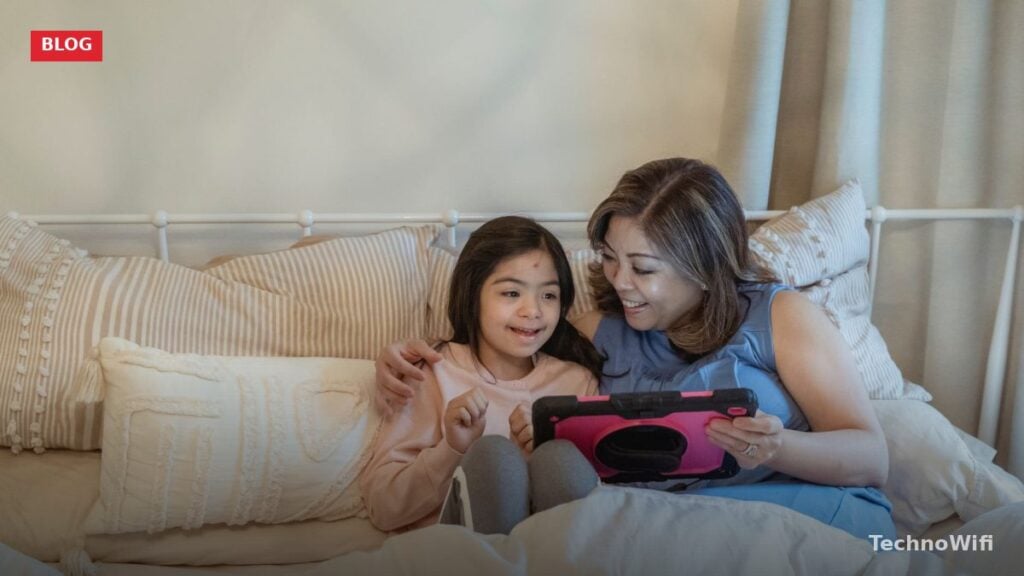
Kids who learn to code gain more than a technical skill. They develop logical thinking, sharpen problem-solving abilities, and build confidence by creating something from nothing. Whether your child is 5 or 15, there is a coding path that fits their age, ability, and interests.
The question most parents ask first is simple: when should my child start? The answer might surprise you. Children as young as 5 can begin with block-based coding platforms that work like digital puzzles. By age 10 or 11, many kids are ready to write real text-based code in languages like Python. This guide covers everything parents need to know about getting their child started with coding in 2026.
What Is the Best Age to Start Coding for Kids
Children can begin learning to code as early as age 5. At that age, they are not typing out lines of code. Instead, they use block-based coding platforms where they drag and snap together colorful instruction blocks to make characters move, speak, and interact on screen. Think of it like building with digital LEGO bricks, except the bricks are commands.
Ages 5 to 7 is a good window for introducing the basic concepts: sequences (do this, then do that), loops (repeat this five times), and conditionals (if this happens, do that). Platforms like ScratchJr were built specifically for this age group. The interface uses pictures instead of words, so reading ability is not a barrier.
By ages 8 to 10, kids can move to more advanced block-based tools like Scratch, which MIT developed and maintains for free. Scratch lets children build games, animations, and interactive stories. The community aspect is strong too. Kids can share their projects and explore what others have built. This is the sweet spot where many children get hooked on coding.
Around ages 11 to 13, some kids are ready for text-based coding. Python is the most popular first text-based language because its syntax reads almost like plain English. Not every child will be ready at the same age. Some 9-year-olds take to Python quickly, while some 13-year-olds prefer to stick with Scratch a bit longer. Both are perfectly fine.
What Is Block-Based vs Text-Based Coding
Block-based coding uses visual blocks that snap together like puzzle pieces. Each block represents a programming command such as “move forward 10 steps” or “play sound.” Kids drag these blocks from a toolbox and stack them to create programs. There is no typing, no syntax to memorize, and no error messages caused by a missing semicolon.
Text-based coding is what most people picture when they think of programming. You type commands in a specific programming language, following precise rules about spelling, punctuation, and structure. A single misplaced character can break the entire program. This is how professional software, websites, and apps are built.
| Feature | Block-Based Coding | Text-Based Coding |
|---|---|---|
| Best starting age | 5 to 10 | 10 and up |
| Input method | Drag and drop visual blocks | Type commands with keyboard |
| Syntax errors possible | No | Yes |
| Reading required | Minimal (ScratchJr uses icons) | Yes |
| Real-world job relevance | Teaches concepts, not job skills directly | Directly applicable to careers |
| Frustration level | Low | Moderate to high initially |
| Examples | ScratchJr, Scratch, Blockly | Python, JavaScript, HTML/CSS |
Block-based coding is not a lesser form of programming. It teaches the same fundamental concepts that professional developers use every day: variables, loops, conditionals, functions, and event handling. The difference is purely in the interface. Think of block-based coding as training wheels. They let a child focus on the logic of programming without getting tripped up by spelling and punctuation rules.
What Is the Best Coding Progression Path for Kids
The most effective path follows a natural progression from visual to textual, from simple to complex. Rushing a child into Python at age 6 usually leads to frustration. Starting a teenager on ScratchJr will bore them in minutes. Matching the tool to the child’s developmental stage keeps them engaged and builds real skills.
Recommended Age-by-Age Coding Path
- Ages 5 to 7: Start with ScratchJr. It uses picture-based blocks, requires no reading, and runs on iPads, Android tablets, and Chromebooks. Kids create simple animations and stories by snapping blocks together. Sessions should stay short, around 15 to 20 minutes.
- Ages 8 to 10: Move to Scratch (scratch.mit.edu). This is the full version with text-labeled blocks, more commands, and a massive online community. Kids can build playable games, animated greeting cards, and simple simulations. Scratch also introduces variables and cloning, which are foundational concepts in all programming languages.
- Ages 10 to 12: Try a transitional tool like Microsoft MakeCode or Google Blockly Games. These platforms let kids toggle between block-based and text-based views of the same program. Seeing how blocks translate into written code bridges the gap between visual and text-based programming.
- Ages 11 to 13: Introduce Python. Start with simple projects like a number guessing game, a basic calculator, or a text-based adventure. Python’s clean syntax makes it the easiest text-based language to learn. Free platforms like Replit and Trinket let kids write and run Python code directly in a web browser.
- Ages 13 and up: Add HTML, CSS, and JavaScript for web development. Teens can build their own websites, interactive web pages, and browser-based games. This trio of languages produces visible, shareable results that feel more “real” than console output. Many teens find web development motivating because they can immediately show friends what they built.
This progression is a guideline, not a strict schedule. Some kids skip steps. Others spend two years happily building in Scratch before trying anything else. Follow your child’s interest and readiness rather than a rigid timeline.
Which Programming Language Should Kids Learn First
For children under 10, the answer is Scratch. It is free, safe, well-supported by MIT, and used in classrooms worldwide. Over 130 million projects have been shared on the Scratch platform, and the community is actively moderated to keep it kid-friendly.
For children 10 and older who are ready for text-based coding, Python is the strongest choice. It dominates introductory computer science courses at universities, powers real-world applications in data science and artificial intelligence, and has a gentler learning curve than alternatives like Java or C++. A line of Python code often looks like a normal English sentence, which makes it easier for young learners to read and understand what their program is doing.
JavaScript is a strong second language to learn after Python. It runs in every web browser, powers interactive websites, and produces visual results that kids can share with friends and family by simply sending a link. Learning JavaScript alongside HTML and CSS also opens the door to web development, which is one of the most in-demand skill sets in tech.
| Language | Type | Best Age | Why It Works for Kids | Used Professionally For |
|---|---|---|---|---|
| ScratchJr | Block-based | 5 to 7 | No reading required, tablet-friendly | N/A (educational only) |
| Scratch | Block-based | 8 to 12 | Free, huge community, game creation | N/A (educational only) |
| Python | Text-based | 10+ | Reads like English, minimal syntax rules | AI, data science, automation, web backends |
| JavaScript | Text-based | 12+ | Visual output in browser, shareable projects | Web development, apps, games |
| HTML/CSS | Markup/styling | 10+ | Instant visual results, build real websites | Every website on the internet |
What Are the Best Free Coding Resources for Kids in 2026
Parents do not need to spend money to get their children started with coding. Some of the best platforms in the world are completely free. Here are the top options available right now.
Scratch (scratch.mit.edu) remains the gold standard for kids ages 8 to 16. MIT maintains the platform, and it is entirely free with no ads, no premium tier, and no paywalls. Kids create accounts, build projects, and share them with a moderated community of millions of young coders worldwide.
Code.org offers free, structured coding courses for every grade level from kindergarten through high school. Their Hour of Code activities are an excellent starting point. Each one takes about an hour, uses popular characters from Minecraft and Star Wars, and introduces basic coding concepts through guided puzzles. Over a billion Hour of Code sessions have been completed worldwide since the program launched.
Free Text-Based Coding Platforms for Older Kids
Khan Academy provides free courses in HTML, CSS, JavaScript, and SQL. The platform is best suited for kids ages 12 and up. Their JavaScript course walks learners through building drawings, animations, and games using the ProcessingJS library. Every lesson includes interactive coding challenges that run directly in the browser.
Codecademy offers a free tier with introductory courses in Python, JavaScript, HTML, and CSS. The paid Pro plan adds more content, but the free courses are substantial enough for a beginner to learn the fundamentals. The interactive coding environment lets kids write and test code without installing anything on their computer.
| Platform | Cost | Best Age | Languages/Tools | Standout Feature |
|---|---|---|---|---|
| ScratchJr | Free | 5 to 7 | Block-based (picture blocks) | No reading required |
| Scratch | Free | 8 to 16 | Block-based | Massive moderated community |
| Code.org | Free | 5 to 18 | Block-based and text-based | Structured K-12 curriculum |
| Khan Academy | Free | 12+ | HTML, CSS, JavaScript, SQL | Self-paced with video instruction |
| Codecademy (free tier) | Free | 12+ | Python, JavaScript, HTML, CSS | Interactive browser-based editor |
| Google Blockly Games | Free | 8 to 12 | Block-based with code view | Bridges blocks to text coding |
| Replit | Free tier | 10+ | Python, JavaScript, 50+ languages | Write and run code in browser |
How Can Parents Help Their Kids Learn Coding
You do not need to know how to code to support your child’s coding journey. Plenty of parents who have never written a line of code have raised kids who became skilled programmers. Your role is to provide the environment, encouragement, and structure.
Start by setting up a regular coding time, even if it is just 20 minutes twice a week. Consistency matters more than marathon sessions. Short, regular practice builds skills far more effectively than occasional three-hour bursts that leave a child exhausted and frustrated.
Sit with your child during their first few sessions. You do not need to understand the code. Just showing interest and asking questions like “what does that block do?” or “how did you make the character jump?” demonstrates that you value what they are learning. Kids are more likely to stick with an activity when a parent shows genuine curiosity about it.
Supporting Without Solving
Resist the urge to solve problems for them. Debugging, which means finding and fixing errors in code, is one of the most valuable skills coding teaches. When a program does not work, the learning happens during the process of figuring out why. Ask guiding questions instead of giving answers: “what did you expect to happen?” and “what actually happened?” are two of the most useful questions in all of programming.
Look for local coding clubs, summer camps, and library programs. Many public libraries now offer free coding workshops for kids. Organizations like CoderDojo run free, volunteer-led coding clubs in communities worldwide. These group settings add a social element that makes learning more engaging, especially for kids who thrive on collaboration.
What Are the Benefits of Learning to Code at a Young Age
Coding teaches computational thinking, which is the ability to break complex problems into smaller, manageable steps. This skill transfers directly to math, science, writing, and everyday decision-making. A child who learns to decompose a coding challenge into smaller parts applies that same thinking to a long-division problem or a school research project.
Creativity gets a structured outlet through coding. Building a game, designing an animation, or creating an interactive story requires both imagination and logical planning. Kids learn that creative ideas need structure to come to life, and that constraints can actually fuel creativity rather than limit it.
Persistence and resilience develop naturally. Programs rarely work perfectly on the first try. Every coding session involves encountering errors, diagnosing what went wrong, and trying a different approach. Kids who code regularly become comfortable with failure as a normal part of the learning process rather than something to avoid.
Career Readiness and Future Job Skills
Career readiness is a practical benefit that grows over time. The Bureau of Labor Statistics projects that software development jobs will grow 17 percent through 2033, much faster than the average for all occupations. Even kids who do not become professional programmers benefit from understanding how technology works. In 2026, coding literacy is becoming as fundamental as reading and math literacy for navigating an increasingly digital world.
Collaboration skills improve when kids code in groups or share projects online. Scratch’s community feature, where kids remix and build on each other’s projects, teaches them how to give constructive feedback, adapt someone else’s idea, and contribute to a shared creative effort.
How to Keep Kids Interested in Coding Long Term
The biggest threat to a child’s coding journey is boredom. Abstract exercises and disconnected tutorials lose kids fast. The solution is tying coding to things they already care about.
If your child loves Minecraft, introduce them to Minecraft Education Edition, which includes a built-in coding environment. They can write code to automate building, create custom game mechanics, and even learn Python through the game. Roblox Studio is another option for game-obsessed kids. It uses Lua scripting and lets kids build and publish their own Roblox games that other players can actually play.
For kids interested in physical projects, consider a microcontroller like the BBC micro:bit or a Raspberry Pi kit. These small, affordable computers let kids write code that controls real hardware: blinking LEDs, reading temperature sensors, and building simple robots. The connection between code and physical action is powerful for kids who learn better by doing.
Celebrating Progress and Encouraging Exploration
Celebrate finished projects, no matter how small. A working tic-tac-toe game in Python is a genuine accomplishment for a 12-year-old. A Scratch animation that tells a joke is worth sharing with grandparents. Treating coding projects like art projects, something worth showing off, reinforces the idea that coding is a creative act, not just homework.
Let your child switch languages and platforms when they want to. A child who spent a year in Scratch and wants to try Python is showing growth, not giving up. A teen who drops Python to learn web design is exploring, not quitting. The underlying thinking skills carry across every language and tool.
Coding for Kids FAQs
Is 5 too young to start coding?
No. Five-year-olds can begin with ScratchJr, which uses picture-based blocks and requires no reading. At this age, coding is more like a guided play activity than a formal lesson. Keep sessions to 15 minutes, let the child explore freely, and do not worry about whether they are “learning correctly.” The goal is exposure to the concept that they can give instructions to a computer and see something happen on screen.
Do kids need their own computer to learn coding?
Not necessarily. ScratchJr works on tablets (iPad and Android). Scratch runs in any web browser on a shared family computer. Code.org and Khan Academy also work entirely in the browser. For text-based coding with Python or JavaScript, a Chromebook or basic laptop is sufficient. A dedicated high-end computer is not necessary until a child reaches advanced projects like game development or machine learning, which typically happens in high school or later.
Should kids learn coding or is it just a trend?
Coding is not a passing trend. It has been a core part of many school curricula worldwide for over a decade, and the demand for people who understand programming continues to grow. Even if your child never becomes a professional developer, the skills they gain from coding, including logical thinking, problem decomposition, and debugging, apply to virtually every field. Learning to code in 2026 is comparable to learning to type in the 1990s. Not everyone who learned to type became a writer, but the skill became essential for nearly every profession.
How much screen time should coding count for?
Most child development experts distinguish between passive screen time (watching videos) and active screen time (creating, building, problem-solving). Coding falls firmly into the active category. The American Academy of Pediatrics recommends that parents focus on the quality of screen time rather than strictly counting minutes. A child spending 45 minutes building a game in Scratch is engaged in a creative, educational activity that is fundamentally different from 45 minutes of scrolling social media.
What if my child finds coding frustrating?
Some frustration is normal and healthy. Debugging a program that is not working teaches persistence and problem-solving. However, if your child is consistently frustrated to the point of tears or refusal, the tool might not match their readiness level. Drop back to an easier platform. A child struggling with Python might thrive in Scratch for another year. Switching from typed code back to block-based coding is not a step backward. It is finding the right fit.
Can coding help kids who struggle with math?
Yes, often in surprising ways. Coding gives abstract math concepts a concrete, visual context. A child who struggles with the concept of variables in algebra class may grasp it immediately when a variable in Scratch controls how fast a character moves. Loops make multiplication visual. Coordinate systems click when a child uses X and Y values to position a game character on screen. Several studies have found that kids who learn to code show improvement in mathematical reasoning, even when the coding activities are not explicitly math-focused.
Sources
MIT Media Lab – Scratch | Code.org – Learn Computer Science | Bureau of Labor Statistics – Software Developers Outlook | ScratchJr – Coding for Young Children | Khan Academy – Computing Courses | Codecademy – Learn to Code
How we verify what we publishLast checked October 10, 2026Report an error