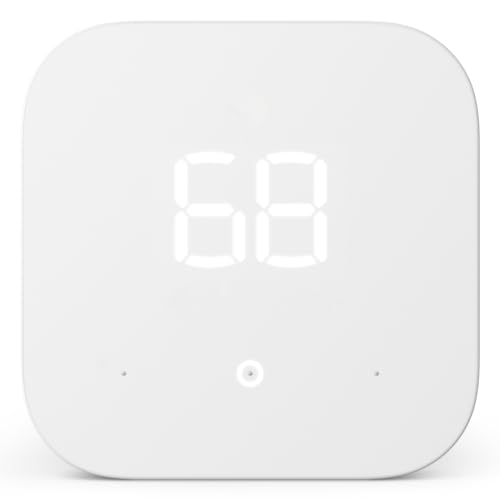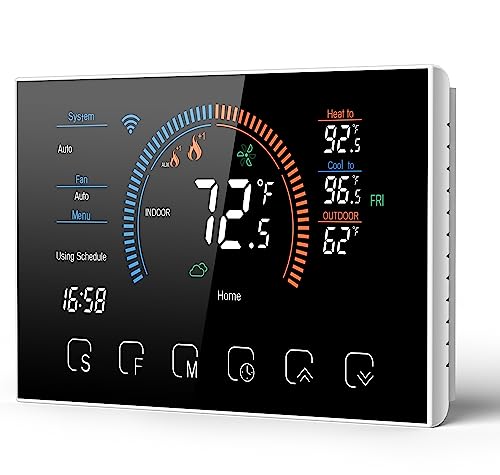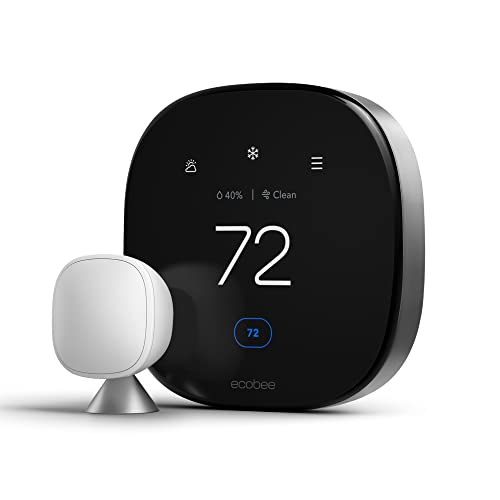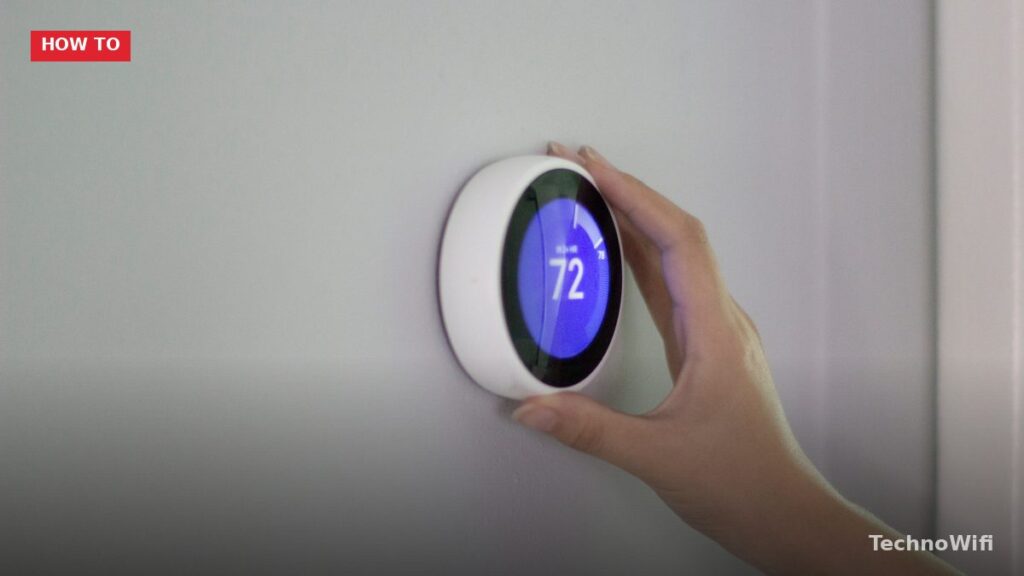
A smart thermostat replaces the basic programmable thermostat on your wall and connects to your home Wi-Fi network so you can control your heating and cooling from a phone app, voice assistant, or automated schedule. But the “smart” part goes beyond remote control. These devices use occupancy sensors, outdoor weather data, and learning algorithms to adjust your HVAC system automatically – heating or cooling your house only when someone is actually there, and dialing back when nobody is home. The U.S. Department of Energy estimates that a properly used programmable thermostat saves about 10% on heating and cooling bills annually. Smart thermostats push that number higher because they enforce the schedule even when you forget to, and they adapt to patterns you’d never bother programming manually.
How Does a Smart Thermostat Work
A smart thermostat connects to your HVAC system through the same low-voltage wiring that your current thermostat uses. Most residential HVAC systems run on 24-volt wiring with labeled terminals (R, W, Y, G, C, and sometimes others) that tell the thermostat which components to activate – the furnace, air conditioner, fan, or heat pump. The thermostat acts as the switch. When the temperature in the room drops below the set point, the thermostat closes the circuit to the furnace or heat pump. When it rises above the set point, it signals the air conditioner to start.
What makes smart thermostats different from a basic programmable model is the additional hardware and software. A smart thermostat includes a Wi-Fi radio for internet connectivity, one or more temperature sensors (internal and sometimes remote), a humidity sensor, an occupancy or proximity sensor (usually infrared or radar), and a processor running software that can learn patterns, pull weather forecasts, and communicate with other smart home devices.
Think of it like the difference between a flip phone and a smartphone. Both make calls. But the smartphone knows your location, pulls data from the internet, runs apps, and automates tasks the flip phone can’t. A smart thermostat does the same thing for your heating and cooling that a smartphone did for calling – same basic job, but with layers of intelligence on top.
What Features Do Smart Thermostats Have
Learning and adaptive scheduling is the headline feature on models like the Google Nest Learning Thermostat. During the first week or two, you manually set the temperature the way you like it throughout the day. The thermostat records those adjustments and builds a schedule based on your behavior. After the learning period, it handles the schedule automatically. If you lower the heat every night at 10pm, it starts doing that without being told. The Ecobee and Honeywell models use a slightly different approach – you set the schedule yourself, and the thermostat optimizes around it using sensor data.
Occupancy detection uses built-in motion sensors or separate room sensors to determine whether anyone is home. When the house is empty, the thermostat enters an “away” mode that reduces heating or cooling to save energy. When someone walks past the thermostat or a room sensor detects motion, it switches back to the comfort temperature. The Google Nest uses its built-in sensor for this. Ecobee includes separate wireless room sensors in the box, which is useful if the thermostat is in a hallway but you spend most of your time in the living room or bedroom.
Remote control via app lets you adjust the temperature from anywhere with an internet connection. Stuck at work late? Turn the heat down from your phone. Heading home early? Bump the AC up 15 minutes before you arrive. Every major smart thermostat has a companion app for iOS and Android.
Energy usage reports show you how many hours your HVAC system ran each day, what the outdoor temperature was, and how much energy you used compared to previous periods. The Nest app shows a monthly Home Report. Ecobee provides a detailed energy dashboard. These reports help you spot patterns – like your system running far more than expected, which could indicate a problem with insulation, duct leaks, or an aging furnace.
Weather-responsive adjustments pull local forecast data from the internet. If the thermostat knows a cold front is arriving tonight, it can start pre-heating the house earlier rather than reacting after the temperature has already dropped. This keeps the house more comfortable and runs the system more efficiently because gradual heating uses less energy than trying to recover from a deep temperature drop.
For related tips, check out our full guide on how to setup WiFi on honeywell thermostat.
Geofencing uses your phone’s GPS location to trigger away and home modes. When your phone leaves a set radius around your house (usually half a mile to a mile), the thermostat shifts to away mode. When you cross back into the zone, it starts heating or cooling to your preferred temperature. Geofencing works better than occupancy sensors for people who live alone because there’s no risk of the system going into away mode while you’re sitting still on the couch for hours.
How Much Do Smart Thermostats Save on Energy Bills
The savings depend on your climate, your HVAC system, your energy rates, and how well you managed your thermostat before. If you already used a programmable thermostat and followed the schedule religiously, a smart thermostat adds modest savings from occupancy detection and weather optimization. If your old thermostat was set to one temperature 24/7 and you never touched it, the savings can be significant.
| Source | Claimed annual savings | Notes |
|---|---|---|
| Google Nest (company claim) | 10-12% on heating, 15% on cooling | Based on independent studies cited by Nest; roughly $131-$145/year for average US home |
| Ecobee (company claim) | 23% on heating and cooling | Based on user data comparison; higher estimate includes room sensor optimization |
| U.S. EPA (Energy Star) | $50/year average | Conservative estimate for Energy Star certified models |
| U.S. Department of Energy | 10% by adjusting thermostat 7-10 degrees for 8 hours/day | Applies to any setback thermostat, smart or not |
A realistic expectation for most households is $100-$150 per year in savings. A smart thermostat costs $120-$250. That means the device pays for itself within 1-2 years, and then the savings continue every year after that. Some utility companies offer rebates of $50-$100 for purchasing an Energy Star certified smart thermostat, which shortens the payback period further. Check your utility’s website before buying.
Best Smart Thermostats Compared
| Model | Price | Key feature | Room sensors | C-wire required | Works with |
|---|---|---|---|---|---|
| Google Nest Learning Thermostat (4th gen) | $280 | Self-learning schedule, sleek design | Nest temperature sensors sold separately ($40 each) | Yes (or uses included adapter) | Google Home, Alexa, Matter |
| Google Nest Thermostat (budget) | $130 | Affordable with app scheduling and energy history | No | No (has built-in battery charging) | Google Home, Alexa |
| Ecobee Smart Thermostat Premium | $250 | Built-in Alexa speaker, room sensors included | Yes (1 included, supports up to 32) | Yes (includes Power Extender Kit) | Alexa, Google Home, Apple HomeKit, SmartThings |
| Ecobee Smart Thermostat Enhanced | $190 | Room sensors, strong energy reports | Yes (1 included) | Yes (includes Power Extender Kit) | Alexa, Google Home, Apple HomeKit |
| Honeywell Home T9 | $200 | Room sensors with smart room detection | Yes (1 included) | Yes | Alexa, Google Home |
| Honeywell Home T6 Pro | $160 | Pro-grade, works with most HVAC configs | No | Optional | Alexa, Google Home |
| Mysa Smart Thermostat | $150 | Designed specifically for electric baseboard and in-floor heating | No | Not applicable (line voltage) | Alexa, Google Home, Apple HomeKit |
If you’re in the Apple HomeKit ecosystem, Ecobee is the strongest option because Google Nest does not support HomeKit. If you want a thermostat that programs itself with minimal input, the Nest Learning Thermostat is the easiest to set up and forget. If your house has rooms that are consistently warmer or cooler than others, Ecobee’s included room sensors solve that problem out of the box.
Do Smart Thermostats Need a C-Wire
The C-wire (common wire) provides continuous 24-volt power to the thermostat. Older homes often don’t have one because traditional thermostats didn’t need constant power – they ran on the tiny current flowing through the heating circuit. Smart thermostats need constant power to keep the Wi-Fi radio, display, and processor running.
If your thermostat wiring has only 2-4 wires (typically R, W, Y, and G), you probably don’t have a C-wire. If you see 5 or more wires and one is connected to the C terminal on your furnace’s control board, you’re good.
No C-wire? You have three options. First, the budget Google Nest Thermostat charges its internal battery by briefly borrowing power from the heating/cooling circuit, so it works without a C-wire in most systems. Second, Ecobee includes a Power Extender Kit (PEK) in the box – a small module you install at the furnace that provides C-wire power through the existing wiring without running a new cable. Third, you can hire an electrician to run a new C-wire from the furnace to the thermostat location, which typically costs $100-$200 depending on the distance and how accessible the walls are.
How to Install a Smart Thermostat
Most smart thermostats are designed for DIY installation and take 20-30 minutes. The process is the same across brands.
Our article on how to use Nest thermostat without WiFi covers related ground and is worth a look.
- Turn off the HVAC system at the breaker. This is a safety step. You’re working with low-voltage wiring (24V), which won’t electrocute you, but shorting the wires while the system is powered can blow the fuse on the furnace’s control board. Replacing that fuse is a $5 fix but an annoying one.
- Remove the old thermostat faceplate and photograph the wiring before disconnecting anything. The photo is your backup in case the wire labels are unclear. Each wire connects to a labeled terminal (R, W, Y, G, C, etc.). Note which colored wire goes to which letter.
- Mount the new thermostat base plate on the wall. Most smart thermostats include a trim plate that covers the hole and marks left by the old thermostat. Use the included level or the app’s built-in level to keep it straight.
- Connect the wires to the matching terminals on the new thermostat. The terminal labels are standardized across brands: R is power, W is heat, Y is cooling, G is fan, C is common. Push each wire into the corresponding slot and make sure it clicks or is secured by the terminal screw.
- Attach the thermostat to the base plate, turn the breaker back on, and follow the on-screen or app setup process to connect to your Wi-Fi network and configure your heating/cooling system type.
If you have a heat pump, dual-fuel system, or multi-zone setup, the wiring is more complex and you may want a professional installation. HVAC technicians typically charge $75-$150 to install a smart thermostat.
Smart Thermostats and Smart Home Integration
Smart thermostats work with the three major voice assistants – Amazon Alexa, Google Assistant, and Apple Siri (via HomeKit). You can say “set the thermostat to 72” or “turn down the heat” and the assistant sends the command to the thermostat over your Wi-Fi network.
Beyond voice control, smart thermostats connect to broader home automation routines. In the Google Home app, you can create a “Goodnight” routine that locks the front door, turns off the living room lights, and sets the thermostat to 66 degrees – all triggered by a single voice command or a tap. In the Alexa app, you can set a routine that turns the thermostat to away mode whenever your Ring alarm system is armed to Away. Apple HomeKit lets you automate temperature changes based on the last person leaving or the first person arriving home, using iPhone location data.
The newer Matter smart home standard is supported by the Google Nest Learning Thermostat (4th gen) and some Ecobee models. Matter allows direct device-to-device communication without relying on a cloud server, which means faster response times and continued operation even if your internet goes down.
Smart Thermostat vs Programmable Thermostat
| Feature | Basic programmable thermostat | Smart thermostat |
|---|---|---|
| Price | $20 – $50 | $120 – $280 |
| Scheduling | Manual programming on the device | App-based, learning, or automatic |
| Remote control | No | Yes (phone app from anywhere) |
| Occupancy detection | No | Yes (motion sensors, geofencing) |
| Energy reports | No | Yes (daily and monthly usage data) |
| Voice control | No | Yes (Alexa, Google, Siri) |
| Weather-based adjustment | No | Yes (pulls forecast data) |
| Room sensors | No | Some models (Ecobee, Honeywell T9) |
| Wi-Fi required | No | Yes |
| Installation difficulty | Easy (often same wiring, no app) | Easy to moderate (may need C-wire) |
A $30 programmable thermostat that you actually program and follow will save you nearly as much energy as a $250 smart thermostat. The advantage of the smart version is that it enforces the schedule automatically through occupancy detection and learning, so the savings happen even when you’re not paying attention. If you’ve owned a programmable thermostat for years and never once set the schedule, a smart thermostat is worth the upgrade because it does the work for you.
How Do Smart Thermostats Work FAQs
Do smart thermostats work without Wi-Fi?
Yes, but with limited functionality. Without Wi-Fi, a smart thermostat still controls your HVAC system based on the schedule stored on the device. You can adjust the temperature using the touchscreen on the wall. What you lose is remote app control, weather-based adjustments, energy reports, voice assistant integration, and software updates. If your Wi-Fi goes down temporarily, the thermostat keeps working normally – you just can’t access it from your phone until the connection is restored.
Can I install a smart thermostat myself?
Most people can. If your current thermostat has 4-5 labeled wires and you’re replacing a standard heating/cooling system, installation takes 20-30 minutes with the instructions included in the box. Take a photo of your existing wiring before removing anything. If you have a heat pump, multi-zone system, or only 2 wires, check the manufacturer’s compatibility checker online before buying. When in doubt, an HVAC technician can install it for $75-$150.
What is a C-wire and do I need one?
A C-wire (common wire) provides continuous 24-volt power from your HVAC system to the thermostat. Most smart thermostats need one to keep the Wi-Fi radio, display, and processor running. If your current thermostat has only 2-4 wires, you likely don’t have a C-wire. The budget Google Nest works without one. Ecobee includes a Power Extender Kit that solves the problem without running new wire. You can also hire an electrician to run a C-wire for $100-$200.
Do smart thermostats work with old HVAC systems?
Most smart thermostats work with the majority of 24-volt HVAC systems, which includes most central forced-air furnaces, central AC units, heat pumps, and boiler systems built in the last 30-40 years. They do not work with high-voltage systems like electric baseboard heaters (120V/240V) – those require a specialized thermostat like the Mysa. They also don’t work with some proprietary systems from Mitsubishi, Daikin, and other mini-split brands without an additional adapter. Run the compatibility checker on the Nest, Ecobee, or Honeywell website before purchasing – it asks about your wiring and system type and tells you whether the thermostat will work.
Which smart thermostat works with Apple HomeKit?
Ecobee Smart Thermostat Premium and Ecobee Smart Thermostat Enhanced both support Apple HomeKit natively. Google Nest does not support HomeKit. Honeywell Home T9 and T6 Pro do not support HomeKit. If you use an iPhone, iPad, Apple Watch, and HomePod for home automation, Ecobee is the only major smart thermostat brand that integrates directly with the Apple ecosystem.
Are smart thermostats worth it for apartments?
It depends on whether you control your own thermostat. If your apartment has its own thermostat and you pay your own heating/cooling bill, a smart thermostat can save you money the same way it does in a house. Installation is the same. When you move out, remove the smart thermostat, reinstall the old one (keep it in a drawer), and take the smart thermostat with you. If your building has a central heating system with no individual thermostat in your unit, a smart thermostat won’t help because there’s nothing to replace.