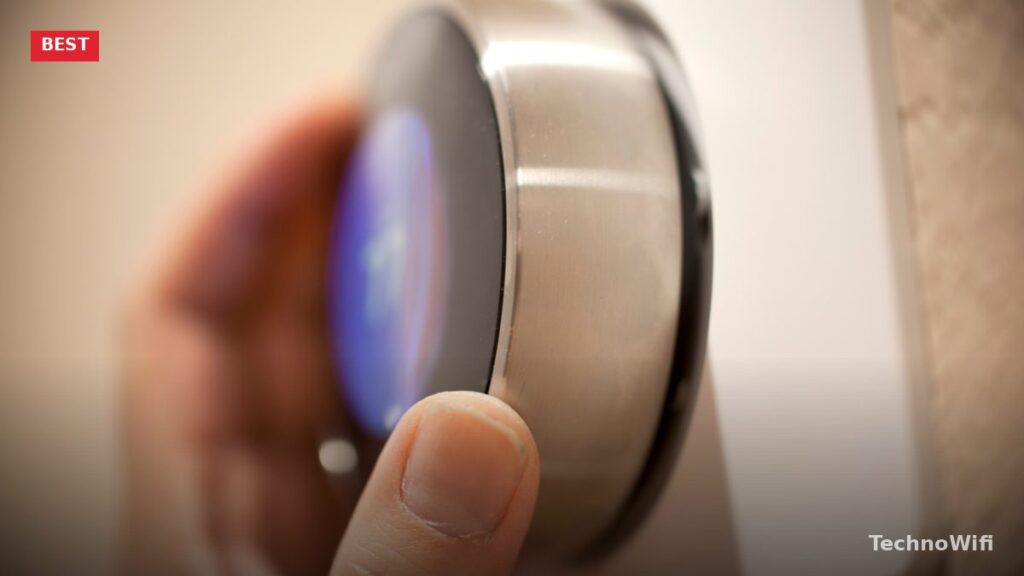
How Smart Thermostats Save You Money
A smart thermostat pays for itself by automatically adjusting temperatures when you’re away, asleep, or following a schedule you’d forget to manage manually. The average household saves $50 to $100 per year on heating and cooling costs by switching from a basic programmable thermostat to a smart one. That means a $130 smart thermostat pays for itself in about 18 months.
The savings come from three things: automatic scheduling based on your habits, occupancy detection that lowers heating/cooling when nobody’s home, and remote control so you can adjust the temperature from your phone instead of leaving the system running while you’re away. Higher-end models add features like room sensors, humidity control, and integration with solar panels or utility demand-response programs.
Best Smart Thermostats Compared
| Thermostat | Best For | Sensors Included | Voice Assistants | C-Wire Required | Price |
|---|---|---|---|---|---|
| Ecobee Smart Thermostat Premium | Best overall | 1 room sensor | Alexa built in, Google, Siri | No (power kit included) | $220 to $250 |
| Google Nest Learning Thermostat (4th gen) | Best self-learning | 1 temp sensor | Google, Alexa | No (internal battery) | $250 to $280 |
| Google Nest Thermostat | Best budget smart | None | Google, Alexa | No (internal battery) | $100 to $130 |
| Honeywell Home T9 | Best multi-room | 1 room sensor | Alexa, Google | Yes | $170 to $200 |
| Amazon Smart Thermostat | Best under $60 | None | Alexa only | Yes | $50 to $60 |
Best Overall: Ecobee Smart Thermostat Premium
Ecobee’s Premium model is the most feature-rich smart thermostat you can buy. The included SmartSensor lets you measure temperature in a second room and balance heating/cooling between rooms. The thermostat averages the readings (or prioritizes one room) to prevent the common problem where the hallway where the thermostat is mounted reads 72 degrees while the bedroom you actually sleep in is 78.
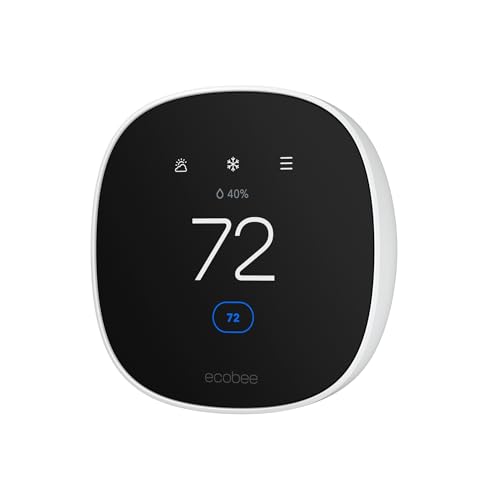
Alexa is built directly into the thermostat. It has a speaker and microphone, so it doubles as a basic smart speaker for the room it’s in. Ask for weather, set timers, control other smart home devices, and play music (audio quality is basic but functional). The thermostat also supports Google Assistant and Apple HomeKit, making it the only premium smart thermostat that works with all three major ecosystems.
The eco+ feature analyzes your energy usage patterns, local weather forecasts, and utility rate schedules to optimize heating and cooling automatically. If your utility charges more during peak hours, eco+ pre-heats or pre-cools your home during off-peak hours and coasts through the expensive period. The air quality monitor alerts you when indoor air quality drops and can trigger your HVAC fan to circulate air.
At $220 to $250, it’s the most expensive option here. But the included sensor, built-in Alexa, air quality monitoring, and tri-ecosystem compatibility make it the most capable single thermostat on the market.
Best Self-Learning: Google Nest Learning Thermostat (4th Gen)
The Nest Learning Thermostat made the category famous, and the 4th generation (released in 2024) is the most refined version yet. The learning algorithm observes when you adjust temperatures, how long you’re home, and when you leave, then builds a schedule automatically. After about a week of manual adjustments, it starts anticipating your preferences without you programming anything.
The redesigned hardware has a larger, sharper display with a sleek metal housing that looks more like a piece of decor than a thermostat. The included temperature sensor extends readings to a second room, similar to Ecobee’s SmartSensor. Nest Renew (where available) shifts energy use toward cleaner grid sources, which is a bonus if you care about your energy’s carbon footprint.
For related tips, check out our full guide on smart thermostat for multiple zones.
The 4th gen works with Google Home and Amazon Alexa but not Apple HomeKit. If you’re an iPhone household that uses Siri for everything, Ecobee is the better pick. For Google Home households, the Nest integration is seamless – it shows on your Nest Hub displays, responds to voice commands, and factors into Google Home’s energy dashboard.
At $250 to $280, it’s priced close to the Ecobee Premium. Choose Nest if you prefer learning-based automation over manual programming and live in a Google ecosystem. Choose Ecobee if you want HomeKit support or the built-in Alexa speaker.
Best Budget Smart: Google Nest Thermostat
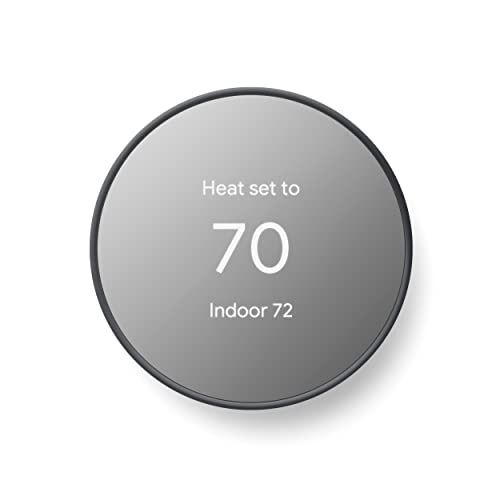
The standard Nest Thermostat (not the Learning model) strips out the premium features and delivers the core smart thermostat experience at $100 to $130. It uses the same Nest app, responds to Google Assistant and Alexa voice commands, and includes energy usage reports. The auto-schedule is simpler – it suggests schedules based on your usage rather than learning autonomously.
The mirrored display is modern-looking and shows the temperature, weather, and time. No room sensor is included, but the thermostat uses your phone’s GPS to detect when you leave home and adjusts the temperature accordingly. This “Home/Away Assist” feature works well enough for single-person households. For families where different people leave and arrive at different times, a room sensor (or the Learning model) does a better job.
Installation is easier than most thermostats because the Nest doesn’t require a C-wire (common wire). Many older homes lack a C-wire, which is a dealbreaker for thermostats that need one. The Nest draws power from the heating/cooling wires and charges its internal battery during HVAC cycles. At this price, it’s the smart thermostat to get if you want app control, energy tracking, and basic automation without spending $250.
Best Multi-Room: Honeywell Home T9
The T9’s room sensors are where it stands apart. You can place sensors in multiple rooms and the thermostat adjusts based on which rooms are occupied. If you’re in the living room in the evening, it prioritizes that room’s temperature. When you move to the bedroom at night, it shifts focus. The sensors detect both temperature and occupancy (motion), so the system responds to where you actually are.
Additional sensors cost $35 to $40 each, and the system supports up to 20. For a large home with temperature differences between floors or rooms that get more sun, the T9’s multi-room approach solves problems that single-point thermostats can’t. Schedule different comfort profiles for different rooms at different times of day.
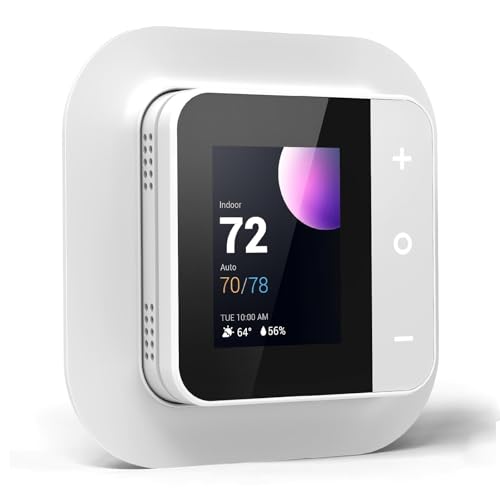
The T9 requires a C-wire, which means older homes may need an electrician to add one ($50 to $100). The Honeywell Home app is functional but less polished than Nest or Ecobee’s apps. Voice control works through Alexa and Google Assistant. At $170 to $200, the T9 sits between the budget and premium tiers with a clear advantage in multi-zone temperature management.
Our article on smart light bulb covers related ground and is worth a look.
Best Under $60: Amazon Smart Thermostat
Amazon’s smart thermostat costs $50 to $60 and delivers basic smart features through Alexa. Adjust the temperature by voice, set schedules through the Alexa app, and get energy usage insights. The Hunches feature learns your routines and suggests automatic adjustments – “I noticed you usually lower the temperature at 10 PM. Want me to do this automatically?”
The hardware is made by Honeywell (Resideo) and uses a simple, clean design with a touchscreen display. It’s Energy Star certified and works with most 24V HVAC systems. The C-wire requirement is the main installation consideration – check your wiring before buying.
At this price, it does less than the Nest or Ecobee. No room sensors, no learning algorithm, no built-in speaker, and Alexa-only voice control (no Google Assistant or HomeKit). But if you already have Echo devices and want basic smart thermostat features for a fraction of the premium price, $50 is hard to beat.
Installation: What You Need to Know
Most smart thermostats install in 30 minutes or less if your wiring is compatible. Remove the old thermostat, connect the labeled wires to the new base plate, mount it on the wall, and follow the app setup. Every major brand includes a compatibility checker on their website – enter your current thermostat’s wire colors and it tells you if the smart thermostat works with your system.
The C-wire issue trips up many buyers. The C-wire provides continuous low-voltage power to the thermostat. Most homes built after 2000 have one. Older homes may not. Ecobee includes a power extender kit that solves the problem without new wiring. Nest thermostats use an internal battery. The Honeywell T9 and Amazon thermostat require a C-wire with no workaround included.
Do smart thermostats work with heat pumps?
Yes. All five thermostats listed here work with heat pump systems, including models with auxiliary/emergency heat. Check the compatibility tool on the manufacturer’s website with your exact system model to confirm. Heat pump systems sometimes use additional control wires that basic thermostat installations don’t cover, so pay attention to the wiring diagram in the installation guide.
Can I install a smart thermostat myself?
Most people can, and every brand includes step-by-step instructions with photos or videos. The wiring involves low-voltage connections (24V), not household electrical current, so there’s no shock risk if you turn off the system first. If you have a complex HVAC setup (multiple zones, heat pump with auxiliary heat, or unusual wiring), hiring an HVAC technician ($75 to $150 for installation) is worth the peace of mind.
Do smart thermostats work without WiFi?
They work as basic programmable thermostats without WiFi. You lose remote control, voice commands, energy reports, and automatic updates, but the thermostat still follows its programmed schedule and maintains your set temperatures. If your WiFi goes out temporarily, your heating and cooling keep running normally. The smart features resume when WiFi reconnects.
Sources
Ecobee – Smart Thermostats | Google Nest – Nest Thermostats | Honeywell Home – T9 Thermostat