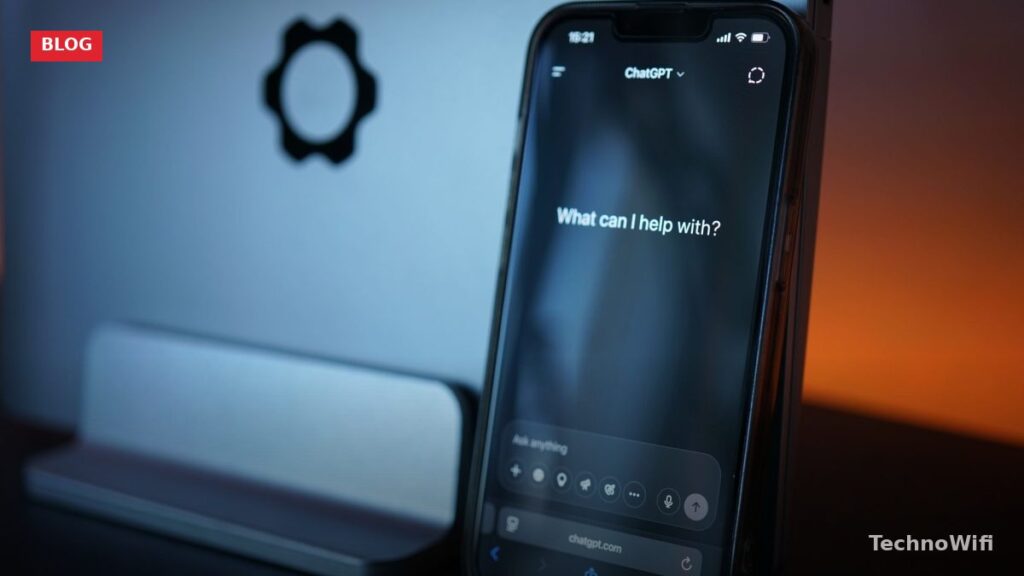
What is ChatGPT – Overview
ChatGPT is an AI-powered chatbot built by OpenAI. It takes your questions, prompts, or instructions and responds with human-like text. You can ask it to write emails, explain concepts, help debug code, plan a trip, summarize long documents, and a whole lot more. It’s become one of the fastest-adopted technology products in history, reaching over 100 million users within months of launch.
At its core, ChatGPT is a large language model (LLM). It was trained on massive amounts of text from the internet, including books, articles, websites, and other written sources. When you type something into ChatGPT, it predicts the most likely and helpful response based on all that training data. It doesn’t “think” the way humans do, but the results are often surprisingly good.
OpenAI, the company behind ChatGPT, was co-founded by Sam Altman, Greg Brockman, Ilya Sutskever, Wojciech Zaremba, and Elon Musk back in 2015 in San Francisco. The company has since grown into one of the most well-known AI labs in the world.
What is ChatGPT Used For?
ChatGPT is useful for way more than just answering trivia questions. Here’s a rundown of the most popular use cases people rely on today.
Writing and editing is probably the biggest one. People use ChatGPT to draft emails, blog posts, cover letters, social media captions, product descriptions, and reports. You give it a rough idea of what you need, and it puts together a draft you can edit and refine.
Research and learning come in close second. Instead of sifting through dozens of search results, you can ask ChatGPT direct questions and get clear, conversational answers. It’s great for getting quick explanations of complex topics.
Code help is another big one. Developers use ChatGPT to write code snippets, debug errors, explain what a piece of code does, and learn new programming languages. It supports Python, JavaScript, Java, C++, and just about every other popular language.
Brainstorming and creative work also come up a lot. Need name ideas for a project? Want an outline for a presentation? Looking for recipe suggestions? ChatGPT can help with all of that.
Data analysis and summarization round things out. You can paste in large blocks of text, spreadsheets, or reports and ask ChatGPT to pull out key points, spot patterns, or create summaries. The paid version (ChatGPT Plus) can even work directly with uploaded files and images.
How ChatGPT Is Trained
- ChatGPT is built on Natural Language Processing (NLP), a branch of AI focused on understanding and generating human language. NLP is what lets the model “read” your input and produce a response that makes sense in context.
- The model was trained on a huge dataset of text from across the internet, including websites, books, articles, forums, and more. This training data includes both well-sourced factual information and more informal content, so the model learned patterns from a wide range of writing styles.
- What sets ChatGPT apart from older chatbots is its ability to generate responses that feel natural. Instead of picking pre-written answers from a database, it creates new text on the fly based on its training. The quality can vary depending on the topic and how you phrase your prompt.
- OpenAI also uses a technique called Reinforcement Learning from Human Feedback (RLHF). Human trainers rated different model responses, and those ratings were used to fine-tune the model so it produces more helpful, accurate, and safe answers.
- ChatGPT can handle text in dozens of languages. It works best in English but can also read and write in Spanish, French, German, Chinese, Japanese, and many others.
- The model has limitations. It can generate incorrect information, it doesn’t have access to real-time data (unless you’re using the browsing feature in the paid version), and its knowledge has a training cutoff date. Always double-check important facts.
ChatGPT Versions
ChatGPT has gone through several major versions since its launch. The original ChatGPT ran on GPT-3.5, which was already impressive for free users. GPT-4 launched as a paid upgrade with much better accuracy, reasoning, and the ability to handle longer and more complex prompts. OpenAI has continued releasing newer models with improved performance. The free tier gives you access to the base model, while ChatGPT Plus ($20/month) unlocks the latest models, faster response times, image generation with DALL-E, file uploads, and browsing capabilities.
How to Sign Up for ChatGPT
Getting started with ChatGPT takes just a couple of minutes. Here’s how.
Steps to Create Your Account
#1. Open the official ChatGPT website and click Sign Up.
#2. Enter your email address, or click the Google or Microsoft button to sign up with an existing account. Apple sign-in is also available.
#3. If you used email, create a password and verify your email through the confirmation link OpenAI sends you.
#4. Enter your name and birthday when prompted.
#5. That’s it. You’re in. The free plan gives you access right away with no credit card required.
#6. If you want ChatGPT Plus, click Upgrade in the lower left corner and follow the payment steps.
Can I Use ChatGPT on My Phone?
Yes. OpenAI has official apps for both iPhone and Android. You can download the ChatGPT app from the Apple App Store or Google Play Store for free. The mobile app supports voice conversations, so you can actually talk to ChatGPT and hear responses spoken back to you. All your chat history syncs between the mobile app and the web version, so you can pick up where you left off on any device.
If you prefer not to install the app, ChatGPT also works just fine through your phone’s web browser at chat.openai.com.
The Bottom Line
ChatGPT has quickly become one of the most widely used AI tools for writing, research, coding, and everyday problem-solving. The free version covers most casual needs, while ChatGPT Plus adds more advanced features for power users. It’s worth a try no matter your background. Sign up, ask it a few questions, and see what it can do.
See Also