
3 of the Best Smart Dimmers to Control Your Lights
Smart home technology keeps getting better, and one of the easiest upgrades you can make is swapping out a regular light switch for a smart dimmer. A smart dimmer gives you the ability to adjust brightness levels from your phone, set schedules, and use voice commands through assistants like Alexa or Google Assistant.
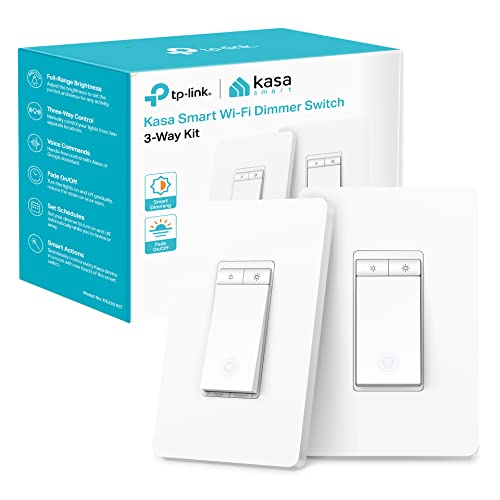
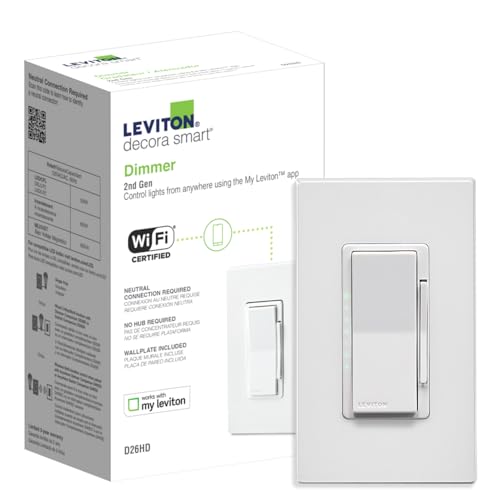
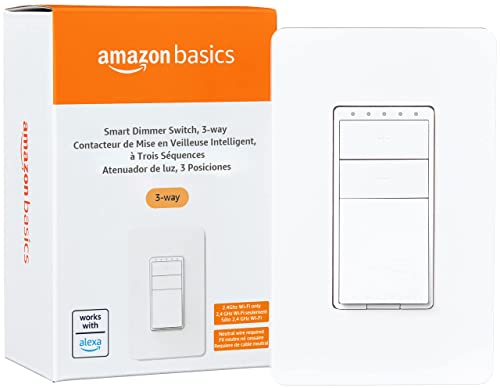
The appeal of a smart dimmer switch goes beyond simple on-and-off control. You can fine-tune the light intensity to create the right mood for movie night, reading, or winding down before bed. Smart dimmers also save energy by letting you run lights at lower levels when full brightness is not needed.
There are many smart dimmer switches on the market in 2026, and the right one for you depends on your existing setup, your budget, and which smart home ecosystem you are already using. Here are three of the best options available right now.
1. Philips Hue Smart Dimmer
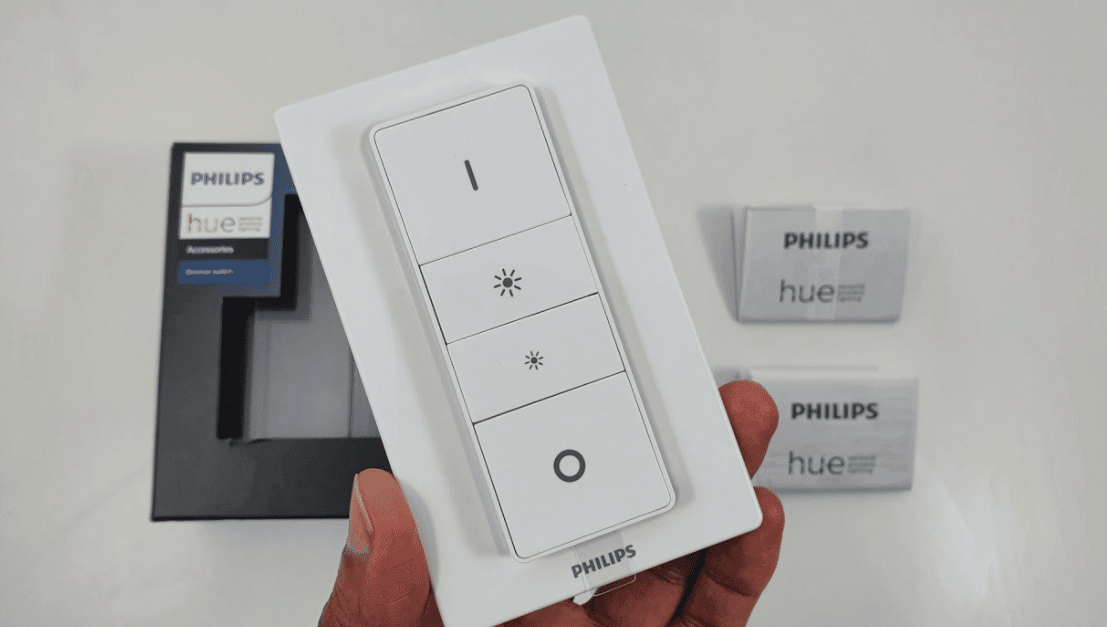
The Philips Hue Smart Dimmer is built specifically for Philips Hue bulbs, which makes it an ideal choice if you have already invested in the Hue ecosystem. It pairs with the Philips Hue Bridge for connectivity, so it does not need to connect to your home Wi-Fi network directly. The downside to this setup is that you cannot send remote commands from outside the house without the bridge connected to the internet.
Voice control works through multiple assistants including Amazon Alexa and Google Assistant. One of the standout features of the Philips Hue dimmer is that it requires zero electrical installation. You can start using it right out of the box, which makes it perfect for renters or anyone who wants to avoid wiring work.
The dimmer offers a wide range of scheduling and automation options. You can set it to turn on or off at specific times, and it can automatically adjust light intensity based on the time of day or your activity. The Hue app also gives you access to creative lighting scenes and color themes if you are using color-capable Hue bulbs.
Advantages
- No electrical installation required
- Works with Amazon Alexa and Google Assistant for voice commands
- Wide range of creative and colorful themes through the Hue app
- Easy scheduling and automation options
Disadvantages
- Only works with Philips Hue lights
- Requires a Philips Hue Bridge to function
- No remote access without internet-connected bridge
2. Leviton Decora Smart Wi-Fi Dimmer
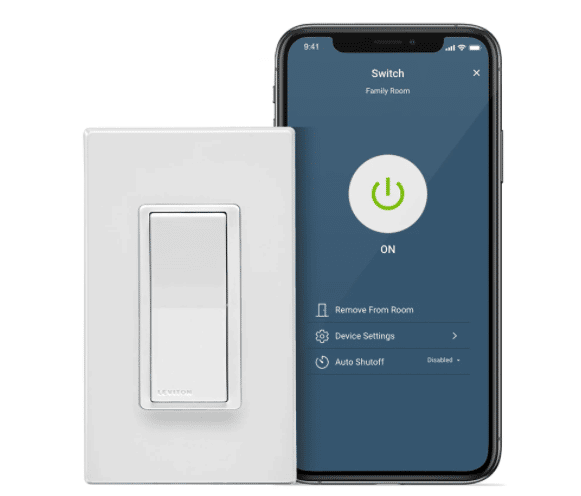
The Leviton Decora Smart Wi-Fi Dimmer connects directly to your home Wi-Fi network, which means you get full remote control without needing a separate hub or bridge. You can adjust your lights from anywhere, whether you are in the next room or across town.
What sets the Leviton apart from many competitors is its built-in dimming controls right on the switch itself. The physical slider gives you quick manual adjustments without reaching for your phone. It typically ships with Alexa built-in, but it also works well with Amazon and Google Assistant.
The Leviton supports three-way switch setups, which expands where you can install it in your home. It is compatible with a wide variety of smart bulbs and standard dimmable LED bulbs alike.
Scheduling is straightforward through the Leviton app. You can set lights to dim gradually in the evening, brighten in the morning, or turn off automatically at a set time. This is a great way to build an automated lighting routine without much effort.
Advantages
- No hub or bridge required
- Full remote control from anywhere via Wi-Fi
- Built-in physical dimmer controls on the switch
- Alexa built-in, also works with Google Assistant
- Supports three-way switch configurations
- Easy to set up and configure
Disadvantages
- Priced slightly higher than average for smart dimmers
- Requires a neutral wire for installation
3. Wemo Dimmer Light Switch
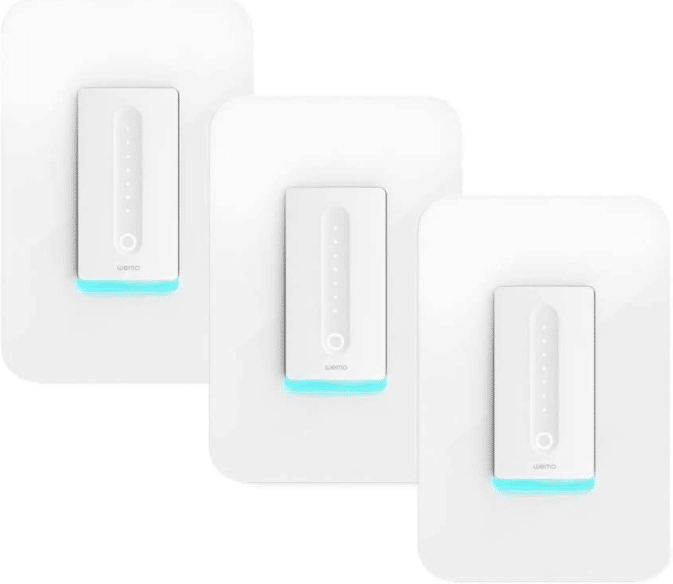
The Wemo Dimmer connects to your home Wi-Fi network and does not need any hubs or bridges. This keeps the setup simple and means you can control your lights remotely through the dedicated Wemo app, even when you are away from home.
Installation is fairly straightforward as long as your home has a neutral wire. If your building does not have neutral wires in the switch boxes, you will need an electrician to add one before you can install the Wemo dimmer.
Voice control works with Amazon Alexa and Google Assistant, giving you flexibility no matter which voice ecosystem you prefer. The Wemo app also lets you issue commands from your phone, which is how most users handle remote control.
One of the more useful features is the ability to group lights together. You can create groups of lights that all turn on or off at the same time with a single command. Scheduling is also available, so you can set specific times for lights to adjust automatically throughout the day.
Advantages
- No hub or bridge needed
- Relatively easy installation process
- Works with Amazon Alexa and Google Assistant
- Light grouping feature for simultaneous control
- Full remote control through the Wemo app
Disadvantages
- Occasional connectivity glitches on certain networks
- Requires a neutral wire for installation
- Does not support three-way switches
How to Choose the Right Smart Dimmer
Picking the right smart dimmer comes down to your specific situation. If you are already using Philips Hue bulbs, the Hue dimmer is the natural choice since it integrates perfectly with that ecosystem. If you want the most flexibility and do not want to buy a separate hub, either the Leviton or Wemo will work well with just your existing Wi-Fi.
Consider whether your home has neutral wires in the switch boxes. Both the Leviton and Wemo require them, while the Philips Hue dimmer avoids this issue entirely since it does not replace your existing wiring.
Budget matters too, but try to focus on which dimmer offers the best fit for your needs rather than just picking the cheapest option. A dimmer that works well with your existing smart home devices and daily routine will give you much more value over time.