When you purchase through links on our site, we may earn an affiliate commission. Here’s how it works.
Canon G7X Mark II Vlogging Accessories
Top 7 Canon G7X Mark II vlogging accessories that belong in your camera kit
Canon has been a camera manufacturing heavyweight for years, and they’ve consistently put out some of the best gear in the photography and vlogging space.
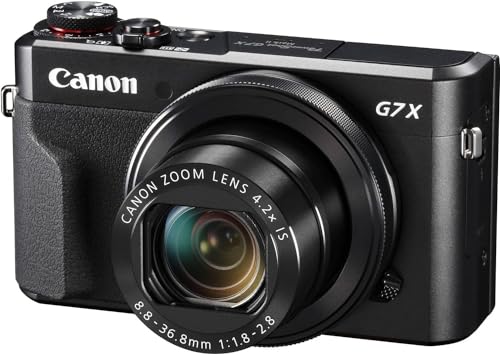
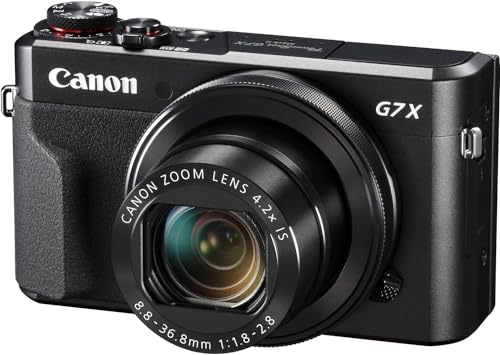
The Canon PowerShot G7x Mark II is a prime example. You can read the full Canon G7X Mark II reviews
Besides its highly compact design, the camera packs a 1.0-inch sensor, a DIGIC 7 image processor, and a fast 4.2x Optical Zoom lens. That combination gives you sharp, well-exposed footage in a body small enough to fit in a jacket pocket.
For vlogging, this camera is tough to beat. It just works. The flip-up screen lets you frame yourself while recording, autofocus tracking keeps you sharp even when you are moving, and the low-light performance is surprisingly good for a compact camera.
If you’re getting into vlogging for the first time, you’ll want to pick the right Canon G7x Mark II vlogging accessories to get the most out of your setup. The accessories below are tried and tested by vloggers heading into 2026, and each one solves a real problem you will run into on shoots.
Recommended Canon G7x Mark II Vlogging Accessories
1. Batteries
Vlogging means long shooting sessions, so carrying an extra battery is always a good idea as part of your Canon G7x Mark II vlogging accessories.
Our guide on Canon g7x mark ii settings for vlogging goes into more detail if you need it.
The G7x Mark II uses the NB-13L battery, which is rated for around 265 shots per charge or roughly 50 to 60 minutes of continuous video recording. That is not a lot if you are filming a full day out. Most working vloggers carry at least two spares so they never have to cut a shoot short.
When you’re shopping for a replacement battery, take the time to check quality and ratings before you buy. There are plenty of knockoff products out there, and you don’t want to get burned trying to save a few bucks. Genuine Canon batteries cost more, but they hold their charge longer and won’t risk damaging the camera. If you go third-party, stick with brands that have solid reviews.
2. Memory Cards
Memory cards store all your digital media, your photos and videos, so this one’s a no-brainer.
For vlogging, you need a reliable, high-capacity memory card as part of your Canon G7x Mark II vlogging accessories. Check the storage size and write speed before you pick one up. The G7x Mark II records 1080p video at up to 60fps, so you need a card with a minimum write speed of 30 MB/s to avoid dropped frames or recording errors.
In 2026, a 128GB SD card is the sweet spot for most vloggers. That gives you roughly 6 to 8 hours of 1080p footage, which is more than enough for a full day of shooting. SanDisk Extreme and Samsung EVO Select are both reliable picks that perform well in this camera.
Always carry a backup card. Cards can fail without warning, and losing a full day of footage to a corrupted card is a mistake you only make once.
3. Screen Protectors
A screen protector is pretty much a must-have for any vlogging camera, so add this to your Canon G7x Mark II vlogging accessories list. The G7x Mark II screen is scratch-resistant, but an extra layer of protection never hurts.
Beyond scratches, a screen protector also guards against debris and scuffs that could mess with your shooting experience. The flip-up screen on the G7x Mark II is especially vulnerable because it faces outward when you are filming yourself. Sand, keys, or anything else rattling around in your bag can leave marks over time.
You can also find anti-glare screen protectors on the market, which are a lifesaver when you’re vlogging on a bright, sunny day. These reduce reflections so you can actually see what you are recording, even in direct sunlight. A good tempered glass protector costs under $10 and takes about 30 seconds to apply.
4. Camera Cases and Grips
Whether you’re vlogging downtown or out in the wild, you need proper support and a good grip for your camera and accessories like mics and lights.
We also wrote a hands-on guide on Canon cameras for vlogging that you might find useful.
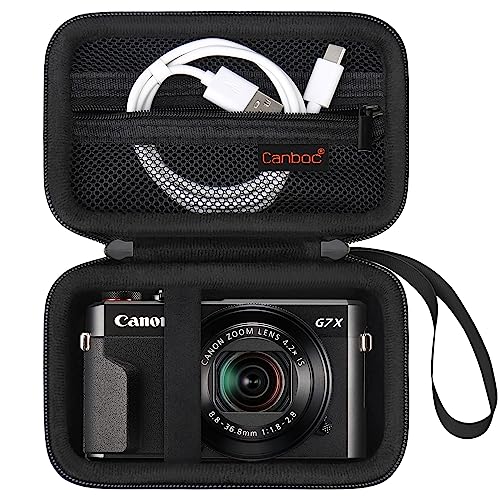
That’s where Canon G7x Mark II vlogging accessories like a dedicated camera case and a grip come in handy. They’ll keep everything secure and within reach.
For grips, look at options that also work as mini tripods. The Joby GorillaPod and the Ulanzi MT-08 are both popular with G7x Mark II users because they are compact, lightweight, and double as handheld grips. You can set the camera on a table for a sit-down shot and then pick it up and walk without needing a separate stabilizer.
As always, check the quality and fit of any case or grip before you commit. The G7x Mark II is a small camera, so some cases designed for larger compacts will leave too much room and let the camera bounce around inside.
5. Camera Bags
Lugging around a camera plus all your Canon G7x Mark II vlogging accessories can get tiring fast. A good camera bag makes a huge difference.
Before you buy, make sure the bag can actually hold all your gear comfortably for extended periods. Look for padded dividers and enough pockets for your essentials. A dedicated camera bag does not have to be big or bulky. Since the G7x Mark II is so compact, a small sling bag or a camera insert for your regular backpack will often do the job.
Water resistance is worth thinking about, especially if you vlog outdoors. Getting caught in a rainstorm without a weather-sealed bag can mean water damage to your camera and accessories. Even a basic rain cover that slips over the bag will give you peace of mind.
Popular picks among vloggers include the Lowepro Adventura SH series and the Peak Design Everyday Sling. Both offer quick access to your camera without stopping to open a full zipper.
6. Cleaning Cloth
Long vlogging sessions mean dust, dirt, and debris are going to find their way onto your camera. Keeping it clean matters.
For your Canon G7x Mark II vlogging accessories, go with a microfiber cleaning cloth. Microfiber picks up even the tiniest dust particles from hard-to-reach spots without scratching anything.
Beyond just wiping down the body, pay special attention to the lens. A smudged lens will give your footage a soft, hazy look that no amount of editing can fix. Keep a lens cleaning pen in your bag alongside the cloth. The pen has a soft brush on one end for loose dust and a carbon cleaning tip on the other for fingerprints and oil.
A quick clean before each shooting session takes less than a minute and can save you from discovering blurry footage later. It is one of the cheapest accessories on this list but also one of the most important.
7. Lens Caps and UV Filters
Most professional vloggers use UV filters to protect their camera lenses, and it’s especially important when you’ve invested in expensive glass.
UV filters keep dust and dirt from reaching the lens surface. You can also use a lens cap to protect the lens when it’s not in use. Both are cheap insurance for your gear.
With the G7x Mark II, you will need a filter adapter ring since the camera does not have standard filter threads built in. A 49mm adapter ring paired with a UV filter gives you solid protection without adding much bulk to the camera.
When buying a UV filter, avoid the cheapest options. A low-quality filter can actually degrade your image quality by introducing flare or reducing sharpness. Spend a few extra dollars on a multi-coated filter from Hoya, B+W, or Tiffen. These keep your images sharp while protecting the lens from scratches.
Bonus Tips for Canon G7X Mark II Vloggers in 2026
Beyond the accessories listed above, here are a few extra tips that will improve your vlogging setup:
Invest in an external microphone. The G7x Mark II does not have a mic input, which is one of its biggest limitations. You can work around this by recording audio separately on your phone with a lavalier mic, then syncing the audio in editing. Apps like Rode Reporter or your phone’s built-in voice recorder work well for this.
Consider a small LED light panel. A portable LED gives your footage a more polished look, especially for indoor shoots or evening vlogs. Panels like the Aputure MC or Ulanzi VL49 are pocket-sized and rechargeable.
Finally, get a good editing app for your phone or computer. Filming is only half the work. A clean edit with good cuts, color correction, and audio leveling separates casual clips from content people actually want to watch. In 2026, DaVinci Resolve remains a top free option for desktop, and CapCut works great for quick mobile edits.
For the full Canon mirrorless lineup, see our best Canon mirrorless cameras guide.
For portrait tips, see our Canon G7X Mark III portrait guide.
Need a stable base? Check our best tripods for the Canon G7X.