How to Adjust Nikon Z6 Portrait Settings
Getting your Nikon Z6 portrait settings right is the difference between a good portrait and a great one. The Z6 is a full-frame mirrorless camera with a 24.5-megapixel BSI-CMOS sensor that handles skin tones beautifully. It also features Eye-Detection AF, which locks focus on your subject’s eyes automatically, and that alone makes it a standout choice for portrait work.
The camera runs on Nikon’s EXPEED 6 processor and offers a native ISO range of 100-51,200, expandable to 204,800. Its 5-axis in-body image stabilization keeps handheld shots steady, even when you’re shooting at slower shutter speeds indoors. The electronic viewfinder with 3.69 million dots shows you an accurate preview of the final image, and the tilting touchscreen on the back helps with composing at unusual angles.
Shooting Portrait Photography with Nikon Z6
Nikon Z6 portrait settings – photoStep 1. Learn How Exposure Works
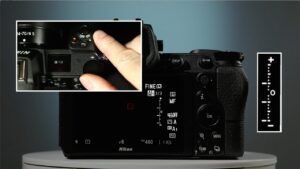
This is the foundation of good portrait photography, and really photography in general. Switch your Z6 to manual mode and get comfortable with shutter speed, aperture, and ISO. Each of these controls affects how much light reaches the sensor and shapes how your final image looks.
Here’s a quick breakdown:
- Shutter Speed: This determines how long the sensor is exposed to light. For freezing motion (a laugh, a head turn), you’ll want something around 1/500s to 1/2000s. The faster your subject moves, the higher this number should go.
- ISO controls how sensitive the sensor is to light. Lower numbers (100, 200) produce cleaner images with less grain. Higher numbers (1600, 3200) let you shoot in dimmer conditions, but you’ll see more noise. The Z6’s BSI sensor handles high ISO surprisingly well, though.
- Aperture is the size of the opening in the lens that lets light through. Think of it like your eye’s pupil: it opens wider in the dark and shrinks in bright light. For portraits, a wide aperture (low f-number like f/1.8) gives you that creamy blurred background.
Step 2. Use Higher ISO When Shooting Indoors

When you’re shooting indoors or in low light, bumping up the ISO is often necessary. The Z6’s back-illuminated sensor was designed for exactly this situation, producing clean results at ISO 3200 and even beyond. Pairing higher ISO with a faster shutter speed also helps you freeze movement, which is common during indoor portrait sessions where natural light is limited.
Step 3. Pick the Right Aperture
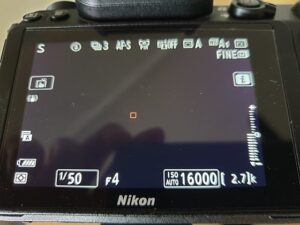
Aperture values are written as f-stops: f/2, f/4, f/16, etc. Higher f-stop numbers mean smaller openings and less light. Lower f-stop numbers mean larger openings and more light.
For outdoor portraits with plenty of natural light, use a large aperture (small f-number like f/1.8 or f/2.8). This lets the camera use a fast shutter speed for correct exposure while creating a shallow depth of field that blurs the background. That background blur (bokeh) is what gives professional portraits that polished, three-dimensional look.
When shooting group portraits, close down the aperture a bit (f/5.6 to f/8) so everyone in the group stays in focus.
Step 4. Try a Wide-Angle Lens for Environmental Portraits
A wide-angle lens gives you a broader perspective and lets you include more of the surroundings in your frame. This works great for environmental portraits where the location tells part of the story.
Just be careful with anything shorter than 24mm. Ultra-wide lenses distort facial features, especially at close range, which usually isn’t flattering for people. Test different focal lengths and find what works for your style.
Best Portrait Lenses for the Nikon Z6
Here are some top picks for Z-mount portrait lenses:
The Nikon NIKKOR Z 24-70mm f/2.8 S
The NIKKOR Z 24-70mm f/4 S
The NIKKOR Z 50mm f/1.8 S
The NIKKOR Z 58mm f/0.95 S
Also read: Best Nikon Lens for Portrait
The Nikon Z6 is an excellent camera for portrait photography when you pay attention to these settings. Its Eye-Detection AF, strong high-ISO performance, and growing selection of Z-mount lenses make it a reliable choice for anyone serious about people photography.