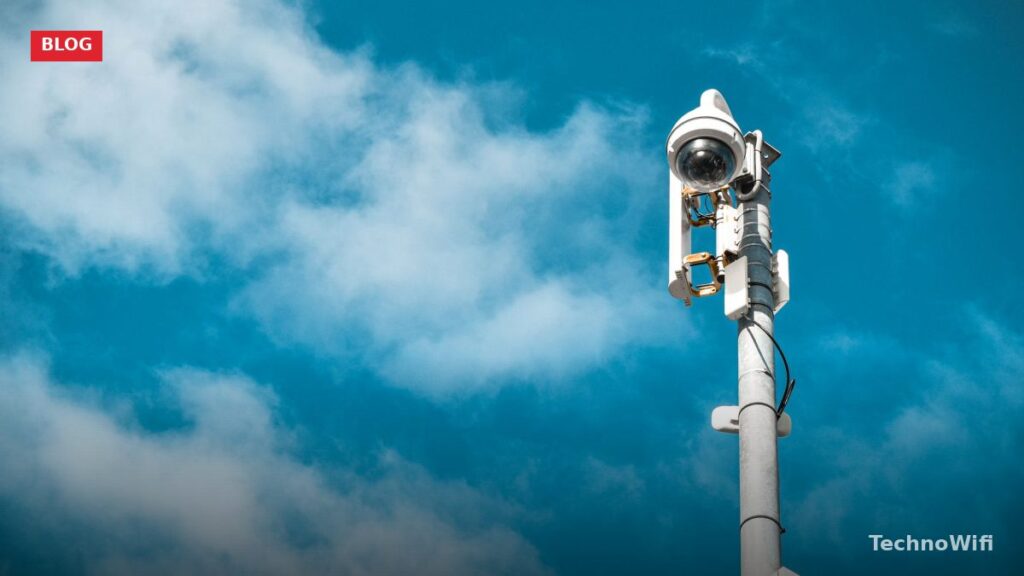
Cloud cameras are quickly becoming one of the most popular choices for home and business security. They store footage automatically in the cloud, which means you can pull up your video from anywhere with an internet connection. That convenience is a big reason they’re so widely adopted.
If you’ve been looking into upgrading your security setup in 2026, cloud cameras are worth a close look. They’ve gotten cheaper, smarter, and easier to install over the past few years. Let’s break down what they are, how they work, and whether they’re the right fit for you.
What Is a Cloud Camera
A cloud camera is a security camera that connects to the internet to record and stream high-resolution video. Most cloud cameras shoot in 1080P resolution, though 2K and 4K models are becoming more common. When motion is detected, the camera kicks into action and can keep recording around the clock.
Cloud video surveillance is a service that runs on fast, cloud-based infrastructure. It covers remote viewing, storage, video recording management, alerts, cybersecurity, and more. Amazon’s cloud camera line has also been gaining traction in this space, especially with its integration into the Ring and Blink ecosystems.
The key difference between a cloud camera and a traditional security camera is where the footage lives. With a traditional setup, video is stored on a local DVR or NVR. With a cloud camera, footage goes straight to remote servers. That means there’s no on-site hardware to maintain, replace, or worry about someone stealing.
How Cloud Cameras Work
The cloud cam streams data to the cloud to detect motion. When you turn on the live view and motion is detected, the camera sends footage to the cloud where advanced computer vision algorithms analyze it.
While the camera is on, it records a few seconds of video in temporary storage on the device, then continuously writes over that buffer.
Here’s the typical flow:
1. The camera connects to your home Wi-Fi network.
2. When motion or sound is detected, the camera starts recording.
3. The footage is uploaded to the cloud provider’s servers over your internet connection.
4. You receive a push notification on your phone.
5. You can view the clip immediately through the camera’s app or web portal.
Most cloud cameras also support live streaming, so you can check in on your home in real time without waiting for a motion event. Some newer models include on-device AI processing that can tell the difference between a person, a car, an animal, and random movement like tree branches blowing in the wind.
To set up a cloud camera like the Amazon Cloud Cam, download the application from your device’s app store. Register the device, connect it to Wi-Fi, set your camera preferences, and start viewing the live stream. The built-in mic and speakers let you talk and listen through the camera.
Basic Technology Behind Cloud Cameras
Digital video cameras receive control data and send images through an IP network. They’re built for surveillance purposes, but unlike analog CCTV cameras, they don’t need a local recording device or local area network to function.
Most cloud cameras use H.264 or H.265 video compression to keep file sizes manageable while maintaining good image quality. H.265 is the newer standard and cuts file sizes roughly in half compared to H.264, which means less bandwidth usage and more storage space.
Power options vary by model. Some run on batteries, others plug into a wall outlet, and a few support Power over Ethernet (PoE) for a single-cable setup. Solar-powered options are also available for outdoor installations where running a power cable isn’t practical.
Features of Cloud Cameras in 2026
Here are the key specs and features you’ll find in today’s cloud cameras:
- You get powerful high-definition resolution running on CCTV technology, with quality facial recognition built in. No system upgrade needed.
- The HD resolution delivers a larger, clearer picture compared to traditional camera systems.
- Cloud cameras handle both even and uneven lighting conditions well, so surveillance footage stays balanced and clear regardless of the environment.
- Tamper detection settings can send SMS alerts whenever there’s a risk of physical attacks or vandalism.
- Smart detection features can identify specific objects like people, vehicles, and packages, reducing false alerts from pets or weather.
- Two-way audio lets you communicate through the camera using your phone, which is useful for greeting visitors or warning trespassers.
Cloud Cameras: Pros and Cons
Pros
- Setup is simple. You can have them installed and running in minutes. The software just needs a wireless network connection to transmit video, and you can manage everything from a computer, tablet, or smartphone. There’s minimal external hardware involved, which keeps things clean and costs down.
- Cloud cameras are affordable and easy to access. With a stable internet connection, you can check in from anywhere. They need very little maintenance and don’t sacrifice video quality or storage capacity.
- Your footage is protected from physical theft. Even if someone grabs the camera, the video is already uploaded to the cloud and safe.
- Automatic updates keep your camera’s firmware current without any manual effort on your part.
Cons
- These cameras continuously transmit data over the internet, and some business owners worry about bandwidth usage. Rural areas with limited connectivity can also run into trouble with cloud camera setups.
- While cloud cameras have plenty of benefits, they’re not perfect. Not all models work well without professional installation, and some need extra configuration or additional hardware to run properly.
- Monthly subscription fees are common. While some brands offer free cloud storage tiers, they’re usually limited to short retention periods (24 to 48 hours). For longer storage, you’ll need a paid plan.
- If your internet goes down, the camera can’t upload footage to the cloud. Some models have local backup storage (microSD card) to cover these gaps, but not all do.
Cloud Camera vs. Local Storage Camera
Choosing between cloud and local storage comes down to your priorities.
Cloud storage is better if you want remote access, automatic backups, and no on-site hardware to manage. It’s the easier option for most homeowners and small businesses.
Local storage (NVR or DVR) is better if you have privacy concerns about third-party servers, don’t want to pay monthly fees, or have a large number of cameras that would make cloud subscriptions expensive.
Many cameras in 2026 support both options, giving you hybrid storage. You can record to a local microSD card as a backup while also uploading to the cloud. That way, you’re covered even if your internet goes down.
If you’re interested in learning more about IP camera cloud setups, check out our guide on what is a cloud IP camera for a deeper look at the technology.
The Bottom Line
Cloud cameras are a solid, affordable choice that come with advanced motion sensing. They’re filling the gap for businesses and homeowners who want quality cloud video surveillance without breaking the bank.
For most people, a cloud camera with a basic subscription plan is the simplest path to reliable home security. The technology has matured enough that setup takes minutes, the apps are intuitive, and the video quality is sharp. Just make sure your internet connection can handle the upload demands, and you’ll be in good shape.
See Also