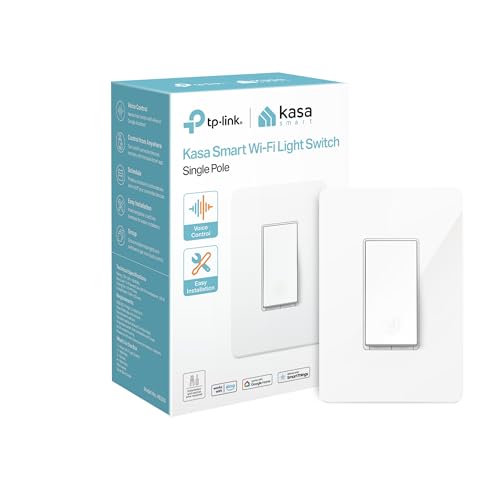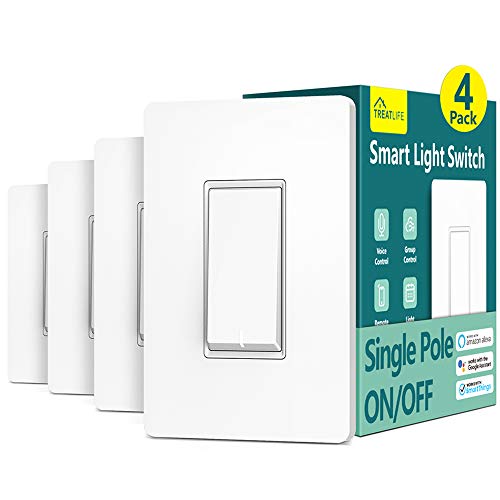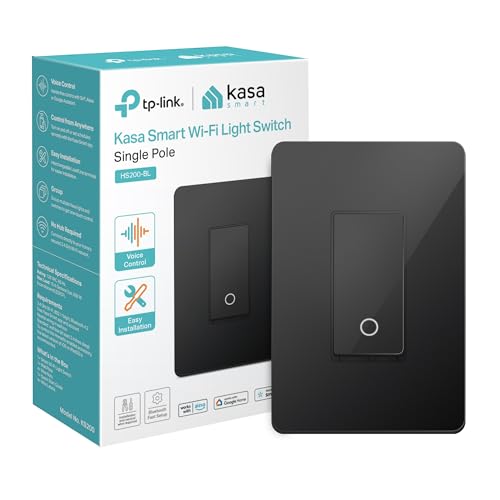
A smart switch replaces a standard wall light switch and lets you control your lights from a phone app, voice assistant, or automated schedule. It looks and works like a regular switch – anyone can still flip it on the wall – but it also connects to your home network so you can turn lights on or off remotely, set timers, and build automations with other smart home devices.
The biggest advantage over smart bulbs is that a smart switch controls the entire fixture. You keep using whatever bulbs you already have, and the switch handles the “smart” part. No special bulbs needed. No one accidentally turning off the lamp at the switch and killing the smart features.
How Does a Smart Light Switch Work
A smart switch replaces the mechanical toggle or rocker in your wall box. Inside, it uses a solid-state relay or TRIAC to control the electrical circuit instead of the physical metal contacts in a traditional switch. A small radio module connects the switch to your home network, and a microprocessor handles commands, schedules, and status reporting.
When you tap “off” in your phone app, the command travels from your phone to the switch over your network. The switch opens the relay, cutting power to the light fixture. When you flip the physical paddle on the wall, the switch registers the press electronically, toggles the relay, and reports the new status back to your app so everything stays in sync.
Smart switches communicate using one of three wireless protocols, and each works differently.
WiFi vs Zigbee vs Z-Wave Smart Switches
WiFi smart switches connect directly to your home WiFi router on the 2.4 GHz band. No extra hub required. You install the switch, connect it to WiFi during setup, and control it through the manufacturer’s app. Brands like TP-Link Kasa, Meross, and Leviton Decora use this approach. The downside is that every WiFi switch adds another device to your router. If you install 15-20 switches, that’s 15-20 new WiFi clients competing for airtime.
Zigbee smart switches use a low-power mesh networking protocol that runs on a different frequency (2.4 GHz but separate from WiFi). They require a hub – like the Amazon Echo with built-in Zigbee, a Samsung SmartThings hub, or a Philips Hue Bridge. Each Zigbee device acts as a repeater, strengthening the mesh. More switches actually means a stronger network. Zigbee devices also respond slightly faster than WiFi switches because the mesh network has less overhead.
Z-Wave smart switches use a different mesh protocol that operates on the 908 MHz band in the US, which avoids any interference with your WiFi network entirely. Z-Wave requires a hub like SmartThings, Hubitat, or a dedicated Z-Wave controller. Each Z-Wave switch repeats the signal to nearby devices, extending range throughout the house. Z-Wave has a device limit of 232 per network, but that covers most homes easily.
| Feature | WiFi | Zigbee | Z-Wave |
|---|---|---|---|
| Hub required | No | Yes | Yes |
| Frequency | 2.4 GHz (shared with WiFi) | 2.4 GHz (separate channel) | 908 MHz (US) |
| Mesh networking | No | Yes | Yes |
| Range per device | Depends on router signal | 30-60 feet indoors | 30-100 feet indoors |
| Impact on WiFi network | High (each device is a client) | None | None |
| Response speed | Moderate | Fast | Fast |
| Device limit | Router-dependent | 65,000+ (theoretical) | 232 per network |
| Popular brands | TP-Link Kasa, Meross, Leviton | Jasco/GE, Sengled, Innr | Zooz, Jasco/GE, Inovelli |
For most people starting out with just a few switches, WiFi is the simplest choice. No hub, no extra cost. If you plan to build a larger smart home with 10+ devices, Zigbee or Z-Wave handles scale better because the mesh network actually improves as you add more devices.
Smart Switch vs Smart Bulb Which Is Better
This is one of the most common questions in smart home planning, and the answer depends on what you want to control and how your fixtures are set up.
A smart switch controls the fixture at the wall. Every bulb in that fixture turns on or off together, and you can use any standard bulb. A smart bulb puts the smarts inside each individual bulb, which means each bulb can be controlled independently – including color changes and color temperature adjustments.
| Factor | Smart Switch | Smart Bulb |
|---|---|---|
| Cost per fixture | $15-$50 per switch (controls all bulbs in fixture) | $10-$50 per bulb (multiply by number of bulbs) |
| Color options | No (on/off and dimming only) | Yes (RGB, tunable white) |
| Works with existing bulbs | Yes | No (must use smart bulbs) |
| Wall switch still works | Yes, always | Turning off at the wall kills smart features |
| Installation | Requires basic wiring at the switch box | Screw in like a regular bulb |
| Multi-bulb fixtures | Controls all at once | Individual control per bulb |
| Best for | Overhead lights, ceiling fans, porch lights | Lamps, accent lighting, color effects |
| Renters | Possible but requires rewiring (swap back when moving) | Easy – just swap bulbs |
Smart switches make more sense for overhead lights and fixtures with multiple bulbs, like a chandelier or a bathroom vanity with four bulbs. Buying four smart bulbs costs $40-$120 while one smart switch costs $20-$40 and controls all of them. Smart bulbs are the better pick when you want color-changing capability or when the fixture is a table lamp that plugs into an outlet (where there is no wall switch to replace).
What Is a Neutral Wire and Do I Need One
The neutral wire is the most misunderstood part of smart switch shopping. Open your switch box and you’ll see wires connected to the existing switch. A standard single-pole switch has two wires: a “line” wire bringing power in and a “load” wire sending power out to the light. The neutral wire (usually white) carries current back to the breaker panel to complete the circuit.
Traditional switches don’t need a neutral wire because they simply interrupt the hot wire. Smart switches do need constant power to keep their WiFi radio, processor, and indicator LEDs running – even when the light is “off.” The neutral wire provides that always-on power path.
Homes built after the mid-1980s typically have neutral wires bundled in the switch box, usually tucked in the back as a group of white wires capped together with a wire nut. Older homes often do not have a neutral in the switch box because building codes didn’t require it at the time.
No neutral wire? You have two options. Lutron Caseta switches work without a neutral wire and are among the most reliable smart switches available, but they require a Lutron Smart Bridge hub ($60-$100). Several WiFi brands – including Meross, Treatlife, and Inovelli – now sell no-neutral-wire models that trickle a tiny current through the light fixture to stay powered. These work best with LED bulbs that draw enough wattage; some may cause flickering with very low-wattage LEDs, in which case you can add a bypass capacitor at the fixture to fix it.
Single Pole vs 3-Way Smart Switch What Is the Difference
A single-pole switch controls a light from one location. One switch, one light. This is the most common setup and the simplest to install. Walk into a small bedroom and there’s one switch by the door – that’s single-pole.
A 3-way switch setup controls a light from two locations. Think of a hallway with a switch at each end, or a staircase with a switch at the top and bottom. The two switches are wired together with a “traveler” wire so either one can turn the light on or off regardless of the other switch’s position.
When you install a smart switch in a 3-way setup, you typically replace the main switch with the smart switch and the secondary switch with a companion switch (sometimes called an “add-on” or “auxiliary” switch) made by the same brand. The companion switch doesn’t need WiFi or its own smart features – it communicates with the main smart switch through the traveler wiring. Some brands, like Inovelli, sell smart switches that work in 3-way configurations without needing a special companion switch, using the existing dumb switches instead.
Before buying, count how many switches control each light fixture. One switch means single-pole. Two switches means 3-way. Three switches means 4-way (which is less common and uses one smart switch plus two companion switches).
How to Install a Smart Switch Step by Step
Smart switch installation is a straightforward wiring project that takes 15-30 minutes if you have basic comfort working with electrical wiring. You do not need an electrician for a standard single-pole replacement, but hire one if you are unsure about anything involving your electrical panel.
- Turn off the power at the breaker box for the circuit that feeds the switch you’re replacing. Flip the existing switch to confirm the light does not turn on. Use a non-contact voltage tester on the wires inside the box to double-check – this is a safety step you should not skip.
- Remove the existing switch. Unscrew the faceplate and the two screws holding the switch to the electrical box. Gently pull the switch out of the box. Take a photo of how the wires are connected before disconnecting anything.
- Identify your wires. You should see a black (line/hot) wire, another black or red (load) wire going to the fixture, a bare copper or green (ground) wire, and ideally a bundle of white (neutral) wires in the back of the box. If there is no neutral bundle, you need a no-neutral-wire smart switch.
- Connect the smart switch wires. Match the wires from the smart switch to the wires in the box: line to line (black), load to load (black or red going to the fixture), neutral to neutral (white bundle), and ground to ground (bare copper or green). Most smart switches use push-in connectors or wire nuts. Follow the wiring diagram included with your specific switch.
- Carefully fold the wires and push the smart switch into the box. Smart switches are physically larger than traditional switches, so it can be a tight fit. Do not force or crimp any wires. Screw the switch into the box and attach the included faceplate.
- Turn the breaker back on and test the switch manually. The light should turn on and off from the paddle or button on the switch.
- Set up the switch in the app. Download the manufacturer’s app (Kasa, Meross, Lutron, etc.), create an account, and follow the in-app pairing instructions. This typically involves pressing a button on the switch to enter pairing mode, connecting to its temporary WiFi network, and then assigning it to your home WiFi network.
If the switch does not power on after installation, turn the breaker off immediately and check that the line and load wires are not swapped. This is the most common installation mistake and won’t damage anything, but the switch won’t work until the wires are in the right terminals.
Do Smart Switches Work with Alexa Google Home and HomeKit
Most smart switches work with Amazon Alexa and Google Home. Apple HomeKit support is less universal and usually limited to specific brands. Here is a breakdown of compatibility across the major platforms in 2026.
| Brand/Line | Amazon Alexa | Google Home | Apple HomeKit | Matter |
|---|---|---|---|---|
| TP-Link Kasa | Yes | Yes | No | Select models |
| Meross | Yes | Yes | Yes | Select models |
| Lutron Caseta | Yes | Yes | Yes | No |
| Leviton Decora Smart | Yes | Yes | Yes (WiFi models) | Yes |
| GE/Jasco (Zigbee/Z-Wave) | Yes (via hub) | Yes (via hub) | No | No |
| Inovelli (Zigbee/Z-Wave) | Yes (via hub) | Yes (via hub) | No | Yes (Blue series) |
| Zooz (Z-Wave) | Yes (via hub) | Yes (via hub) | No | No |
If you use Apple HomeKit, pay close attention before buying. Lutron Caseta, Meross, and Leviton Decora Smart WiFi are your best options. The Matter protocol is changing this landscape – Matter-certified switches work across all three platforms automatically, which means HomeKit compatibility is expanding as manufacturers release Matter firmware updates for existing products.
Voice control is the most popular smart switch feature. Once linked to your voice assistant, you can say “turn off the kitchen lights” or “dim the bedroom to 30 percent” and the switch responds within a second. You can also group switches into rooms and control them together with a single command or routine.
What Is a Smart Dimmer Switch
A smart dimmer switch does everything a standard smart switch does, plus it lets you adjust the brightness level of your lights. You can set exact brightness percentages from the app, create dimming schedules (like gradually lowering bedroom lights at 9pm), and adjust brightness with voice commands.
Not all light bulbs are dimmable. Before installing a smart dimmer, check that your bulbs are rated as “dimmable” on the packaging. Non-dimmable LED bulbs will flicker, buzz, or fail to dim properly with a dimmer switch. CFL bulbs also have poor dimming performance in most cases. Standard incandescent and halogen bulbs dim smoothly, and dimmable LEDs from brands like Philips, Cree, and GE work well.
Most smart dimmer switches have a minimum load requirement, typically 10-25 watts. If the total wattage of the bulbs on the circuit is too low (for example, a single 6-watt LED), the dimmer may not function correctly. Check the dimmer’s spec sheet for the minimum and maximum load ratings. Lutron publishes a bulb compatibility list for its Caseta dimmers, which is helpful if you want to verify that your specific bulbs will dim smoothly.
When Should You Use a Smart Switch Instead of Smart Bulbs
A smart switch is the better choice in several common scenarios. If the fixture uses multiple bulbs – like a bathroom vanity, chandelier, or recessed lighting with four or more cans – one smart switch controls them all for a fraction of what replacing every bulb would cost. Ceiling fan light kits also work well with smart switches because smart bulbs in fan fixtures can rattle loose from the vibration.
Outdoor lights and porch lights are another strong case for smart switches. Smart bulbs exposed to extreme heat or cold can have shorter lifespans, and replacing a smart bulb in a high or hard-to-reach outdoor fixture is a hassle. A smart switch stays safely inside your wall and controls the outdoor light with whatever weather-rated bulb you prefer.
Households with kids or guests benefit from smart switches because the physical switch on the wall always works. With smart bulbs, anyone who flips the wall switch off kills the bulb’s WiFi connection and makes it unresponsive to app or voice commands until someone physically turns the switch back on. A smart switch eliminates that problem entirely.
On the other hand, stick with smart bulbs when you want color-changing lights, individual bulb control in a multi-bulb fixture, or when you rent and don’t want to touch the wiring. Table lamps and floor lamps that plug into an outlet are also better served by smart bulbs (or a smart plug) since there’s no wall switch to replace.
Smart Switch FAQs
Do smart switches work without WiFi?
Yes. A WiFi smart switch still works as a manual on/off switch from the wall paddle even when WiFi is down. You lose app control, voice control, schedules, and automations until the connection is restored. Zigbee and Z-Wave switches continue working through their local hub, so automations tied to the hub still run even without internet access.
Can I use a smart switch with LED bulbs?
Absolutely. Standard smart switches (on/off, no dimming) work with any type of bulb – LED, CFL, incandescent, or halogen. Smart dimmer switches require dimmable bulbs. If you use non-dimmable LEDs with a dimmer switch, expect flickering or buzzing. Check the dimmer manufacturer’s compatibility list if you want to be sure your specific LED bulbs will work smoothly.
Do smart switches use electricity when the light is off?
Yes, but very little. A smart switch draws about 0.5 to 1 watt of standby power to keep its radio and processor running. That works out to roughly $0.50 to $1.00 per year per switch on typical US electricity rates. The energy savings from scheduling and automation far outweigh this standby draw.
Are smart switches safe?
Smart switches sold by reputable brands carry UL or ETL safety certifications, meaning they have been independently tested for electrical safety. They are as safe as any other UL-listed electrical device in your home. Always follow the installation instructions, turn off the breaker before wiring, and do not exceed the switch’s rated amperage or wattage limits (typically 15 amps or 600-1800 watts).
Can renters install smart switches?
Technically yes, but check your lease first. Most leases don’t specifically address switch replacements. The practical approach is to save the original switch, install the smart switch, and swap the original back when you move out. The process takes 10 minutes in each direction. Some renters prefer smart bulbs or smart plugs instead, since those require zero wiring and no landlord conversation.
What does Matter mean for smart switches?
Matter is a universal smart home standard backed by Apple, Google, Amazon, and Samsung. A Matter-certified smart switch works with Alexa, Google Home, and Apple HomeKit without needing separate apps or brand-specific hubs. Several manufacturers released Matter-compatible switches in 2025 and 2026, and older switches from some brands are receiving Matter support through firmware updates. If cross-platform compatibility matters to you, look for the Matter logo when shopping.
Sources:
- National Fire Protection Association – National Electrical Code (NEC)
- U.S. Department of Energy – Lighting Controls
- Connectivity Standards Alliance – Matter
- Lutron – Smart Lighting Controls
- Zigbee Alliance – Protocol Overview
- Z-Wave Alliance – Technology Overview