Google Home and Amazon Alexa are the two dominant smart home platforms in 2026, and picking between them shapes everything from which speakers you buy to how you control your lights, locks, and thermostat. Both have matured significantly over the past few years. Google rebranded its smart home line under the Nest name and rebuilt the Google Home app from scratch. Amazon has pushed Alexa into more device categories than any competitor and added generative AI features to its voice assistant.
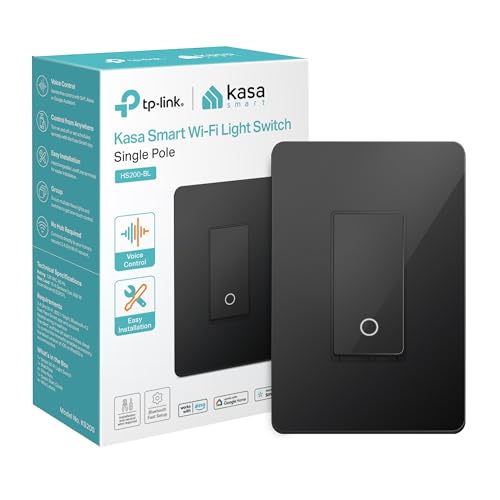
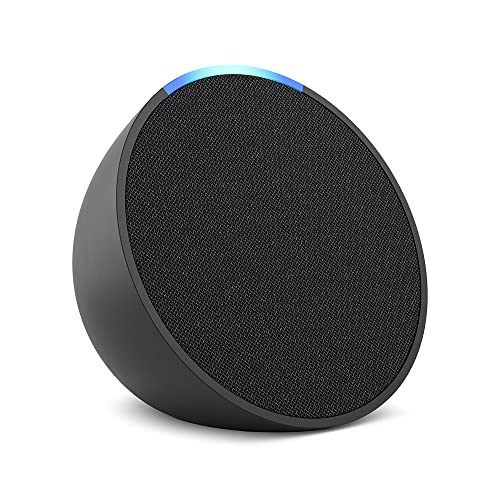
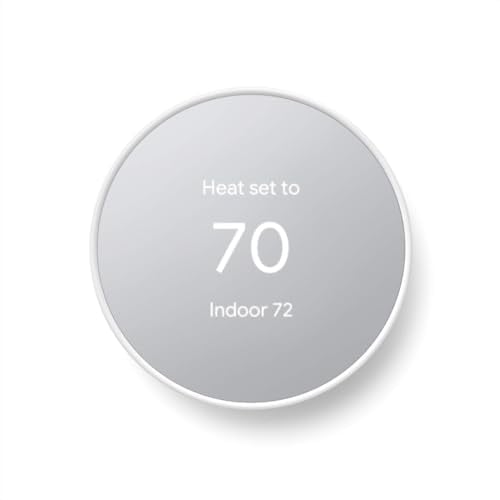
The differences between these two systems used to be subtle. In 2026, they are more distinct. Google leans into search-powered answers, tighter Android integration, and the Matter standard. Amazon prioritizes device variety, third-party skill support, and deep retail integration. This article breaks down every category that matters so you can decide which platform fits your home.
Is Google Assistant or Alexa Better at Answering Questions
Google Assistant is the stronger voice assistant for answering general knowledge questions. It pulls from Google Search, Google’s Knowledge Graph, and its generative AI models to deliver answers that are more detailed and more often correct than what Alexa provides. Ask both assistants who won the 2026 Super Bowl, what the capital of Burkina Faso is, or how to convert tablespoons to cups, and Google Assistant consistently gives the better answer.
Alexa answers factual questions well enough for everyday use, but it defaults to reading from Bing search results or Wikipedia more often. Where Alexa falls short on trivia, it makes up for in action-oriented commands. Telling Alexa to order paper towels, add items to your Amazon shopping list, or check your package delivery status works seamlessly because the voice assistant is deeply connected to your Amazon account.
Google Assistant handles follow-up questions better. You can ask “How tall is the Eiffel Tower?” and then follow up with “When was it built?” without repeating the subject. Alexa handles basic follow-ups but loses context more frequently in longer conversational chains. For households that use the voice assistant primarily for quick facts, cooking conversions, homework help, and general questions, Google Assistant is the better pick.
How Does Smart Home Compatibility Compare Between Google Home and Alexa
Both platforms work with thousands of smart home devices, but the numbers lean in Alexa’s favor. Amazon claims over 300,000 compatible devices from more than 11,500 brands. Google Home supports fewer total devices but covers all the major categories and brands that most people actually buy.
| Category | Google Home (Nest) | Amazon Alexa |
|---|---|---|
| Smart lights | Philips Hue, LIFX, Wyze, Govee, TP-Link, Nanoleaf | Philips Hue, LIFX, Wyze, Govee, TP-Link, Nanoleaf |
| Smart locks | Yale, Schlage, August, Level | Yale, Schlage, August, Level, Kwikset |
| Thermostats | Nest, Ecobee, Honeywell | Ecobee, Honeywell, Nest (limited) |
| Security cameras | Nest Cam, Arlo, Ring (limited) | Ring, Blink, Arlo, Wyze |
| Robot vacuums | iRobot, Roborock, Ecovacs | iRobot, Roborock, Ecovacs, Shark |
| Video doorbells | Nest Doorbell, Arlo | Ring, Blink, Arlo |
| Matter support | Full support | Full support |
If you own Ring cameras or a Ring doorbell, Alexa is the obvious choice. Ring is an Amazon company, and the integration between Ring devices and Echo speakers or displays is seamless. You can view your Ring camera feed on an Echo Show, get motion alerts through your Echo speakers, and arm your Ring Alarm with a voice command.
Google’s ecosystem advantage is with Nest devices. The Nest Thermostat, Nest Cam, Nest Doorbell, and Nest Wi-Fi all communicate natively through the Google Home app without any extra setup. If you already own Nest products, staying in the Google ecosystem keeps everything in one app.
The Matter standard has narrowed the gap between both platforms. Matter-certified devices work with both Google Home and Alexa without needing separate apps or cloud connections. As more manufacturers adopt Matter through 2026, the compatibility difference between the two platforms will continue to shrink.
Which Smart Speaker Lineup Sounds Better
Amazon has the larger speaker lineup. The Echo family includes the Echo Dot (compact), Echo (mid-size), and Echo Studio (premium). Google’s current lineup includes the Nest Mini (compact), Nest Audio (mid-size), and the Nest speaker range that tops out below audiophile territory. Neither company makes a speaker that competes with Sonos or Apple HomePod on pure audio quality, but both sound good enough for most rooms.
| Speaker | Platform | Price (2026) | Sound quality | Best for |
|---|---|---|---|---|
| Echo Dot (5th gen) | Alexa | $50 | Decent for small rooms | Bedrooms, bathrooms, offices |
| Nest Mini (2nd gen) | $50 | Thin bass, clear mids | Bedrooms, light listening | |
| Echo (4th gen) | Alexa | $100 | Good mid-range, built-in Zigbee hub | Living rooms, kitchens |
| Nest Audio | $100 | Warm sound, solid bass for size | Living rooms, music listening | |
| Echo Studio | Alexa | $200 | Dolby Atmos, spatial audio, strong bass | Home theater, music rooms |
| Echo Pop | Alexa | $40 | Budget, limited bass | Kids’ rooms, quick commands |
At the $100 price point, the Nest Audio and Echo (4th gen) trade punches. The Nest Audio has a warmer, fuller sound profile that works well for casual music listening. The Echo offers a more balanced frequency range and doubles as a Zigbee smart home hub, which is useful if you have Zigbee-based devices like some Philips Hue bulbs or SmartThings sensors.
The Echo Studio is the clear winner for anyone who wants the best sound from a voice-assistant speaker. It supports Dolby Atmos and spatial audio, has a dedicated woofer, and fills a room in a way that no Google speaker currently matches. Google does not have a direct competitor to the Echo Studio in 2026.
Both platforms support stereo pairing. You can pair two Nest Audio speakers or two Echo speakers for left-right stereo sound. Amazon also lets you create multi-room audio groups that play synchronized music across Echo speakers in different rooms. Google Home supports multi-room audio as well, though setup and synchronization tend to be slightly smoother on the Amazon side when using more than three speakers.
What Music Services Work With Google Home and Alexa
Both platforms support the major music streaming services, but default integrations differ.
| Music Service | Google Home | Alexa |
|---|---|---|
| YouTube Music | Native (default) | Supported via skill |
| Spotify | Supported (can set as default) | Supported (can set as default) |
| Apple Music | Supported | Supported |
| Amazon Music | Not supported | Native (default) |
| Pandora | Supported | Supported |
| Deezer | Supported | Supported |
| iHeartRadio | Supported | Supported |
| YouTube Premium (ad-free) | Supported | Not available |
If you subscribe to YouTube Music or YouTube Premium, Google Home is the better platform. YouTube Music is the default service on Google speakers, and a YouTube Premium subscription gives you ad-free music playback across all your Nest devices. Amazon does not support YouTube Music natively because YouTube and Amazon have historically restricted each other’s services.
Amazon Music is the mirror situation. It only works on Alexa devices. If you are a Prime member and want to use the Amazon Music catalog that comes with your membership, Alexa is the only smart speaker platform that supports it.
Spotify users have the most flexibility. It works equally well on both platforms, and you can set Spotify as the default music service on either Google Home or Alexa. Apple Music is also fully supported on both platforms now, which was not always the case. If you primarily use Spotify or Apple Music, the music service factor is a wash.
How Do Privacy Controls Compare on Google Home and Alexa
Both Google and Amazon have faced scrutiny over how their smart speakers handle voice recordings. Both companies have responded by adding privacy controls, but the implementation differs.
Google Home lets you auto-delete voice and activity data on a rolling schedule of 3 months, 18 months, or 36 months. You can also review and manually delete individual voice recordings in the Google Home app or at myactivity.google.com. Every Nest speaker has a physical mute button that electronically disconnects the microphone. When the mic is muted, a visible indicator (usually an orange light) confirms the microphone is off.
Alexa offers similar controls through the Alexa Privacy section in the Amazon app. You can set voice recordings to auto-delete after 3 months or 18 months, or choose not to save recordings at all. Every Echo device has a physical microphone-off button with a red indicator light. Amazon also lets you say “Alexa, delete everything I said today” to clear recent recordings by voice.
| Privacy Feature | Google Home | Amazon Alexa |
|---|---|---|
| Physical mic mute button | Yes (all devices) | Yes (all devices) |
| Auto-delete recordings | 3, 18, or 36 months | 3 or 18 months, or don’t save |
| Review recordings | Google Home app or myactivity.google.com | Alexa app Privacy section |
| Delete by voice | “Hey Google, delete my last conversation” | “Alexa, delete everything I said today” |
| Guest mode | Yes (stops saving activity) | No |
| Camera shutter (displays) | Physical shutter on Nest Hub | Physical shutter on Echo Show |
Google’s Guest Mode is a privacy feature that Alexa does not match. When you enable Guest Mode on a Google Nest speaker, the device stops saving your voice interactions and personal results. It still works for general commands, but your activity is not stored or used for personalization. This is useful when you have visitors and want the speaker to function without recording their voice data.
Amazon’s “don’t save recordings” option is more aggressive than anything Google offers. With this setting enabled, your voice recordings are processed and then immediately deleted rather than stored for any period. Google’s shortest auto-delete window is 3 months, meaning recordings are kept for at least that long before being purged.
Which Platform Has Better Routines and Automations
Routines let you trigger multiple actions with a single command or at a scheduled time. Both platforms support routines, but Alexa’s routine system is more powerful and more flexible in 2026.
With Alexa Routines, you can set triggers based on voice commands, schedules, device states (like a sensor detecting motion), location (arriving home or leaving), or even the dismissal of an alarm. Actions can include controlling smart devices, playing music, reading the news, sending announcements to all Echo speakers, adjusting volume, and waiting for a set delay between steps.
Google Home Routines improved significantly after the 2024 app overhaul, but they still offer fewer trigger types. You can trigger routines by voice command, schedule, or sunrise/sunset. Device-state triggers and location-based triggers are supported but require a Nest speaker or hub as the home controller. The action options cover smart device control, media playback, broadcasting messages, and adjusting volume.
| Routine Feature | Google Home | Amazon Alexa |
|---|---|---|
| Voice command trigger | Yes | Yes |
| Scheduled trigger | Yes | Yes |
| Device state trigger | Limited | Yes (motion, contact, temperature) |
| Location trigger | Yes | Yes |
| Alarm dismissal trigger | No | Yes |
| Wait/delay between actions | No | Yes (up to 24 hours) |
| Custom voice response | Yes | Yes |
| If-then conditions | Limited | Yes |
Alexa’s ability to insert wait times between routine steps is a feature that heavy automation users will appreciate. You can create a bedtime routine that turns off the living room lights, waits 5 minutes, then turns off the bedroom lights and sets the thermostat to 68 degrees. Google Home routines execute all actions at once without built-in delays.
For simple routines like “Good morning” (read the weather, turn on kitchen lights, start a playlist) or “Goodnight” (lock the door, turn off all lights, set the thermostat), both platforms work equally well. The gap only becomes apparent when you build more complex automations with conditional logic and timed sequences.
What Smart Display Options Are Available for Google and Alexa
Smart displays add a touchscreen to the voice assistant experience, making them useful in kitchens, nightstands, and living rooms. Both platforms offer displays, but Amazon has more options at more price points.
| Display | Platform | Screen Size | Price (2026) | Standout Feature |
|---|---|---|---|---|
| Nest Hub (2nd gen) | 7 inches | $100 | Sleep tracking with Soli radar | |
| Nest Hub Max | 10 inches | $230 | Built-in Nest camera, Face Match | |
| Echo Show 5 (3rd gen) | Alexa | 5.5 inches | $90 | Compact bedside display |
| Echo Show 8 (3rd gen) | Alexa | 8 inches | $150 | Adaptive color, spatial audio |
| Echo Show 10 (3rd gen) | Alexa | 10.1 inches | $250 | Motorized screen that follows you |
| Echo Show 15 | Alexa | 15.6 inches | $280 | Wall-mounted family hub, Fire TV built in |
The Nest Hub (2nd gen) stands out for its sleep tracking feature. It uses Soli radar technology to monitor your sleep patterns without requiring you to wear anything. Place it on your nightstand, and it tracks sleep duration, sleep stages, and breathing patterns, then provides a summary each morning. No Echo Show offers contactless sleep tracking.
Amazon’s Echo Show 10 has a unique motorized base that rotates the screen to face you as you move around the room. If you are cooking in the kitchen and walking between the counter and the stove, the display turns to follow you so you can always see the recipe. The Nest Hub Max has a wide-angle camera for video calls but stays stationary.
For video calling, both platforms support their respective calling services. Google displays use Google Meet and Duo for video calls. Echo Show devices use Alexa Calling and also support Zoom. Neither platform supports FaceTime, which remains exclusive to Apple devices.
The Echo Show 15 is the largest smart display from either company and functions as a wall-mounted family organizer. It displays calendars, sticky notes, shopping lists, and family photos. With Fire TV built in, it doubles as a kitchen television for streaming apps. Google does not offer a display larger than 10 inches.
How Much Do Google Home and Alexa Devices Cost
Amazon generally offers more entry-level price points, and Echo devices go on sale more frequently. Prime Day and Black Friday regularly discount Echo speakers by 40 to 60 percent. Google runs sales during similar periods but with smaller discounts.
| Category | Google Home (Nest) Price Range | Amazon Alexa (Echo) Price Range |
|---|---|---|
| Mini/compact speaker | $50 (Nest Mini) | $40 to $50 (Echo Pop / Echo Dot) |
| Mid-size speaker | $100 (Nest Audio) | $100 (Echo 4th gen) |
| Premium speaker | No direct equivalent | $200 (Echo Studio) |
| Small display | $100 (Nest Hub 7″) | $90 (Echo Show 5) |
| Large display | $230 (Nest Hub Max 10″) | $150 to $280 (Echo Show 8/10/15) |
| Streaming remote | $30 (Chromecast with Google TV) | $40 to $60 (Fire TV Stick) |
On a strict budget, Amazon offers the cheapest entry point. The Echo Pop at $40 and the Echo Dot at $50 are both less expensive than the Nest Mini. During sale events, Echo Dots have been priced as low as $18 to $23, which makes it possible to put an Alexa speaker in every room for under $100 total.
Google’s pricing is competitive at the $100 tier. The Nest Audio at $100 and the Nest Hub at $100 both represent solid value. If you do not need the cheapest possible device and are starting fresh, the cost difference between the two platforms is not large enough to be the deciding factor on its own.
Is Google Home or Alexa Better for Android Users
Google Home integrates more tightly with Android phones. Google Assistant is already built into every Android device, so adding a Nest speaker to your home extends the same assistant you already use on your phone. Calendar events, reminders, and contacts sync automatically. Google Maps location data feeds into routines and smart home automations without extra configuration.
Alexa works on Android through the Alexa app, but it operates as a separate system. Your Alexa reminders and shopping lists live in the Amazon ecosystem, not in your Google account. If you set a reminder on your Echo speaker, it won’t show up on your phone’s default reminder app unless you specifically use the Alexa app to view it.
For Android users who rely on Google Calendar, Google Maps, Gmail, and Google Photos, the Nest ecosystem feels like a natural extension of the phone. For Android users who are heavy Amazon shoppers and Prime members, Alexa’s retail integration may outweigh the Google account sync advantage.
Is Google Home or Alexa Better for iPhone Users
Neither platform integrates deeply with iOS, but both work fine through their respective apps. iPhone users control Google Home devices through the Google Home app and Alexa devices through the Amazon Alexa app. Neither system reads iMessages, integrates with Apple Reminders, or syncs with Apple Calendar natively.
Alexa has a slight edge for iPhone users because it does not compete with an existing assistant on the phone the way Google does. On an iPhone, Google Assistant and Siri can feel redundant. Alexa operates as a completely separate system that handles your smart home independently from your phone’s built-in assistant.
That said, if an iPhone user’s priority is the best smart home platform regardless of phone integration, the choice should be based on device compatibility, speaker quality, and routine features rather than phone OS.
Which Is Better for Smart Home Beginners
For someone setting up their first smart home, Alexa has the easier on-ramp. The Alexa app walks you through device setup with clear step-by-step prompts. The massive selection of Alexa-compatible devices means almost anything you buy at a big-box store will work. Alexa’s skills marketplace also makes it simple to add new capabilities without technical knowledge.
Google Home’s redesigned app (launched in 2024) improved the setup experience significantly, but the device ecosystem is slightly smaller. Where Google shines for beginners is voice interaction. Asking Google Assistant a question feels more natural than asking Alexa because Google better understands varied phrasing and conversational language.
For a first-time buyer who wants to start with one smart speaker and a few smart bulbs, either platform will work. The recommendation is Alexa if you shop on Amazon frequently and want the widest device selection, or Google Home if you value better voice answers and already use Google services.
Google Home vs Alexa Frequently Asked Questions
Can Google Home and Alexa devices work in the same house?
Yes. Many households run both platforms simultaneously. Matter-compatible devices work with either assistant, so a single smart light can respond to both Google and Alexa commands. The main inconvenience is managing two separate apps for routines and device settings. Running both systems makes sense if different family members prefer different assistants or if specific devices only work well with one platform.
Does Google Home work with Ring cameras?
Ring cameras have limited integration with Google Home. You can view Ring camera feeds on Nest Hub displays using a workaround through the Ring skill, but the experience is not as smooth as using Ring with Alexa. Live view, two-way talk, and motion alerts work best on Echo devices. If Ring cameras are a major part of your setup, Alexa is the better platform.
Is Alexa always listening?
Alexa listens for the wake word (“Alexa”) at all times when the microphone is on. It only begins recording and sending audio to Amazon’s servers after it detects the wake word. The microphone-off button on every Echo device physically disconnects the microphone, stopping all listening. You can also review, listen to, and delete your voice recordings at any time in the Alexa app.
Which platform gets updated more often?
Both receive regular updates, but Amazon tends to release new hardware more frequently. Amazon typically announces new Echo devices annually at its fall hardware event. Google updates its Nest hardware less often but pushes frequent software and firmware updates to existing devices. Both platforms add new features, skills, and integrations throughout the year without requiring hardware changes.
Can Alexa control Nest thermostats?
Yes. Alexa can control Nest thermostats through the Google Nest skill in the Alexa app. You can adjust the temperature, set schedules, and check the current temperature by voice. However, the integration is not as deep as controlling a Nest thermostat through Google Home, where you also get energy reports and home/away detection tied to your Google account.
Which is better for playing music?
We cover individual smart home devices, accessories, and setup guides in more detail: How to Reboot Ring Camera, Top Smart Bulbs for Google Home, Google Home Alarm System – Setup & Options, Connect Ring to Alexa in 5 Minutes, Ring Always Home Cam: Indoor Flying Drone Review, and What is Zigbee? Applications and Characteristics.
We also cover Home Automation Hub, Ring Stick Up Cam: Wall, Ceiling, and Table Mount, Alexa Skills to Try, How to Pair Philips Hue Bulbs with Alexa, Outdoor Smart Plug, and Ring Doorbell + Google Home Setup Guide.
We also cover Smart Plug for Google Home, Smart Plug for Alexa, How to Set Up Google Home (Step-by-Step), Smart Switch for Google Home, Smart Smoke Detector for Alexa, and Door Sensors That Work With Alexa.
We also cover Top Security Cameras Compatible With Google Home, Thermostat for Google Home, Smart Switch for Alexa, Z Wave Hubs for Home Automation, 3 Way Smart Dimmer Switch, and Arlo Essential Camera Setup: Full Guide.
We also cover Smart Switch for Ceiling Fan, Smart Switch for HomeKit, Blink Mini vs Wyze Cam V3: Which Camera Wins?, Top 5 Dimmable Smart Bulbs, 4 Way Dimmer Switch, and Multi-Zone Smart Thermostats.
We also cover Z-Wave vs ZigBee: Smart Home Protocols Compared, Deadbolt Smart Lock, Amazon Smart Plug Unresponsive | Here is the Fix, and How to Set Up Apple HomeKit for Smart Living.
It depends on your music service. If you use YouTube Music or YouTube Premium, Google Home is better because Alexa does not support YouTube Music. If you use Amazon Music, Alexa is the only option. For Spotify and Apple Music users, both platforms work equally well. On pure speaker sound quality at the high end, the Echo Studio outperforms any current Google Nest speaker.
Sources
Google – Google Nest Products | Amazon – Echo and Alexa Devices | Google – Google Home Routines | Amazon – Alexa Routines | Google – Google My Activity | Amazon – Alexa Privacy Settings | CSA – Matter Smart Home Standard