How to Use Canon T7i
The Canon T7i (also sold as the Canon 800D outside the US) sits in a sweet spot for photographers who want more than an entry-level camera without jumping to a pro body. It packs a 24.2-megapixel APS-C CMOS sensor, a 45-point all cross-type autofocus system, Dual Pixel CMOS AF in Live View, 6 fps burst shooting, 1080p video at 60 fps, a vari-angle touchscreen, and Wi-Fi with Bluetooth and NFC. That’s a serious feature set for a camera in the Rebel line.
This guide covers the settings and features that make the biggest difference in your everyday shooting.
Getting Started
Battery and Memory Card
The T7i uses the LP-E17 battery, which delivers about 600 shots per charge when shooting through the viewfinder. Charge it fully with the included charger before your first session.
For the memory card, any SD, SDHC, or SDXC card works. A UHS-I card with at least 45 MB/s write speed keeps the buffer moving during 6 fps burst shooting.
First Power-On
Turn the power switch to ON and the camera walks you through setting the date, time, and time zone. Get these right because every photo and video is stamped with this information. If you import to Lightroom or any other editing tool, accurate timestamps keep your catalog organized.
The Guided User Interface
The T7i introduced Canon’s Guided UI, which shows a brief description of each shooting mode and setting when you select it. If you’re still learning what aperture or shutter speed does, these pop-up explanations are genuinely helpful. More experienced shooters can turn them off in the menu if they find them distracting.
The touchscreen makes navigating this interface fast. Tap to select, swipe to browse, and pinch to zoom during playback. It works the same way your phone does.
Shooting Modes
Scene Intelligent Auto (A+): The camera reads the scene and picks everything for you. Good for handing the camera to someone else or grabbing a quick shot without thinking about settings.
P (Program AE): The camera sets aperture and shutter speed, but you can shift the combination with the main dial. You keep control over ISO, white balance, and other settings. A good bridge between full auto and the priority modes.
Av (Aperture Priority): You set the aperture, the camera picks shutter speed. This is the mode most photographers use day to day because aperture controls depth of field. Lower f-numbers (f/2.8 to f/5.6) blur the background for portraits. Higher f-numbers (f/8 to f/11) keep landscapes sharp from front to back.
Tv (Shutter Priority): You pick the shutter speed, the camera handles aperture. Use 1/500 or faster to freeze action. Use 1/15 or slower for motion blur effects like flowing water or light trails.
M (Manual): Full control over both aperture and shutter speed. The exposure level indicator in the viewfinder shows whether your shot is over or underexposed. Many experienced photographers pair Manual with Auto ISO to control depth of field and motion while letting the camera manage brightness.
Scene Modes: Dedicated modes for Portrait, Landscape, Sports, Close-up, Food, Night Portrait, and more. These adjust multiple settings at once for specific situations and work well when you need reliable results quickly.
Autofocus System
The T7i has two separate AF systems, and understanding both gives you a real advantage.
Viewfinder AF: 45 Points, All Cross-Type
When shooting through the optical viewfinder, the T7i uses 45 autofocus points spread across the frame. Every single point is cross-type, which means each one detects contrast in both horizontal and vertical directions. The result is faster, more reliable focusing across the entire frame, not just the center.
One-Shot AF: Focus locks when you half-press the shutter. Use this for anything that’s standing still.
AI Servo AF: Focus tracks continuously while you hold the shutter button. Use this for moving subjects like kids, pets, athletes, or anything that won’t stay in one place.
AI Focus AF: Starts in One-Shot and switches to AI Servo if it detects the subject moving. Works in mixed situations but picking the mode yourself gives more predictable results.
For area modes, Single-point gives you precision for portraits. Zone AF groups points together for faster tracking. Large Zone covers more of the frame. And 45-point automatic lets the camera decide.
Live View AF: Dual Pixel CMOS
Press the Live View button and the T7i switches to its Dual Pixel CMOS AF system. This turns roughly 80% of the sensor’s pixels into phase-detection autofocus points. The result is smooth, fast focusing that works well for both stills and video.
In Live View, tap the touchscreen to set your focus point. The camera locks on quickly and accurately. For video, this is one of the T7i’s standout features. Focus transitions are smooth and reliable, which is why this camera became popular with YouTube creators and vloggers.
ISO and Exposure
ISO Range
The T7i’s native ISO range is 100 to 25600, expandable to 51200. In practice, images stay clean up to about ISO 3200. ISO 6400 is usable with some noise reduction applied in post. Beyond that, grain becomes noticeable, especially in shadow areas.
Press the ISO button on top of the camera and turn the main dial to change values. Auto ISO works well in Av and Tv modes and is a good default for most shooting situations.
Metering Modes
Evaluative metering reads 7,560 zones across the frame and handles most lighting conditions well. Partial metering covers about 6.5% of the frame centered in the viewfinder. Spot metering reads about 2.7% for precise exposure in tricky light. Center-weighted average emphasizes the middle of the frame.
Exposure Compensation
Hold the Av +/- button and turn the main dial to brighten or darken the image. Snow, white walls, and bright backgrounds often need +1 to +1.5 stops. Dark backgrounds may need -0.5 to -1. This is the fastest way to override the meter without switching to Manual.
Video Recording
The T7i shoots Full HD 1080p at 60, 30, and 24 fps. The 60p mode gives smooth motion for action-oriented content. The 24p mode produces a more cinematic look. There’s no 4K on this model, but the 1080p quality is sharp and well-detailed.
The Dual Pixel CMOS AF is the real star for video. Focus tracking during recording is smooth and reliable. Combined with the vari-angle touchscreen, you can compose shots from any angle while tapping to shift focus between subjects. Movie Servo AF speed and tracking sensitivity are adjustable in the Movie menu, so you can dial in smooth focus pulls for a more polished look.
Connect an external mic to the 3.5mm input for better audio. The T7i doesn’t have a headphone jack, so monitor audio levels on screen during recording.
The Vari-Angle Touchscreen
The 3-inch, 1.04-million-dot LCD flips out from the body and rotates in any direction. For video, it lets you compose shots at waist level, overhead, or facing yourself for vlogs. For stills, it’s great for low-angle macro shots and high-angle crowd shots. The screen folds inward to protect the glass when the camera is in your bag.
Wi-Fi, Bluetooth, and NFC
The T7i has Wi-Fi, Bluetooth, and NFC built in. Download Canon’s Camera Connect app and you can transfer images wirelessly, control the camera remotely (including Live View, shutter release, and exposure settings), and add GPS data from your phone to your photos.
Bluetooth maintains a low-power connection for quick pairing. NFC lets you tap your phone against the camera to connect instantly. Once paired, transferring a batch of photos from a shoot takes just a few taps.
Custom Controls and Back-Button Focus
The T7i’s Custom Functions menu lets you reassign buttons to match your shooting style. One of the most popular changes is setting up back-button focus.
Go to Custom Functions (C.Fn), find the custom controls section, remove AF from the shutter button, and assign AF start to the AF-ON button on the back. This separates focusing from taking the photo. Half-pressing the shutter no longer changes your focus point, which gives you more control, especially when shooting subjects that move unpredictably.
Tips for Better Results
Portraits: Av mode at f/2.8 to f/5.6, One-Shot AF with single-point selection aimed at the nearest eye. The 50mm f/1.8 STM lens is an affordable portrait lens that pairs well with the T7i.
Action and Sports: Tv mode at 1/500 or faster, AI Servo AF with Zone area mode. Set drive mode to high-speed continuous (6 fps). Keep shooting through the action and review later.
Landscapes: Av mode at f/8 to f/11, ISO 100, tripod with 2-second self-timer. Matrix metering handles outdoor exposure well. Use Live View for precise focus placement with the touchscreen.
Video: Manual mode, 1/50 shutter speed for 24 fps (double the frame rate), adjust aperture for your desired look. Enable Movie Servo AF and set AF speed to slow for smooth focus transitions. An external mic makes a dramatic difference in audio quality.
Final Thoughts
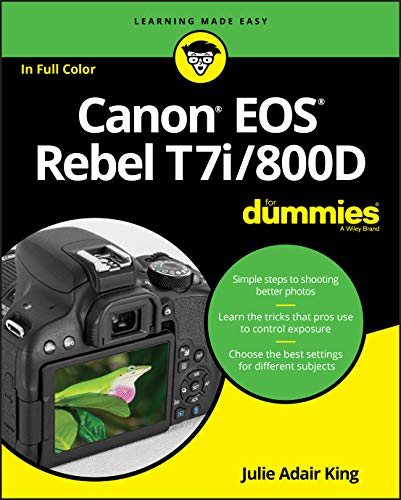
The Canon T7i is a camera that grows with you. The Guided UI helps beginners understand what each setting does, while the 45-point all cross-type AF, Dual Pixel Live View AF, and full PASM controls give experienced shooters plenty of room to push their skills. If you’re looking for a do-everything DSLR at a reasonable price, it’s hard to beat.
See Also