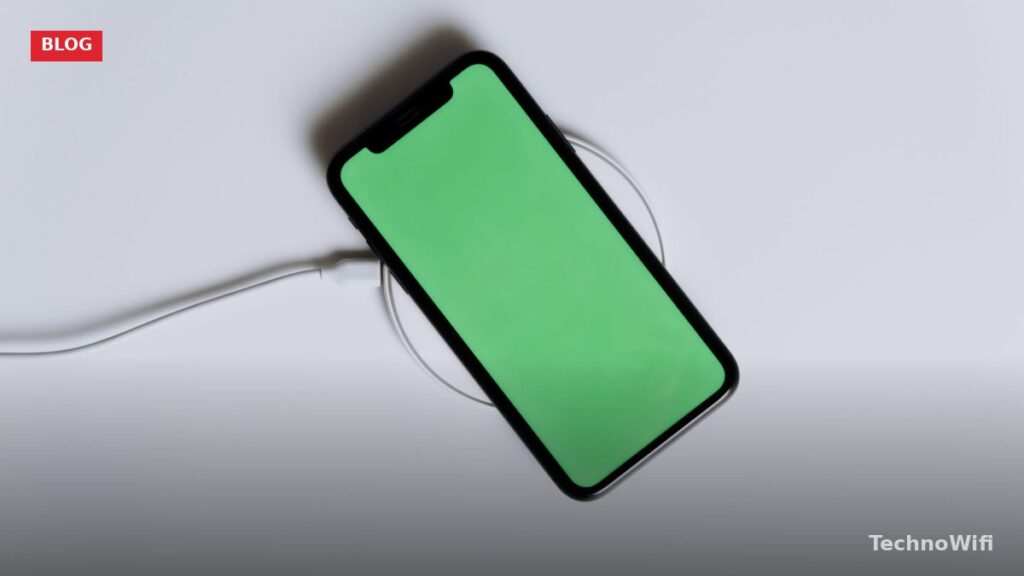
Wireless charging lets you power up a phone by setting it on a pad instead of plugging in a cable. No fumbling with connectors in the dark, no wearing out a charging port over thousands of insertions. You just drop your phone on a surface and walk away. But what actually happens between the pad and your phone? The answer comes down to magnetic fields, copper coils, and a standard called Qi that quietly became one of the most widely adopted technologies in consumer electronics.
How Does Wireless Charging Work
Wireless charging relies on electromagnetic induction – the same principle Michael Faraday demonstrated in 1831. A coil of copper wire inside the charging pad receives electricity from the wall outlet and converts it into an alternating magnetic field. When you place your phone on the pad, a second coil inside the phone sits within that magnetic field. The changing magnetic field induces an electric current in the phone’s coil, and that current charges the battery.
Think of it like two magnets communicating through a table. The bottom magnet (the charger) creates an invisible field that passes through the surface. The top magnet (your phone’s coil) picks up that field and turns it back into electricity. No physical contact between the two electrical circuits is needed – the magnetic field bridges the gap.
The charger and phone also communicate digitally during the process. Your phone sends small data packets back to the charging pad using a technique called backscatter modulation. These packets tell the charger how much power to deliver, what the battery temperature is, and when to stop. This two-way communication prevents overcharging and overheating.
What Is the Qi Wireless Charging Standard
Qi (pronounced “chee,” from the Chinese word for energy flow) is the global wireless charging standard developed by the Wireless Power Consortium (WPC). The WPC has over 350 member companies, including Apple, Samsung, Google, Sony, and LG. Qi defines how the transmitter coil in the charger and the receiver coil in the phone interact, what frequencies to use, and how the devices communicate.
Qi was introduced in 2010 and initially supported only 5 watts of power. Over the years, the standard expanded to support higher wattages and added features like foreign object detection, which stops charging if it senses a metal object (like a key or coin) between the pad and the phone. That metal detection matters because a stray piece of metal in the charging field can heat up rapidly and become a fire risk.
By 2026, Qi is built into virtually every flagship smartphone sold worldwide, plus earbuds, smartwatches, and even some laptops. If a device carries the Qi logo, it will work with any Qi-certified charging pad regardless of brand.
Qi vs Qi2 vs MagSafe – What Is the Difference
The original Qi standard has one major annoyance: alignment. You place your phone on the pad, and if the coils don’t line up properly, charging either doesn’t start or runs at reduced speed. You’ve probably experienced setting your phone down at night, thinking it was charging, and waking up to a dead battery. That alignment problem is what Qi2 fixes.
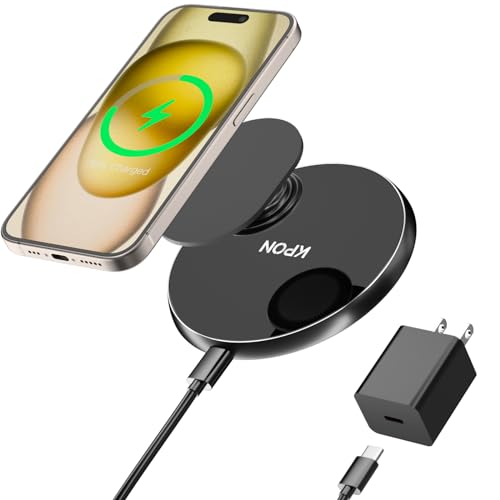
Qi2 launched in early 2024 and adds a ring of magnets to snap the phone into perfect alignment every time – a feature Apple pioneered with MagSafe in 2020. Apple contributed its Magnetic Power Profile technology to the WPC, which means Qi2 is essentially MagSafe made into an open standard that any manufacturer can use. Samsung, Google, and other Android manufacturers began adopting Qi2 in their 2024 and 2025 devices.
Apple’s MagSafe remains a proprietary implementation with some additional features (like faster charging speeds on iPhones), but Qi2 chargers work with MagSafe phones and vice versa. The magnets are physically compatible.
| Feature | Qi (original) | Qi2 | MagSafe |
|---|---|---|---|
| Magnetic alignment | No | Yes | Yes |
| Max charging speed | 15W | 15W (expanding to 30W+) | 25W (iPhone 16 series) |
| Open standard | Yes | Yes | No (Apple proprietary) |
| Foreign object detection | Yes | Yes (improved) | Yes |
| Works with Android | Yes | Yes | No |
| Works with iPhone | Yes (7.5W max) | Yes | Yes |
| Backward compatible | N/A | Yes (with Qi devices) | Yes (with Qi devices) |
| Governing body | WPC | WPC | Apple |
Wireless Charging Speeds by Phone in 2026
Not every phone charges at the same speed wirelessly. The maximum wattage depends on both the phone’s receiver hardware and the charger you use. A 15W phone on a 5W pad will only charge at 5W. A 5W phone on a 50W pad will still only charge at 5W. The slower device always sets the limit.
Some manufacturers like OnePlus and Xiaomi use proprietary wireless charging protocols that deliver much higher wattages – but only with their own branded chargers. Use a standard Qi pad with those phones and you’ll get standard Qi speeds.
| Device | Standard Qi speed | Qi2 / MagSafe speed | Proprietary max speed | Charger needed for max speed |
|---|---|---|---|---|
| iPhone 16 Pro / Pro Max | 7.5W | 25W (MagSafe/Qi2) | N/A | Apple MagSafe or Qi2 certified charger |
| iPhone 16 / 16 Plus | 7.5W | 25W (MagSafe/Qi2) | N/A | Apple MagSafe or Qi2 certified charger |
| iPhone 15 Pro / Pro Max | 7.5W | 15W (MagSafe) | N/A | Apple MagSafe charger |
| Samsung Galaxy S25 Ultra | 15W | 15W (Qi2) | 15W | Any Qi2 or Qi EPP charger |
| Samsung Galaxy S24 Ultra | 15W | 15W (Qi2) | 15W | Any Qi2 or Qi EPP charger |
| Google Pixel 9 Pro | 12W | 15W (Qi2) | 23W (Pixel Stand 2) | Google Pixel Stand (2nd Gen) |
| Google Pixel 9 | 12W | 15W (Qi2) | 21W (Pixel Stand 2) | Google Pixel Stand (2nd Gen) |
| OnePlus 13 | 15W | 15W (Qi2) | 50W (AIRVOOC) | OnePlus AIRVOOC charger |
Does Wireless Charging Damage Your Battery
This is one of the most common concerns, and the short answer is no – wireless charging does not damage a modern smartphone battery any more than wired charging does. The worry usually centers on heat, because wireless charging generates more heat than a cable connection. Heat is the enemy of lithium-ion batteries, and prolonged exposure to high temperatures does accelerate capacity loss over time.
But phone manufacturers have accounted for this. Every modern smartphone with wireless charging includes thermal management systems that monitor battery temperature in real time. If the phone gets too warm, the charging circuit automatically reduces the charging speed or pauses charging entirely until the temperature drops. Apple, Samsung, and Google all implement this behavior.
Phones also use trickle charging once the battery reaches around 80%. Instead of pushing full power into an almost-full battery (which generates extra heat and stress), the charger slows to a trickle. Apple’s Optimized Battery Charging feature takes this further by learning your daily schedule and holding the charge at 80% until shortly before you typically pick up the phone, then topping off to 100%.
The real battery killer isn’t the charging method – it’s consistent exposure to heat from other sources. Leaving your phone in a hot car, charging while running processor-heavy apps, or using a case that traps heat all do more damage than the charging pad itself.
Does a Phone Case Block Wireless Charging
Most phone cases do not block wireless charging. Standard silicone, TPU, plastic, and thin leather cases (under about 3mm thick) allow the magnetic field to pass through without any problem. You can leave your case on and charge wirelessly without a second thought.
Cases that will block or interfere with wireless charging include metal cases, cases with metal plates (like those used for magnetic car mounts), cases with built-in card holders containing credit cards with magnetic strips, and unusually thick rugged cases over 5-6mm. If your phone won’t charge wirelessly with a case on, try removing the case to confirm it’s the issue. If charging works without the case, you’ll need a thinner or non-metallic case.
For Qi2 and MagSafe, look for cases labeled as MagSafe-compatible or Qi2-compatible. These cases have magnets built in that maintain the snap alignment and don’t interfere with charging speeds.
Wireless Charging vs Wired Charging
The tradeoff between wireless and wired charging boils down to convenience versus speed. Wireless is easier – you set the phone down and pick it up. No cable to find, no port to align. For overnight charging, the speed difference doesn’t matter because the phone has eight hours to reach 100% either way.
Wired charging is faster. A USB-C cable with a compatible charger can deliver 20-45W to most phones and up to 100W+ on some Android devices with proprietary fast charging. Wireless charging tops out at 15-25W on standard protocols and 50W on proprietary ones. If you need a quick charge during lunch, wired wins.
| Factor | Wireless charging | Wired charging |
|---|---|---|
| Convenience | High – drop and go | Moderate – need a cable |
| Typical speed | 7.5W – 25W (standard) | 20W – 45W (standard) |
| Max speed (proprietary) | 50W (OnePlus AIRVOOC) | 240W (Realme, Xiaomi) |
| Can use phone while charging | Difficult (must stay on pad) | Yes |
| Port wear | None | Gradual connector wear |
| Efficiency | About 80% (some energy lost as heat) | About 95% |
| Best for | Nightstand, desk, car mount | Quick top-ups, heavy use |
Many people use both. A wireless charger on the nightstand for overnight charging and a wired cable in the bag for midday emergencies. They’re not competing solutions – they complement each other.
Phone Not Charging Wirelessly – How to Fix It
If your phone isn’t charging when you place it on a wireless charger, work through these steps before assuming something is broken.
- Check alignment. If you’re using a flat Qi pad without magnets, reposition the phone so the center of its back sits directly over the center of the pad. On most phones, the charging coil is in the upper-middle area of the back, not dead center.
- Remove your case. Take the case off and try again. Metal cases, cases with magnetic mounts, or very thick rugged cases can block the charging field.
- Check for obstructions. Remove any cards, coins, keys, or other metal objects sitting between the phone and the pad. Even a small piece of metal can trigger foreign object detection and stop charging.
- Verify the charger has power. Make sure the charging pad is plugged into a working outlet and that the power adapter meets the pad’s requirements. Many 15W wireless chargers require a Quick Charge 3.0 or USB-PD adapter to deliver full speed – a basic 5W adapter will limit the pad’s output.
- Restart your phone. A software glitch can occasionally prevent the charging circuit from engaging. Power the phone off completely, wait 10 seconds, and turn it back on.
- Try a different charger. If the phone charges wirelessly on a different pad, the issue is with the original charger. If it won’t charge on any pad, the phone’s wireless charging coil or circuit may need repair.
Why Is My Wireless Charging So Slow
Slow wireless charging usually has a simple explanation. The most common cause is using a power adapter that can’t deliver enough wattage. A wireless charger rated for 15W still needs a wall adapter that can supply at least 24W (Quick Charge 3.0 or USB-PD) to hit that speed. Plug the same charger into a 5V/1A adapter and you’ll get 5W at best.
Heat is the second most common reason. When the phone’s internal temperature rises, the charging software reduces power to protect the battery. Charging in direct sunlight, on a soft surface like a bed that traps heat, or while running navigation or video calls will all cause thermal throttling.
Misalignment on non-magnetic pads causes the coils to couple poorly, reducing power transfer. And if your phone only supports Qi at 7.5W (like older iPhones), no charger will push past that limit regardless of its rated output.
Why Does My Phone Overheat on a Wireless Charger
Some warmth during wireless charging is normal. The energy transfer through magnetic induction is roughly 80% efficient, and the other 20% dissipates as heat. But if your phone feels uncomfortably hot – too warm to hold against your face – something is off.
Common causes include charging on a soft surface like a pillow or mattress (which insulates the phone and traps heat), using a case that’s too thick, running heavy apps during charging, ambient room temperature above 95 degrees Fahrenheit, and a charger that doesn’t properly communicate with the phone to manage power delivery. Cheap uncertified chargers sometimes lack proper thermal regulation protocols.
Fix overheating by moving the charger to a hard, flat surface with airflow. Remove your case during charging if heat is persistent. Avoid using the phone heavily while it’s on the pad. And stick with Qi-certified or Qi2-certified chargers that have proper communication protocols for thermal management.
Frequently Asked Questions
Is wireless charging bad for your battery?
No. Modern smartphones manage heat and charging speed automatically to protect battery health. Features like Apple’s Optimized Battery Charging and Samsung’s Adaptive Charging slow power delivery when the battery is nearly full, reducing long-term wear. Wireless charging produces slightly more heat than wired charging, but the difference is not large enough to meaningfully shorten battery lifespan under normal use.
Can all phones charge wirelessly?
No. A phone needs a built-in wireless charging receiver coil to charge wirelessly. Most flagship phones from Apple, Samsung, Google, OnePlus, and other major brands have included wireless charging since 2019 or earlier. Many budget and mid-range phones still skip it to keep costs down. Check your phone’s spec sheet for “Qi wireless charging” or “Qi2” to confirm support.
Does wireless charging work through a case?
Yes, in most situations. Thin cases made from silicone, TPU, plastic, or leather (under 3mm thick) do not block wireless charging. Metal cases, cases with embedded metal plates, and heavily armored rugged cases can interfere. For Qi2 or MagSafe, use a case specifically labeled as compatible to maintain magnetic alignment and full charging speed.
Is Qi2 better than Qi?
Qi2 improves on Qi in two key ways. First, the magnetic alignment ring ensures the coils line up perfectly every time, eliminating the frustrating misalignment problem. Second, better alignment means more efficient energy transfer, which allows higher charging speeds with less heat. Qi2 is backward compatible with Qi, so a Qi2 charger still works with older Qi-only phones – just without the magnetic snap.
Do I need a special charger for Qi2?
Yes. To get the magnetic alignment and full Qi2 charging speeds, you need a charger with the Qi2 Magnetic Power Profile. These chargers have built-in magnets and updated firmware. Qi2 phones will charge on older Qi pads, but without the magnetic snap and potentially at lower speeds. Look for the “Qi2” certification logo when buying a charger.
Can I wirelessly charge AirPods and smartwatches?
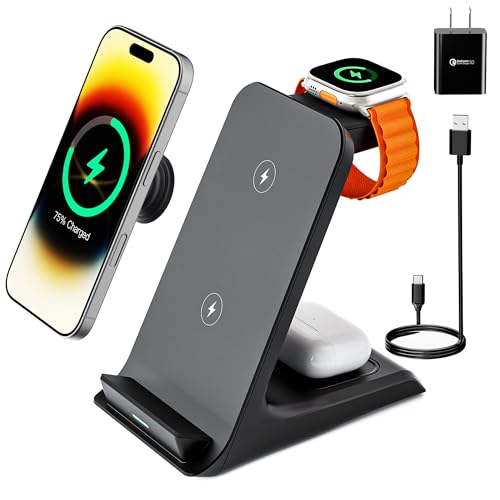
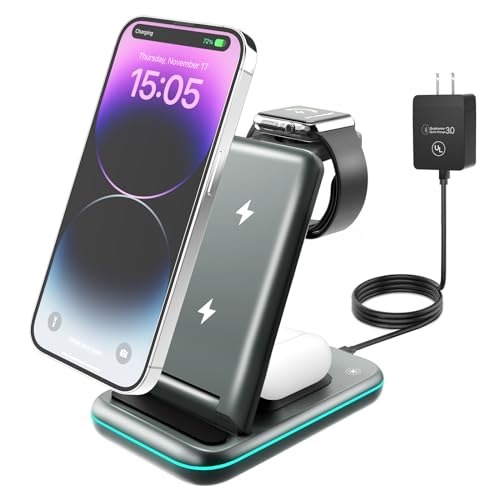
Yes. Apple AirPods (with a wireless charging case), Samsung Galaxy Buds, and many other wireless earbuds support Qi charging. Place the case on a Qi pad and it charges just like a phone. Smartwatches vary – the Apple Watch uses a proprietary magnetic charger that is not standard Qi, while some Samsung Galaxy Watch models support Qi. Check your specific device’s charging compatibility before buying a charger.
- Wireless Power Consortium – “How Does Wireless Charging Work?” – https://www.wirelesspowerconsortium.com/knowledge-base/how-does-wireless-charging-work
- Apple Support – “About MagSafe chargers and wireless charging” – https://support.apple.com/en-us/108049