Best VR Games for Kids on Meta Quest and Oculus Rift in 2026
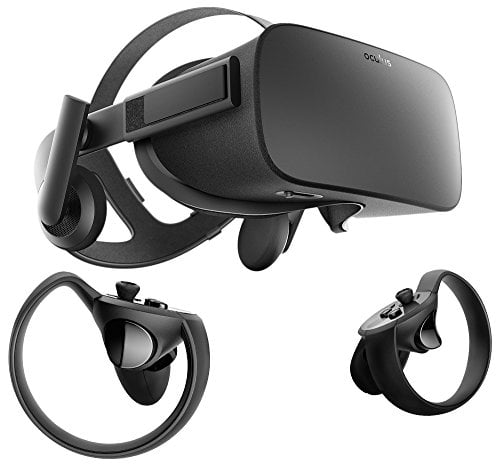
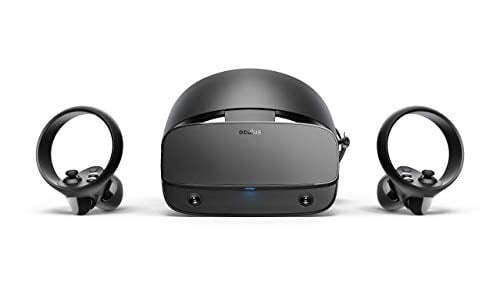
If you have been shopping for VR headsets for kids, you have probably noticed that Oculus is now Meta Quest. The Oculus Rift brand has been retired, but a lot of people still search for it, and plenty of families still own older Rift headsets. Whether your child is using a Meta Quest 3, a Quest 2, or even an original Rift with a PC, the game library overlaps quite a bit. The titles below work across these headsets, and every pick is something a kid can enjoy without running into violent or scary content.
Before we get into the games, a quick note on age. Meta officially recommends its headsets for ages 10 and up. That said, many parents let younger kids play in short sessions with supervision. Use your own judgment based on how your child handles screen time and whether they seem comfortable wearing the headset.
Setting Up Parental Controls
Meta has built a parental supervision system into the Quest platform. You can set it up through the Meta Quest app on your phone. Here is what it lets you do:
App approvals: Your child requests a game, and you approve or deny it from your phone.
Daily time limits: Set a hard cap on how long the headset can be used each day.
Content restrictions: Block apps based on age ratings. You can limit the store to games rated E or E10+.
Social features: Disable or restrict who your child can interact with online.
If you are using an older Rift with a PC, these controls are not available. You will need to manage access through the PC itself, either by supervising play or using Windows parental controls to restrict when the computer can be used.
Top VR Games for Kids in 2026
Beat Saber
Still the gold standard for family-friendly VR. Your child slashes colored blocks with lightsabers in time with music. There is no violent content, and the gameplay is easy to understand even for younger players. The built-in song library is solid, and you can buy extra music packs. It also doubles as a workout, which is a nice side benefit.
Best for ages 7 and up. The movements are natural and cause very little motion sickness since the player stands in one spot.
Moss and Moss: Book II
Moss is a third-person adventure where your child guides a tiny mouse named Quill through puzzles and light combat. The camera stays stable and the world is beautifully designed, almost like peering into a living diorama. Moss: Book II continues the story with more puzzles and environments. Both games are gentle, charming, and have zero online interaction.
Best for ages 8 and up. The stable camera makes it one of the most comfortable VR games available.
Job Simulator and Vacation Simulator
These two games let kids goof around in cartoon versions of everyday settings. Job Simulator puts them in an office, a kitchen, a convenience store, or a mechanic’s garage. Vacation Simulator takes the same idea to a beach, forest, and mountain resort. Both are built around silly interactions and there is no way to fail or lose. Kids love throwing things around and discovering hidden jokes.
Best for ages 6 and up. Stationary gameplay means zero motion sickness issues.
Angry Birds VR: Isle of Pigs
The classic Angry Birds formula translated into VR. Kids physically aim and launch birds at structures made of wood, glass, and stone. It feels like playing with a real slingshot. The puzzles get more creative as you progress, and the cartoon pigs are funny enough to keep younger players entertained. There is no multiplayer or chat.
Best for ages 6 and up. Completely stationary, so motion sickness is not a concern.
National Geographic Explore VR
This is an educational title that takes players to real-world locations like Antarctica and Machu Picchu. Kids paddle kayaks through icebergs, photograph wildlife, and explore ancient ruins. The pace is slow and relaxing, and the visuals are genuinely impressive. It is a great way to spark curiosity about geography and nature.
Best for ages 8 and up. There is some movement on water, so very sensitive kids might want short sessions at first.
Fruit Ninja VR
Another stationary game where kids slice fruit with virtual swords. The original mobile game was a hit with younger audiences, and the VR version keeps that same pick-up-and-play appeal. Sessions are short, which makes it easy to manage screen time. No online features or chat.
Best for ages 6 and up.
Elixir
A free hand-tracking game where kids play as a wizard’s apprentice, mixing potions and casting spells with their bare hands. No controllers needed. It is short but the hand-tracking tech makes it feel magical, and kids usually want to replay it several times. Since it is free, it is a good title to test whether your child enjoys VR before you buy paid games.
Best for ages 7 and up.
Avoiding Motion Sickness
Kids are more sensitive to VR motion sickness than adults. Here are some practical tips:
Start with stationary games. Beat Saber, Job Simulator, and Fruit Ninja are all played standing in one spot. These almost never cause nausea.
Keep sessions short. Start with 15 to 20 minutes and work up from there. If your child mentions feeling weird, dizzy, or tired, stop immediately.
Use comfort settings. Most Quest games have a comfort mode that reduces camera movement. Look for it in the in-game settings.
Make sure the headset fits right. A loose headset that shifts around during play makes motion sickness much worse. Adjust the straps so the display stays clear and stable.
Use a fan. A small desk fan blowing toward the play area gives the body a sense of orientation and can reduce nausea.
Audio and Accessories
The built-in speakers on the Quest 3 and Quest 2 are fine for most games, but they leak sound. If your child is playing in a shared space, a pair of headphones for tweens with a shorter cable or Bluetooth connection can help. Just keep the volume low enough that they can still hear you when you call them.
If you are looking into VR for streaming, many of these kid-friendly games also work well for recording gameplay. Beat Saber videos especially tend to do well on YouTube and TikTok.
Final Thoughts
VR can be a great experience for kids when the games are chosen carefully and play sessions are kept reasonable. Stick with stationary, single-player titles for younger children, set up parental controls before handing over the headset, and keep an eye on comfort. The games listed above have held up well through 2026 and continue to get positive feedback from parents and kids alike.