Best External Display for MacBook Pro
When shopping for an external display, keep in mind that macOS works best with monitors that have a pixel density close to 110 or 220 PPI.
In 2026, MacBook Pro users have more display options than ever, from ultrawide productivity monitors to high-refresh-rate gaming panels. The key is finding a monitor that matches how you actually use your laptop. Designers need accurate color reproduction. Gamers want fast refresh rates and low response times. Remote workers just need a bigger screen with reliable USB-C connectivity.
Here’s our recommended list of the best external displays for MacBook Pro.
Recommended List of Best External Displays for MacBook Pro
1. Asus TUF Gaming HDR Monitor
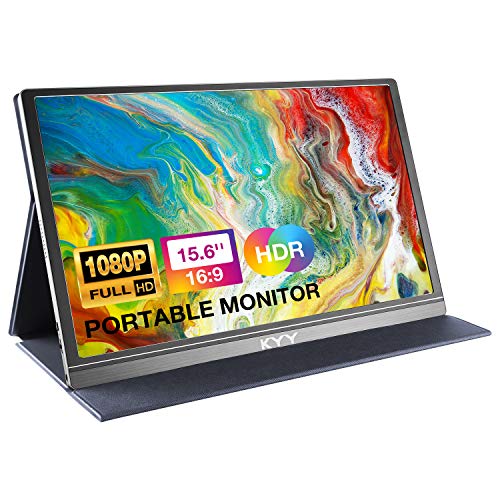
This gaming monitor features a 27-inch wide screen and an ultrafast overclock refresh rate.
The synchronization technology helps eliminate ghosting and delivers high-end visuals. G-Sync support makes it a solid choice for smooth gameplay.
High dynamic range paired with a professional color gamut produces accurate contrast and vivid colors. It’s certified for ergonomic design, so you can count on lag-free performance and low blue light technology to reduce eye fatigue. It supports both adaptive sync and a range of graphics cards.
For MacBook Pro users, the ASUS TUF connects over HDMI 2.0, so you’ll need a USB-C to HDMI adapter or a docking station. The monitor’s HDR support pulls out detail in both bright highlights and dark shadows, which is especially noticeable in video content and photo editing. The low blue light feature is a bonus if you spend long hours at your desk, reducing strain on your eyes without noticeably shifting the color temperature.
2. Acer Nitro XV340CK
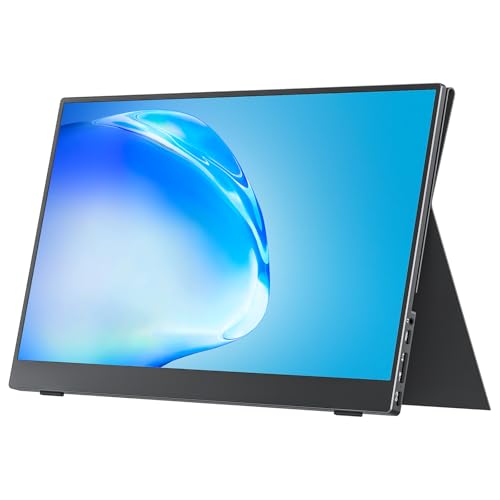
This 34-inch HD display comes with Radeon FreeSync technology. It’s a 144Hz monitor with a zero-frame design, and you get DisplayPort, HDMI 2.0, and USB 3.0 ports right out of the box.
This topic ties into our thunderbolt 3 dock MacBook Pro guide, which covers the next steps.
HDMI and USB cables are included. The ultrawide immersion technology means you won’t miss a thing during fast-paced action.
You’ll get precision with an ultra-smooth gaming experience. Faster frame rendering means lower input lag, so there’s no blur to worry about. Graphics card support provides a visually smooth experience, and the life-like image quality brings an expanded contrast ratio and color palette for realistic visuals.
The 34-inch ultrawide format is a real productivity advantage for MacBook Pro users. You can place two full-size application windows side by side without overlapping, which replicates a dual-monitor setup with a single panel. The 21:9 aspect ratio also works well for video editing timelines, spreadsheets, and coding environments where horizontal space matters.
The zero-frame design means the bezels are almost invisible, giving the display a clean, modern look on your desk. At 144Hz, scrolling through documents and web pages feels smoother than a standard 60Hz panel.
3. LG 34″ Ultra Gear Gaming Monitor
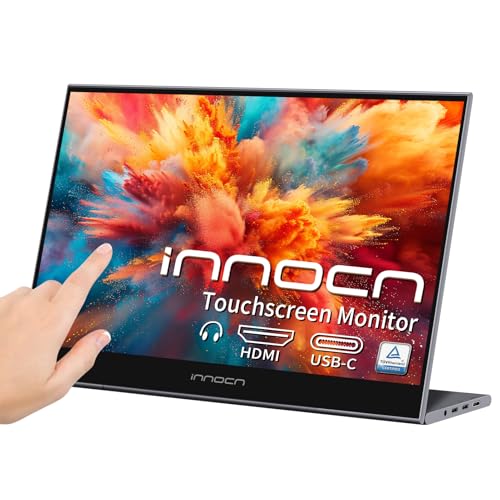
This 34-inch ultrawide display features FreeSync technology and a 144Hz refresh rate.
It comes with a four-sided, virtually borderless design and an adjustable stand. You can change the height, tilt, and swivel to match your setup.
This gaming monitor packs high-performance features that take your gaming to the next level. Graphics-intensive games look and feel incredible on it.
Our guide on imac docking stations goes into more detail if you need it.
HDR content comes through with the right brightness and color support. For even greater immersion, the pixel area is roughly 1.8 times larger than many other monitors in this class.
Plug-and-play HDR support gives you the results you need without extra hassle. The ultra-thin bezel on the streamlined display creates a virtually borderless visual experience.
LG’s OnScreen Control software adds a nice layer of customization. You can split your screen into preset layouts, adjust color settings per application, and switch between picture modes without diving into the physical OSD menu. This is especially handy for MacBook Pro users who juggle creative apps and communication tools throughout the day.
The adjustable stand deserves a mention too. Being able to raise, lower, tilt, and swivel the monitor means you can match it to your chair height and sitting position without buying a separate monitor arm. Proper ergonomics make a big difference during long work sessions.
4. Viewsonic 27 Inches Frameless
This high-resolution monitor with ultrafast response times delivers a noticeable upgrade in image quality.
The 144Hz refresh rate gives you an edge in competitive gaming. FreeSync Premier technology ensures smooth frame rates to back you up.
An IPS panel delivers stunning views and lifelike visuals. You also get preset customizable visual modes designed for FPS, RTS, and MOBA games.
Flexible connectivity works well with most laptops, tablets, phones, and Mac devices. HDMI and DisplayPort inputs are both available.
The IPS panel is worth highlighting for MacBook Pro users who do any creative work. IPS technology provides consistent colors and contrast even when viewed from an angle, which matters if you share your screen with a coworker or client sitting next to you. The 178-degree viewing angle means the picture stays accurate from almost any position.
At 27 inches, this Viewsonic monitor hits a sweet spot between screen size and desk space. It’s large enough to feel like a meaningful upgrade from your MacBook Pro’s built-in display, but not so big that it dominates a small desk. If your workspace is tight, a 27-inch monitor is often a better fit than a 34-inch ultrawide.
How to Connect an External Display to Your MacBook Pro
MacBook Pro models from 2016 onward use USB-C (Thunderbolt) ports for video output. To connect most external monitors, you have a few options.
A USB-C to HDMI cable is the simplest approach. Plug one end into your MacBook Pro and the other into the monitor’s HDMI port. macOS should detect the display automatically and extend your desktop onto it.
A USB-C to DisplayPort cable works the same way and is often a better choice for high-refresh-rate monitors. DisplayPort supports higher bandwidth than HDMI 2.0, so you’ll get the full 144Hz output from the monitors listed above.
If you want a single-cable solution that also charges your MacBook Pro, look for a monitor with a USB-C input that supports power delivery. Some newer monitors can send 65W to 96W of power back to your laptop while receiving the video signal over the same cable. This cuts down on cable clutter and keeps your desk clean.
Display Settings to Adjust on macOS
After connecting your external monitor, open System Settings > Displays on your MacBook Pro. Here you can arrange the position of your displays, set the resolution, choose a refresh rate, and pick a color profile.
For most users, the “Default for display” resolution option works well. If text and icons look too small or too large, switch to “Scaled” and pick the size that feels comfortable. On high-PPI monitors, macOS renders everything at double resolution (Retina scaling), which produces sharp text and crisp interface elements.
If colors look different between your MacBook Pro’s screen and the external monitor, calibrate the display using the built-in Display Calibrator Assistant under System Settings > Displays > Color Profile > Customize. It takes a few minutes but makes a real difference for photo and video work.
Bottom Line for Best External Display for MacBook Pro
There are plenty of great external displays for the MacBook Pro. The ones listed above stand out for their image quality, resolution, and proper aspect ratios. Brightness and contrast ratios are also very solid across the board, so pick whichever one fits your needs best.
If you’re primarily a gamer, the high-refresh-rate options from ASUS, Acer, and LG will serve you well. If productivity is your main goal, the ultrawide format gives you the most usable screen space. And if desk space is limited, the 27-inch Viewsonic delivers strong performance in a more compact package. Whatever you choose, a good external display turns your MacBook Pro into a true desktop workstation.