Choosing the Right Power Source for Your Wireless Camera
When people say “wireless security camera,” they usually mean a camera that sends video over Wi-Fi instead of through a cable. But the word “wireless” doesn’t always mean “no wires at all.” Some outdoor security camera models still need to be plugged into a power outlet, while others run entirely on batteries or solar energy.
The power source you pick affects where you can install the camera, how often you need to maintain it, and how reliable your surveillance will be in the long run. Here are three ways to keep your wireless cameras running, with the real trade-offs for each.
Option 1: Rechargeable Batteries
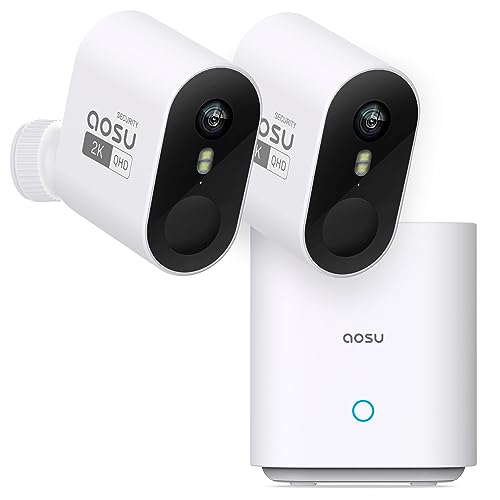
Battery-powered cameras are the easiest to install because there are zero wires involved. You charge the battery, slide it into the camera, mount the camera wherever you want, and you’re done. No drilling holes for cable runs, no searching for a nearby outlet.
How Long Do They Last?
Most modern wireless cameras use lithium-ion rechargeable batteries that last anywhere from two to six months on a single charge. The actual runtime depends on a few things:
Motion events: Every time the camera detects motion, wakes up, records a clip, and uploads it to the cloud, it drains the battery. A camera watching a busy street will die much faster than one monitoring a quiet backyard.
Video quality: Recording at 2K or 4K resolution eats more power than 1080p. If battery life matters more than pixel count, drop the resolution down a notch.
Temperature: Cold weather hurts lithium-ion batteries. If you live somewhere that gets below freezing in winter, expect shorter battery life during those months.
Charging Tips
Some cameras have removable batteries, so you can swap in a fresh one without taking the camera down. Others need to be brought inside and plugged into a USB charger. If you go the battery route, it helps to buy a second battery so you always have one ready.
Best cameras for battery power: Arlo Pro 5, Blink Outdoor 4, Ring Stick Up Cam Battery, Eufy SoloCam series.
Option 2: Solar Panels
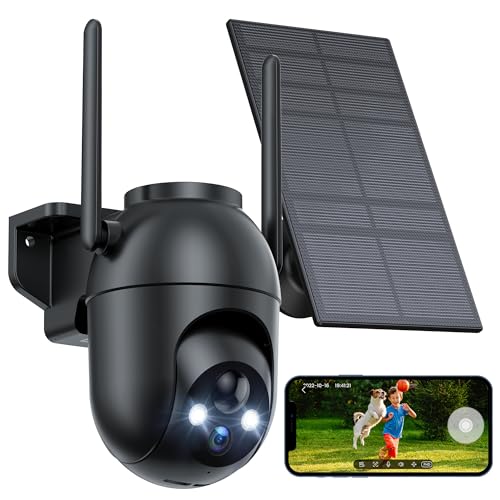
Solar-powered cameras combine a rechargeable battery with a small solar panel that keeps the battery topped off. In theory, you never have to charge the camera manually. In practice, it depends on your climate and panel placement.
How Solar Camera Power Works
The solar panel doesn’t power the camera directly. Instead, it charges the internal battery throughout the day. The camera runs off the battery at all times. When the sun is out, the panel feeds energy back into the battery faster than the camera drains it.
Most solar panels for security cameras are about the size of a paperback book. They connect to the camera with a short cable and mount separately, angled toward the sun.
Placement Matters
Point the panel south (in the Northern Hemisphere) and avoid spots that are shaded by trees, overhangs, or other structures. Even partial shade can cut output by 50% or more. Mount the panel at an angle, not flat against the wall, to catch more direct sunlight.
What About Cloudy Days?
Solar panels still generate some power on overcast days, just less of it. A well-sized panel can keep a camera going through several cloudy days in a row because the battery acts as a buffer. But if you live in a region with weeks of heavy cloud cover or short winter days, solar might not keep up on its own. In that case, treat the panel as a battery extender rather than a complete power solution, and plan to charge the battery manually once or twice during the darkest months.
Best cameras for solar power: Reolink Argus 4 Pro with Solar Panel, Ring Solar Cam, Arlo Solar Panel (compatible with Arlo Pro and Ultra series).
Option 3: Hardwired Power
If you want a camera that runs 24/7 without any battery swaps or solar concerns, wired power is the most dependable option. You give up some installation flexibility, but you gain continuous recording and zero maintenance.
Plug-in Adapters
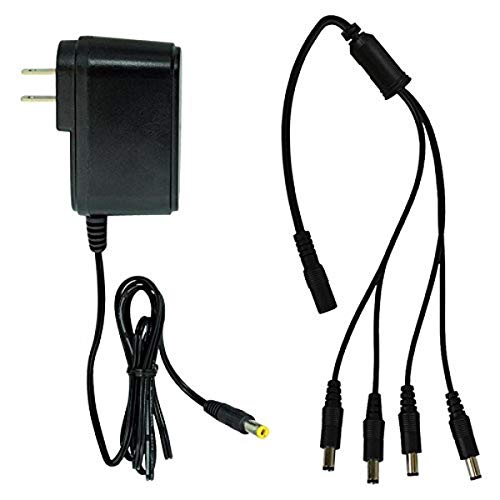
Many Wi-Fi cameras come with a long power cable and a wall adapter. You run the cable from the camera to the nearest outlet. This works well when the camera is mounted near a porch light, garage outlet, or window where you can run the cord inside.
For cleaner installations, you can drill a small hole through the wall, pass the cable through, and plug it in inside. Use weatherproof cable covers or conduit for outdoor runs to protect against rain and UV damage.
Power over Ethernet (PoE)
PoE cameras get both power and data through a single Ethernet cable. You connect the cable from the camera to a PoE switch or NVR (Network Video Recorder) inside your home. This is the cleanest setup because one cable does everything.
PoE is the standard choice for multi-camera systems. You can run Ethernet up to 300 feet from the switch to the camera without signal loss. The downside is that you need to run Ethernet cable, which takes more effort than just plugging into a wall outlet.
If you already have a wired security camera wireless setup in mind, PoE gives you the reliability of a wired connection with the flexibility to add Wi-Fi bridges later.
Pros and Cons of Hardwired Power
Pros: Continuous 24/7 recording, no battery to monitor, works in any climate, supports higher-resolution cameras that draw more power.
Cons: Installation takes more time and effort, limited to spots near outlets or where you can run cable, not ideal for renters who can’t drill holes.
Best cameras for hardwired power: Reolink RLC-810A (PoE), Google Nest Cam (wired), TP-Link Tapo C320WS.
Which Power Method Should You Pick?
Here’s a quick breakdown to help you decide:
Choose battery if you want a fast, simple installation with no wires at all. Good for renters, temporary setups, or spots far from any outlet.
Choose solar if you want the convenience of battery power without the hassle of recharging every few months. Best for sunny climates with direct panel placement.
Choose hardwired if you want non-stop recording, run a multi-camera system, or live in a climate where batteries and solar panels struggle.
Many homeowners end up using a mix. A battery camera at the side gate, a solar-powered camera on the detached garage, and a PoE camera at the front door. Match the power source to the location and you’ll get the best results from each camera.