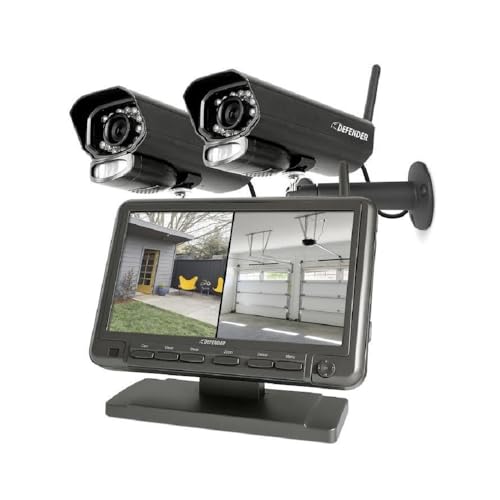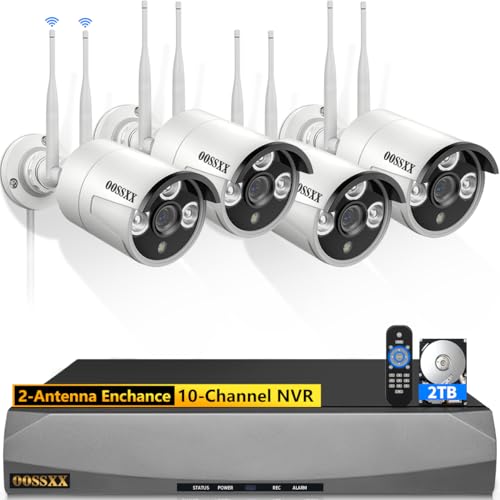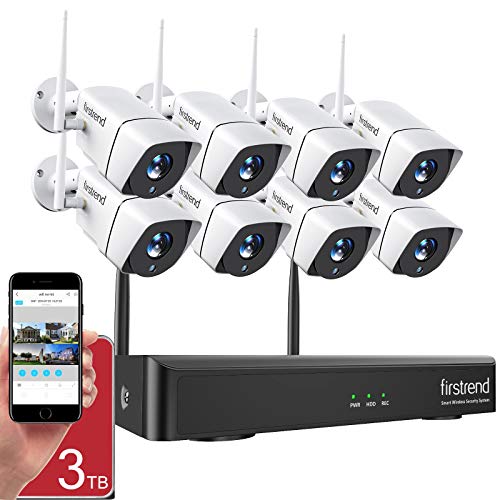
Wi-Fi security systems prevent unauthorized access to your property and keep your data safe over wireless networks. They’re faster to install and easier to upgrade than older wired setups.
These next-generation systems use modern protection standards to keep things locked down around the clock. Lower installation costs and simple upgrades make them a solid choice for most homeowners.
A typical Wi-Fi security system includes an alarm, camera sensors, and various detectors, all connected to a main control panel.
Before jumping into our recommendations, take a minute to think about what you actually need. Where does the camera need to go? How much area do you need to cover? Getting clear on those basics will save you from buyer’s regret.
What Makes a Good Wi-Fi Security System in 2026
The security camera market has changed a lot in recent years. Today, even mid-range systems offer features that were only available on high-end models a few years back.
Here are the key things to look for when shopping for a Wi-Fi security system.
Video Resolution
1080p is the minimum you should consider. Most quality systems now shoot in 2K or even 4K, which gives you sharper details and makes it easier to identify faces or license plates. Higher resolution does require more bandwidth and storage, so factor that into your decision.
Night Vision
Standard infrared night vision works fine for basic needs. Color night vision, which uses a combination of larger image sensors and built-in spotlights, gives you more useful footage after dark. If your camera covers an outdoor area, color night vision is worth the upgrade.
Smart Detection
Person detection, vehicle detection, and package detection have become standard on most mid-range cameras in 2026. These features cut down on false alerts from wind, animals, or passing shadows. Some systems even recognize familiar faces and can tell the difference between a delivery driver and a stranger.
Two-Way Audio
A built-in speaker and microphone let you talk to whoever is at your door without opening it. This is useful for delivery instructions, greeting visitors, or warning off someone who should not be there.
Recommended List of Best Wi-Fi Security Systems
1. Arlo Pro 3
The Arlo Pro 3 has a lot going for it, and it easily earns a top spot on this list.
It picked up right where the Arlo Pro 2 left off. The jump to 2K video resolution means sharper, more detailed footage compared to standard 1080p cameras. It’s also weatherproof, so outdoor placement is no problem.
Night footage looks surprisingly clear thanks to high-quality infrared night vision. You also get color night vision and a built-in LED spotlight that you can activate manually or set to run all day. The sound sensors are sensitive enough to pick up even minor vibrations.
The 160-degree viewing angle gives you a wider field of view, and a built-in siren adds extra protection. Two-way audio with an integrated mic lets you communicate with whoever is on the other end.
Compatibility with Amazon Alexa and Google Assistant rounds out the package. You also get 30 days of recording history, activity zones, and a range of advanced features.
Battery life on the Arlo Pro 3 is solid too. Depending on how many events it captures each day, a full charge can last three to six months. The rechargeable batteries swap out easily, and a solar panel accessory keeps them topped up without manual charging.
2. SimpliSafe Security Camera
SimpliSafe has become a favorite among homeowners, and for good reason. They offer professional monitoring without the steep monthly fees.
The upgraded hardware features modern tech with a smaller environmental footprint. Automated home controls and voice commands work well and feel responsive.
Smart controls for lights, door locks, and the thermostat make it a good fit for connected homes. The base station includes alarm alerts, tamper protection, a status light, and battery backup.
Built-in motion detection sends you alerts around the clock. The privacy shutter adds an extra level of control, and the system is pet-friendly too.
One of the best things about SimpliSafe in 2026 is the flexibility. You can self-monitor for free using the app, or add professional monitoring starting at $19.99 per month. There are no long-term contracts, so you can cancel whenever you want. The system also includes a cellular backup, which means it keeps working even if your internet goes down.
3. Wyze Cam
The Wyze Cam might not scream “budget” the way it used to, but it’s still loaded with features. HD live streaming, motion tracking, night vision, and motion-based cloud storage all come standard.
A built-in Micro SD card provides local video storage, so you’re not stuck relying on the cloud for everything.
It works great with Alexa voice commands. Motion detection zones and instant alerts keep you in the loop whenever something happens.
This wireless camera is flexible and easy to set up. You can place it indoors or outdoors to keep an eye on things without a complicated installation process.
The interface includes arm and disarm modes plus customizable motion zones. Cloud storage subscription plans unlock advanced features like person, animal, vehicle, and package detection.
At its price point, the Wyze Cam is perfect for renters or anyone who wants a simple security camera without a big commitment. You can set one up in under five minutes, and the Wyze app walks you through every step.
How to Get the Most Out of Your Wi-Fi Security System
Buying a good camera is only half the equation. Placement and setup matter just as much.
Camera Placement Tips
Mount your main camera at about 8 to 10 feet high, angled slightly downward. This height covers faces and body movement while staying out of easy reach. Cover all entry points: front door, back door, garage, and any ground-floor windows.
For outdoor cameras, avoid pointing them directly at the sun. Glare washes out the image and can trigger false motion alerts. Position the camera so it looks along the path someone would walk, not straight at them. That gives the motion sensor more time to react.
Network Setup
A weak Wi-Fi signal causes choppy video and missed alerts. If your camera is far from the router, add a Wi-Fi extender or switch to a mesh network. Most modern security cameras work on 2.4 GHz networks, which have better range than 5 GHz but slower speeds. Check your camera’s specs before setting up.
For the best results, keep your upload speed at 2 Mbps or higher per camera. If you are running three cameras, you want at least 6 Mbps of upload bandwidth dedicated to your security system.
Summing It Up
Those are three of the best Wi-Fi security systems you can buy right now, each packed with solid features and dependable specs.
A good network connection will keep your video quality sharp and your audio detection on point. Lag drops off once you pair these systems with a stable indoor or outdoor Wi-Fi setup. Stay tuned for more updates on security devices and systems.
See Also
How to install a cloud Wi-Fi camera