When you purchase through links on our site, we may earn an affiliate commission. Here’s how it works.
Not everybody needs a 15-inch powerhouse. Sometimes what you actually want is a compact, lightweight laptop with a touchscreen that handles everyday tasks without weighing down your bag. Whether you are a student carrying a laptop between classes, a commuter who works on the train, or someone who just wants a small device for browsing and streaming, a compact touchscreen laptop can be the perfect fit.
The laptops in this roundup are budget-friendly models with screens ranging from 10 to 13 inches. Most run Chrome OS, which keeps things simple, fast, and secure. These are not workstations. They are practical, affordable machines for people who need portability above all else.
A quick note: several of these models use older-generation processors and were released a few years ago. We include them because they are still widely available at excellent prices and continue to receive Chrome OS updates. Where relevant, we mention their current-generation successors.
What to Look for in a Small Touchscreen Laptop
When shopping for a compact touchscreen laptop, keep these priorities in mind:
- Display quality: At this screen size, even HD (1366×768) is fine for web browsing and document editing. Full HD (1920×1080) looks noticeably sharper for streaming and photo viewing. Make sure the touchscreen is responsive and supports basic gestures like pinch-to-zoom and swipe scrolling.
- Battery life: Small laptops should last a full day without charging. Look for at least 8 hours of real-world usage.
- Weight: Under 3 pounds is the sweet spot for portability. Some of these models are light enough to hold one-handed in tablet mode.
- Build quality: Budget does not have to mean fragile. Look for laptops with reinforced hinges (especially on 360-degree models), scratch-resistant glass, and sturdy construction.
- Storage: Most budget Chromebooks use 32GB or 64GB eMMC storage. This is fine for Chrome OS since most files live in the cloud, but you will want to use Google Drive or an SD card for additional storage.
5 Best Compact Touchscreen Laptops
1. ASUS Chromebook Flip (C214)
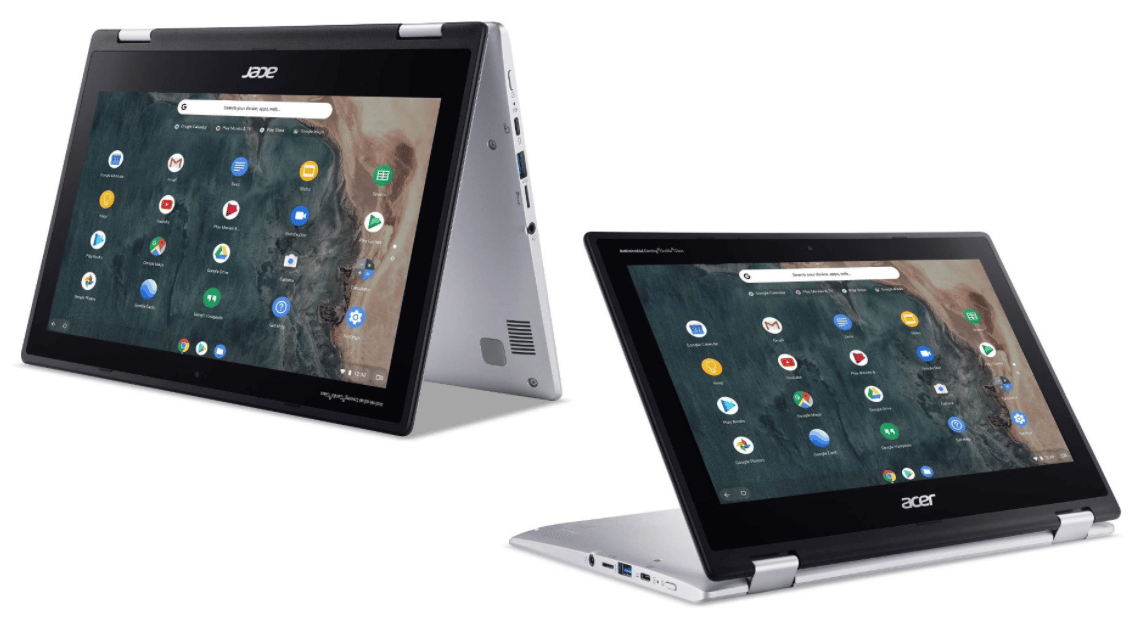
Best Small Touch Screen Laptops – Asus Chromebook Spin
The ASUS Chromebook Flip is a rugged 2-in-1 with an 11.6-inch touchscreen protected by Corning Gorilla Glass. That durability matters if this laptop is going in a backpack, getting used by kids, or traveling with you daily. The rubberized edges and spill-resistant keyboard add an extra layer of protection that most budget laptops skip.
The 360-degree hinge lets you use it in laptop mode, tablet mode, tent mode for streaming, or presentation mode. Chrome OS keeps things snappy even with the modest MediaTek processor and 4GB of RAM. You can also run Android apps from the Google Play Store, which expands the functionality significantly.
This model uses an older MediaTek Helio chip and 32GB eMMC storage. For most users doing web browsing, document editing, video calls, and streaming, that is genuinely enough. ASUS has since released updated Chromebook Flip models with newer processors and larger storage options.
- Processor: MediaTek Helio MT8183C Octa-Core
- GPU: ARM Mali-G72 MP3
- RAM: 4GB DDR4
- Display: 11.6-inch HD Touchscreen (Gorilla Glass)
- Storage: 32GB eMMC
- Battery: Up to 8.5 hours
- Weight: 2.2 lbs
Best for: Students and travelers who need a durable, lightweight 2-in-1 on a tight budget.
2. HP Chromebook 11
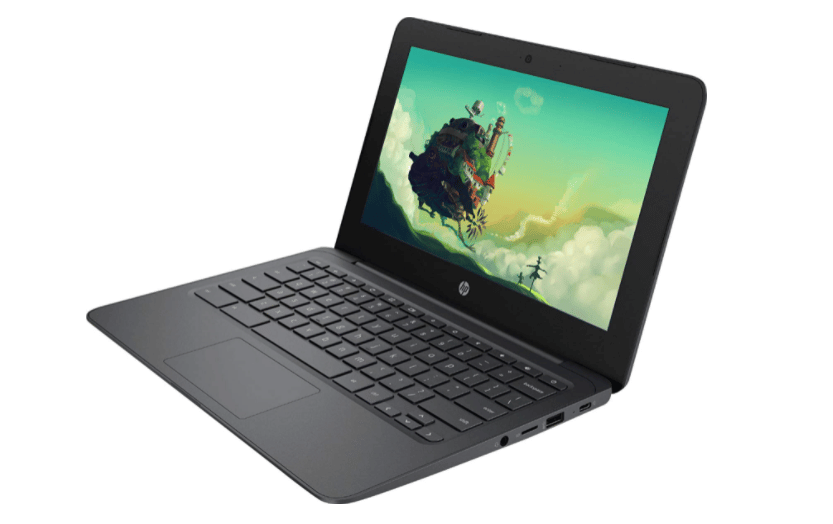
HP’s 11.6-inch Chromebook is about as straightforward as laptops get. It is small enough to fit in a purse or small bag, has stereo speakers that sound decent for the size, and offers a solid range of connectivity including USB-A, USB-C, and a microSD card slot.
The Intel Celeron processor and 4GB of RAM handle Chrome OS smoothly for basic tasks. Do not expect to run demanding Android apps or keep 30 tabs open, but for email, Google Docs, YouTube, Netflix, and web browsing, it does everything you need without complaint.
The 32GB eMMC storage is the main limitation. You will want to lean on cloud storage or add a microSD card if you download a lot of files. Battery life is a solid 8 hours, which gets most people through a full school or work day.
HP continues to offer updated Chromebook models with improved processors and storage. This particular model is an excellent budget option if you find it on sale or refurbished.
- Processor: Intel Celeron
- GPU: Intel HD Graphics 500
- RAM: 4GB
- Display: 11.6-inch HD Touchscreen
- Storage: 32GB eMMC
- Battery: Up to 8 hours
- Weight: 2.98 lbs
Best for: Users who want a simple, affordable laptop for basic everyday tasks.
3. Lenovo Chromebook Duet
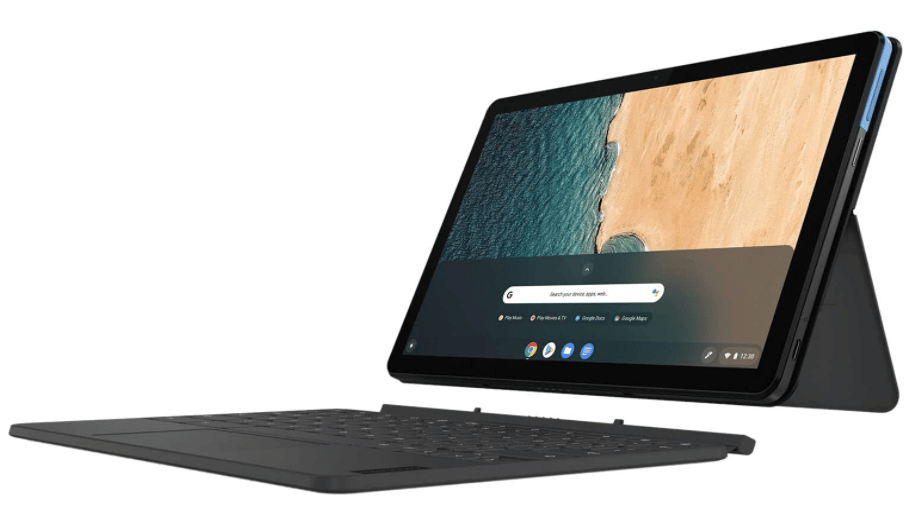
Best Small Touch Screen Laptops – Lenovo Chromebook Duet
The Chromebook Duet is one of the most interesting budget devices in this category. It is a tablet-first device with a detachable keyboard and a fabric-backed kickstand cover. Pop off the keyboard and you have a 10.1-inch tablet for reading, browsing, and streaming. Snap it back on and you have a compact laptop for typing and productivity.
The 10.1-inch Full HD touchscreen is noticeably sharper than the HD panels on the other small Chromebooks in this list. Colors are vibrant and the display is bright enough for indoor use and light outdoor visibility. It is a great screen for its price point.
The MediaTek processor and 4GB of RAM keep Chrome OS running smoothly for light tasks. Battery life is excellent at up to 10 hours, and the whole package weighs under 3 pounds with the keyboard attached. Lenovo has since released the Chromebook Duet 3 and Duet 5 with larger displays and updated hardware.
- Processor: MediaTek Helio P60T Octa-Core
- GPU: ARM Mali-G72 MP3
- RAM: 4GB
- Display: 10.1-inch Full HD Touchscreen
- Storage: 32GB eMCP
- Battery: Up to 10 hours
- Weight: 2.03 lbs (tablet only) / 2.98 lbs (with keyboard)
Best for: Anyone who wants a tablet-laptop hybrid at a budget price. Perfect for couch browsing, travel, and light productivity.
4. Lenovo Chromebook Flex 5
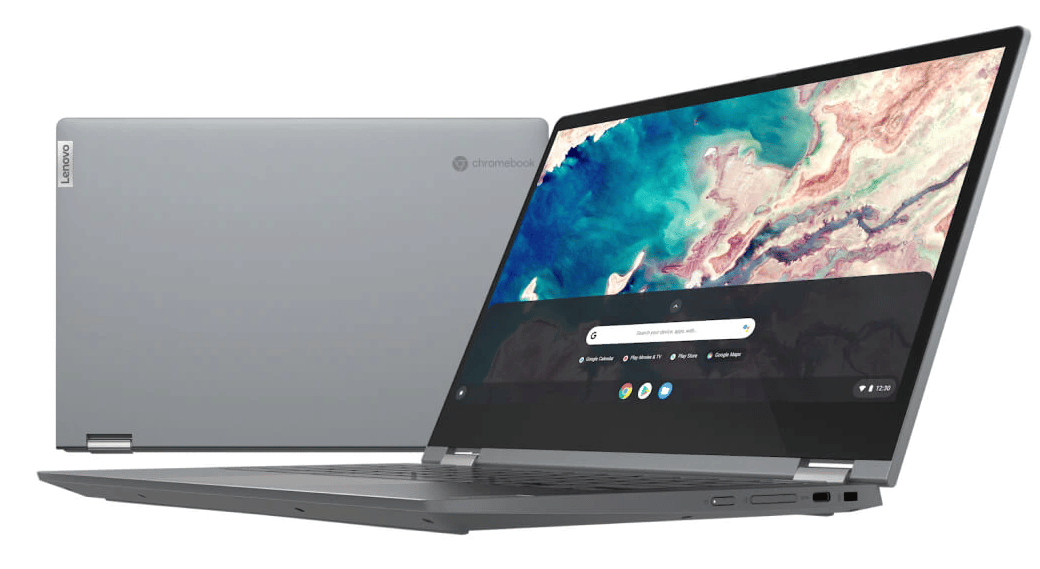
Lenovo Chromebook Flex 5
The Chromebook Flex 5 is the most powerful laptop in this roundup, and it shows. The 10th Gen Intel Core i3 processor is a significant step up from the Celeron and MediaTek chips in the other models. Everything feels faster: apps open quicker, tabs load without delay, and Android apps from Google Play run smoothly.
The 13.3-inch Full HD touchscreen is the largest in this list and supports 360-degree rotation for tablet mode. The backlit keyboard is a thoughtful addition that you will appreciate in low-light environments. Build quality feels a notch above typical Chromebook fare, with a solid aluminum chassis that does not flex or creak.
At 64GB eMMC storage, it offers double the storage of most Chromebooks in this price range. That gives you more room for offline files, Android apps, and Linux applications if you enable Linux on Chrome OS. Battery life stretches to about 10 hours.
- Processor: 10th Gen Intel Core i3
- GPU: Intel Integrated Graphics
- RAM: 4GB DDR4
- Display: 13.3-inch Full HD Touchscreen (360-degree hinge)
- Storage: 64GB eMMC
- Battery: Up to 10 hours
- Weight: 2.97 lbs
Best for: Users who want more performance from a Chromebook without stepping up to a premium price. The best overall pick if you need a balance of portability, capability, and value.
5. Microsoft Surface Go 3
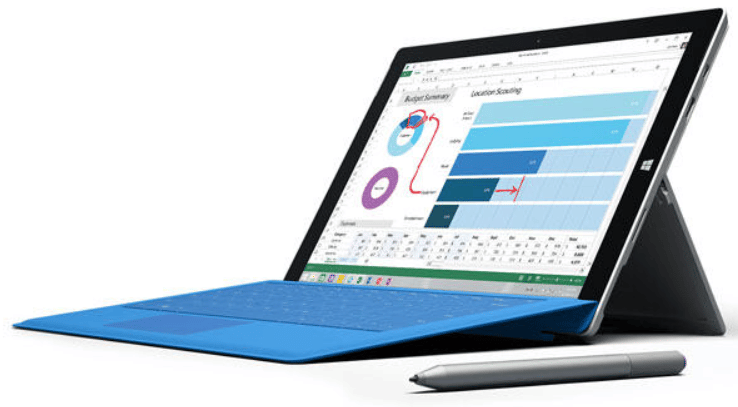
Best Small Touch Screen Laptops – Microsoft Surface 3
The Surface Go 3 is the only Windows device in this roundup, and that distinction matters. While the Chromebooks are limited to web apps, Android apps, and Linux, the Surface Go 3 runs full Windows 11. That means you can install desktop applications like Photoshop Elements, Microsoft Office (the full desktop version), and any other Windows software.
The 10.5-inch PixelSense touchscreen supports the Surface Pen for drawing and note-taking. Dual microphones and a quality webcam make it a capable video conferencing device. The kickstand offers adjustable viewing angles, and the optional Type Cover keyboard turns it into a compact laptop.
The trade-off is performance. The Intel processor in the base model is modest, and Windows 11 is more resource-hungry than Chrome OS. For light productivity, browsing, and media consumption, it handles things fine. For anything demanding, you will notice limitations. The 128GB SSD does provide meaningfully more usable storage than the 32GB eMMC in the Chromebooks. Microsoft has continued the Surface Go line and also offers the Surface Laptop Go for a more traditional laptop experience.
- Processor: Intel Quad-Core
- GPU: Intel HD Graphics
- RAM: 4GB DDR4
- Display: 10.5-inch HD PixelSense Touchscreen
- Storage: 128GB SSD
- Battery: Up to 11.5 hours
- Weight: 1.2 lbs (tablet) / 2.4 lbs (with Type Cover)
Best for: Users who need full Windows compatibility in the smallest possible package. Great for on-the-go productivity and note-taking with the Surface Pen.
Quick Comparison
Here is how these five compact touchscreen laptops stack up against each other:
- Most durable: ASUS Chromebook Flip with Gorilla Glass and rubberized bumpers
- Most versatile form factor: Lenovo Chromebook Duet with its detachable keyboard
- Best performance: Lenovo Chromebook Flex 5 with its Core i3 processor
- Best display: Lenovo Chromebook Duet with its Full HD panel at 10.1 inches
- Full Windows experience: Microsoft Surface Go 3, the only device here running Windows 11
- Best budget pick: HP Chromebook 11 for basic tasks at the lowest price
All of these laptops are excellent choices for their intended purpose: lightweight, touchscreen-equipped devices for everyday computing. If you need more power, check out our guides to external monitors for laptops and laptops for college students under $500.
